Since 1 September 2026, according to the source, property management companies, homeowners’ associations (TSZh) and housing cooperatives in Russia have been legally required to run an official “home chat” for each apartment building in the MAX messenger. For residents, this means a written, time-stamped channel for reporting problems such as a broken lift or a leaking roof — alongside, not instead of, the usual phone lines and in-person visits. Below is how the source describes finding your building’s chat on Android, joining it, filing a complaint, and recognising the scam messages that have appeared around the new system.
What you need to know
- Official home chats are created by the management organisation, not by residents; the source says complaints sent through them carry official status and must be answered, and that organisations without a chat face fines of up to 300,000 rubles.
- The source describes three ways to find a chat: the @home_chat_bot bot in MAX, the “Gosuslugi Dom” app, or MAX’s general search by address.
- Using the chat is voluntary for residents; in-person visits, written applications, hotlines and the 24-hour emergency dispatch service all remain available.
- Official chats do not send private invitations — a direct-message invite, a request for an SMS code or a PDF with “new payment details” are described as typical scam patterns.
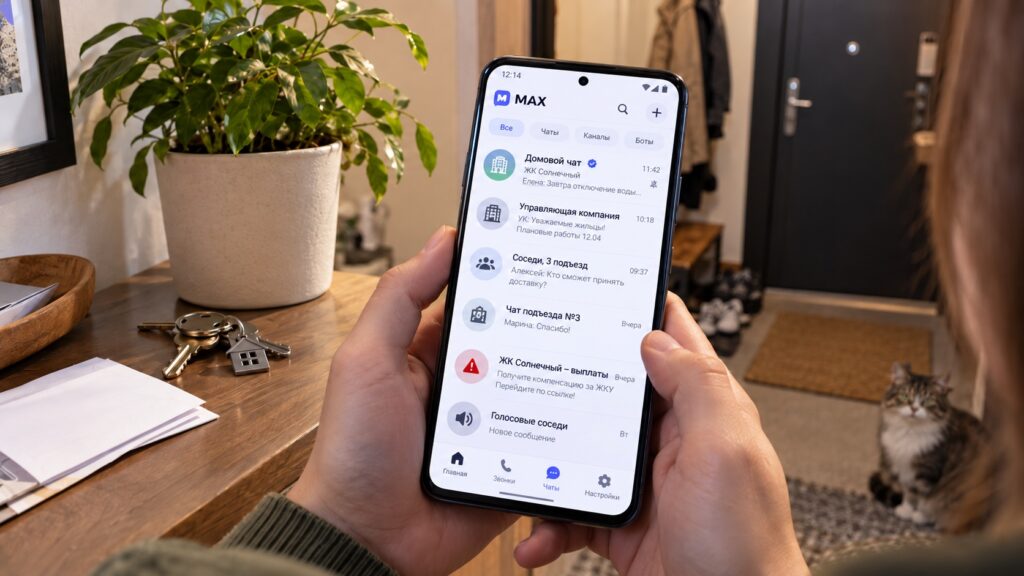
Home chats in the MAX messenger on Android
What a MAX home chat is and how it differs from a neighbours’ group
A home chat in MAX is the official chat of a specific apartment building, created and run by the management organisation — not by the residents. The source stresses that this is the key difference from the informal neighbourhood groups people have long set up themselves in WhatsApp or Telegram.
- Official home chat in MAX — created by the management company, homeowners’ association or housing cooperative. Messages sent through it have official status and the organisation is obliged to respond. According to the source, an organisation that fails to run such a chat can be fined up to 300,000 rubles.
- Neighbours’ chat — set up by residents in any messenger. Messages there have no official status, and the management organisation is not obliged to consider them.
The main practical benefit, the source argues, is documentary proof: you send a request and receive a written reply with a timestamp. That is easier to rely on than a hotline call, where it can later be hard to prove you ever phoned.
How to find your building’s official chat
The source calls the bot method the simplest of the three.
Method 1: the @home_chat_bot bot in MAX
- Open MAX on your Android phone.
- Type @home_chat_bot into the search bar and open the bot.
- Tap “Start”.
- Follow the bot’s prompts and enter your building’s address.
- The bot shows your building’s official chat — if the management organisation has created one.
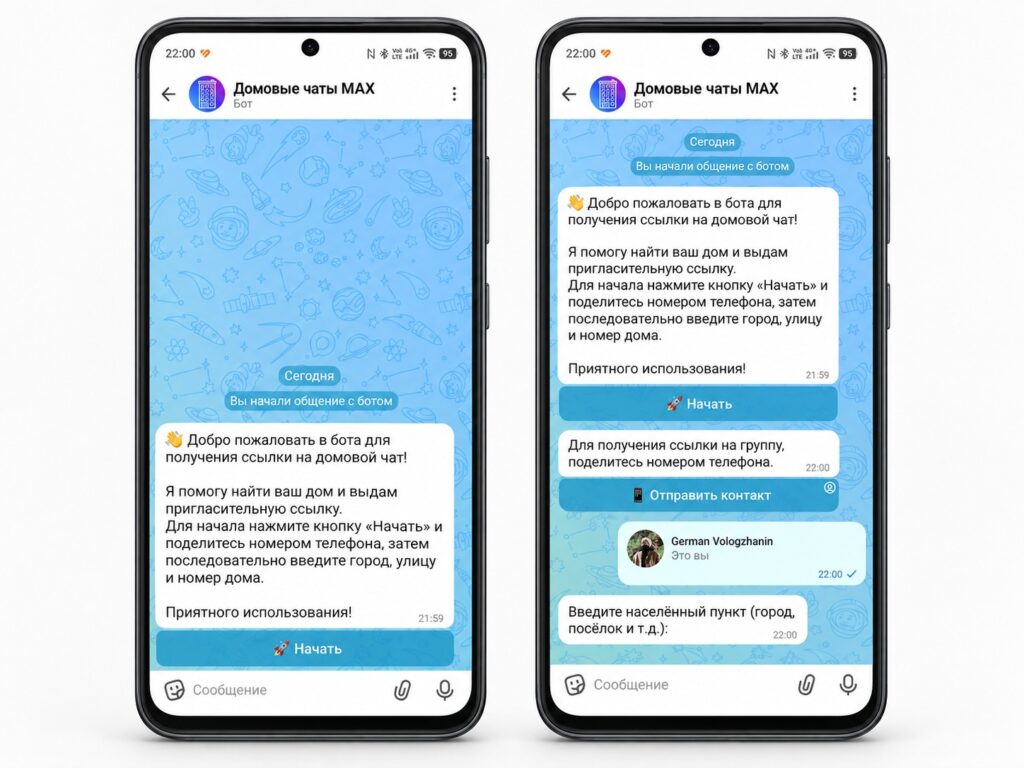
The home chats bot in MAX
Method 2: the “Gosuslugi Dom” app
The Gosuslugi Dom app also lets you check whether a home chat exists for your building and submit a request through it. Install it from Google Play, sign in with your Gosuslugi (state services) account and look up your building by address.

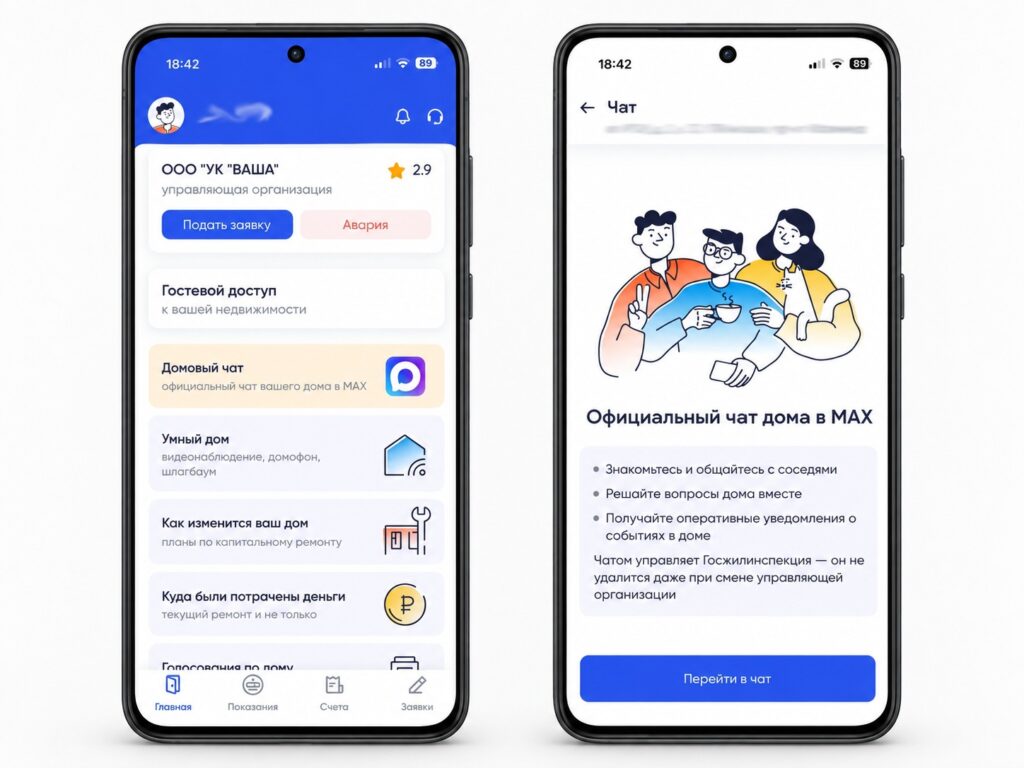
Accessing the home chat through the Gosuslugi Dom app
Method 3: MAX’s general search
Type your building’s address directly into the MAX search bar. The chat may turn up in general search results — but only if the management organisation named it correctly.
If no chat appears, that does not necessarily mean it doesn’t exist. The organisation may still be setting it up or may have used a different name. In that case, the source advises contacting the management company directly and asking for the link to the official chat.
How to join the chat and file an official request
Before joining, the source recommends making sure you have set up a Digital ID in MAX — it is used to confirm that you actually live in the building rather than being a random outsider.
- Open the home chat you found in MAX.
- Tap “Join”.
- If the chat requires verification, confirm your residential address via Digital ID.
- Once you’re in, you can see the chat history and post messages.
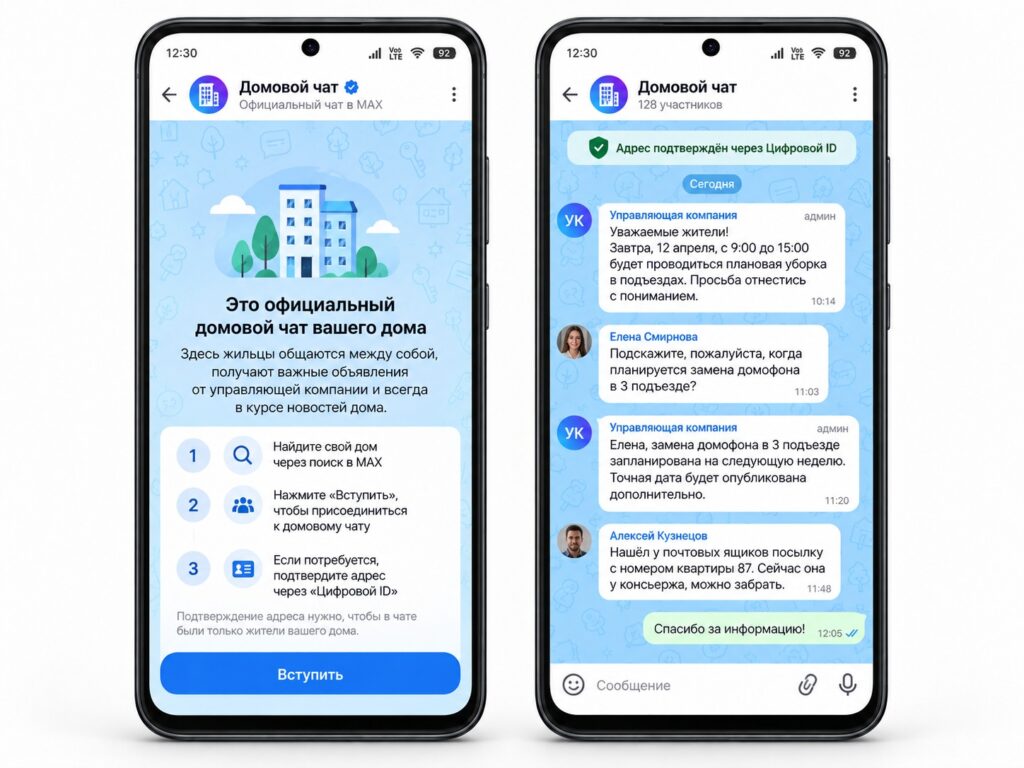
Joining a home chat in MAX
To send an official request to the management company through the chat:
- Open your building’s home chat in MAX.
- Describe the problem clearly and specifically: what happened, exactly where, and when you noticed it.
- Attach photos if relevant — the source says this speeds up processing.
- Send the message; it acquires official status.
- The management organisation is obliged to review the request and reply within the prescribed time limits (the source does not specify what those limits are).
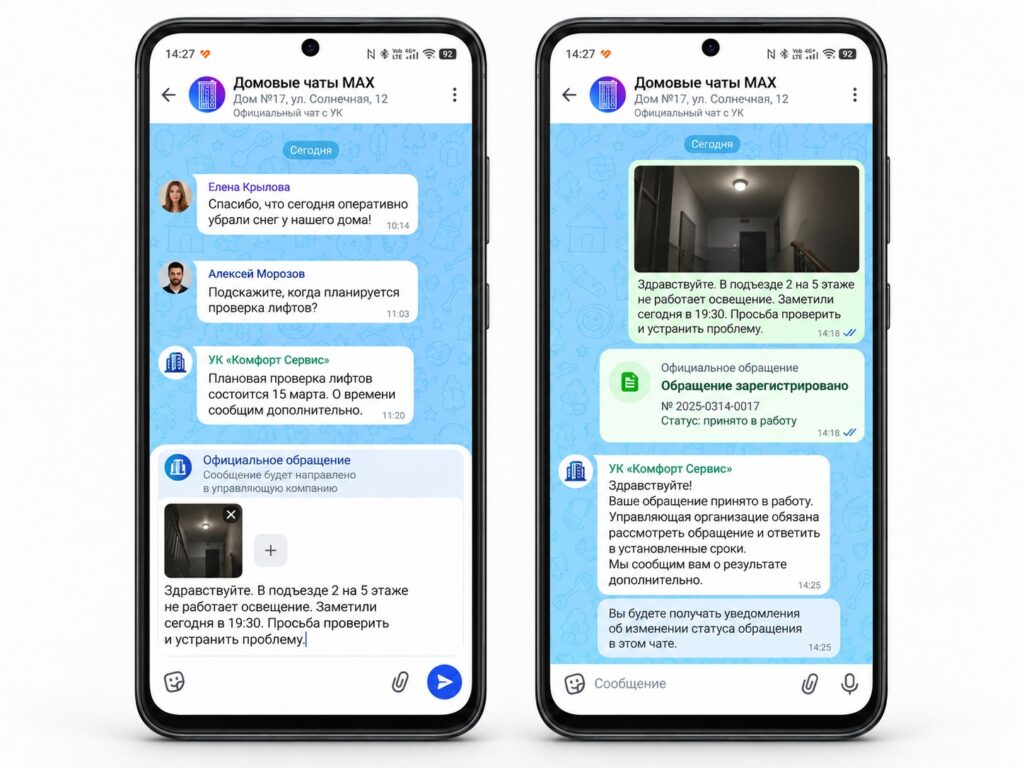
Sending a request to the management company through MAX

A screenshot of the exchange, with its timestamps, serves as your evidence of when the request was filed and when a reply arrived.
The old ways of contacting the management company still work
The home chat is an additional channel, not a replacement. According to the source, all traditional routes remain fully in place:
- In-person visits to the management company’s office;
- Written applications, accepted and registered as before;
- The hotline telephone number;
- The emergency dispatch service, which continues to operate around the clock for urgent situations.
Nobody is obliged to use MAX. The legal duty falls on the management organisations to create the chat and accept requests through it; residents use it voluntarily.
Scammers are already exploiting the home chat rollout
The source reports a rise in fraud attempts that rely on people not knowing what an official invitation looks like.
Typical schemes described in the source:
- A message in MAX “from the management company” inviting you to join a home chat via a link that leads to a phishing site;
- A stranger claims you missed a notification from your management company and asks you to read out an SMS code to “verify your identity”;
- A PDF “official notice” announcing new bank details for paying utility bills.
How to tell an official chat from a fake one, per the source:
- An official home chat never sends invitations by private message. You find it yourself via @home_chat_bot or the Gosuslugi Dom app;
- Never share an SMS code with anyone — not a “management company”, not an “MFC employee”, not a “Gosuslugi worker”;
- Don’t follow links in unexpected messages purportedly from your housing provider — the source notes that payment details are changed only through official paper notices;
- Check via the official @home_chat_bot: if your building isn’t listed there but you’ve already “received an invitation”, it’s a scam.
If you receive a suspicious message, the source recommends blocking the sender and reporting them within MAX.


