If you have MAKS installed on your iPhone, you may have noticed something strange: messages arrive, but the phone stays silent. No banner, no sound. You open the app — and there are already a dozen unread messages. It’s not your settings and not a bad internet connection. On the evening of June 3, 2026, Apple removed MAKS from the App Store, and this immediately affected the delivery of push notifications.
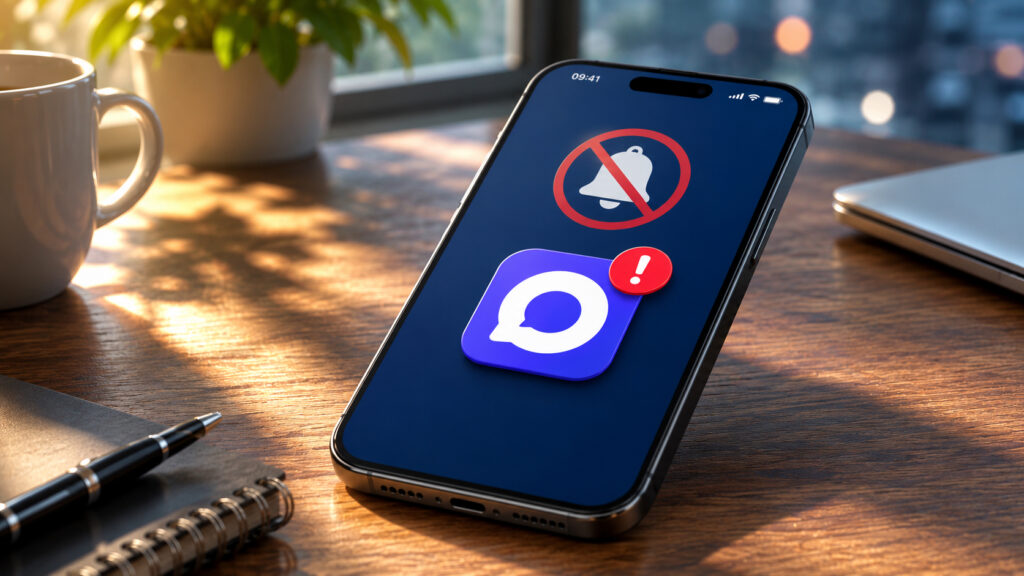
The App Store removal has already hit MAKS
Why Apple Removed MAKS from the App Store
On the evening of June 3, the app disappeared from the Apple store. It could no longer be found through search, and following a direct link returns an error about unavailability in the region. This affected both iPhone and iPad.
VK confirmed the removal and said they had sent a request to Apple. Apple itself has not commented on the situation yet. The official reason has not been stated, but there is a theory: at the end of April 2026, two MAKS domains received a spyware label in Cloudflare Radar. This is still a rumor and should be treated with caution.
The app is no longer in the App Store
An important point: everything is fine on Android. MAKS can be easily installed from RuStore, Google Play, and other stores. The problem only affects owners of Apple devices.
Why MAKS Notifications Disappeared
To understand the reason, you need to know how push notifications on iPhone actually work. Their delivery is handled not by the app, but by Apple itself — through the APNs service. The scheme is simple: the MAKS server contacts APNs, and APNs then delivers the notification to your screen. Without Apple as an intermediary, push notifications on iOS physically don’t work.
When an app is removed from the App Store, the developer’s certificates for communicating with APNs are often revoked as well. As a result, the MAKS server can send as many notifications as it wants — Apple simply doesn’t let them through. The app itself still works: it connects to its own servers directly, so messaging works when you open MAKS manually.
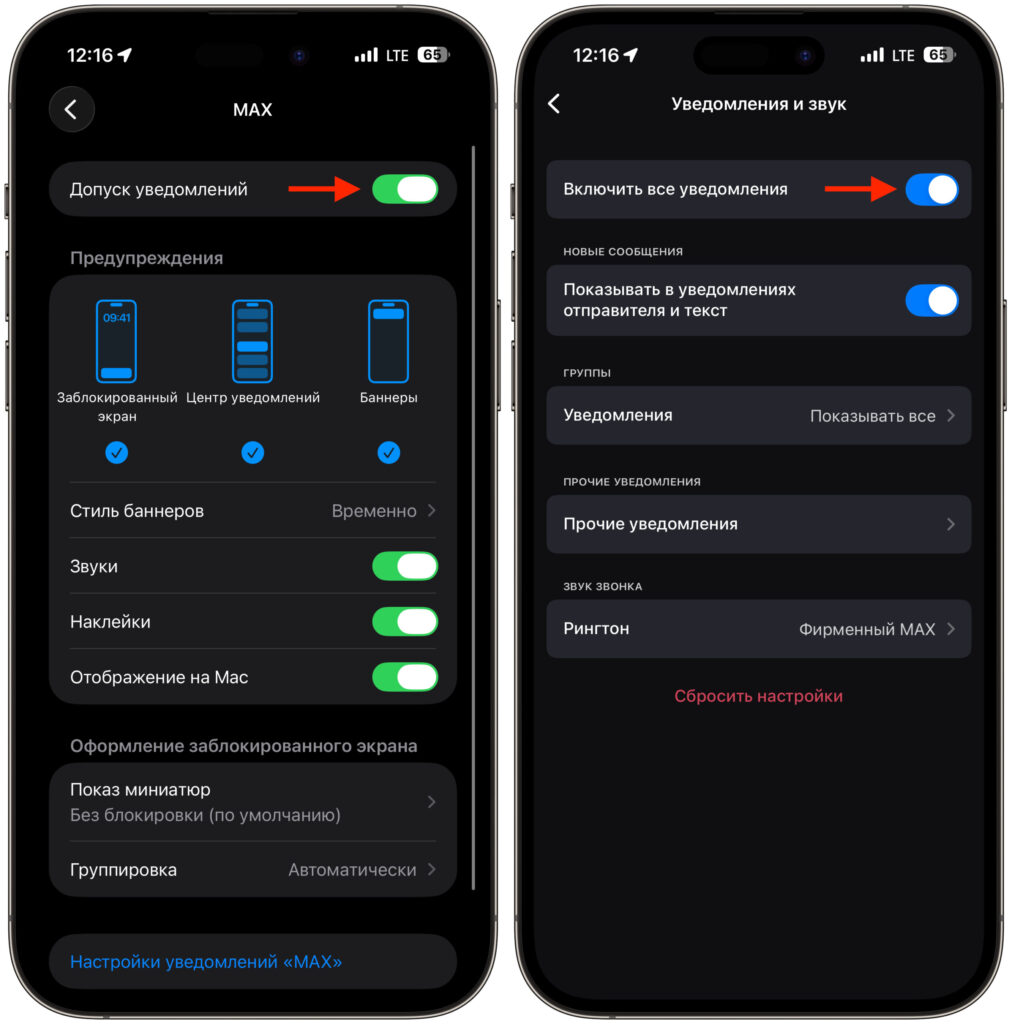
Notifications are enabled everywhere, but push notifications don’t come through
We’ve been through this before. In 2022, “Sberbank Online” and “Alfa-Bank” were removed from the store — and push notifications broke in the exact same way. Now the scenario is repeating almost identically. So the silence in notifications after June 3 is not a bug on your end.
Why You Should Not Delete MAKS from iPhone After the App Store Removal
This is the most important part. Since re-downloading MAKS on iPhone is no longer possible, you need to treat the installed app carefully and attentively. Remember what you absolutely must not do:
- Delete the app — you won’t be able to reinstall it on iPhone.
- Reset your iPhone or perform a full settings reset — after that, there will be nowhere to get MAKS back from.
- Count on the web version — it’s impossible to install it on iPhone at all, a separate app from the browser won’t appear.
And there’s one more hidden enemy — the “Offload Unused Apps” feature. If an app hasn’t been used for a long time, iOS will automatically offload it: delete the files but keep the icon and data. The problem is that restoring an offloaded app is only possible from the App Store, and MAKS has been removed from there. So one day the icon will simply stop opening. To prevent this, disable automatic offloading in advance:
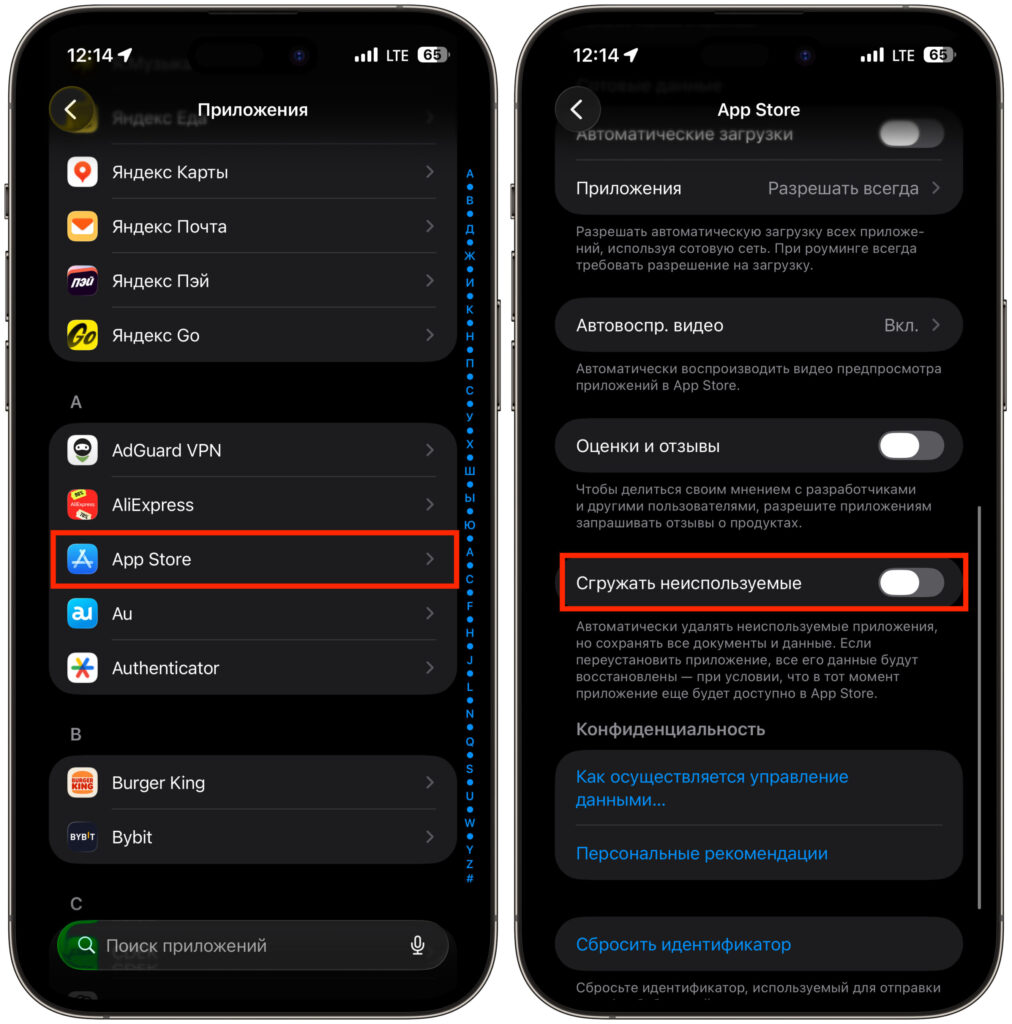
Make sure to disable this setting
- Open “Settings” on iPhone.
- Go to the “App Store” section.
- Find the “Offload Unused Apps” option.
- Toggle the switch to “Off”.
After that, the system won’t touch MAKS, even if you haven’t opened it in a long time.
How to Use MAKS on iPhone After Notifications Are Disabled
Since there are no automatic notifications, you’re left with manual mode. It sounds sad, but in practice it’s just a couple of habits. Here’s what you should do:
- Open MAKS yourself several times a day — for example, in the morning, at lunch, and in the evening. The opened app will immediately pull in everything new.
- Move the icon to the home screen or to the Dock so it’s always at hand.
- For urgent contacts, agree to duplicate important messages in another messenger where notifications work.
When you open the app, you’ll immediately see delivery statuses. If you have an Android device nearby, MAKS works fully on it, with notifications, and it’s convenient to keep it as a backup “receiver.” As soon as MAKS returns to the App Store or an official solution for push notifications appears, we will definitely write about it. For now — don’t delete the app and take care of what’s already installed on your iPhone.