You installed iOS 27 — and suddenly a gray banner with a magnifying glass and the text Indexing in Progress popped up in Settings. The phone assures you that you can use it as usual, and indexing is running somewhere in the background. Sounds harmless, but many people got nervous: what is it indexing, why does it take so long, and will it eat the battery? If you’ve already installed the first beta of iOS 27, you’ve most likely encountered this banner. Let’s figure out what this process is and whether you should even pay attention to it.
Did you encounter this banner after installing iOS 26?
What Does Indexing in Progress Mean on iPhone
This banner is a new feature specifically in iOS 27. In previous versions, the system re-indexed content after major updates in exactly the same way, it just did it silently. Now Apple decided to show the process openly: you see a banner in Settings with a magnifying glass, text, and a Learn more link. This is just one of the many new system features that Apple showed at WWDC.
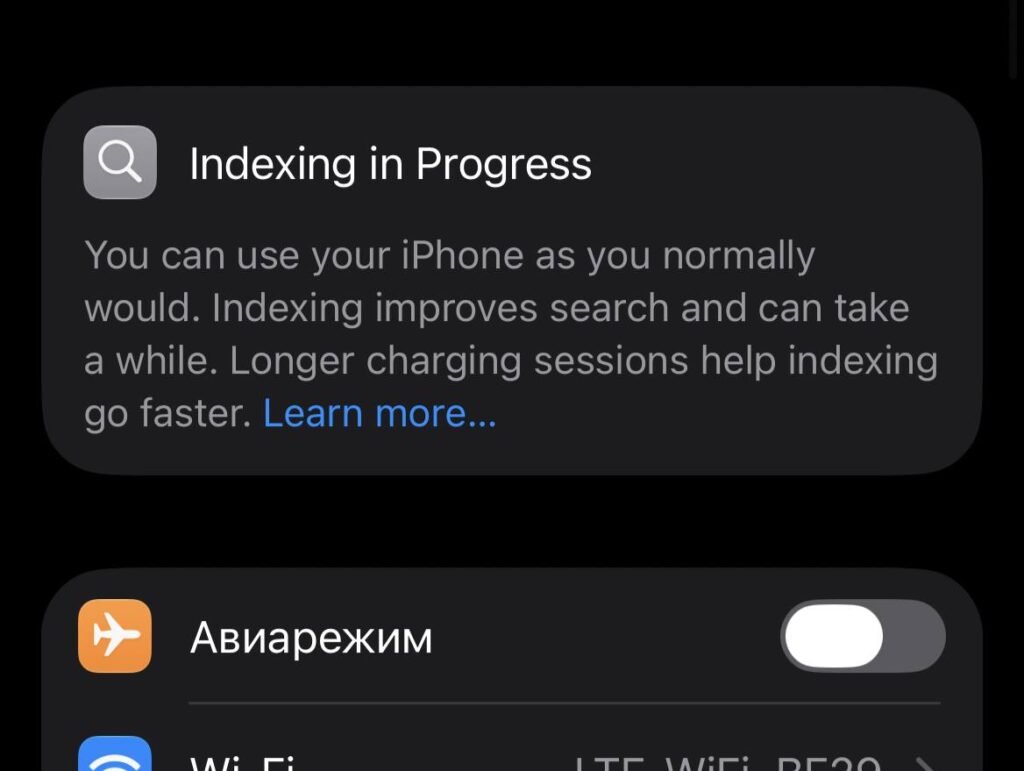
This is what the banner looks like on iPhone
The text roughly translates to: “You can use iPhone as usual. Indexing improves search and may take some time. Longer charging sessions help indexing go faster.” In other words, this is not an error, not a glitch, and not a reason to rush to a service center. It’s a working status that the system honestly displays rather than hiding it like before.
The funniest part is that this banner hasn’t been translated into Russian yet. So even if your phone is set to Russian, the banner will still appear in English. It usually shows up at the top of the Settings screen, above the Apple ID and Wi-Fi sections, and disappears on its own when the process is complete.
How the New Search Works in iOS 27
This is where it gets really interesting. At WWDC 2026, Apple officially announced that it had completely rebuilt the search infrastructure across all its platforms. This is the same engine that powers Spotlight, Photos, and Mail — and it has now been rewritten from scratch.
Search has been completely redesigned, and it needs time to evaluate your media library. By the way, this applies not only to iPhone
According to the company, it’s been made more stable, efficient, and comprehensive. It now covers both old and new content. After the update, the system automatically launches re-indexing of everything stored on your device: emails, messages, photos, notes, files. And new content that appears afterward is indexed almost instantly — search finds fresh files noticeably faster than before.
And here’s the key point. Part of this re-indexing isn’t just compiling a list of files. The system generates so-called vector representations for semantic search. In simple terms: iPhone learns to understand the meaning of your data, not just keywords. So that later you can search for photos “by description,” and the updated AI-powered Siri knows what your emails and conversations are about. It’s precisely because of these computations that the process can take a long time.
This is the same story that Apple started with iOS 18 and Apple Intelligence, but in iOS 27 they’ve taken it to a system level and finally shown it to the user.
How Long Does Indexing Take on iPhone
Honest answer: there are no exact numbers, because the banner is new and Apple hasn’t published an official timeframe. But based on early feedback from users, here’s the picture. For most people on iPhone 15 Pro and 16 Pro, the process took approximately 5-6 hours. Some finished in three hours, others stretched to almost a full day. Some users on iPad and older iPhones reported that indexing took more than 23 hours. For comparison: on iOS 26, some people experienced it lasting up to two days. So a few hours of waiting is normal.
What does the time depend on? First and foremost — the volume of your data. The more photos, emails, and messages in iCloud you have, the longer the phone takes to chew through all of it. Older hardware also processes more slowly: remember that iOS 27 supports iPhone 11 and newer, and on lower-end models the process will naturally take longer.
There’s one way to speed up indexing, and the banner itself directly suggests it. Put your iPhone on the charger and leave it plugged in for a while — preferably with Wi-Fi and undisturbed, for example overnight. When the device is charging and not loaded with your tasks, the system dedicates more resources to indexing. This is the most practical advice: I simply left my iPhone charging overnight, and by morning the banner was gone.
An important clarification to avoid confusion: Indexing is in no way related to the waitlist for the new Siri. Many people received access to the updated assistant while their phone was still indexing.
What to Do if Indexing in Progress Won’t Go Away
Most of the time, you don’t need to do anything — just wait for the process to finish on its own. But there are two unpleasant situations. First: search in Settings works poorly during indexing. You type a query, but the list doesn’t change and the screen seems to freeze. This is a temporary side effect — search hasn’t completed the full optimization process yet and needs time.
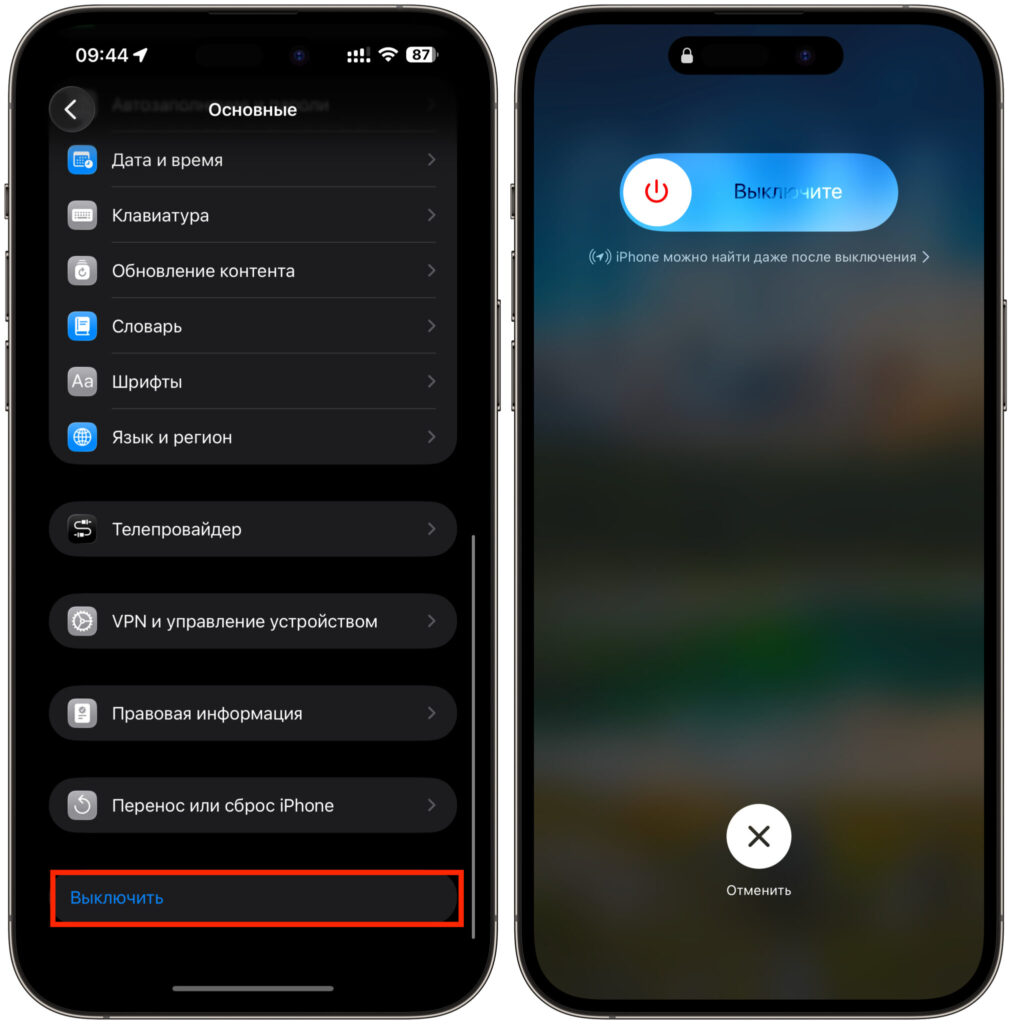
Turn your iPhone off and on again
Second: the banner has been hanging suspiciously long, well over a day, and the phone is getting hot. There’s a simple solution that has already helped many users — a soft restart of the device. After that, indexing often quickly completes and the stuck banner disappears. If you use Messages in iCloud, sometimes it helps to go into iCloud settings and manually trigger synchronization.
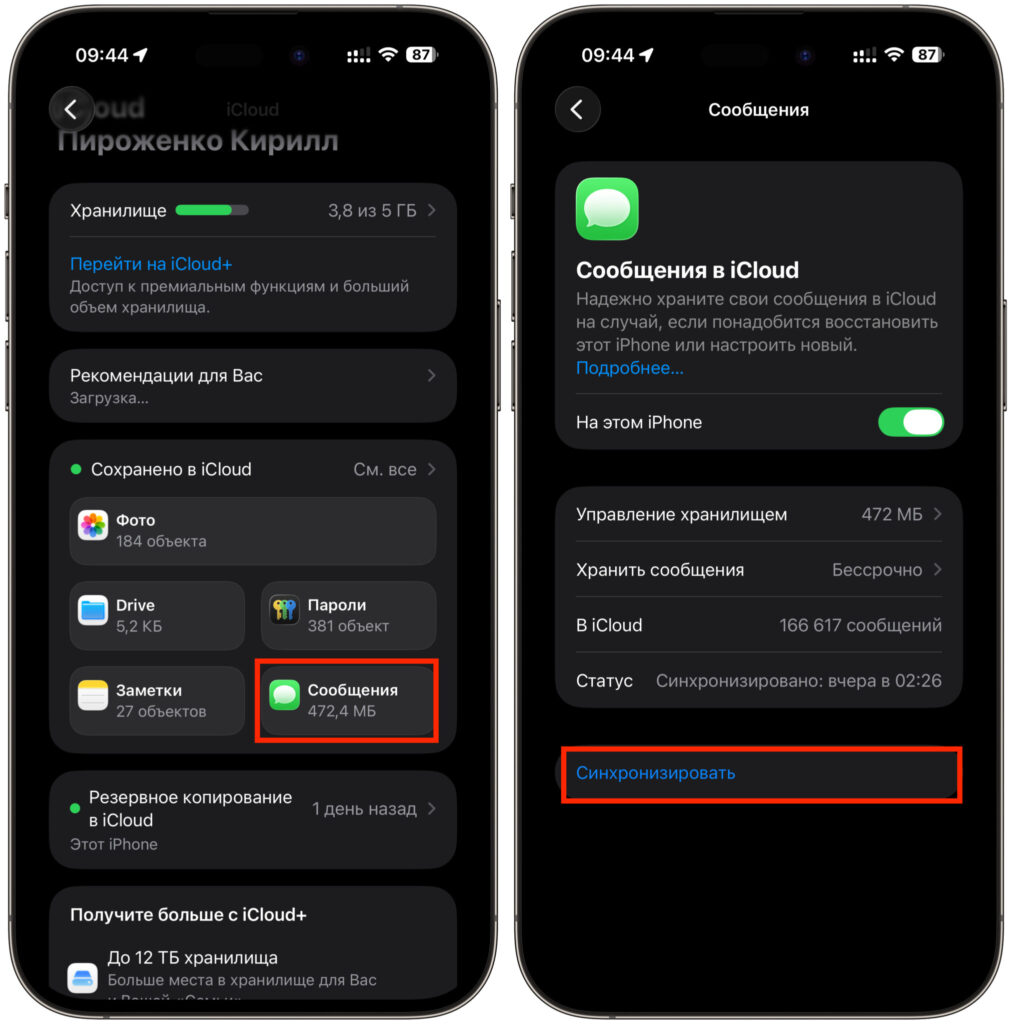
For some people, manually triggering message synchronization helps
If nothing helps and the banner persists for several days straight, it might be an issue with the beta itself — this is, after all, the first test build of iOS 27, and such rough edges are par for the course. The final release this fall shouldn’t have such problems.
The conclusion is simple. The “Indexing in Progress” banner is not a bug, but a sign that iOS 27 is building a new, smarter search for you. Use your phone as usual, put it on the charger overnight — and by morning everything will be ready.


