A blocked MAKS account is no longer a reason to write to support and wait days for a response. The messenger has added a feature that restores access to your profile right on your iPhone in just a couple of minutes. Everything works through Mobile ID technology from mobile carriers and only with Russian SIM cards. Now let’s figure out account recovery: how it works, who it’s suitable for, and where this method might unexpectedly fail.
Recovering a MAKS account has become much easier
MAKS Account Recovery Without Contacting Support
Previously, when your profile was blocked, there was exactly one option. Write to support, explain the situation, and wait for someone on the other end to sort it out. Some people got a response within an hour, others waited several days, and everyone spent the same amount of nerves. Now MAKS has simplified account recovery, and users can restore access on their own without leaving the app.
Technically, behind all of this is Mobile ID from mobile carriers. This is a method of identity verification by phone number that cellular companies have been offering for years as a replacement for the eternal entering of passwords and SMS codes. The logic is simple. The system verifies that you have the very iPhone with the linked SIM card in your hands, and on that basis opens access to the profile. No additional apps need to be installed — everything is built right into MAKS.
For those following the messenger’s development, this is a logical step for the service. Telegram and WhatsApp have long tied access recovery to the phone number, so MAKS is catching up to the familiar standard here rather than inventing something new.
Why Mobile ID Recovery Doesn’t Work for Everyone
Here an important limitation immediately appears that’s worth knowing about in advance. Simplified recovery works only for owners of Russian SIM cards and on the condition that the phone is not roaming. If you’re abroad or have inserted a foreign SIM, the quick method simply won’t launch, and you’ll have to go back to the old scenario with support.
The second point concerns the internet. Verification is tied specifically to the carrier’s mobile network, so Wi-Fi and VPN will need to be turned off during the procedure. It sounds unusual, especially for those who keep VPN on constantly, but otherwise the carrier won’t be able to verify your number. The network must be mobile and Russian, without any layers or workaround routes in between.
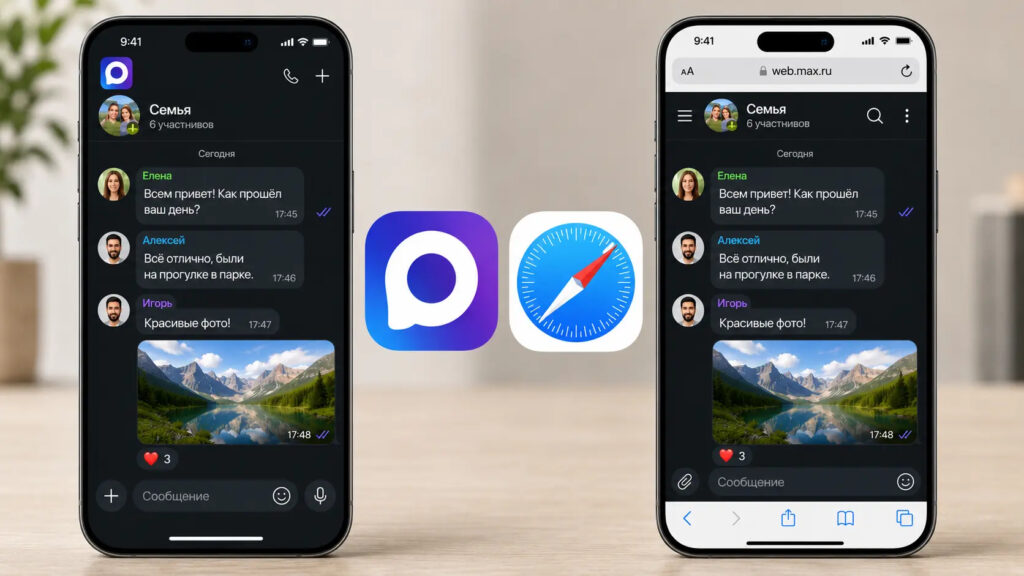
How do you use MAKS on iPhone? Through the app or web version?
It’s also worth keeping in mind the fact of having the app installed: without it, there’s nothing to recover.
Here’s a quick checklist of conditions under which the feature will work.
- SIM card — Russian mobile carrier
- Roaming disabled, phone is on its home network
- Mobile internet only, no Wi-Fi
- VPN turned off for the entire duration of the procedure
How to Restore Access to MAKS by Phone Number
The procedure itself takes literally a couple of minutes, but it’s better not to mix up the order of steps. If you confuse the steps or forget to turn off Wi-Fi, verification by number won’t go through, and you’ll have to start over. Follow everything step by step.
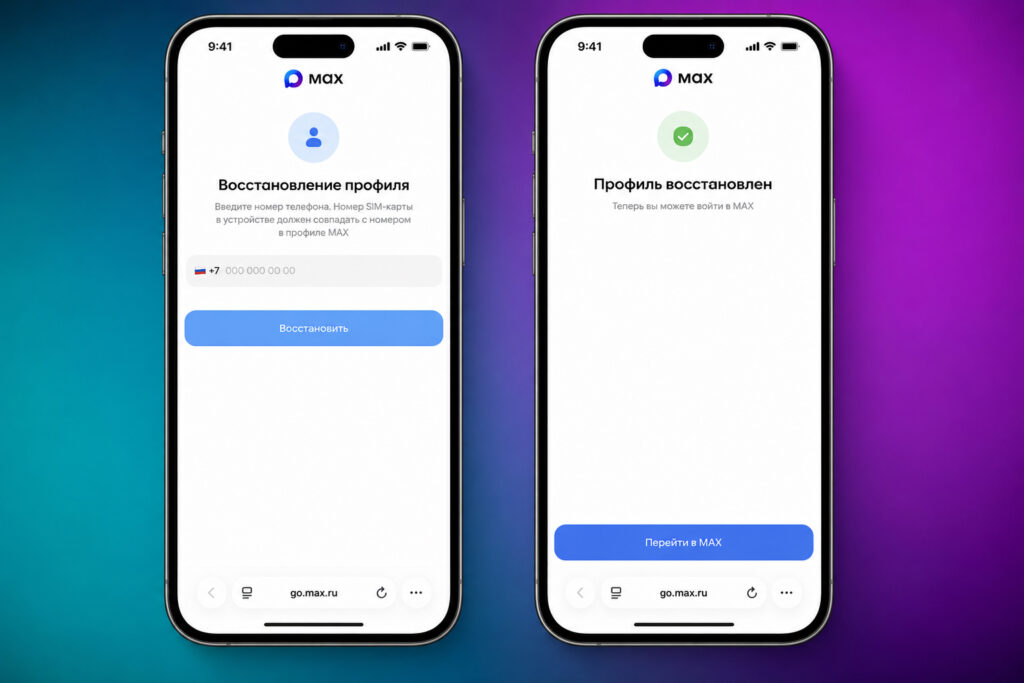
If you do everything step by step, there won’t be any problems
- Turn off Wi-Fi and VPN so the iPhone works on the carrier’s mobile network
- Open the MAKS app on your smartphone
- Enter your phone number and password
- After a failed login attempt, tap the “Restore access” button
- Switch to the browser and confirm the recovery
After that, you can open the messenger again and calmly log into your profile. All chats and contacts remain in place, since it’s the access to the account being restored, not its contents. If you weren’t able to restore the profile on your own, the old route through support hasn’t gone anywhere and works as before.
One practical tip from me. Before tapping “Restore access,” make sure the mobile network icon is showing in the upper corner of the screen, not Wi-Fi. On iPhone, this is especially easy to miss because the system loves to automatically connect to familiar networks. If something goes wrong, the easiest thing is to turn on airplane mode for a second and turn it back off, leaving only cellular on.
By the way, if you have two MAKS profiles on the same phone, you’ll need to recover specifically the one you’re logged into.
Pros and Cons of Recovery via Mobile ID
For most people with a Russian SIM card, the answer is obvious. Recovery via Mobile ID is faster and more convenient than support, especially considering that responses there aren’t always prompt. Nothing needs to be downloaded, the feature is already built into the app, and the entire process fits into the time it takes for the kettle to boil.
That said, there’s a nuance worth mentioning honestly. Recovery is tied to verification through the mobile carrier, meaning your number and the fact of SIM card ownership serve as identification. There’s no catch in the usual sense, but if it’s important to you to control phone number links, it’s worth keeping this in mind. Convenience almost always comes with slightly more dependence on the carrier, and MAKS is no exception here.
Personally, I think this approach is a reasonable compromise. On iPhone, half the services are already verified through your phone number, and one more on the list doesn’t change things. But in a situation where your account gets blocked at an inconvenient moment, the ability to restore everything in a couple of minutes is worth a lot. The main thing is to remember the conditions: Russian SIM, mobile internet, and VPN turned off — otherwise nothing will work.
In short, the feature turned out to be useful and straightforward. For those who live in Russia and don’t travel with foreign SIM cards, it will almost certainly come in handy. And for those who are frequently abroad, it’s worth knowing in advance that in roaming you’ll have to take the roundabout way through support. But at least now there’s a choice, rather than a single door with a queue.