Apple has shown off a feature for AirPods that many have been missing since practically the first generation of the earbuds. We’re talking about a manual equalizer (Custom EQ). Now you’ll be able to adjust the frequency balance manually rather than choosing from preset options. This feature didn’t appear out of nowhere: alongside it, iOS 27 introduced a huge number of new features, and the headphone equalizer is just one of them.
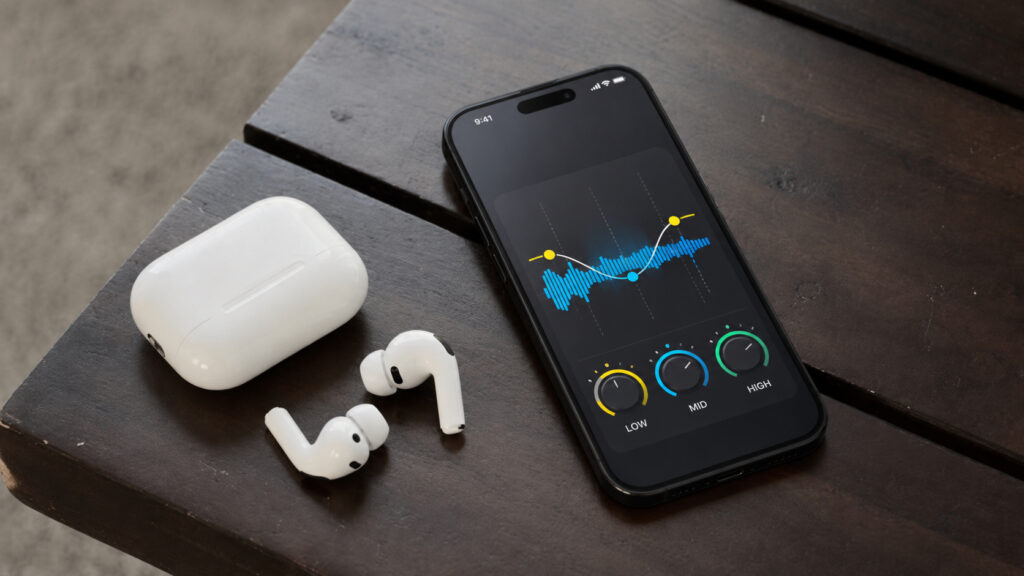
Now you can tweak the sound to your needs
Manual Equalizer for AirPods: What Changes After the Update
Apple has officially confirmed that AirPods will get a manual equalizer. It’s a tool that gives much more control over sound than before. It doesn’t come as a separate button but as part of the overall software platform update package the company showed on the same day.
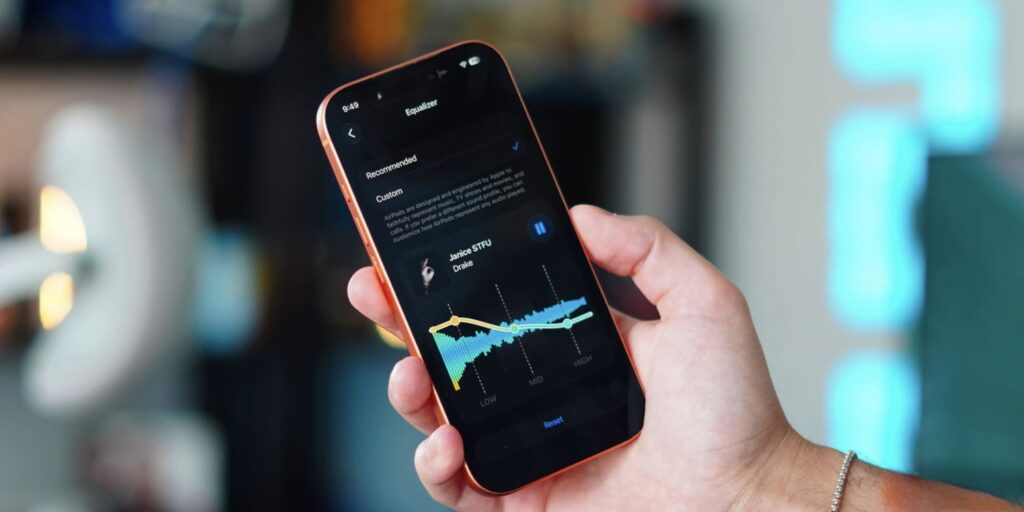
Adjust individual parameters to match your music and preferences
In simple terms, an equalizer adjusts the volume of individual frequencies. Want more bass — raise the low frequencies. Need more airiness in vocals — boost the highs. Previously, you had to look for this kind of thing in third-party players and apps, and some people just gave up and listened to whatever they got. Now everything will be right there in the headphone settings, just a couple of taps from the lock screen.
Interestingly, not every new feature of the season arrives on all devices at once. For example, iPhone 17 won’t get two Siri features due to insufficient RAM. The situation with the equalizer is similar: not all AirPods will get it.
Which AirPods Support the Manual Equalizer
Here’s an important detail. Custom EQ won’t come to all headphones, only models with the latest H2 chip. According to Apple, the list includes:
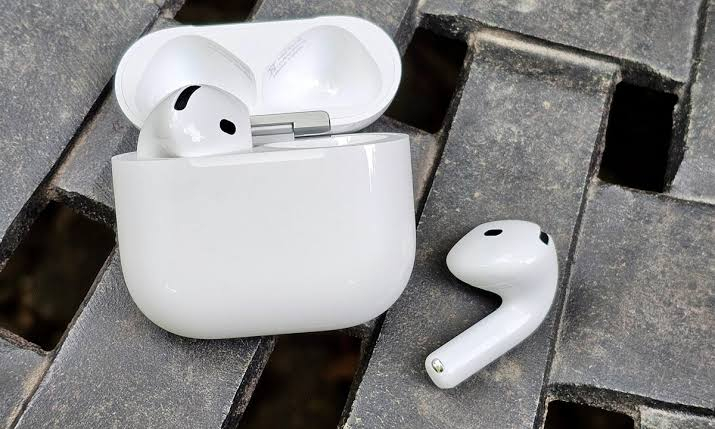
Relatively new headphones received manual equalizer support
- AirPods Pro 2 and newer
- AirPods 4 — both versions, with and without noise cancellation
- AirPods Max 2
If you have AirPods purchased roughly before fall 2024, you most likely won’t get the manual equalizer. The first-generation AirPods Pro and the original AirPods Max didn’t make the list, although Adaptive Audio and Spatial Audio still work on them. The logic is familiar: new features go to devices with the newest hardware.
There’s one caveat about the beta. Right now, in the first beta of iOS 27, the firmware with the equalizer has been spotted on AirPods Pro 2, but it hasn’t arrived on AirPods Max 2 yet. So in practice, the picture may slightly differ from the official list while everything is still being tested.
How to Enable the Manual Equalizer on AirPods
The setting isn’t buried deep, but you might not find it right away. First, update your iPhone to iOS 27 and install the latest AirPods beta firmware.
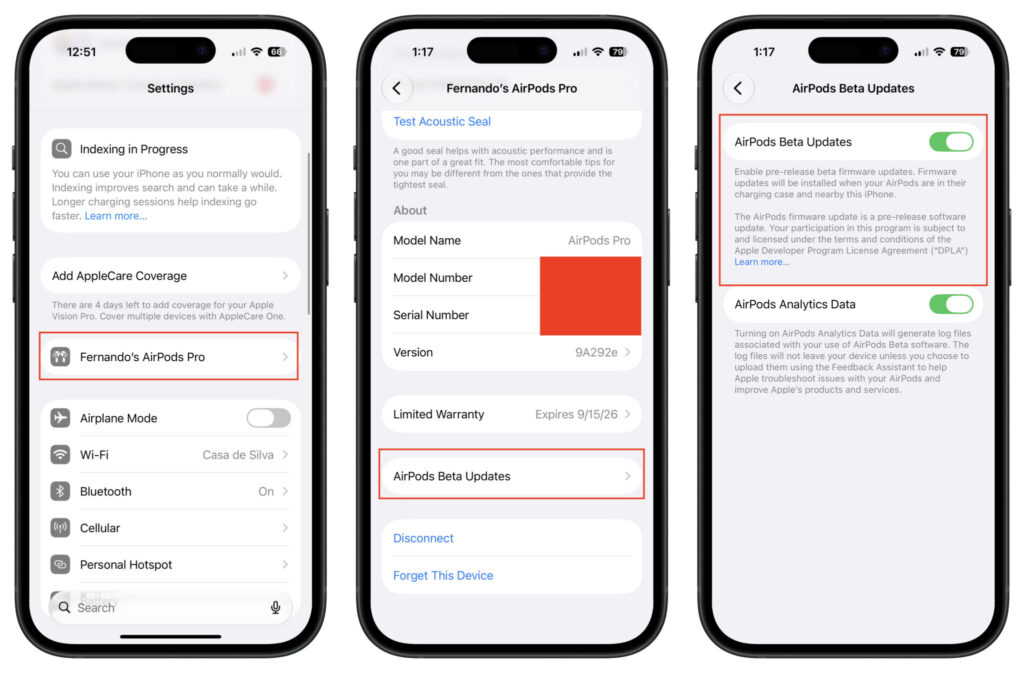
Start by installing the beta software on all your devices
For now, all of this lives in the beta, so the new option is currently visible only to beta testers. Here’s what to do next:
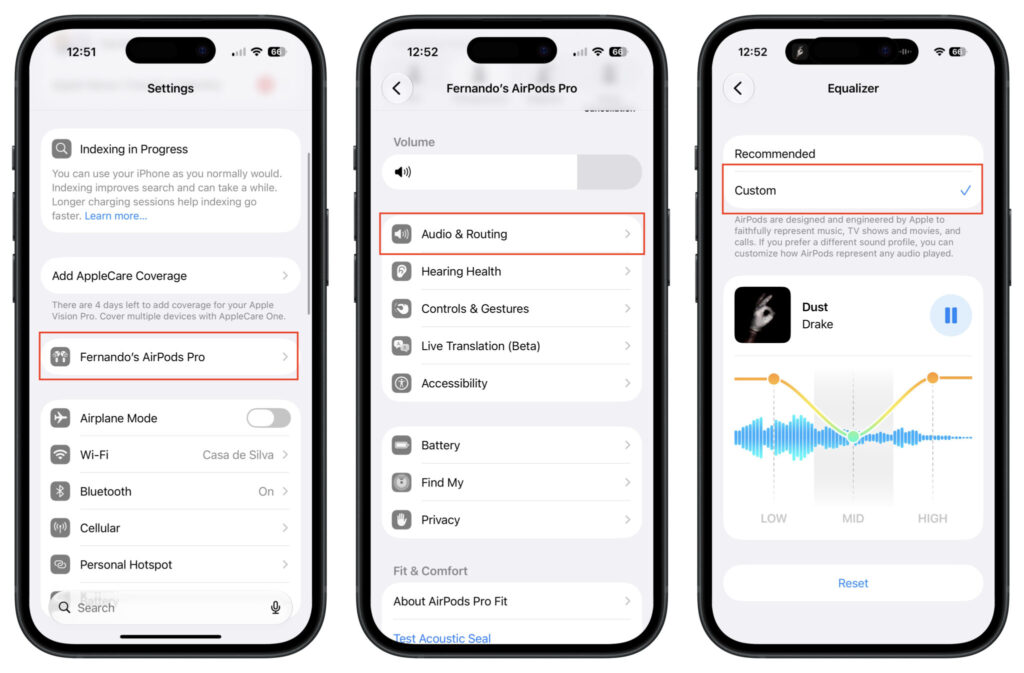
Then just adjust the sound the way you need it
- Open the Settings app on your iPhone, iPad, or Mac.
- Put the AirPods in your ears so their section appears at the top of Settings. You can also go through “Bluetooth” and tap the “i” icon next to your headphones.
- Select “Audio & Routing,” then “Equalizer.”
- Enable the manual setting option (Custom) to create your own sound profile.
- Drag the three dots representing low, mid, and high frequencies to the desired level.
Conveniently, right during equalizer setup, it displays a waveform of whatever is currently playing. Turn on your favorite track or podcast and you can immediately hear how the sound changes. There’s also a quick reset to the default profile, so you can’t ruin everything permanently. The profile is tied to the headphones themselves, so if you switch to a different iPhone or Mac, your sound settings stay with you.
Why You Need Bass and Treble Adjustment on AirPods
The idea here is quite simple. Different people hear the same track differently and have different preferences. Some want rich, punchy bass they can feel in their chest. Others want clear and articulate vocals.
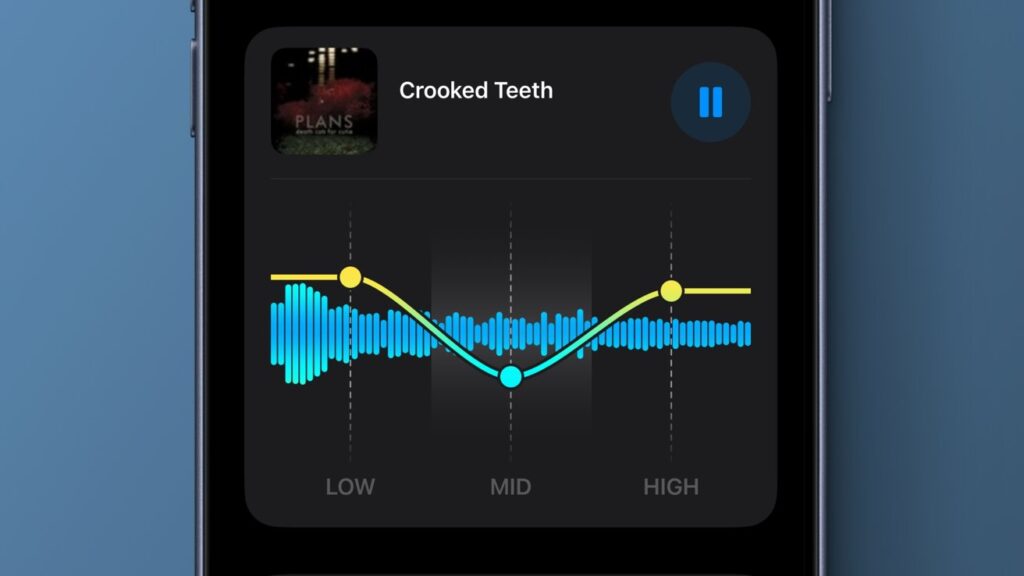
Many will fine-tune settings specifically for their ears
Boosting bass makes music feel fuller. This is most noticeable in electronic music and hip-hop, where low frequencies carry half the mood of a track. Meanwhile, raising the highs adds clarity to vocals and instruments. This comes in handy for podcasts, audiobooks, and live acoustic recordings.
Previously, AirPods owners simply had to accept whatever sound Apple had built in. If the bass was lacking or the highs were harsh, there was no way to fix it without workarounds like third-party software. Now a proper solution will be available.
Manual Equalizer vs. Adaptive Audio: What’s the Difference
Tools for working with AirPods sound existed before this. But they all worked automatically, without user input. The headphones automatically adjust Adaptive Audio, Spatial Audio, and Conversation Awareness when you start talking to someone.
The manual equalizer works differently. It’s an additional layer of customization on top of the smart modes, and here it’s you making the decisions, not an algorithm. In spirit, it’s closer to a classic equalizer from music apps than to Apple’s “smart” automation that handles everything on its own.