On April 13, Apple released iOS 26.5 beta 2 — the second test build of the upcoming update. As a reminder, the first beta was released back on March 30, and on April 3, Apple re-released it with a new build number (23F5043k), fixing critical bugs. Now it’s time for the full second beta. The update is still relatively small — Apple is focusing its main efforts on iOS 27, which will be unveiled at WWDC on June 8.
A new beta version of iOS 26.5 has been released. Photo: macrumors
What Changed in iOS 26.5 Beta 2
The second beta of iOS 26.5 is primarily about bug fixes and stabilization. The first build, for example, broke Face ID on the iPhone 17 Pro Max for some users, which can happen even with stable versions. In beta 2, Apple focused on fixing such issues and polishing the features introduced in beta 1. Let’s go through the key new additions from the first iOS 26.5 build, which can now be tested in a more stable form.
End-to-End Encryption for RCS Messages
The main feature of this update is end-to-end encryption for messaging between iPhone and Android via the RCS protocol. Apple had been testing this capability back in iOS 26.4, but it didn’t make it into the release. In iOS 26.5, encryption is back and enabled by default. You can manage it through Settings — Messages — RCS, where a new “End-to-End Encryption (beta)” toggle has appeared.
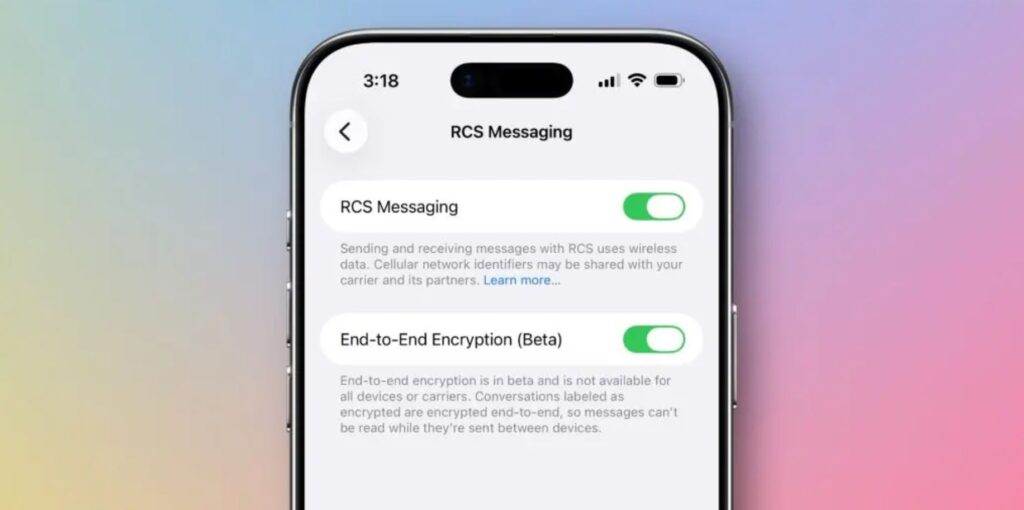
End-to-end encryption in RCS — another feature being tested in iOS 26.5
For iPhone owners in Russia, this isn’t relevant — RCS is practically unused there. But globally, it’s a significant step: messaging between iPhone and Android finally gets the same level of protection as iMessage. This time, Apple removed the caveat about a “future update” from the description, so the chances of the feature making it into the final release have significantly increased.
Place Recommendations in Apple Maps
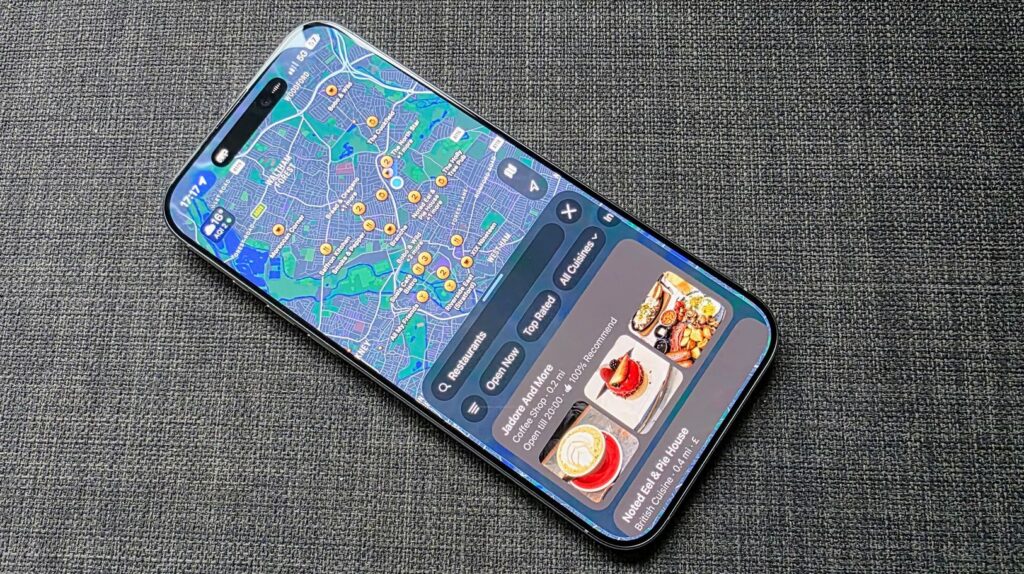
Apple is testing ads in Maps on iPhone. Photo: techradar
Apple Maps continues to feature Suggested Places — recommendations for interesting locations nearby. When you tap the search bar, the system suggests popular spots based on trends and your recent searches. The concept is similar to recommendations in Google Maps. For Russian users, the usefulness is questionable: Apple Maps in Russia still significantly lags behind both Yandex Maps and 2GIS.
At the same time, Apple is preparing the infrastructure for ads in Maps. In the summer of 2026, businesses in the US and Canada will be able to purchase placements in search results and the recommendations section. Ad cards will be marked with an “Ad” badge. Apple promises that users’ location data and their interactions with ads will not be linked to their Apple Account.
Subscription Payments in the App Store in iOS 26.5
Developers will be able to offer monthly subscriptions with a 12-month commitment. For users, this is a compromise: you pay a small amount each month but get a discount for the annual commitment. This model has long been available on other platforms, and Apple is finally adopting the approach. In Russia, despite restrictions, users will likely be able to take advantage of this feature by changing their region.
Live Activities for Third-Party Accessories in the EU
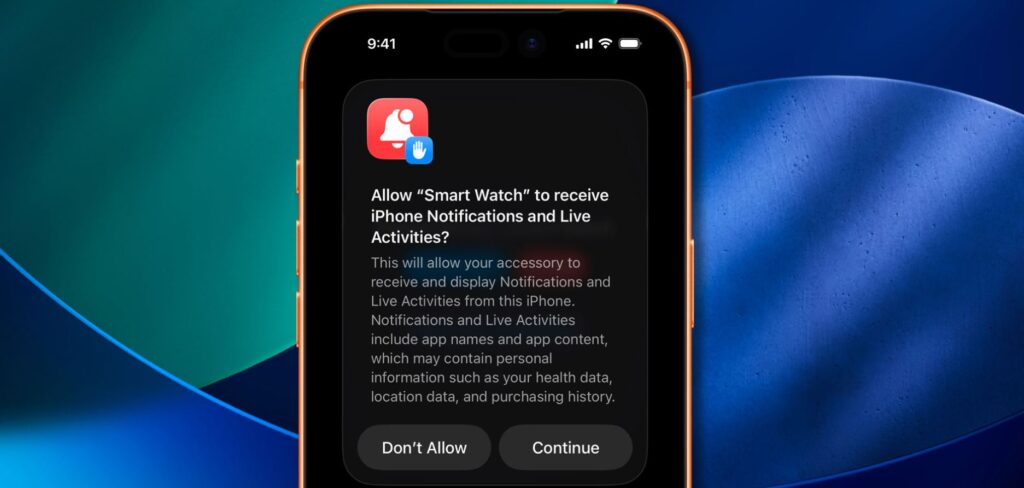
EU users will get even more Live Activities capabilities. Photo: 9to5mac
In the European Union, testing continues for Live Activities on third-party devices — smartwatches and accessories not made by Apple. They will be able to receive and display dynamic notifications from iPhone: delivery status, sports scores, timers. This isn’t relevant for Russia yet — the changes are tied to European regulatory requirements.
What’s New in iOS 26.5
Among other things: Magic Keyboard, Magic Mouse, and Magic Trackpad now automatically stay connected to the iPhone via Bluetooth after the cable is disconnected. Apple Books is preparing a “Year in Review 2026” feature with awards for readers. And when transferring data to Android, new options for exporting message attachments have appeared: last 30 days, last year, or all.
How to Install iOS 26.5 Beta 2 on iPhone
The update is available to developers and public beta testing program participants. Don’t rush to install it if you haven’t used beta builds before — you won’t find anything exciting here. It’s a different story if you’ve been using iOS 26 beta versions for a while. Here’s a reminder of what you need to do to install iOS 26.5 on your iPhone:
- Register for the Apple Developer Program at this link.
- Open Settings — General — Software Update.
- In the “Beta Updates” section, select iOS 26.5 Developer Beta or iOS 26.5 Public Beta.
- Wait for the update to appear and tap “Download and Install”.
We still don’t recommend installing the beta on your primary iPhone — you may experience battery issues, app crashes, and other “joys” of test builds. It’s best to install it on a spare device. Or better yet — wait for the public release. According to our estimates, the final version of iOS 26.5 is expected in mid-May 2026. That’s a while, but there’s time to prepare!