The X social network has launched a standalone messenger called XChat for iPhone and iPad. This isn’t the built-in “direct messages” within X, but an independent App Store application with calls, group chats, and end-to-end encryption. It’s free, but with notable limitations: for now, it’s only available in the US and only on iOS 26.
XChat is already available for download on iPhone
XChat from X: What Is This iPhone Messenger
XChat is X’s attempt to separate messaging from the main app into a standalone messenger, similar to what VK did with VK Messenger. The idea is to communicate with any X user in a separate space without the feed, recommendations, and noise of the main app.
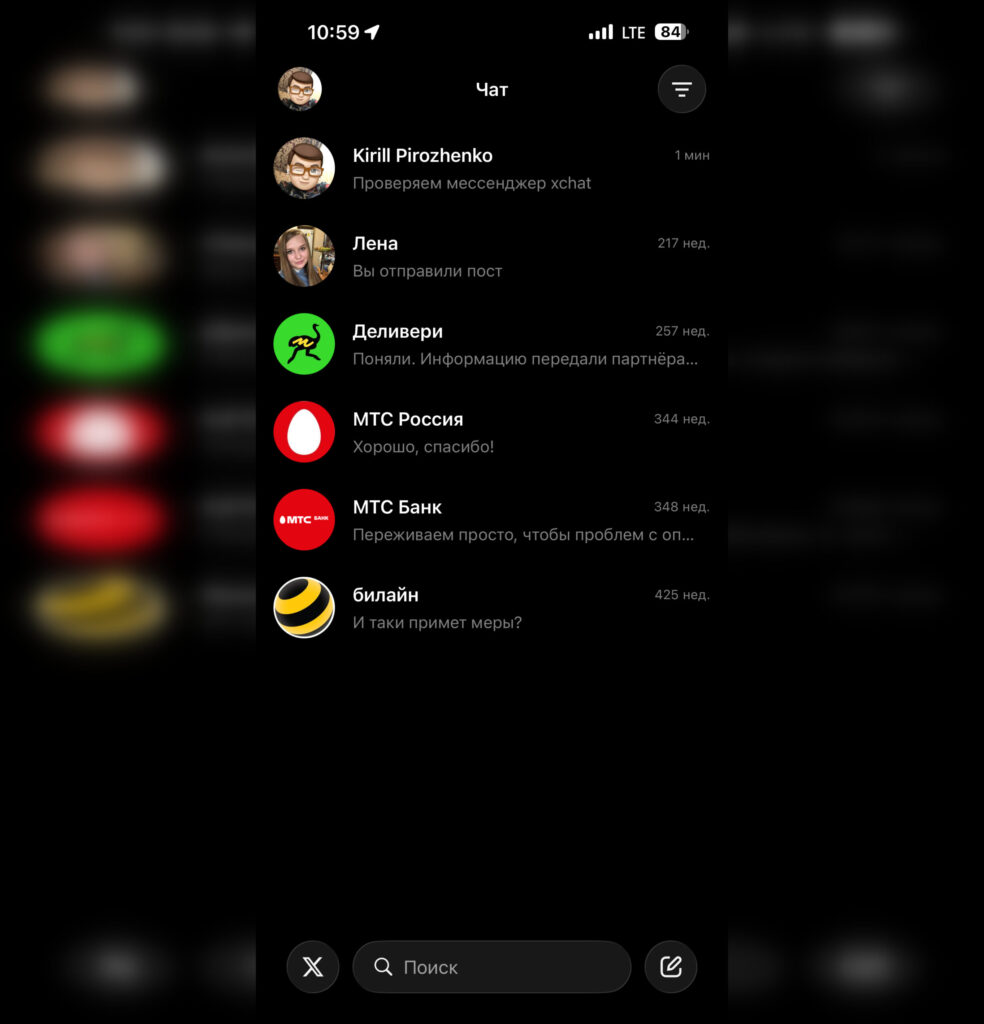
XChat is essentially just direct messages from the X social network in a separate app
At launch, the app offers fairly standard features: direct messages and group chats, audio and video calls, and file sharing. X claims that all messages are protected with end-to-end encryption and a PIN code, and that the app contains no ads or tracking. Independently verifying these claims is difficult for now — you’ll have to take their word for it.
XChat Features: Calls, Chats, Files, and Encryption
The feature set looks like a standard list for a modern messenger. Here’s what’s been announced:
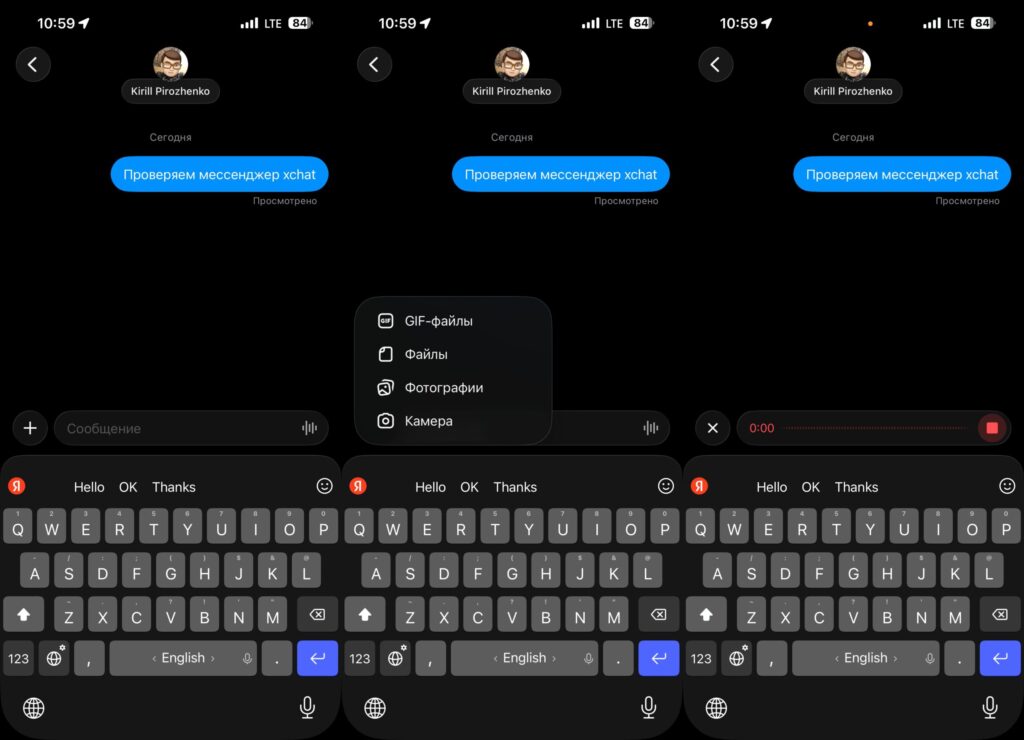
You can also exchange media files and voice messages
- disappearing messages
- editing and deleting messages for all chat participants
- notification or blocking of screenshot attempts
- light and dark themes
- message permission settings and left-swipe behavior customization
- app icon selection
It’s also worth noting that XChat is designed in the iOS 26 style, including the system keyboard — unlike the main X app, which uses its own interface elements. Inside, there’s a prominent button for quickly returning to the main X app.
Download XChat on iPhone
Here are the main limitations that cut off a significant portion of the audience. The app requires iOS 26.0 or later — meaning you won’t be able to install XChat on an iPhone that didn’t receive the iOS 26 update. An iPad version exists, but there’s no Android version at launch, and no release date has been announced.
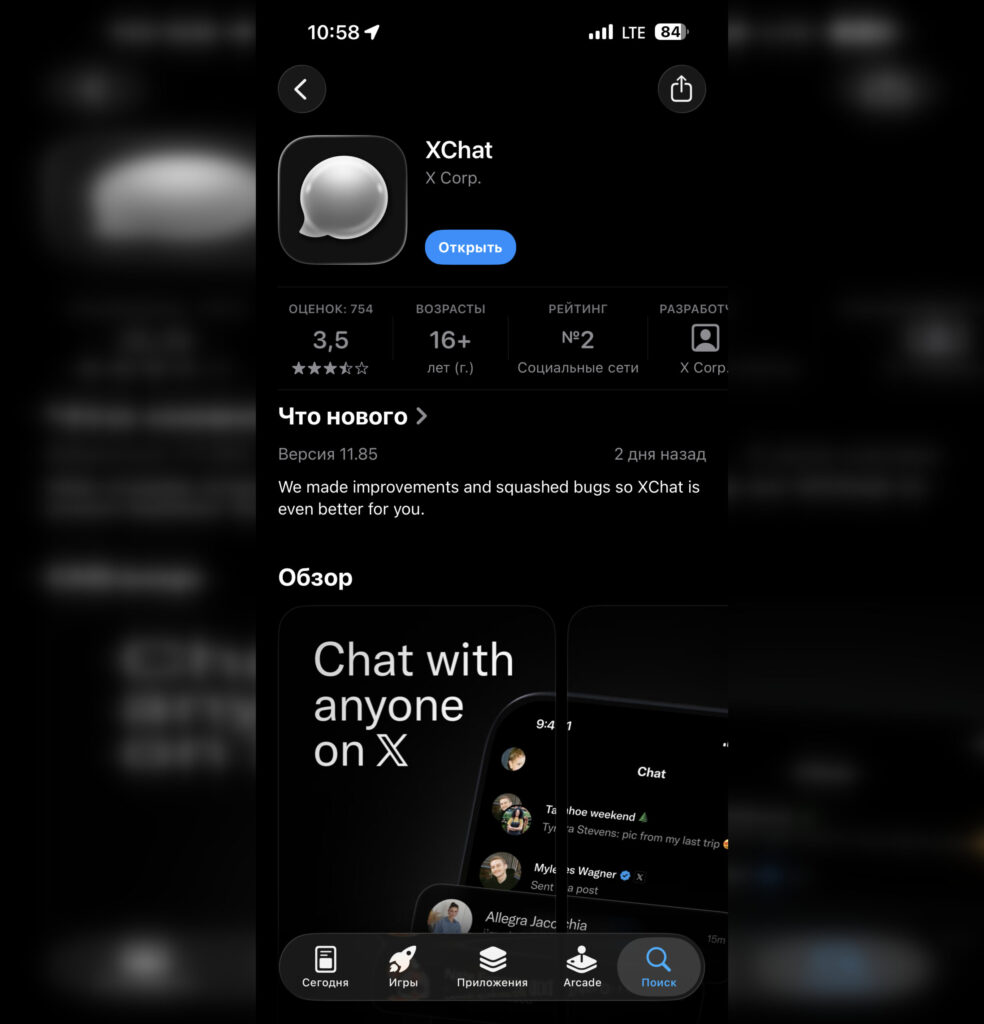
XChat can be easily downloaded from the App Store
XChat can be downloaded for free from the App Store, but for now only from the US App Store. X hasn’t announced when it will appear in other regions. Therefore, you’ll need either a second Apple ID account set to the US region or switch your main account’s region. Also keep in mind that since XChat is essentially the “Messages” section of the X social network, and X is blocked in Russia, the messenger itself won’t work without a VPN.
How to Register for XChat on iPhone
Registration in XChat isn’t as straightforward as in other messengers. You can’t just enter a phone number and start using the app. You’ll need either an existing X social network account or you’ll have to create one. This can be done directly from the XChat app itself:
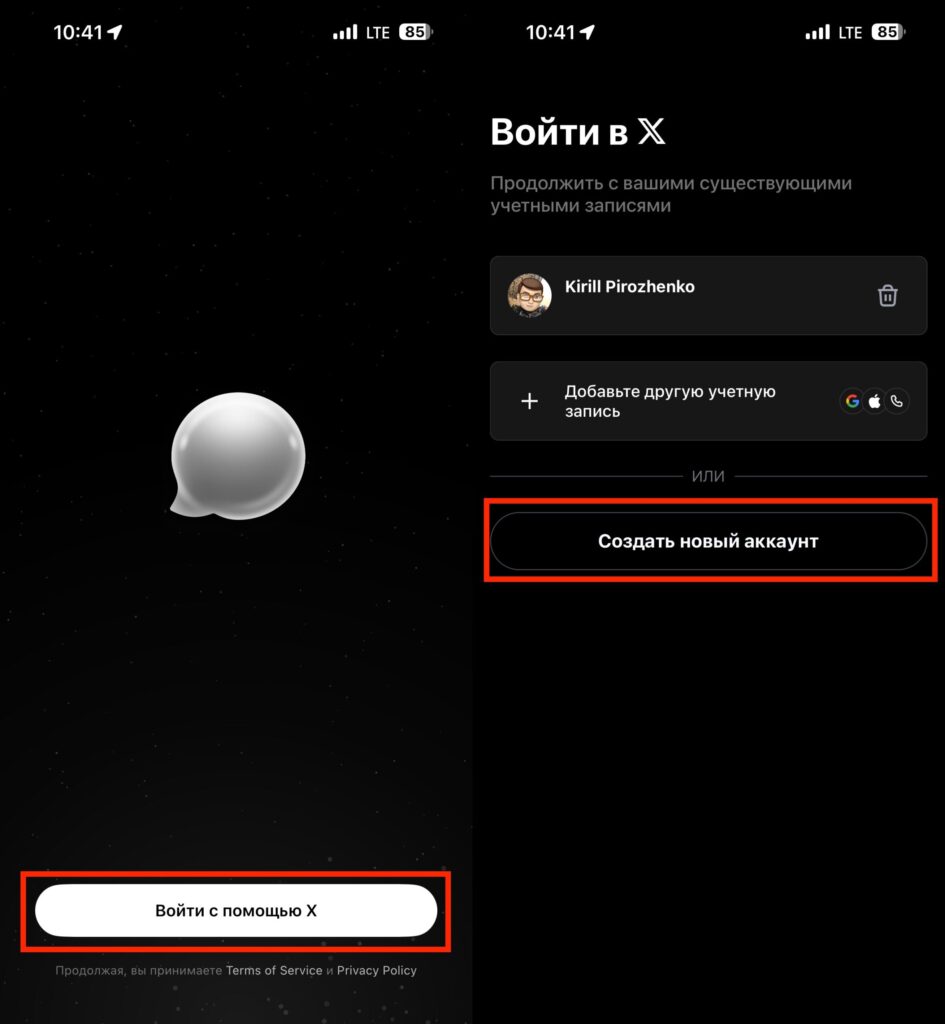
You’ll have to create an X account, otherwise you won’t be able to use XChat
- Download XChat on your iPhone and launch it;
- At the bottom of the screen, tap “Sign in with X”;
- Select “Create a new account”;
- Follow the on-screen instructions.
To be honest, for users in Russia, this is a questionable alternative. It doesn’t work without a VPN and requires jumping through hoops with your account. Additionally, you need an iPhone with iOS 26 — which means models that officially support this version of the system. On older iPhones, XChat simply won’t launch.
Is XChat Worth Installing
Short answer — it depends on who you communicate with. Any messenger is only as valuable as the number of your contacts using it. If your social circle is already on Telegram, WhatsApp, or other messengers, there’s no point in moving to XChat just for the sake of it.
XChat makes sense in two cases:
- you actively correspond on X and want to move those conversations to a separate app to avoid being distracted by the feed
- you need to communicate with specific people who aren’t on other messengers but are on X
XChat is a niche product for active X users, not a universal messenger that will replace your usual ones. If you rarely visit X or exchange just a couple of messages there per month, you don’t need a separate app — the built-in DMs are sufficient.
There is another reason to keep an eye on XChat’s development: X clearly hints that this is only the first step, and new features should be expected in the coming months. Whether this becomes a real alternative to Telegram and WhatsApp, or just another messenger quietly used by a small audience — only time will tell. For now, it’s a careful launch with limitations: US only, iOS 26 only, iPhone and iPad only.