This story began in a painfully mundane way. The editor-in-chief wrote to me saying that the author who had been running one of our Telegram channels no longer works with us. So my task as deputy was to either find someone to take it over or run it myself. Naturally, no budget was allocated for this, and the remaining authors weren’t eager to take on the extra workload. Neither was I. After all, it’s a serious chunk of daily routine involving video selection, writing descriptions, and publishing. It was the classic situation: there’s a task, there are no people, there’s no money, but it still needs to be done. So I sat down and tried to build a Telegram channel bot that would do it for me. Without any programming knowledge, just through Claude Code. And it worked.

Just so you understand: I don’t know how to program at all. Everything was done by Claude Code
Why I Built a Bot to Run a Telegram Channel
First, I should probably explain what this channel is about. It’s a channel where we publish short, mesmerizing videos about space, engineering mechanisms, physics experiments, robots, chemistry experiments, unique cars, and everything that might interest a broad audience.
Here are the kinds of videos we publish:
Finding such videos is a whole story in itself. The author would browse banned Instagram, Twitter, TikTok, scroll through dozens of themed Telegram channels, and manually select content that fit the theme. Then — download it, write a short description, and queue it for publication. A single post could take 15-20 minutes, and there were 8-10 such posts per day.
Naturally, I wasn’t about to spend that much time on what was essentially a side project for me. So my goal was to learn to do all of this ten times faster, or better yet — without my involvement at all.
But the idea to automate everything didn’t come right away. At first, I honestly ran the channel myself, selecting videos before bed. “Well, why not? — I thought. — I’m scrolling through Reels anyway. At least this way the habit serves some purpose.” However, everything changed when my upcoming vacation loomed. I had no plans to work during my well-deserved rest, and stockpiling 100-150 videos for the 2 weeks of my absence, plus writing descriptions for them, was quite problematic.
What Is Vibe Coding
I can’t program. At all. The last time I wrote anything resembling code was in school during computer science classes, and that was it. Forget code — I had never even launched the Terminal. But nothing ventured, nothing gained, right? Especially when there’s such a cool thing as vibe coding.
The tool I ended up using is called Claude Code — it’s a product by Anthropic, the same company that makes the Claude neural network. It sounds complicated, but in reality it all comes down to this: you tell Claude what you want in plain words, and Claude writes the program or script, tests it, fixes its own mistakes, and saves the files.
Yes, officially the neural network doesn’t work in Russia, but this is solved the same way as with most foreign neural networks. The main thing is finding a way to pay for Claude. But since we’ve already covered ways to access such services, I won’t repeat myself. Instead, let me tell you how I built the bot.
How I Built a Telegram Channel Bot Using Claude Code
I simply opened Claude in the browser, wrote that I wanted to install Claude Code, and asked it to walk me through all the steps. Honestly, I can’t remember exactly what I did and how, but don’t worry: the chatbot will help you too. The main thing is to send it screenshots at every step. Claude will install some components, test something, and your job is simply to give it permissions for all of this.
Here’s a screenshot of the response Claude gave me when I asked how to install Claude Code:
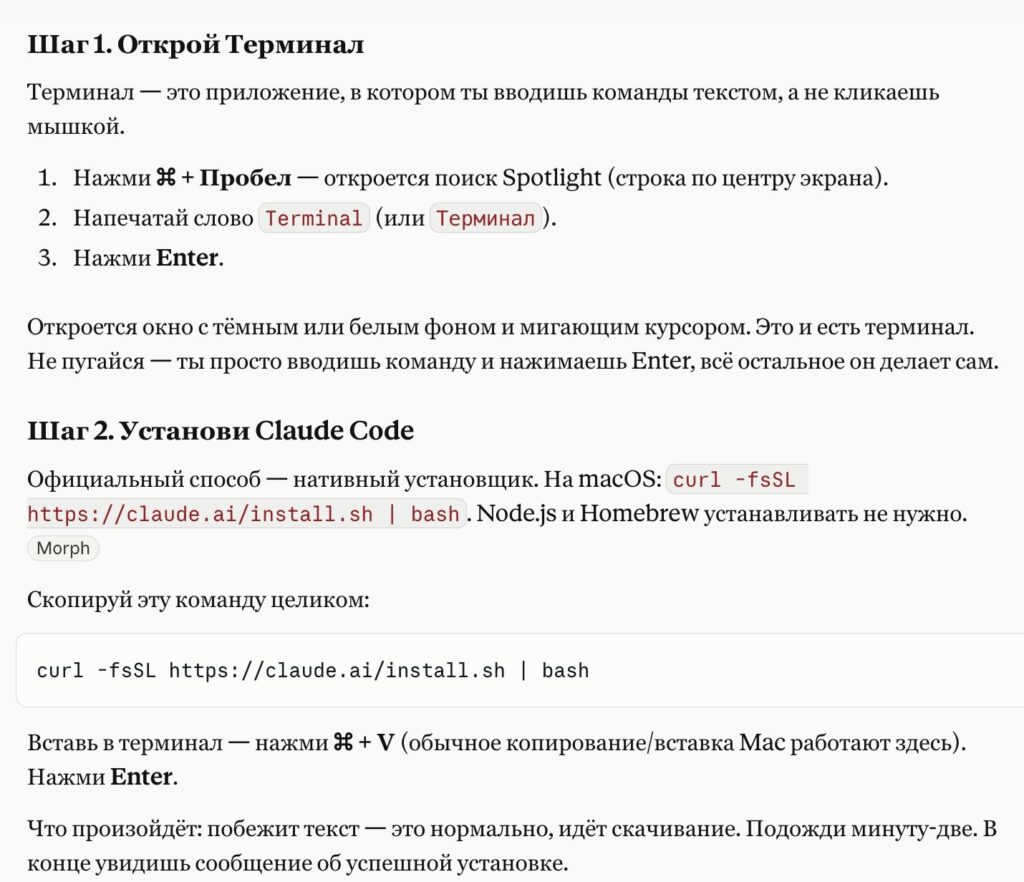
If something is unclear, you can ask Claude to explain more simply
But even after everything was ready, I had no idea what to do. Where to even start. So I just opened the Terminal, launched Claude, and told it in plain words: I want a Telegram bot that once a day takes videos on certain topics, writes short captions for them, and sends them to me for approval. If I press “Publish” — it goes to the channel; if “Skip” — it gets discarded.
Then something happened that I didn’t expect at all. Claude started asking me clarifying questions on its own:
- Where should it get videos?
- What time should it run?
- What language should the captions be in?
- What should it do if a video doesn’t fit the theme?
- Where should it send the cards for approval?
I answered — it wrote something, asked something again, fixed something on its own.
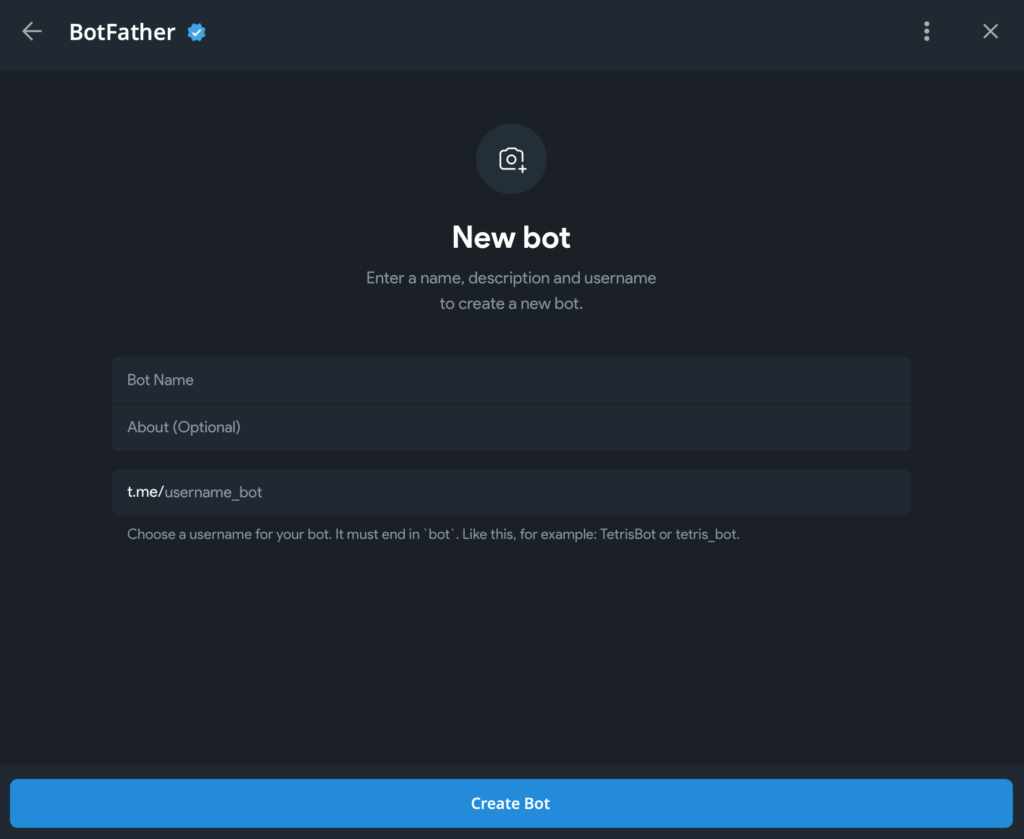
Here we get the bot key
And then — the most unexpected part for me. Claude said: “Go to Telegram, find the bot @BotFather, write /newbot, come up with a name for your bot, it will send you a token — a long string of letters and numbers. Copy it and bring it here.” I’d been on Telegram a thousand times, but I had no idea Telegram has a separate bot for creating other bots. I went in, wrote the message, got the token, gave it to Claude. Claude inserted it where it needed to go in the code. Then it asked for my personal Telegram account ID — to know who to send the cards to. I didn’t know how to find that either. Claude walked me through that too: I wrote to another service bot, it gave me the ID, I copied it and handed it over. Done.
Well, almost done. Because the bot can’t run on your subscription. It needs tokens. And those are paid separately. That is, on top of what you pay for chat access. This is a completely different mode called API.
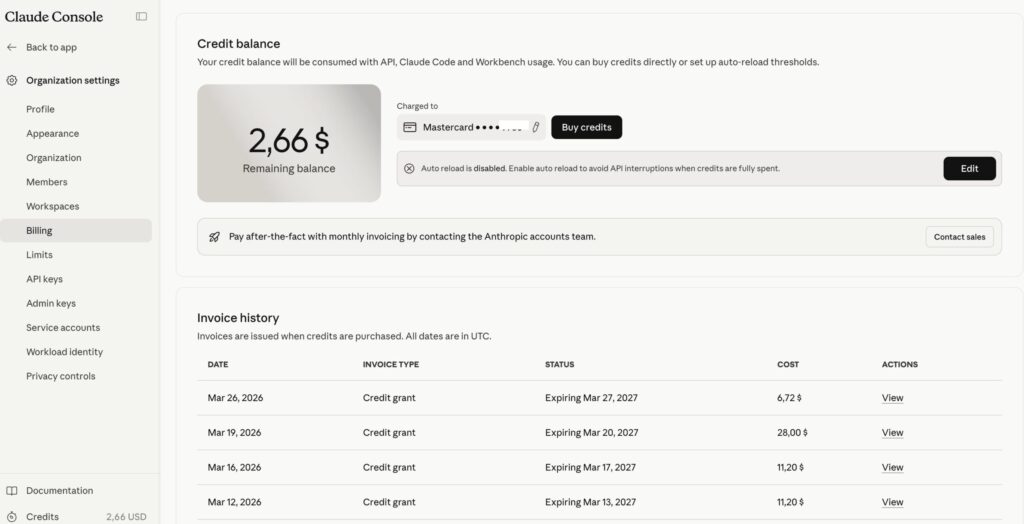
Top up API — here
Claude explained it in simple terms, sent me to the Anthropic website, asked me to create an API key there (naturally, with links and a detailed description of where to click) and bring it back. I created one, copied the long string, handed it over. Claude inserted it in the right place in the code — and I already had a working bot. A real, living one. That actually did things.
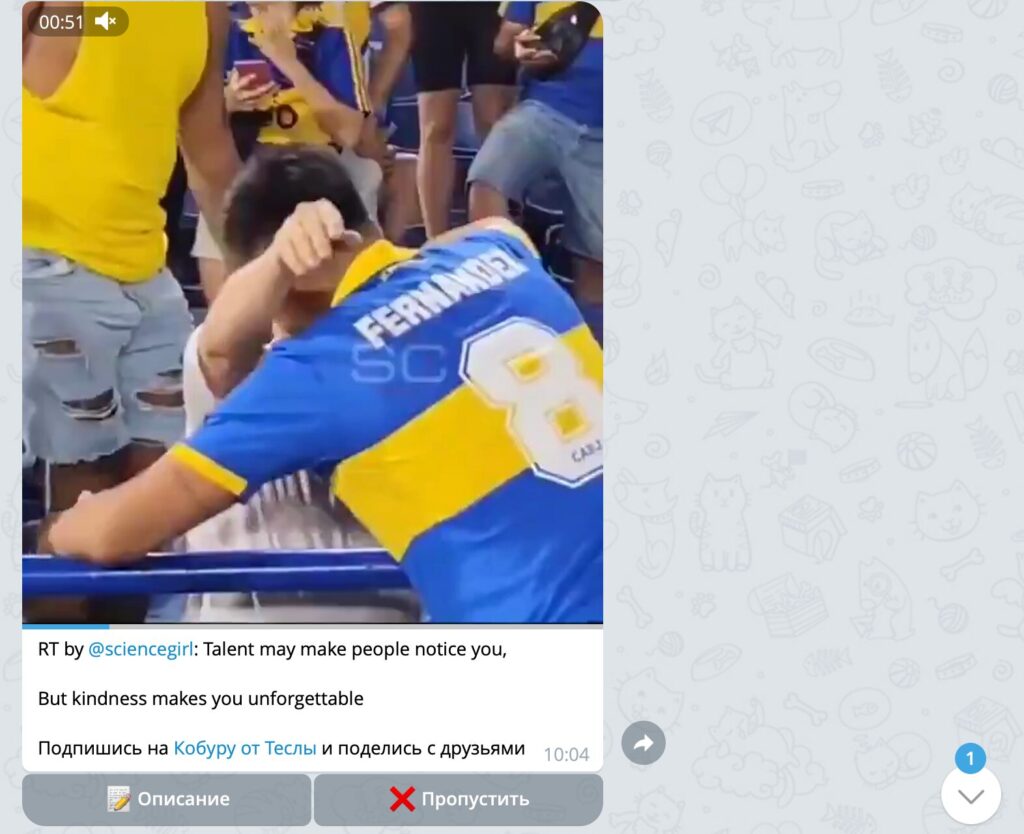
This is how the bot sends me videos
I didn’t edit anything manually — throughout the entire day I picked up my phone once: at 10 AM I’d receive a batch of cards with videos, I’d scroll through them, and if I liked a video, I’d press “Description.” If the caption seemed awkward — I’d press “Rewrite,” and Claude would redo it. Sometimes I wanted a slightly different angle — I’d press “Edit” and tweak something myself. But that happened rarely. Usually the captions turned out fine on the first try. Just so you understand: filling the entire day with videos now took me anywhere from 30 seconds to maybe a couple of minutes. The channel was alive. And so was I.