Remember the times when your Apple ID balance could be topped up with a linked card in a couple of seconds? In Russia, that ended in the spring of 2022. Apple Pay was disabled, Russian cards stopped working — and the only convenient workaround left was your mobile phone balance. Through MTS and Beeline, you could top up your balance directly from your phone number, and for a long time, this saved everyone. But as of April 1, 2026, that door closed too. Carriers, by order of regulators, disabled Apple ID payments from mobile accounts. However, there’s no need to panic just yet: working methods exist, and most of them don’t require any elaborate workarounds or relatives abroad. Let’s break down all the options that actually work in 2026.
Figuring out how to top up Apple ID balance
Apple Gift Cards for Russian Apple ID
On April 1, when payments from Russian Apple IDs via phone number were disabled, gift cards for Russian accounts also disappeared from sale. Now for the good news. Russian gift cards have appeared on cods.io — meaning codes for accounts with the “Russia” region. This means you don’t have to change your Apple ID country. Here’s how they work:
- Keep your Russian region in Apple ID.
- Buy a ruble code on cods.io via this link.
- Open the App Store and tap on your avatar in the upper right corner.
- Select “Redeem Gift Card or Code.”
- Enter the received digits — the funds will be credited to your balance instantly.
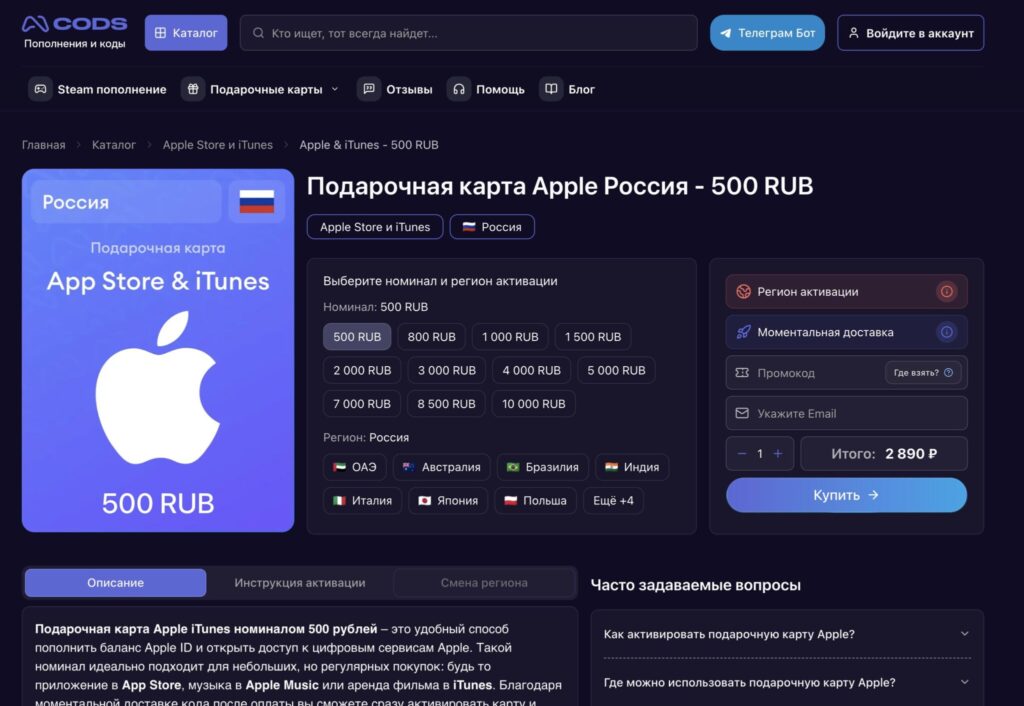
Cards for the Russian region are now available
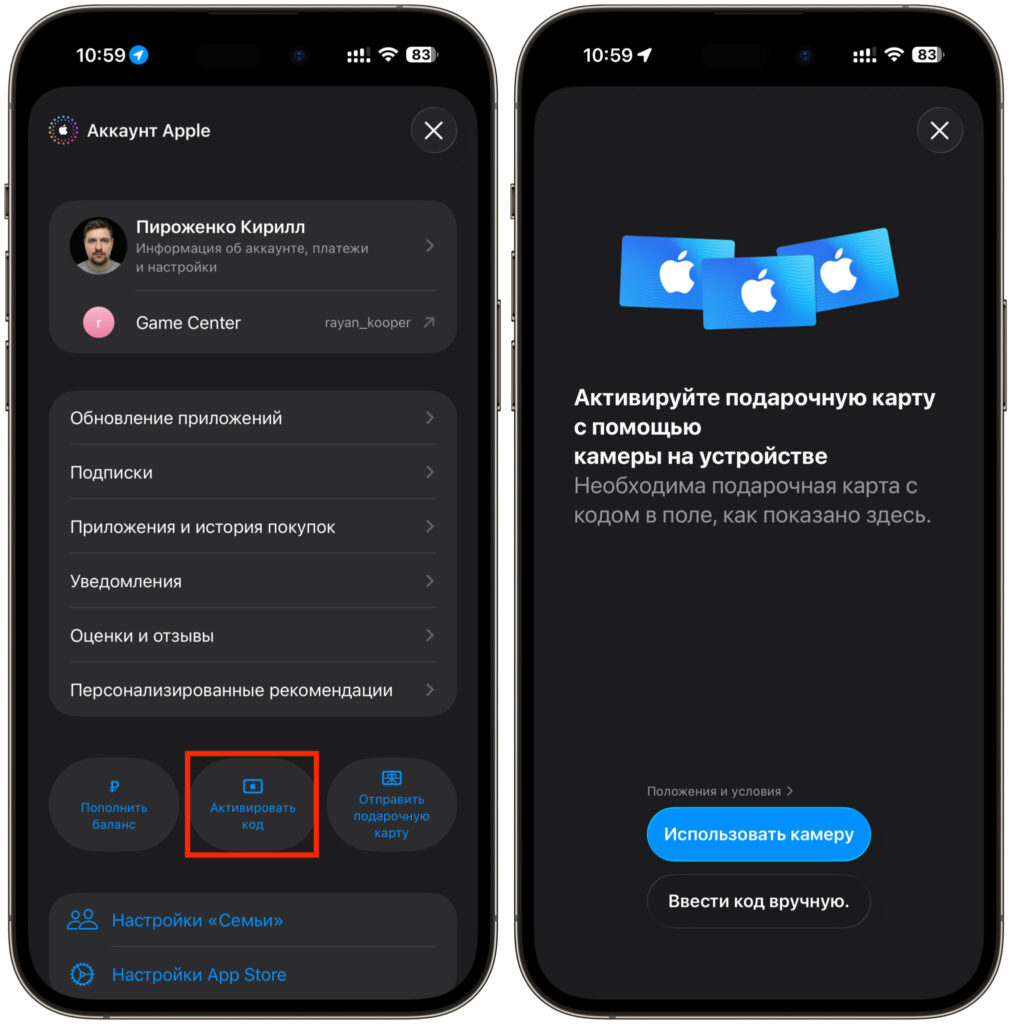
Card activation is very quick and easy
All your usual apps stay in place: banking clients, government services, local subscriptions — nothing disappears. For most users, this is the ideal scenario. Especially now, when mobile payments have stopped working and the old method of topping up through your carrier no longer works. No need to create a second account, no need to find a foreign card, no need to switch between regions and lose access to the Russian store. Buy a ruble code — top up your balance — keep using everything as before.
How to Change Apple ID Region to Pay for Subscriptions
There’s another route — change your account’s country to one where Russian cards aren’t needed. The most common choices are the US, Turkey, or Kazakhstan. After changing the region, the balance is topped up with local gift cards, and some apps and subscriptions become cheaper. But before switching countries, there are mandatory steps:
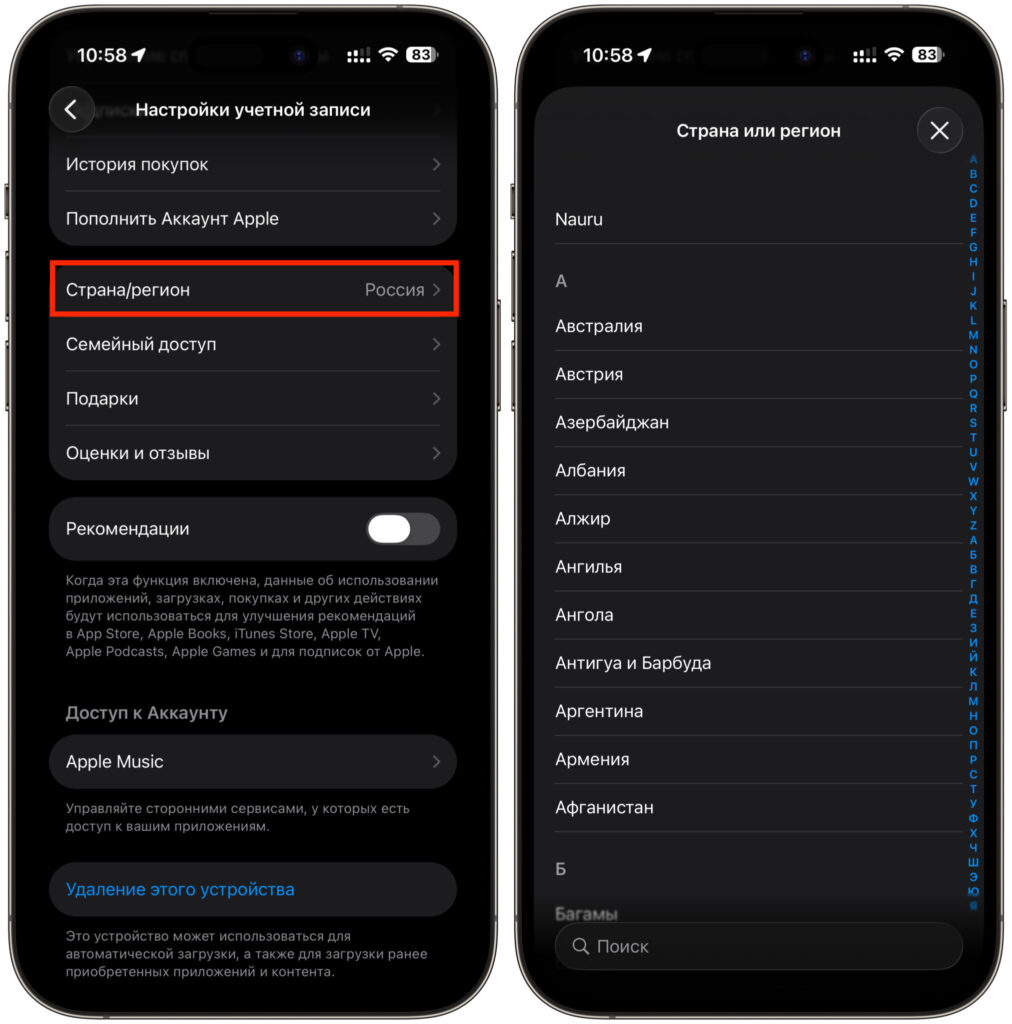
Switch to the country you need
- Zero out your Apple ID balance — the system won’t let you switch while there’s money in your account.
- Cancel all active subscriptions.
- Open Settings on your iPhone and tap on your account at the top of the screen.
- Tap “Media & Purchases.”
- Under “Country/Region,” select the desired country.
One more thing: some Russian apps will disappear from the App Store in a foreign region. Banking clients, government services, local services — all of these are tied to the Russian store.
That’s why changing regions is an “all or nothing” situation. If you need both foreign and Russian apps, it’s more convenient to create a second Apple ID for another country and switch between them. It sounds cumbersome, but in practice, it has been working reliably for several years.
Topping Up Apple ID Balance with a Gift Card
The most popular method in 2026 is Apple gift cards. The principle is simple: you buy a digital code of the desired denomination, enter it in your Apple ID settings, and the amount is added to your balance. Then you use that money to pay for subscriptions, games, apps, and in-app purchases.
You can buy such codes at cods.io — a service that sells digital gift cards for different regions. The purchase takes a couple of minutes:
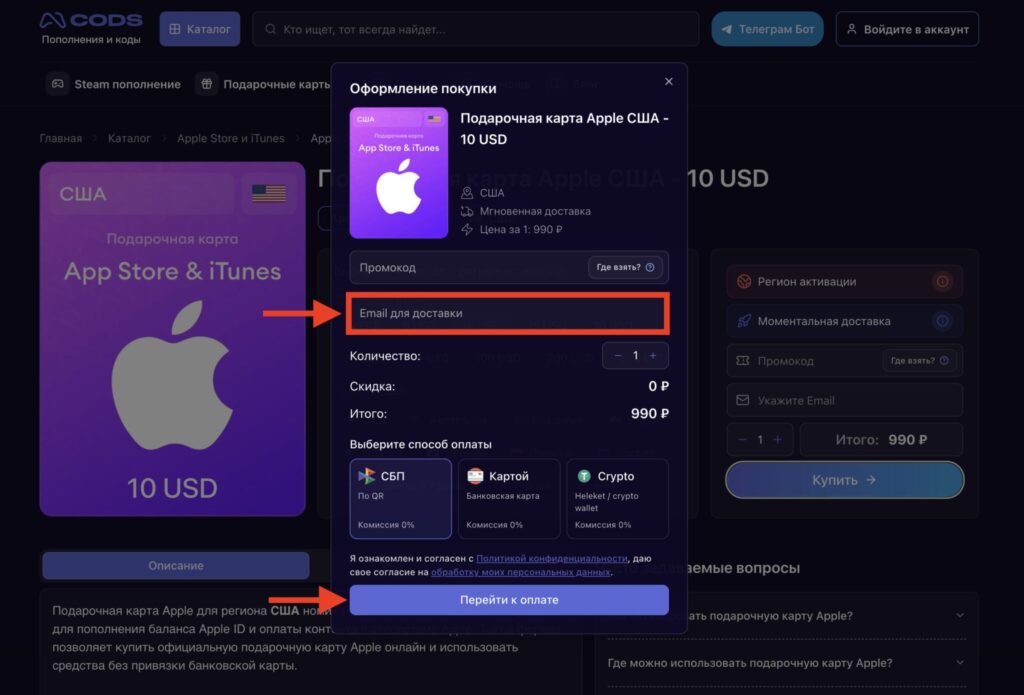
Choose the denomination you need, enter your email, and pay using a convenient method
- Go to cods.io and select your Apple ID country.
- Choose the desired card denomination.
- Pay using a convenient method — the code will arrive almost immediately.
- Activate it in the App Store via “Redeem Gift Card or Code” just like a Russian card.
The main advantage is that you don’t need anyone else’s card. At all. All you need is internet access and any payment method that already works for you. This is exactly why gift cards have become the default method for most users. Just keep in mind that codes have a markup over their face value — this is a normal price for convenience and bypassing all barriers.
Linking a Foreign Card to Apple ID
If you have a working foreign card — for example, one issued in another country or obtained through relatives abroad — you can link it directly to your Apple ID. This is the most convenient payment method: money is charged automatically, and you don’t need to activate anything manually. To link a card, follow these conditions:
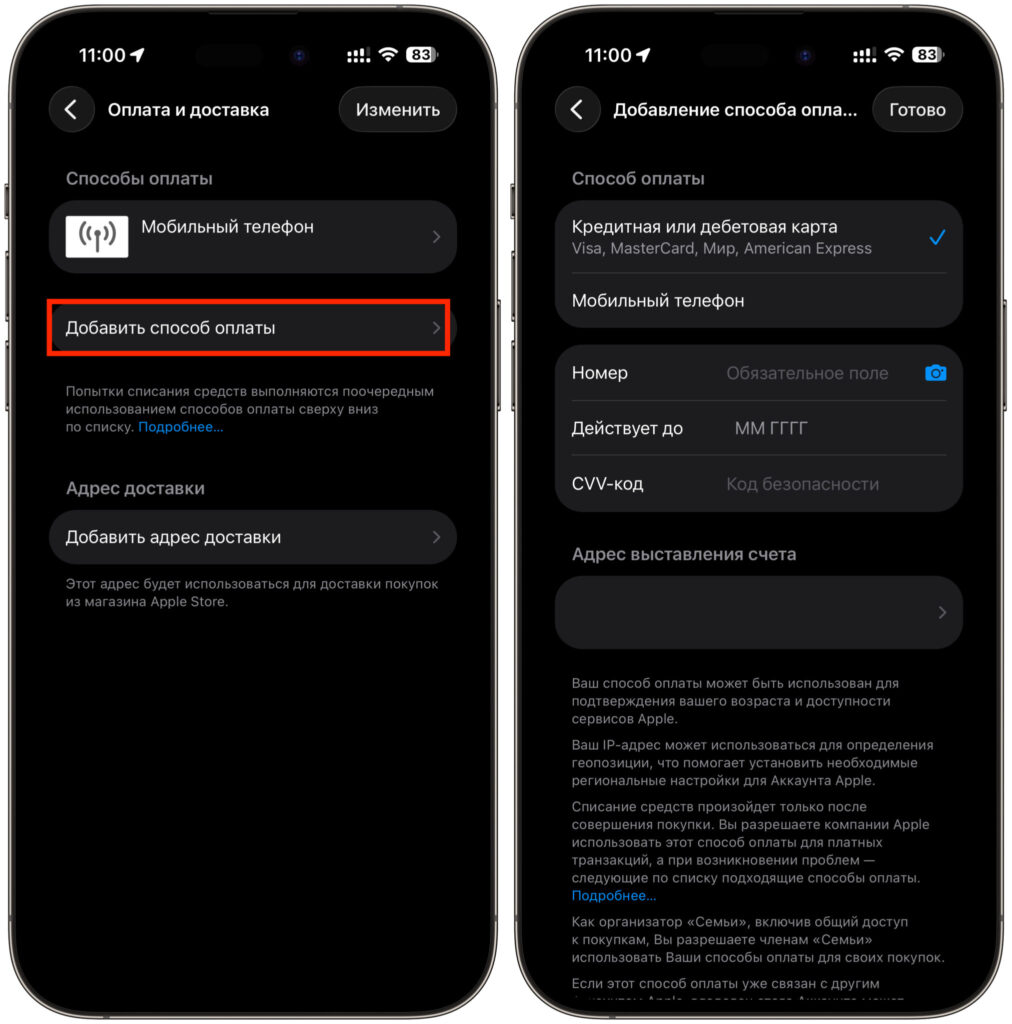
If available, you can also link a foreign card


