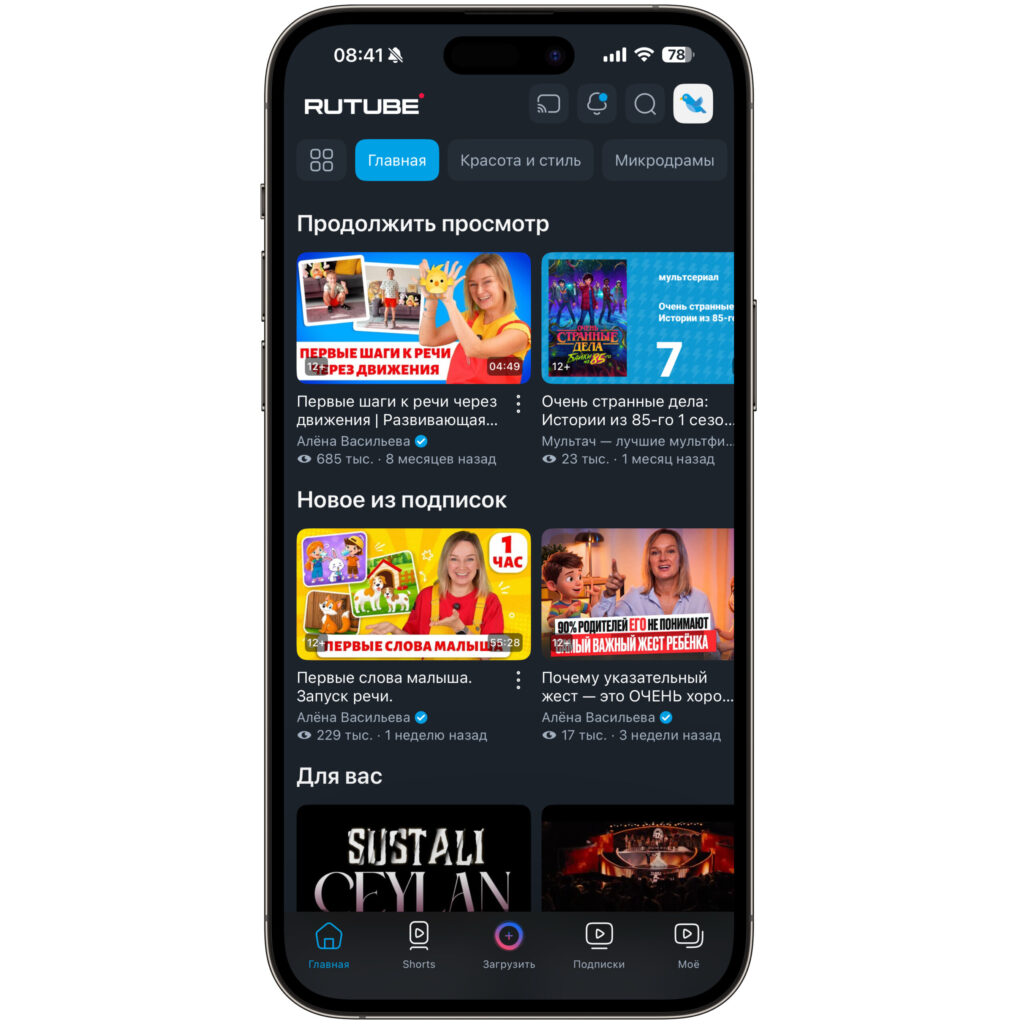
The other day I opened the old RUTUBE app — the very one that Apple removed from the App Store back in 2024. There was no point in opening it, as it hadn’t worked for a long time. But instead of the usual placeholder, I was greeted by a banner offering to install the new version. I tapped it — and ended up in the App Store on a page for a space game. Now let’s figure out how to get RUTUBE back on iPhone in 2026. I’ll walk you through the steps I took and where I nearly got stuck.
Figuring out how to install RuTube on iPhone
How RUTUBE Returned to iPhone via the App Store
First, a bit of history to explain why all this rigmarole is necessary. Apple removed RUTUBE from the Russian App Store on June 18, 2024. The reason was never officially stated, but it’s linked to sanctions against Gazprom-Media, which owns the video hosting service. On Android, there were no issues the entire time: RUTUBE has been available on Google Play, RuStore, and AppGallery without any problems. But iPhone owners were left with either watching videos through a browser or waiting.
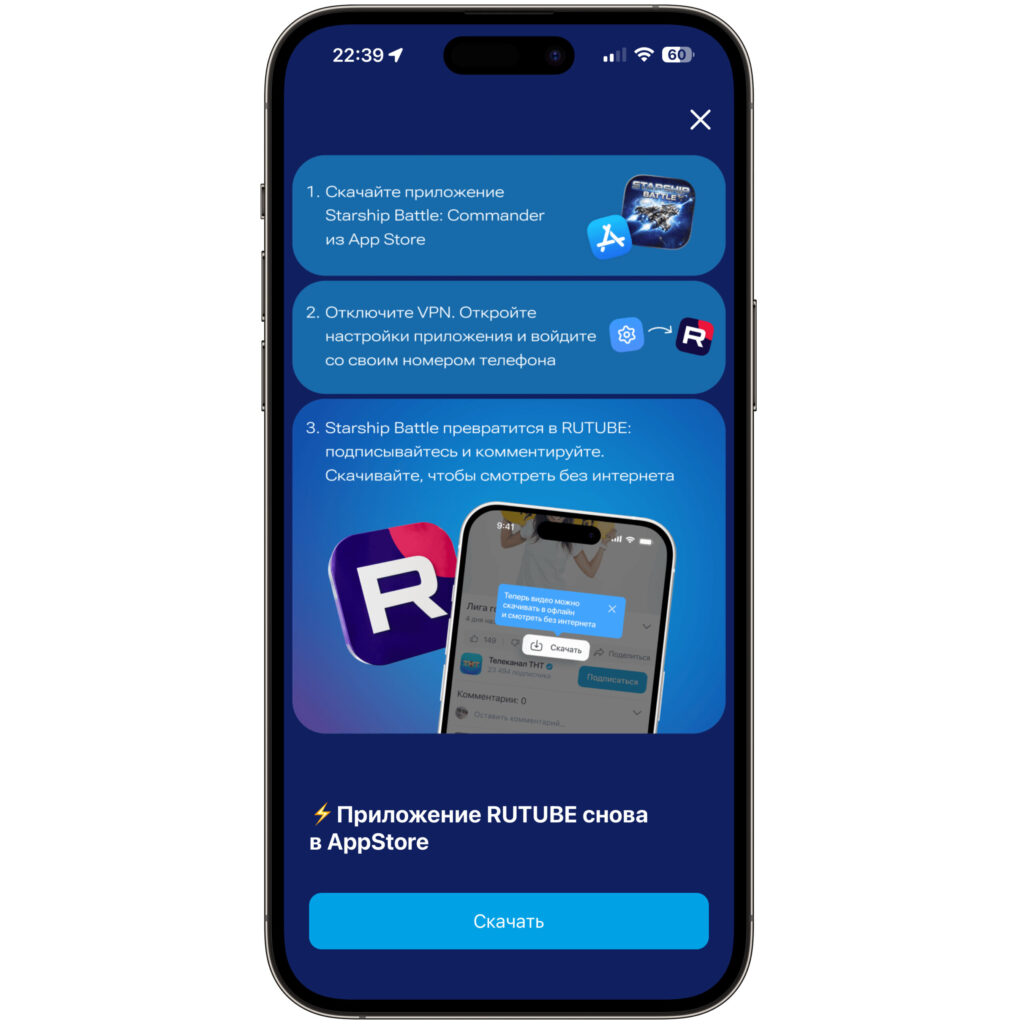
Unexpectedly found this banner in the old app
As it turned out, the wait wasn’t for RUTUBE itself to return, but for a clever workaround. The service published an app in the App Store disguised as a regular game — Starship Battle: Commander’s Edition. Technically, it’s a space arcade game: the main screen has buttons like “Play with AI,” “Two Players,” and “Leaderboard.” Apple’s moderation lets something like this pass without questions. But once you log in — the game transforms into the familiar red-and-black RUTUBE interface. This trick isn’t new: banking apps under sanctions have been disguised the same way in the App Store. Apple periodically purges them, so keep in mind that this loophole could close at any moment.
How to Download RUTUBE on iPhone from the App Store
The installation itself is no different from downloading any other app. Here’s what you need to do step by step:
- Open the Starship Battle page in the App Store and tap “Download.”
- Wait for the installation to finish and launch the app. On startup, you’ll be greeted by a screen with the Starship Battle title and menu buttons — for now, it really does look like a game.
- If you have a VPN enabled, turn it off. With an active VPN, authentication may fail because the service checks for a Russian phone number and region.
At this stage, the main thing is not to close the app thinking you’ve been tricked. The space arcade is just a wrapper. All the interesting stuff is hidden behind one inconspicuous button, which we’ll get to now.
What to Do After Installing RUTUBE on iPhone
This is the most important part, and this is exactly where it’s easiest to get stuck. Downloading the app isn’t enough: without logging into an account, it will remain a game about starships. To turn it into RUTUBE, you need to log in using your phone number.
- On the game’s main screen, tap the gear icon in the upper right corner — these are the settings.
- In the “Account” section, select “Sign In / Register.”
- Enter your phone number in the format +7 XXX XXX XX XX and tap “Continue.” By tapping this button, you agree to the user agreement.
- Wait for the confirmation code, enter it — and the app will open as a full-fledged RUTUBE.
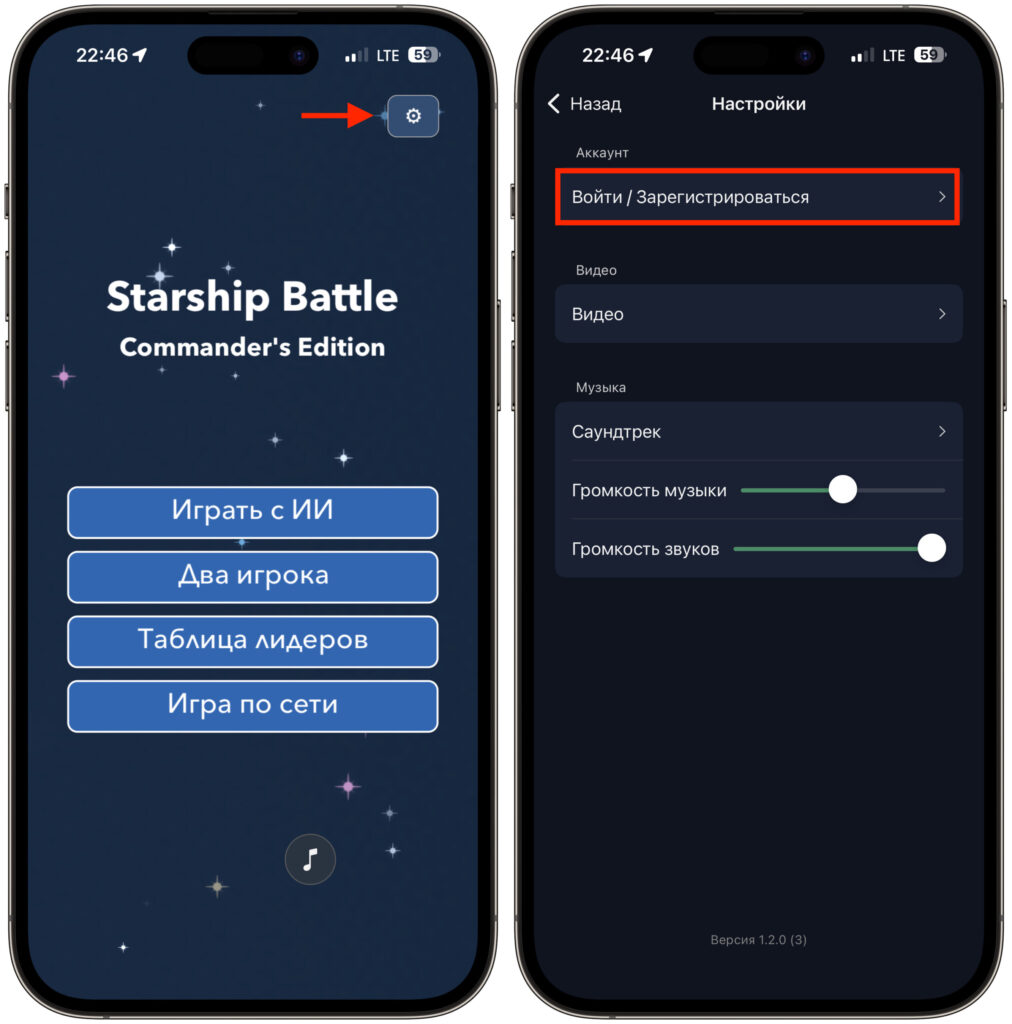
Open the game and go straight to settings
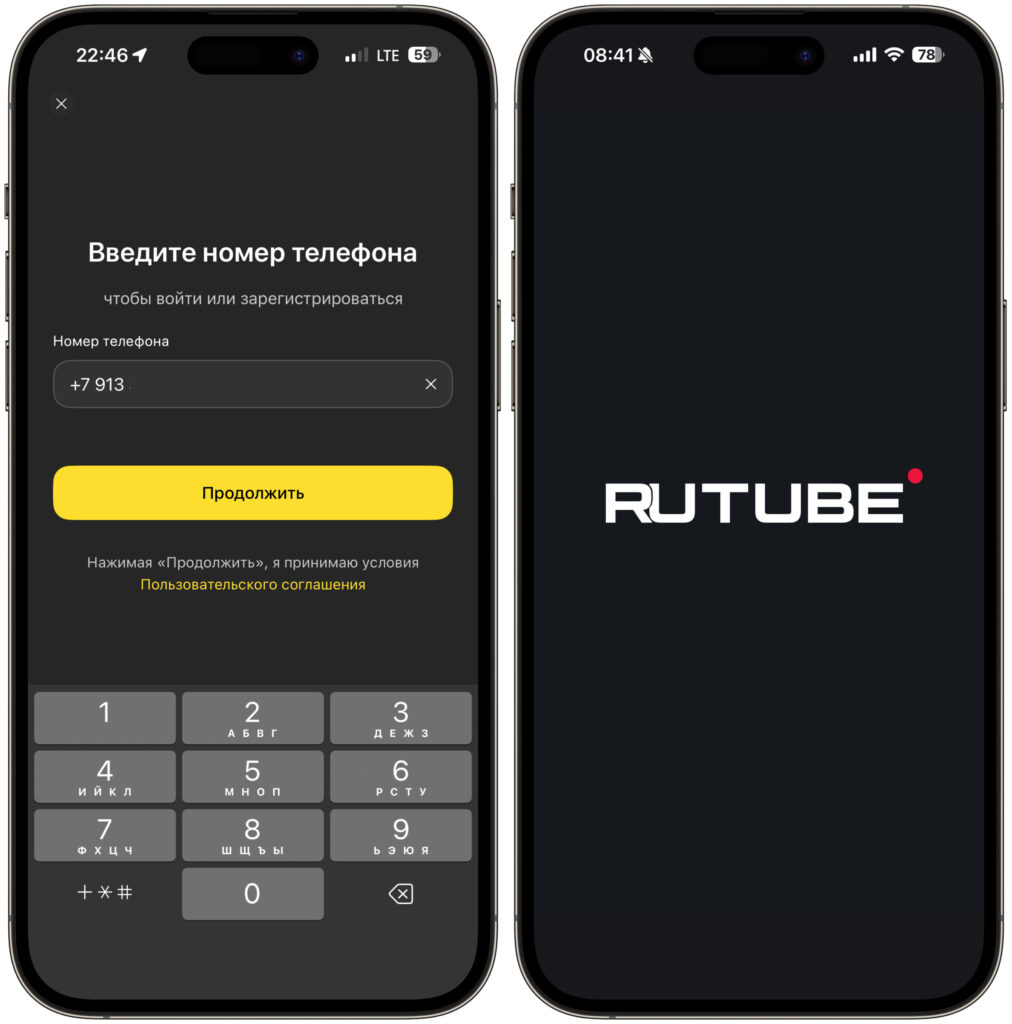
Log in using your phone number
Why the RUTUBE SMS Code Isn’t Arriving on iPhone
This is where a surprise was waiting for me, and it’s worth reading to the end. Out of habit, I was waiting for an SMS — and it never came. The confirmation code was sent to me in the MAKS messenger from the official “Confirmation Codes” account with a blue checkmark. Yes, it’s our beloved national messenger again, which in 2025 began to be actively integrated into Russia’s digital infrastructure, and delivering one-time codes is one of its functions.
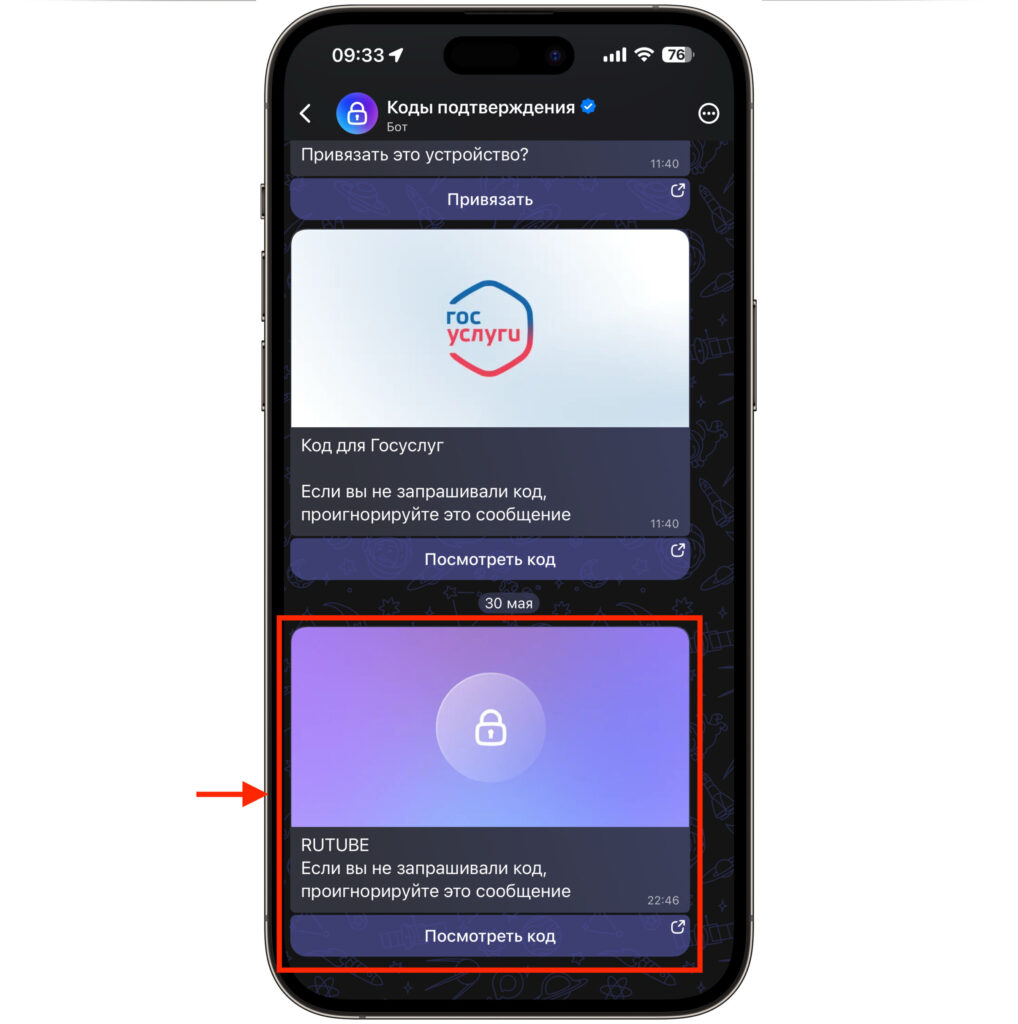
Be prepared that the RuTube code may arrive in MAKS
What this means in practice: if you don’t have MAKS installed, you might simply not receive the code, or you might still get it via SMS — results may vary depending on your carrier and settings. So my advice is: install MAKS in advance and log into it with your phone number. Then the code will arrive instantly, and you won’t be left wondering why the SMS isn’t coming. I opened the notification right from the messenger, saw the code, went back to the app, entered it — and a second later I was in RUTUBE.
After logging in, you can browse at your leisure: the familiar feed appears with sections like “Home,” “Beauty & Style,” “Microdramas,” and blocks like “Continue Watching” and “New from Subscriptions.” Also keep in mind one small detail: the code is valid for a limited time. If you take too long switching between apps, you’ll have to request a new one.
What You Should Know Before Installing RUTUBE on iPhone