A lot of products sold on various marketplaces are also available on Russian ones. Wildberries is one of the main ones. If you’re just switching to it or changing your phone and need to install the app again, this guide will definitely come in handy. Here’s everything about installing Wildberries on Android.

Figuring out how to install WB on Android
Where to Download the Wildberries App for Android in 2026
The Wildberries app is available from several official sources:
- Google Play — the main option for most Android smartphones;
- RuStore — a Russian app store that works on all Android devices.
Both options provide the same official app. The only difference is convenience. You shouldn’t download Wildberries for your smartphone from third-party sites — there’s a risk of getting a modified version with ads or malicious code. Only use official sources.
How to Download and Install Wildberries on Android for Free
Installing Wildberries via Google Play or RuStore is a standard procedure that takes just a few taps:
- Open Google Play or RuStore on your smartphone.
- Type “Wildberries” in the search bar.
- Select the official app (it has a purple logo with the letter W).
- Tap “Install” and wait for the download to finish.
- After installation, tap “Open” or find the icon on your home screen.
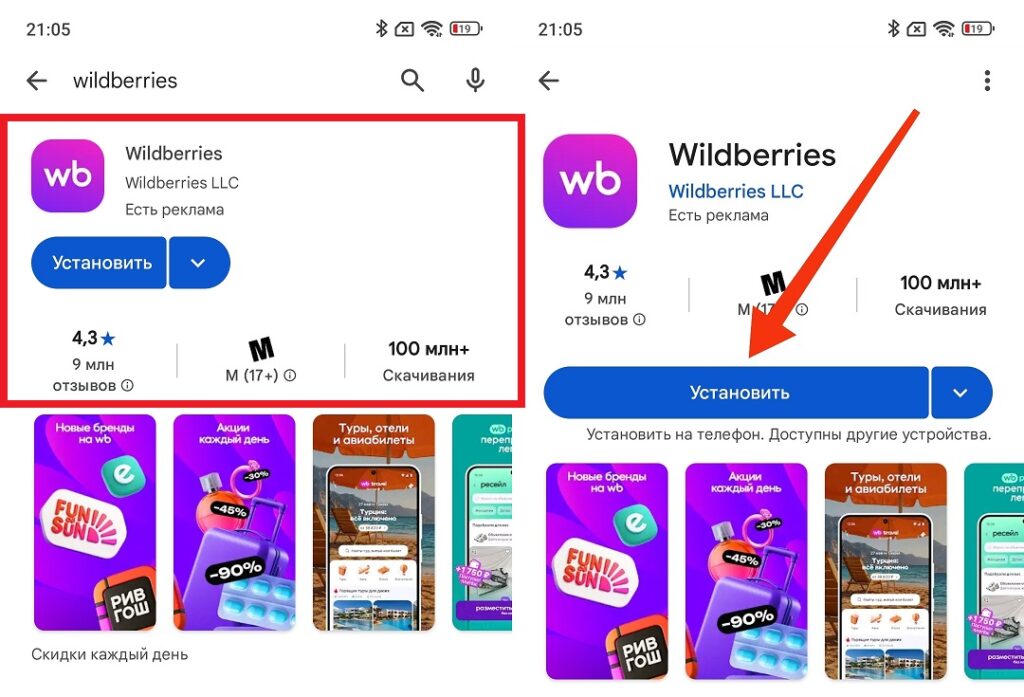
That’s the app you’re looking for
Wildberries on Android works on system versions from Android 7.0 and above. The app contains almost no paid features.
How to Update the Wildberries App on Android
Update Wildberries via Google Play:
- Open Google Play and tap on the profile icon in the upper right corner.
- Select “Manage apps & device.”
- If a Wildberries update is available, it will appear in the list. Tap “Update.”
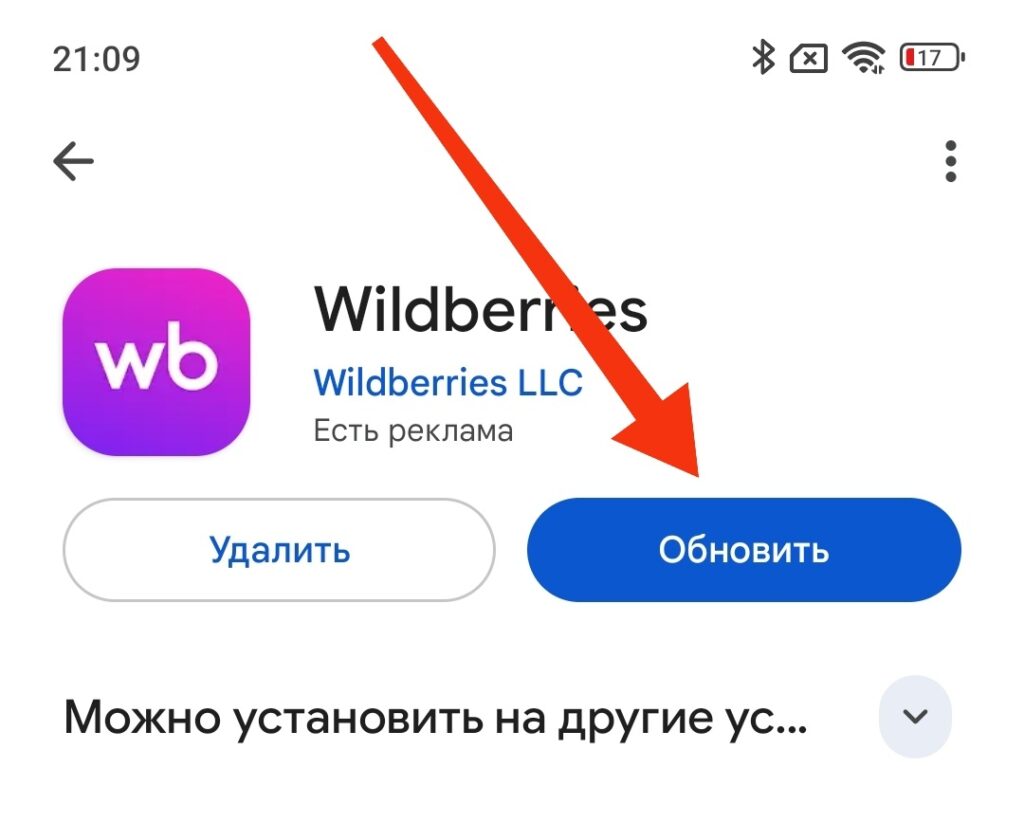
The app receives regular updates
The procedure in RuStore is similar: “Profile — My Apps — Available Updates.” If you want Wildberries on your phone to update automatically, go to the app settings in Google Play and enable “Auto-update.” Then new versions will install automatically when connected to Wi-Fi. Why you should update: each update fixes bugs and adds new features. An outdated version may work unstably or not open at all (especially after server-side marketplace updates).
How to Disable Wildberries Notifications on Android
Wildberries sends notifications actively: promotions, discounts, order status, cart reminders. If this is annoying, you can turn them off through Android settings:
- Open “Settings — Apps.”
- Find Wildberries and tap on it.
- Go to “Notifications.”
- Disable all notifications or specific categories.
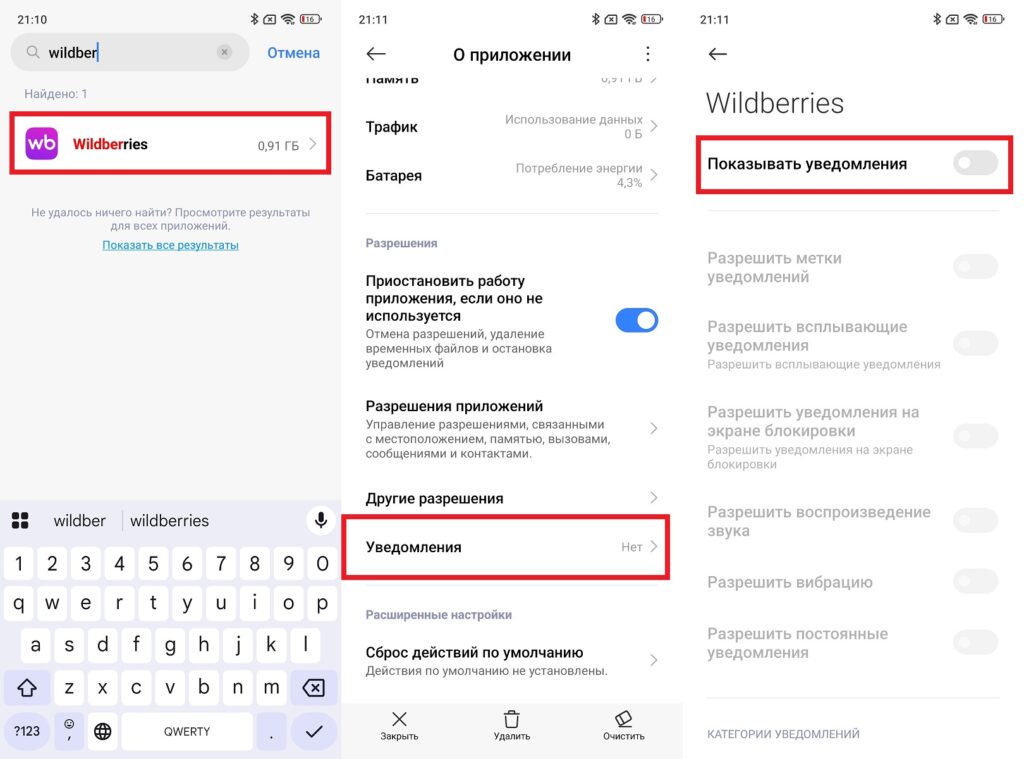
Notifications can be disabled through Android settings
If you turn off Wildberries notifications through Android system settings, it will work for all types of notifications, including those that cannot be disabled within the app itself.
Wildberries App Features on Android
Setting up Wildberries after installation takes a couple of minutes. Here’s what the app can do besides the obvious shopping:
- Photo search (take a photo of an item and search for similar ones);
- Fitting room (virtual try-on of clothes using the camera);
- Real-time order tracking to a specific pickup point;
- WB Club subscription (discounts and bonuses for active shoppers);
- WB Wallet (internal account for quick payments).
The WB Wallet is convenient: you top up your wallet in advance and pay for orders without entering your card details every time.
What to Do If Wildberries Isn’t Working on Android
If Wildberries isn’t working, follow these steps:
- Check your internet (open any other website).
- Switch from Wi-Fi to mobile data or vice versa.
- If you’re using a VPN — disable it, as Wildberries blocks access through VPN.
- Force close the app and reopen it.
- Restart your smartphone.
- Check if there’s an update in Google Play or RuStore — install it.
- Clear the cache: “Settings — Apps — Wildberries — Storage — Clear Cache.”
If Wildberries still isn’t working, then in this case all you can do is wait for the service to be restored: go to the wildberries.ru website through your browser as a temporary alternative.