The first beta of iOS 27 was distributed to testers right after the WWDC 2026 presentation, and the first question in all chats was the same: how much does it drain the battery. Anyone can install iOS 27 on their iPhone, so thousands of people installed the build overnight. I’ll be honest right away: there are no precise measurements by model yet — only a day has passed, and iPhones are still indexing data after installation. So below is a careful summary from early reports of those who have already updated. In short: the beta behaves roughly like any first build — noticeably more power-hungry than the release, but without last year’s catastrophe. Let’s break it down step by step.
So what about the battery on the first beta?
Battery Drain on iOS 27 Beta 1
The overall picture from the first reports fits the usual range for debut betas: drain is 30–50% higher in the first two days after installation. This is not a bug specific to iOS 27, but normal system behavior as it rebuilds the search index in the background, reprocesses the media library, and downloads Apple Intelligence models.
Real iOS 27 usage
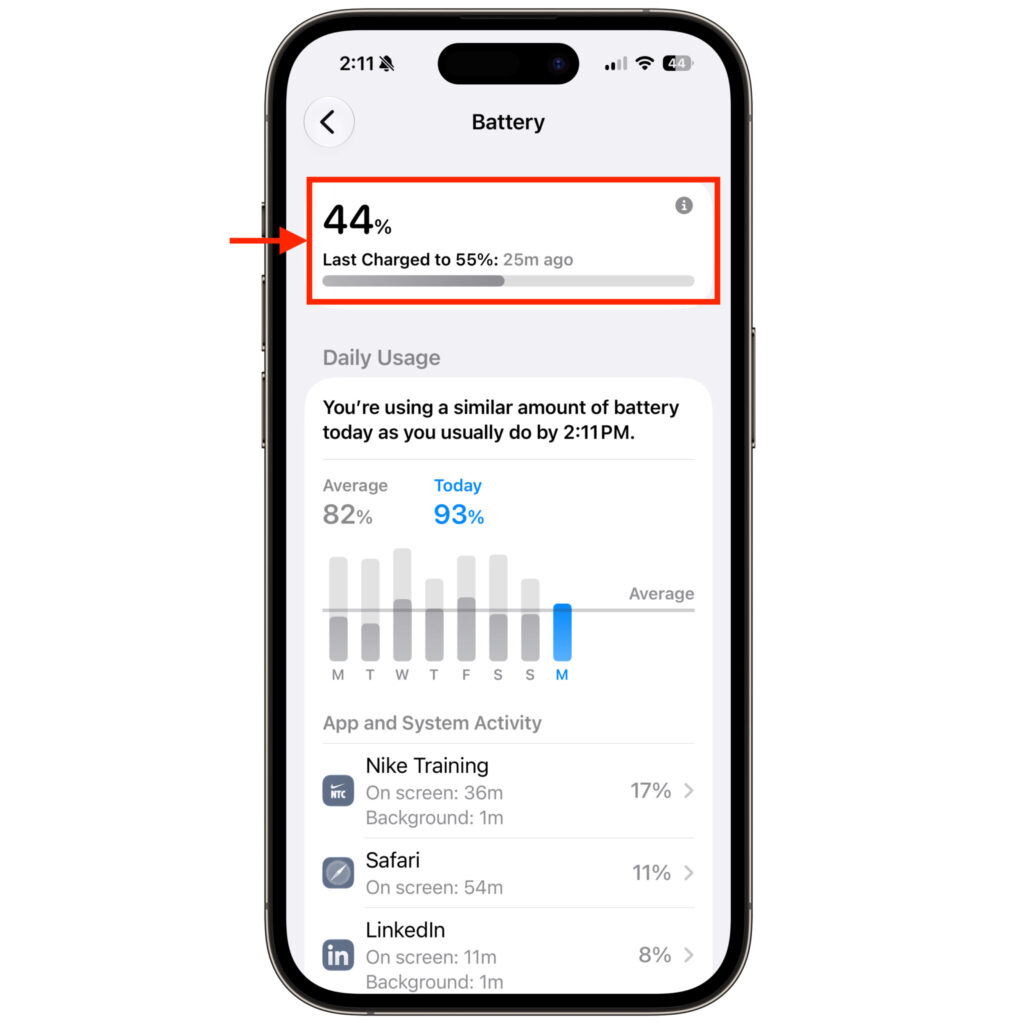
Specific observations from the tester thread look like this. On an iPhone 15 Pro, one tester recorded a drop from 55% to 44% in 25 minutes after removing it from MagSafe — that’s 11 percentage points, and the entire time they were actively testing new features and checking apps. Another tester on the same device class noted a drop from 40% to 32% over an hour of active system use. Sounds significant, but this is peak load in the first hours, not a real daily usage scenario.
I want to separately note something important: comparing a beta to a release is incorrect. Beta builds often carry additional diagnostic processes that constantly send telemetry to Apple. This alone drains the battery, and it won’t be present in the final version.
How iOS 27 Beta 1 Works on Different iPhone Models
Since there are no strict benchmarks yet, here’s a summary by device class — what’s actually coming up in reports from the first 24 hours.
| Model | What testers report |
|---|---|
| iPhone 17 / 17 Pro (A19) | Heat and increased drain in the first hours, but Adaptive Power is enabled by default; noticeably calms down after indexing |
| iPhone 16 / 15 Pro (A17–A18) | Most frequent complaints about “power hunger” on day one — peak drops in heavy scenarios, warmth on the body |
| iPhone Air | Due to the smaller battery, the drain feels subjectively worse, although in percentage terms it’s comparable to others |
| Older models | Hold the “hot” indexing phase longest — battery takes longer to normalize |
The main takeaway: there’s no dramatic spread between models. It all comes down to background tasks after installation, not the chip. The older the device and the larger the media library, the longer the heating story drags on. What’s encouraging — this year Liquid Glass is promised to be optimized. The overloaded interface graphics were one of the reasons for increased drain in iOS 26, and Apple clearly took this into account.
iPhone Overheating and Draining Quickly After Update: What to Do
The mechanics are always the same. After a major update, the iPhone spends 24–48 hours re-indexing photos, rebuilding Spotlight search, re-syncing iCloud, and downloading local AI models. All of this happens in the background, heats up the body, and drains the battery — and you see it as “I updated and everything’s gone wrong.”
That’s why measuring battery life in the first two days is pointless. Let the system finish its background processes — for most people, drain drops literally in half after that. If after 3–4 days the iPhone is still heating up while idle and losing a percent per minute — that’s a reason to write to Feedback Assistant.
And once again, the main thing worth repeating to everyone who asks: installing a beta on your primary phone is definitely not worth it. If your iPhone is for work, banking, and two-factor authentication, wait for the public beta in July, or better yet — the release in September.
How to Reduce Battery Drain on iOS 27 Beta 1
The simplest advice — just wait a couple of days. But if you want to speed up the process and reduce heating, here’s a quick checklist:
- Put your iPhone on a charger and Wi-Fi overnight — let indexing finish without interruption.
- Go to “Settings — Battery” and find anomaly apps — you can disable background app refresh for them.
- Lower the brightness and make sure auto-brightness is enabled.
- During the warm-up period, you can enable Low Power Mode — it won’t restore release-level battery life, but it will smooth out peak drops.
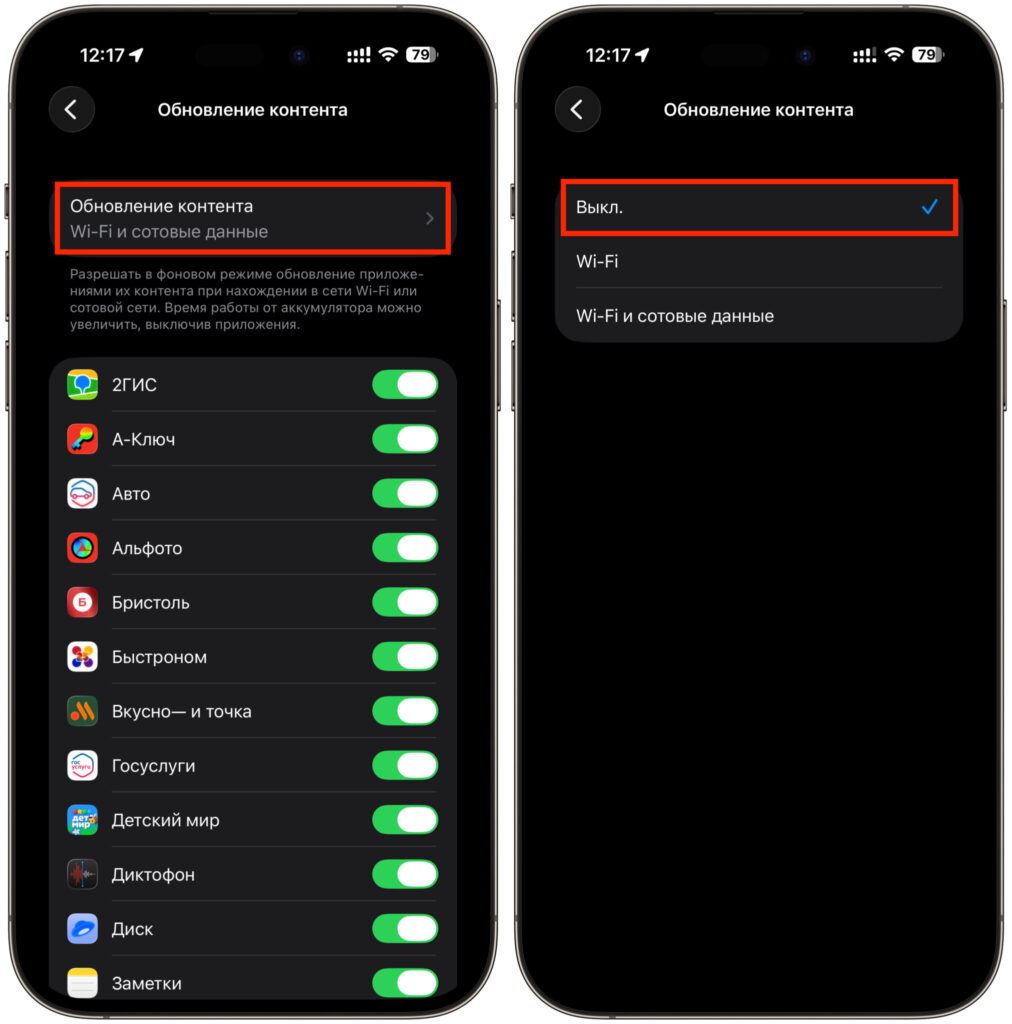
Turning off background app refresh. You can do it completely
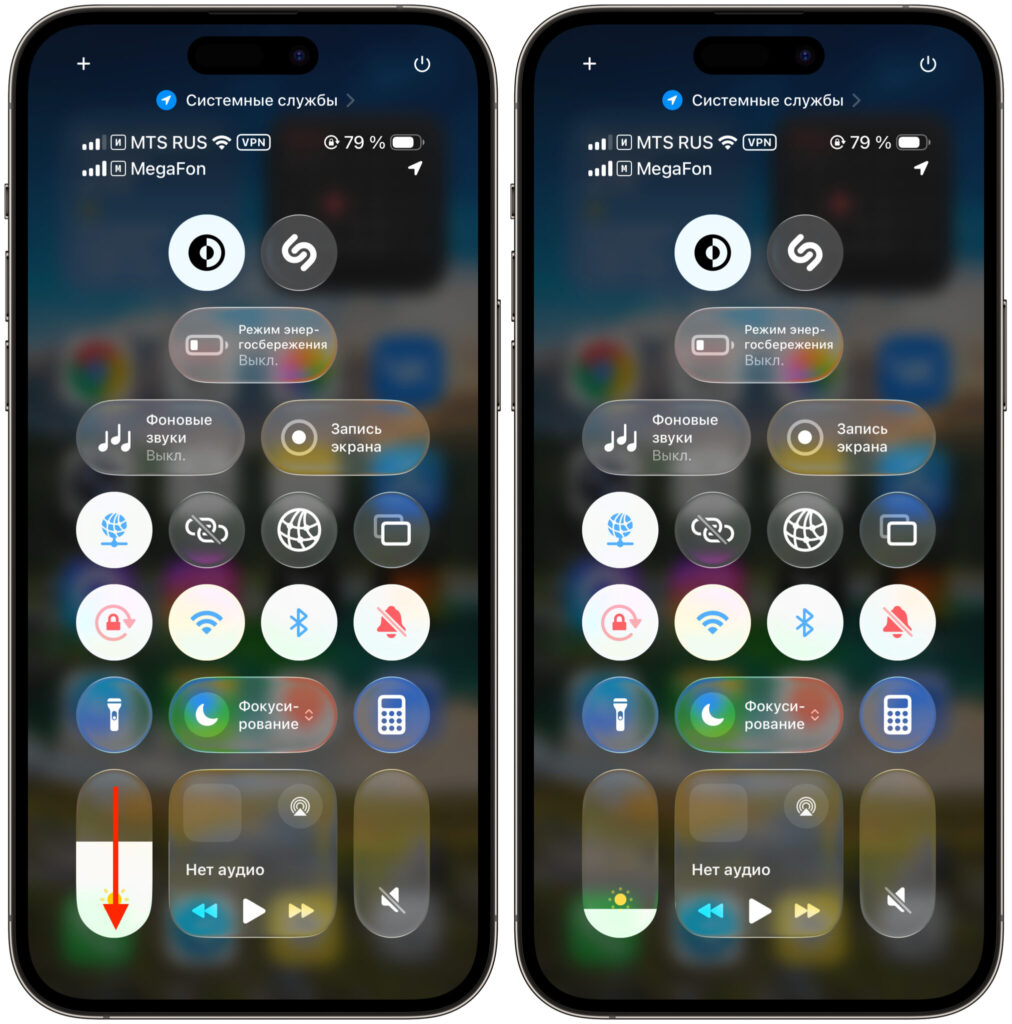
You might want to lower the brightness
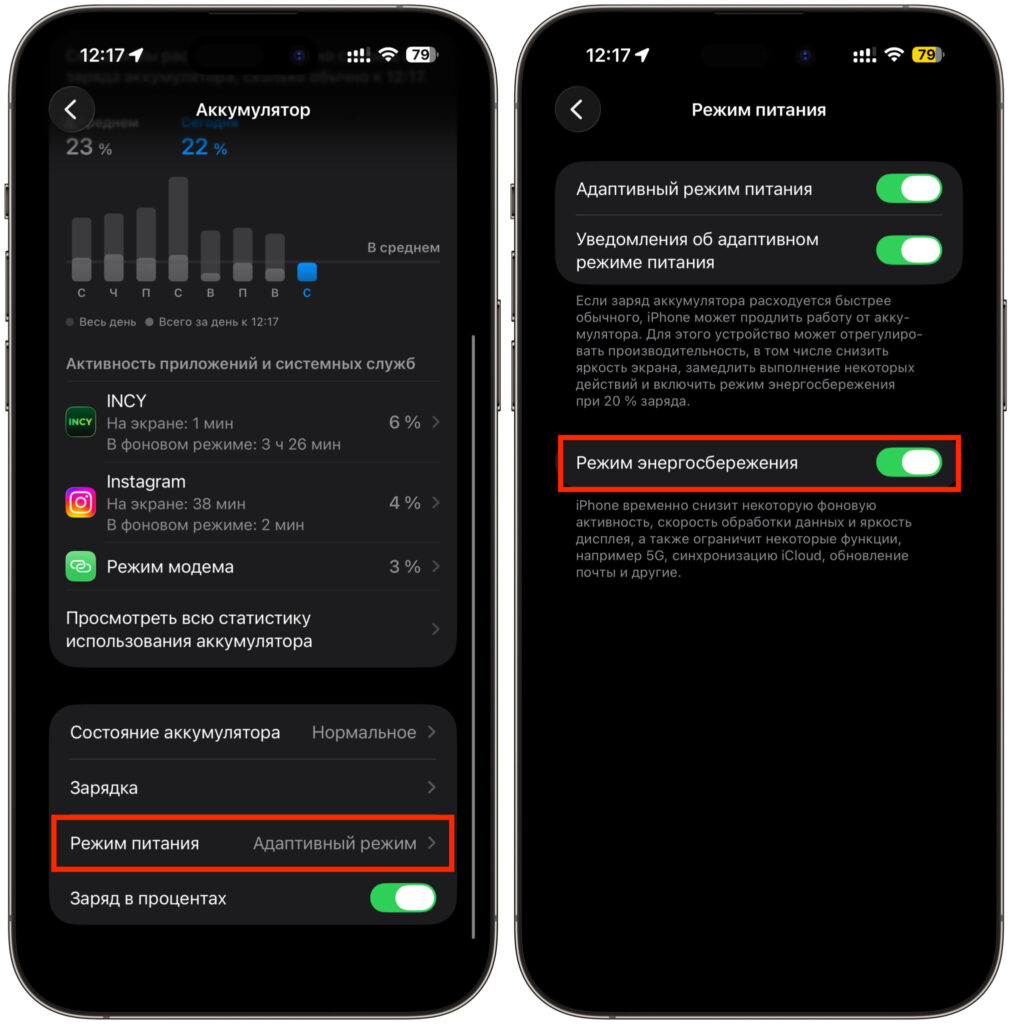
Don’t hesitate to use Low Power Mode
For those who’ve already realized that beta 1 is too raw, a reminder about rolling back: you can only go back through a DFU restore with a computer and an archived backup on iOS 26. There’s no going back over the air — so make a backup on iOS 26 beforehand.
The bottom line is simple: iOS 27 beta 1 drains the battery as expected for a first beta — noticeably, but predictably, and without last year’s “hot hell.” We’ll see the real battery life picture closer to the third or fourth build, when Apple fine-tunes Liquid Glass and background processes. For now — patience and a charger nearby.