After Apple removed several popular Russian apps from its App Store — including the Max messenger, VK Video, and Rutube — scammers have filled the gap with convincing lookalikes. These counterfeit apps copy the names and logos of the original services but have no connection to them. The official companies behind Max and Rutube have confirmed they are unaffiliated with these clones. Despite user complaints in reviews, Apple has not yet removed the fakes, and some have even climbed to the top of their respective App Store categories.
What you need to know
- Three fake apps — MaxMessenger, RuTube Video Player, and VKI Video — are mimicking removed Russian services in the App Store using similar names and logos.
- The press office of Max and Gazprom-Media Holding (Rutube’s parent) have both denied any connection to the counterfeit apps.
- The fake Rutube clone topped the free Entertainment category despite a 2.6 out of 5 rating; the VK Video clone reached first place in the News & Magazines category.
- Apple removed the original apps citing sanctions compliance; the removals began on June 3 with Max and continued on June 25 with all VK-related apps.
What are these fake apps?
Three specific apps have been identified in the Russian App Store that impersonate well-known services:
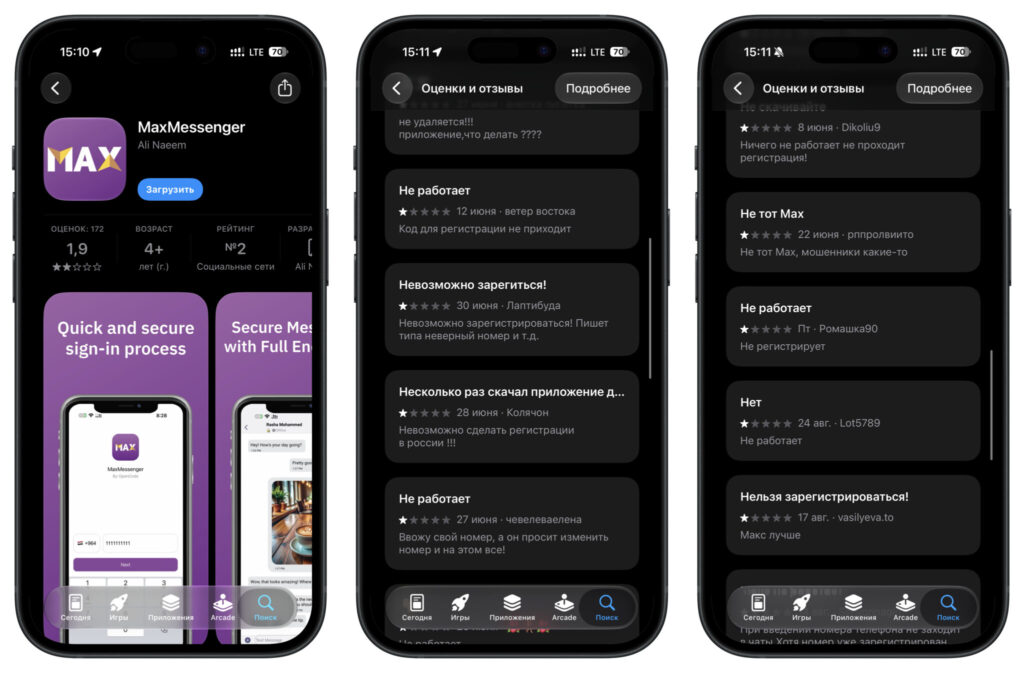
- MaxMessenger — uses the same name as the Max national messenger. It has reportedly been listed in the App Store for several years and is easy to confuse with the original. The Max press service confirmed the app has no relation to their service and advised users to maintain push notifications through the web version instead.
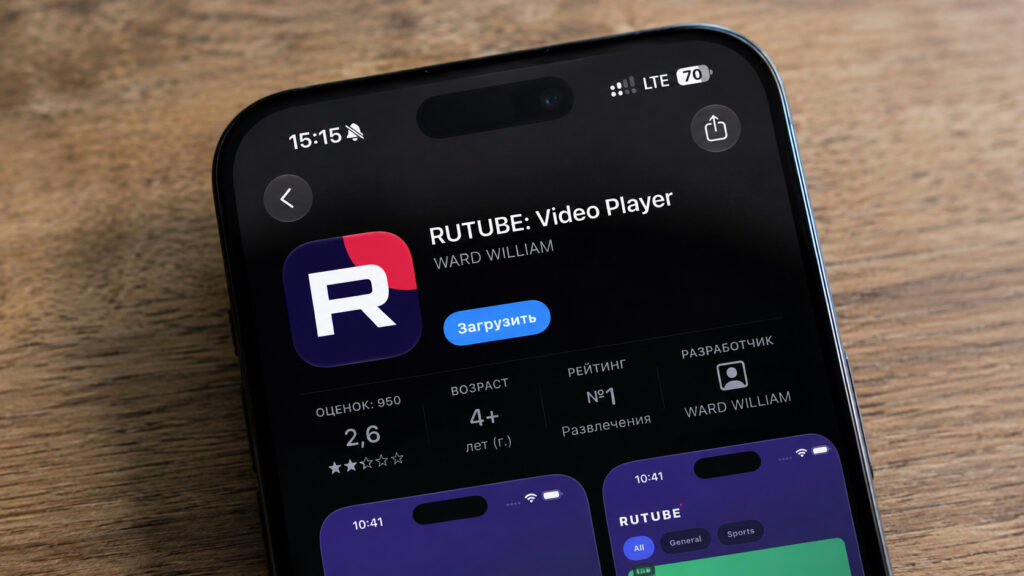
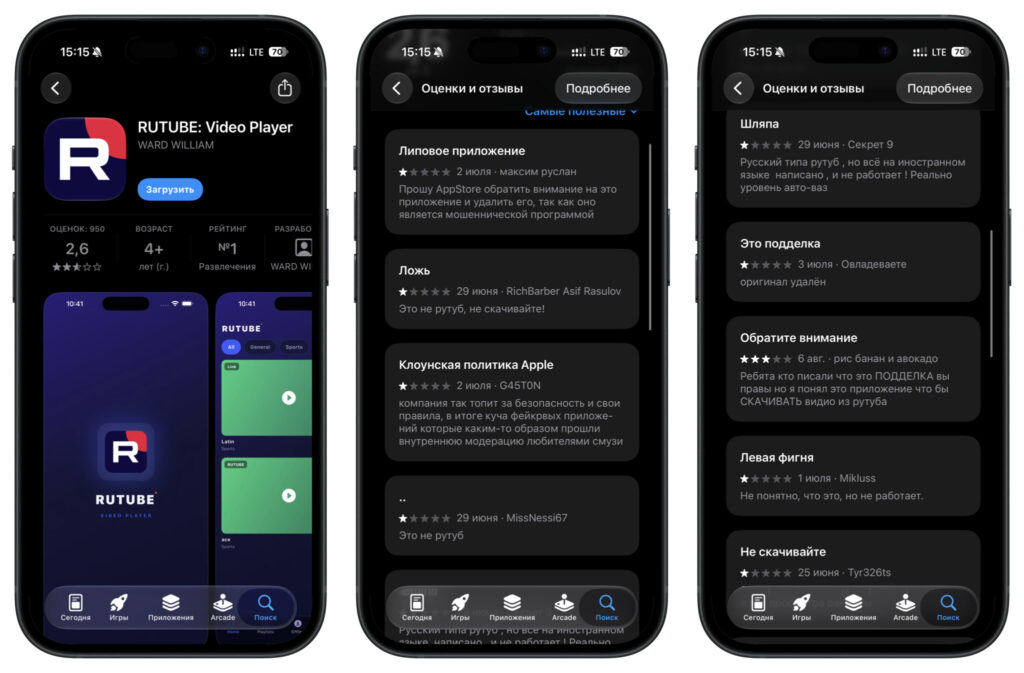
- RuTube Video Player — borrows the Rutube name and logo but is actually a social media video downloader filled with aggressive advertising. Gazprom-Media Holding denied any connection to the app. Despite a rating of just 2.6 out of 5, it reportedly topped the free apps chart in the Entertainment category.
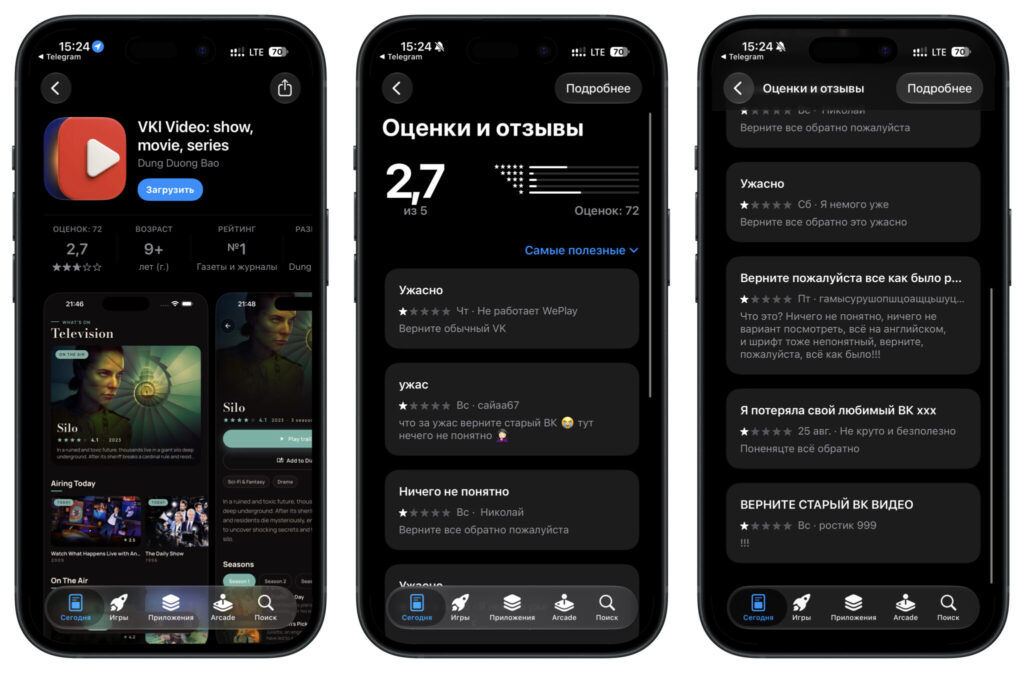
- VKI Video — presents itself as VK Video but is actually a movie diary and film review service. It reportedly reached first place in the News & Magazines category.
What risks do these fake apps pose?
A fake messenger app poses a data security risk: users may enter phone numbers, SMS verification codes, or passwords without knowing where that information is being sent. The video downloader clone reportedly bombards users with aggressive advertising, consuming data and generating revenue for its unknown developer. The movie diary app disguised as VK Video simply delivers a completely different product than what users expect.
Beyond what is visible on the surface, it remains unclear what these apps do with device permissions, contact access, and notification access — all of which is left to the discretion of developers whose identities are unknown.
Why the Russian App Store became vulnerable to clones
The vacuum was created by a series of app removals. Max disappeared from the App Store on June 3. On June 25, Apple removed all VK-related apps — including VK Video, VK Music, VK Messenger, VK Dating, Skillbox, Dzen, Odnoklassniki, and Mail.ru. VKontakte itself was removed shortly after. Apple attributed the removals to sanctions compliance requirements in the countries where it operates.

VK reportedly said the decision was made without prior warning. Already-installed apps continue to function but no longer receive updates or push notifications. On July 16, Max and VK were also removed from Google Play, after which installations through alternative Android stores such as RuStore reportedly grew by more than 50 percent in the second half of July.
Russia’s Ministry of Digital Development (Mintsifry) called the removals unfair competition and asked the Federal Antimonopoly Service (FAS) to investigate whether Apple is complying with Russian law. A separate case has reportedly been opened against Apple for failing to comply with requirements to pre-install Max and RuStore on iOS devices. While these proceedings continue, the App Store search results remain largely empty for these services, allowing clones to occupy the top chart positions.
How to avoid downloading a fake app
Several practical guidelines can help users avoid these counterfeits:
- Do not search for removed services directly in the App Store. The original apps are currently unavailable there, and search results will return only clones or unrelated apps with similar names.
- Use official service websites as your starting point. If a legitimate app becomes available through any channel, the service’s official website is the most reliable place to find a verified download link.
- Check ratings and recent reviews carefully. In the fake apps identified, users have explicitly warned in the comments that the apps are fraudulent.
- Be skeptical of familiar logos. A recognizable icon alone does not guarantee authenticity, especially in the current environment where original apps have been removed.
- Developer names are not always reliable indicators. Due to sanctions, even legitimate services sometimes publish through lesser-known developer accounts, making this a less useful verification method.
Until Apple takes action to remove these counterfeit listings, the responsibility for verification falls largely on users. A few extra minutes checking the official website of a service is far less costly than dealing with the consequences of installing an unknown app on your device. The situation remains fluid, and the status of these apps and their originals may change as regulatory and legal proceedings continue.


