After Google recently released Android 17 with a bunch of new features, Samsung rolled out the first public One UI 9.0 beta for the Galaxy S26. And no, this isn’t the “revolution” that companies love to promise in their announcements. But in daily use, the changes are noticeable: the quick settings panel has become more flexible, Game Booster got improvements, Samsung Notes received a new feature, and permission requests were redesigned. Below — in order — here’s what exactly has changed.
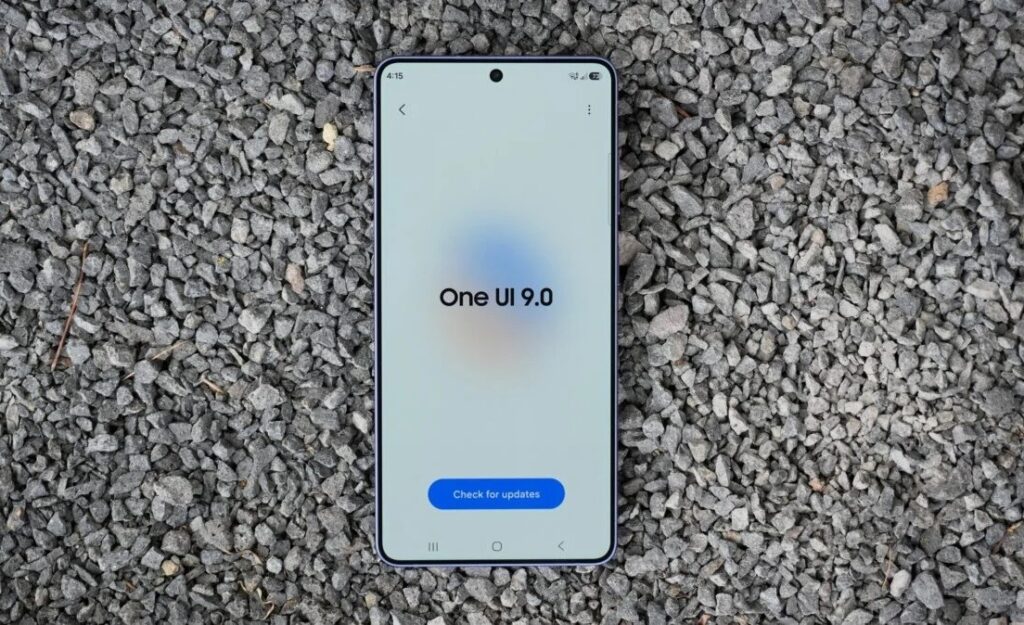
Looking at the new One UI 9 Beta features on Samsung. Image: sammobile.com
Updated Quick Settings Panel in One UI 9
The Quick Panel (that Samsung notification shade that slides down with a swipe from the top) got a serious upgrade back in One UI 8.5. In One UI 9.0, the Korean company went even further. You can now resize the screen brightness sliders, volume sliders, and the media player widget. Previously, these elements were fixed in size, but now you can customize them to your liking.
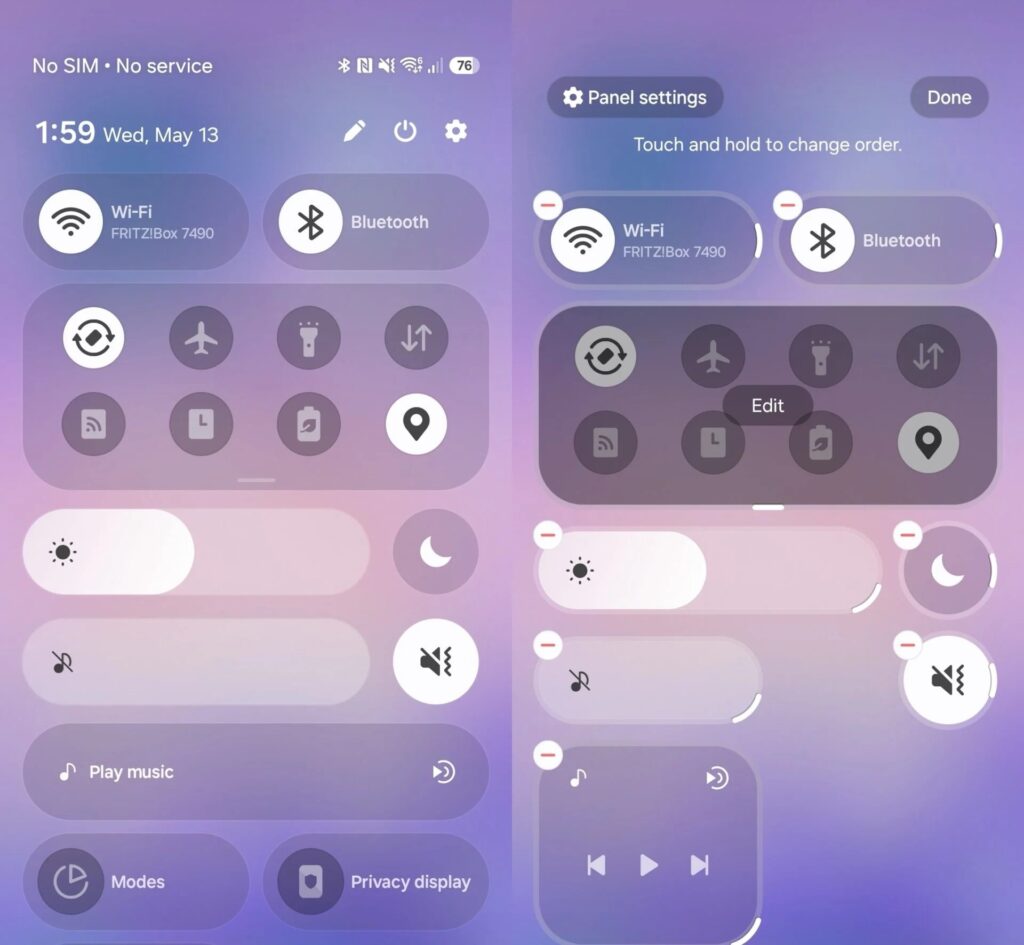
The notification shade can now be flexibly customized
Additionally, the display mode and sound mode toggles can now be separated from the brightness and volume sliders. In practice, this means the panel can finally be organized the way that’s convenient for you, not the way a Samsung designer decided. If you actively use the Quick Panel and felt it lacked flexibility — this is one of the most practical changes in the update.
New Game Booster on Samsung
The Game Booster panel, which appears during gaming, received an updated design back in One UI 8.5. In One UI 9.0, direct shortcuts to settings were added right on the same screen. Now you can change screenshot resolution or move the game panel without leaving the game.
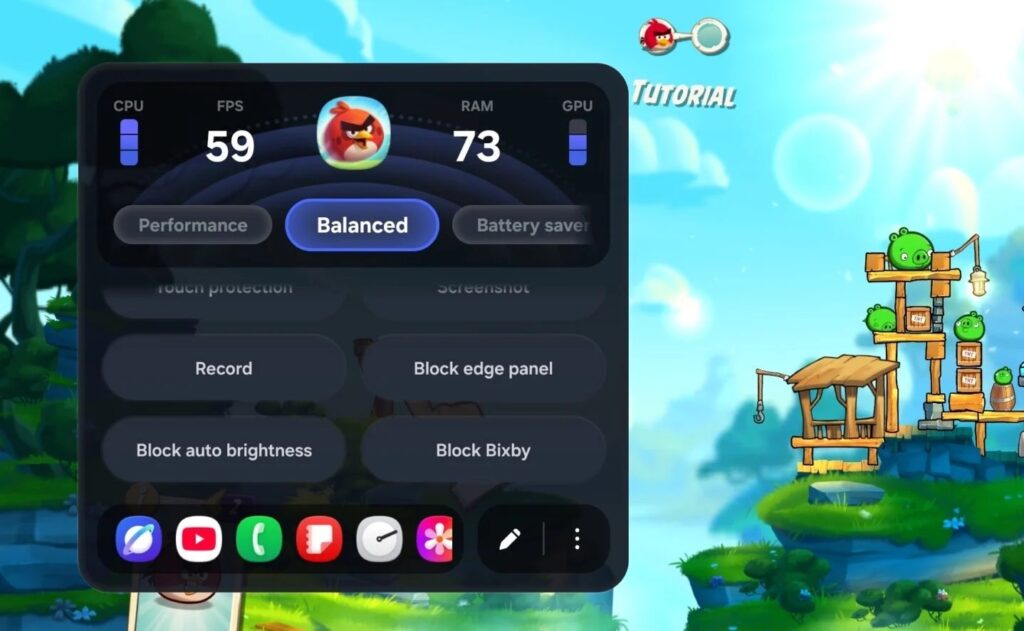
This is what the updated Game Booster looks like
For those who game on their smartphone and regularly tweak settings, this saves time and frustration. It’s a small thing, but comfort is built from exactly these kinds of small things.
Geolocation Request on Galaxy
The pop-up window for precise location requests now looks different. When an app asks for access to your location, you see two clear options: “Approximate” and “Precise.” The selected option is marked with a blue checkmark — making it easier to understand what level of access you’re giving each app.
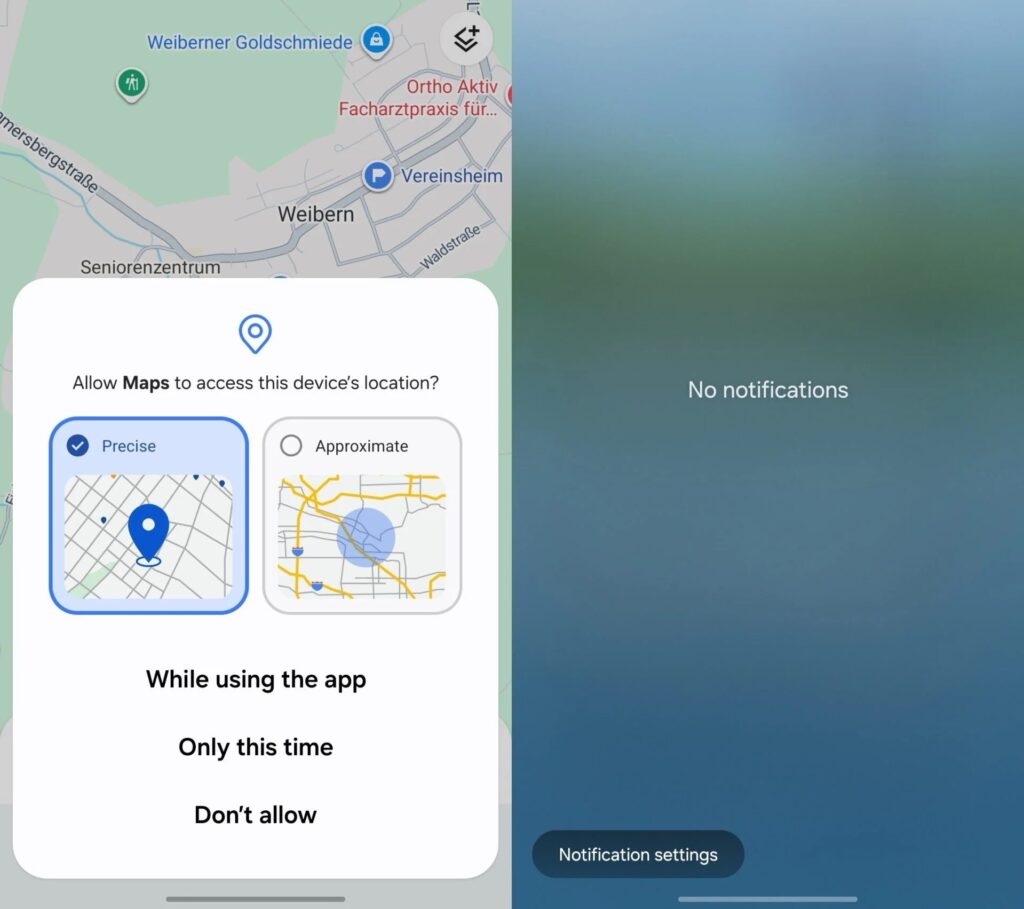
Location permission is now requested in a new way
It might seem purely cosmetic. But previously, half of users didn’t even notice the difference between approximate and precise location — and out of habit gave apps more access than they actually deserved. Now at least you can see what you’re choosing.
New “Tape” Feature in Samsung Notes
The Samsung Notes app received a Tape feature. The idea is simple: you cover part of a note with decorative tape, and when needed — you reveal what’s hidden. It’s great for studying: write down answers, tape them over, then test yourself before an exam.
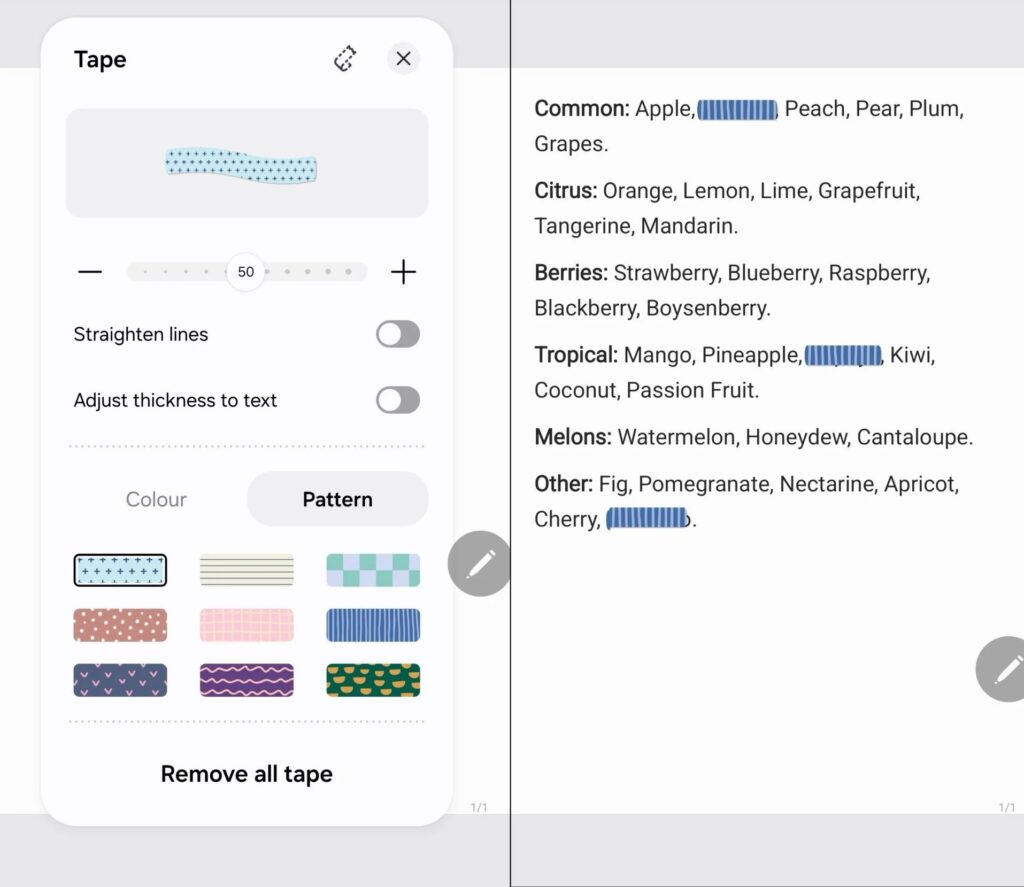
And this is the new feature for Notes
The app also received new pen styles for drawing and handwriting input. S Pen owners who live in Samsung Notes will have something to play with.
Who Should Look Forward to the One UI 9 Update and on Which Devices
Without the hype — One UI 9.0 is not a complete overhaul. The source itself directly states: there aren’t many fundamental differences from One UI 8.5. It’s a set of targeted refinements where they were genuinely needed: the notification shade, gaming, notes, and permissions.
The beta is currently only available for the Galaxy S26 smartphone. When it will arrive on older models and which ones specifically — Samsung isn’t saying. So if you have an S26 and you’re itching to try it — welcome. For everyone else, I’d recommend calmly waiting for the stable release: none of the new features are compelling enough to rush into updating right now.


