A social-engineering campaign is targeting Android users through the MAX messenger app. Scammers send messages that appear to come from a concerned neighbor, using the victim’s real name and home address to build trust. The message warns of a suspicious person near the victim’s door and includes an attached file disguised as a video or photo — but the file is actually a Remote Access Trojan (RAT) that gives attackers full control of the device.
What you need to know
- Attackers message victims on the MAX messenger using their real name and home address, posing as a neighbor reporting a suspicious person at their door.
- The attached file is named to look like a normal video or photo (e.g., “video.27.08.2026.mp4”) but installs a RAT (Remote Access Trojan) on the Android device.
- Once installed, the trojan gives attackers real-time access to the phone, including SMS verification codes, saved passwords, banking apps, and stored documents.
- Users have been publicly reporting this scheme on social media.
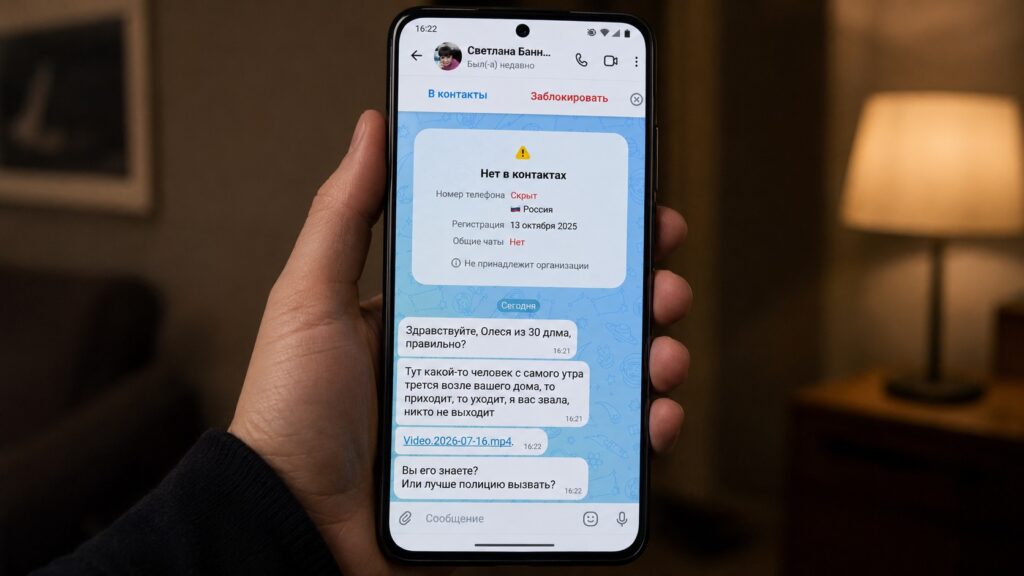
Scammers compromise smartphones directly through messages in MAX
How the scam works in practice
Users have been reporting this scheme on social media. The attack begins with a message from a stranger on the MAX messenger. The sender addresses the victim by name and references their apartment or house number, creating the impression that they are a neighbor.
A typical message reads something like:
Hello, you’re Anna from apartment 60, right? Since this morning, someone has been walking around near your door and filming with a camera. I knocked, but nobody answered.
This is followed by an attached file with a name like video.27.08.2026.mp4 or Photo.27.08.2026.JPEG, along with the question: “Do you know this person?”

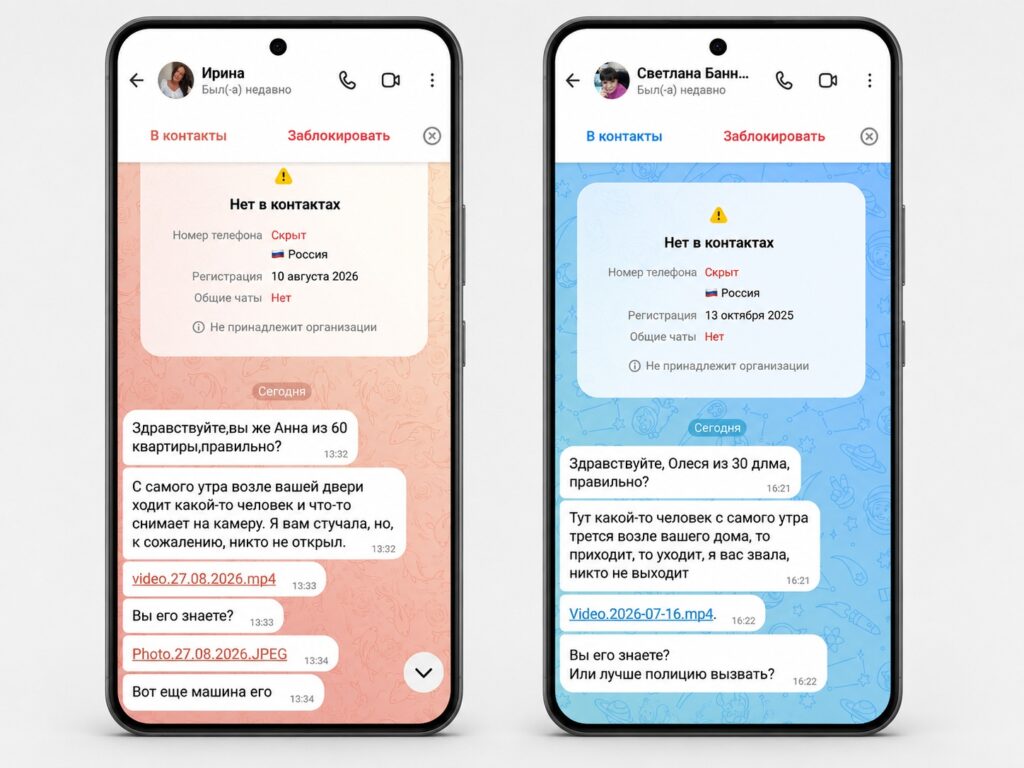
Examples of scam messages in MAX
The file contains no video or photo. Instead, it is malware. Once opened, it installs on the Android device and gives attackers remote access.
Why this scheme is so effective
The source identifies several layers of manipulation that make this attack particularly dangerous:
- Personal details build trust. When a stranger knows your name and address, it immediately feels credible. The data may come from leaked databases or public listings, but the exact origin is unknown.
- Urgency overrides caution. The claim that a suspicious person is at your door triggers an instinctive alarm response, pushing victims to act before thinking critically.
- The file looks normal. The filename mimics the format smartphones use for recorded videos — a date-stamped media file — so nothing appears suspicious at first glance.
This combination causes even normally cautious people to open the file.
What happens after opening the file
The malicious file installs a RAT (Remote Access Trojan) on the Android device. Unlike simple malware that corrupts files, a RAT gives the attacker real-time, full control over the smartphone.
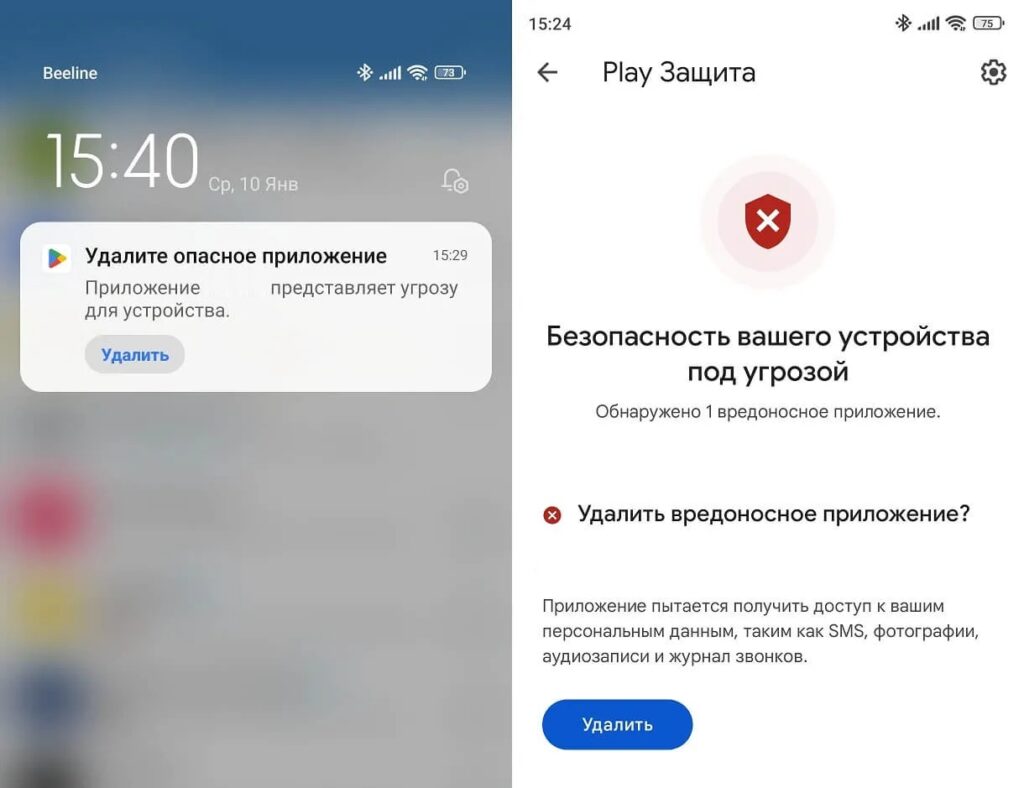
Android may attempt to warn about a dangerous application

Attackers can gain access to:
- Government service accounts — potentially changing linked phone numbers or performing actions in the victim’s name.
- Banking apps — making transfers, changing passwords, or linking new cards.
- SMS verification codes — the attacker sees all incoming messages, including one-time codes.
- Saved browser passwords — if passwords are stored in Chrome or another browser.
- Photos and documents — including any identity documents stored in the phone’s gallery.
All of this happens silently in the background while the phone’s screen appears normal to the user.
How to protect yourself
The primary recommendation is straightforward: never open files from strangers in any messenger, regardless of how convincing the message sounds, even if the sender appears to know your name and address.
Additional protective measures:
- In Android settings, find the “Install unknown apps” section and ensure installation is blocked for all apps. This won’t stop all trojans but makes installation harder.
- Do not grant apps “Accessibility” permissions — trojans use this permission to gain control over the device.
- Install a reputable antivirus app, which can block known RATs before installation.
- Enable two-factor authentication on banking and government service accounts — even if an attacker obtains a password, the second factor can prevent access.
What to do if you already opened the file
If you may have already opened a suspicious file, act quickly:
- Immediately disconnect from the internet — turn off both Wi-Fi and mobile data. This severs the trojan’s connection to the attacker’s server.
- From a different device, change passwords on critical accounts such as banking and government services. Check recent account activity for unauthorized actions.
- Call your bank and temporarily block your cards, explaining the situation.
- Factory-reset the compromised smartphone — this is described as the only reliable way to guarantee the trojan is removed. Do not restore from a cloud backup, as the backup itself may contain infected files.
- Report the incident to law enforcement.
The core takeaway: a file from an unknown contact in a messenger is always a risk, no matter how believable the surrounding story. A “neighbor” you don’t know who contacts you through a messenger app should itself be a warning sign — not a reason to open an attachment.


