Various icons are increasingly appearing next to Telegram channel names: blue checkmarks, stars, “A+” letters, and even red SCAM labels. Some indicate trust, while others warn of danger. But what exactly does each one mean? Let’s figure it out.

Many different marks have appeared in Telegram channels
Blue Checkmark in Telegram
The most well-known icon in the messenger is the blue checkmark to the right of a channel’s name. It is issued directly by the Telegram team, and until 2025, it was the only way to confirm an account’s authenticity.
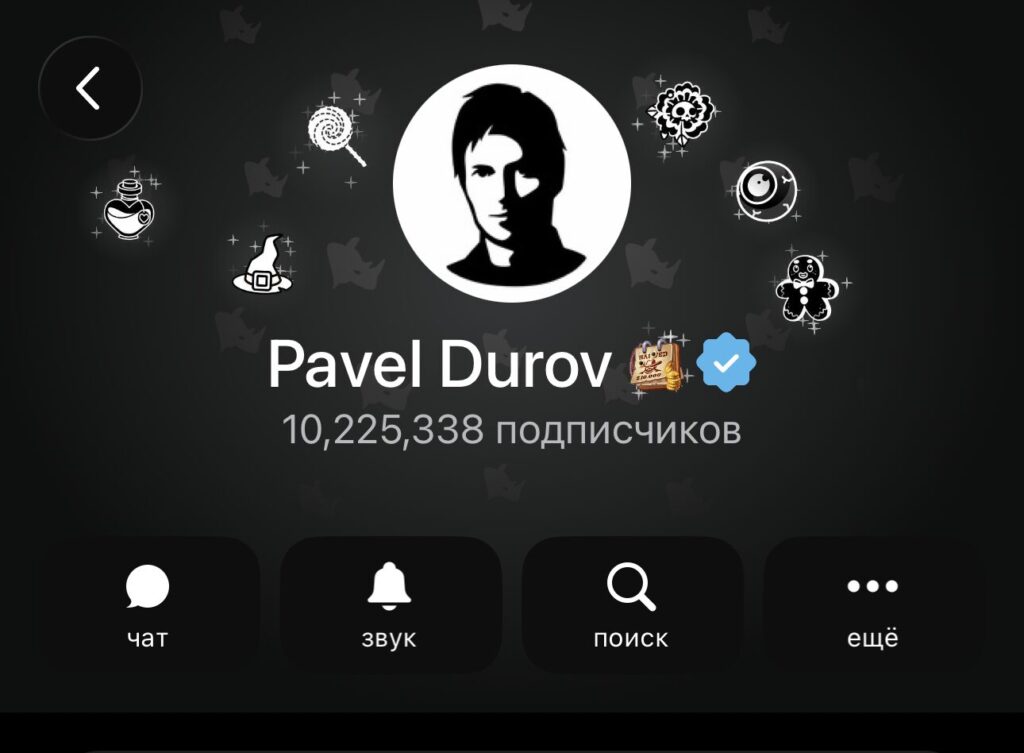
You’ve surely seen this icon many times
Public figures, large companies, and media outlets can obtain this checkmark. To do so, you need to have verified accounts on at least two social networks (X, YouTube, TikTok, VKontakte, and others) and submit a request through the @VerifyBot bot. Verification takes between 3 and 14 days.
An important nuance for Russian users: Telegram requires confirmed accounts on international social networks. For companies that operate only in Russia and don’t maintain pages on foreign platforms, obtaining an official checkmark is virtually impossible. Applications without an “international footprint” are most often rejected.
A+ Mark on Telegram Channels
In April 2025, a completely new type of marking appeared in Telegram — the “A+” icon, issued by Roskomnadzor (Russia’s Federal Service for Supervision of Communications). It is connected to the Russian law on blogger registration that went into effect on November 1, 2024.
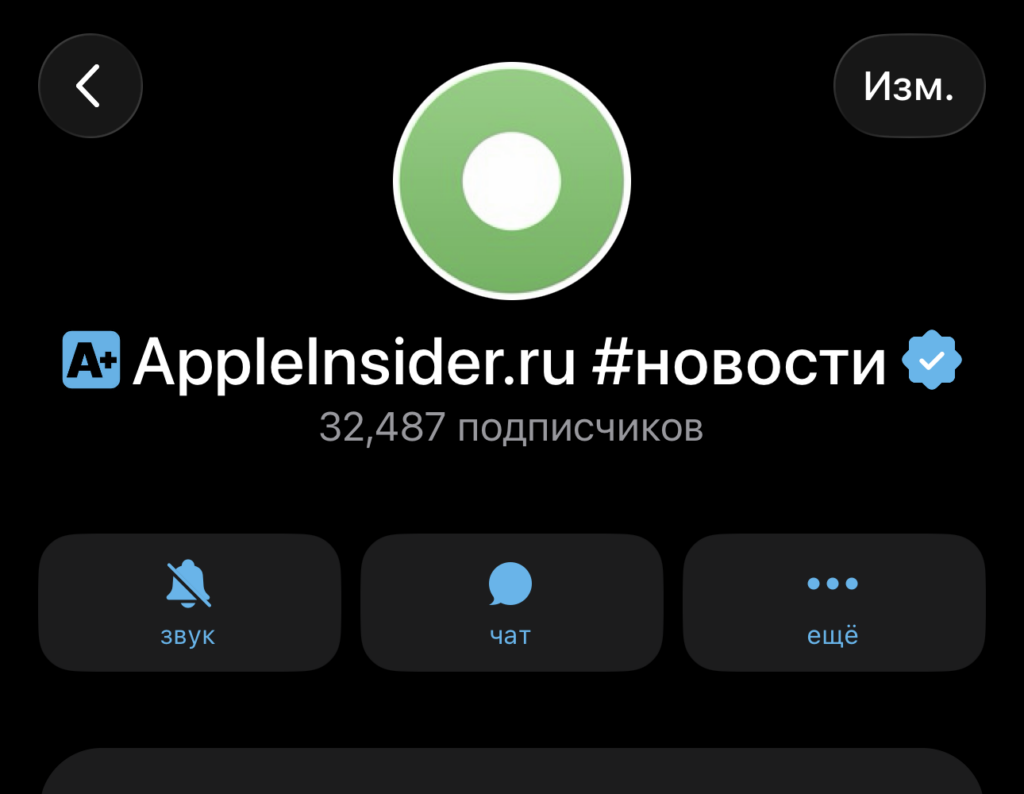
The A+ mark may disappear from a Telegram channel until re-registration in the registry
Under the law, authors of channels with an audience of 10,000 or more subscribers are required to register in a special Roskomnadzor registry. Without registration, a channel cannot place advertisements or accept funding offers. The “A+” mark confirms that the channel owner has fulfilled this requirement. After a successful procedure, the “A+” icon appears to the left of the channel name, and in the description — a line reading “Registered with Roskomnadzor” with an active link to Gosuslugi (Russia’s government services portal).
There is one controversial point. IT specialist Filipp Kulin noted that a bot with administrator rights could theoretically gain access to subscriber lists. Deputy Anton Gorelkin objected, stating that only data about administrators and the total number of subscribers are available through the API. Nevertheless, the question of data security during verification via bot remains open.
Third-Party Verification in Telegram
Starting January 1, 2025, Telegram launched so-called “decentralized verification.” The idea is that verified third-party services and organizations can now issue their own confirmation badges.
To obtain the right to verify others, an organization must first pass verification in Telegram itself and submit an additional application. Once approved, it can assign badges to channels, bots, and accounts. The A+ mark from Roskomnadzor is precisely one example of such third-party verification.
To prevent users from confusing third-party verification with official verification, Telegram distinguished them visually. The official checkmark appears to the right of the name, while a third-party badge appears to the left of the name. Third-party verifiers can use any single-color icons as their badge.
Star Icon Next to a Name in Telegram
If you see a star next to a username — it’s not verification. It means the person has an active Telegram Premium subscription. The subscription costs about 300 rubles per month and provides access to extended messenger features: no ads, increased upload limits, additional stickers and emoji.
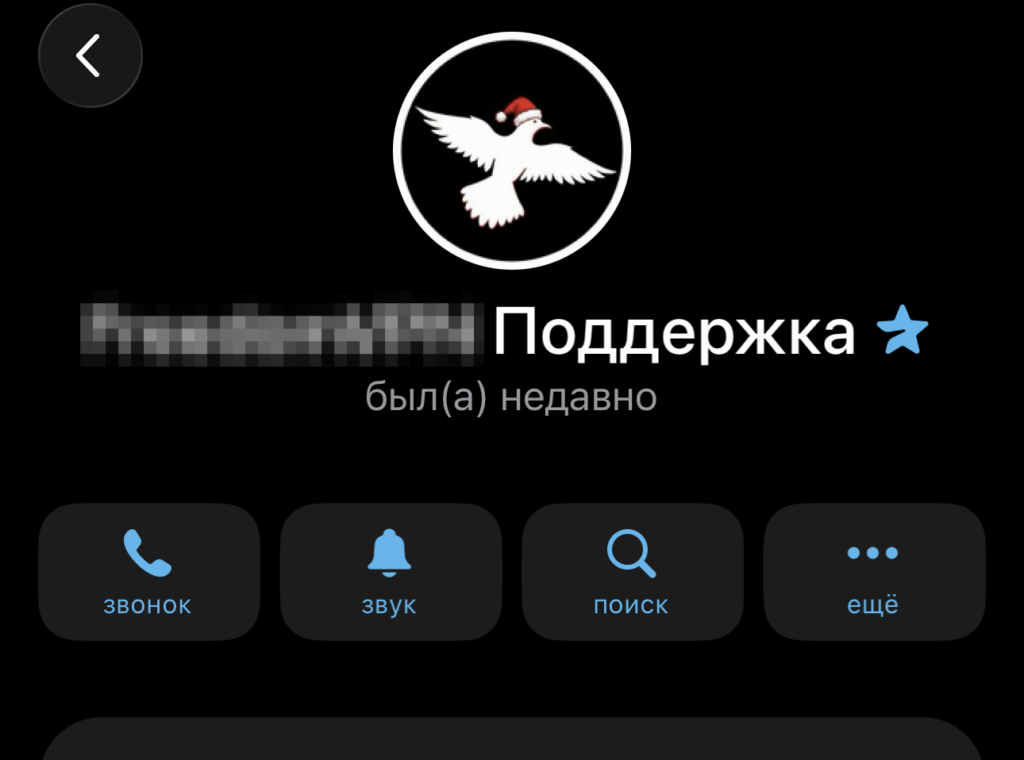
Many organizations get Premium, and a star appears
The star can be replaced with any custom emoji in the profile settings. Don’t confuse it with verification: Premium status does not confirm an account’s authenticity or indicate its reliability.
SCAM and FAKE Labels in Telegram
In addition to “positive” marks, Telegram also has warning labels. The SCAM label — a red rectangle with the word “scam” — appeared back in 2019. It is assigned to channels, bots, and accounts that receive complaints from users.
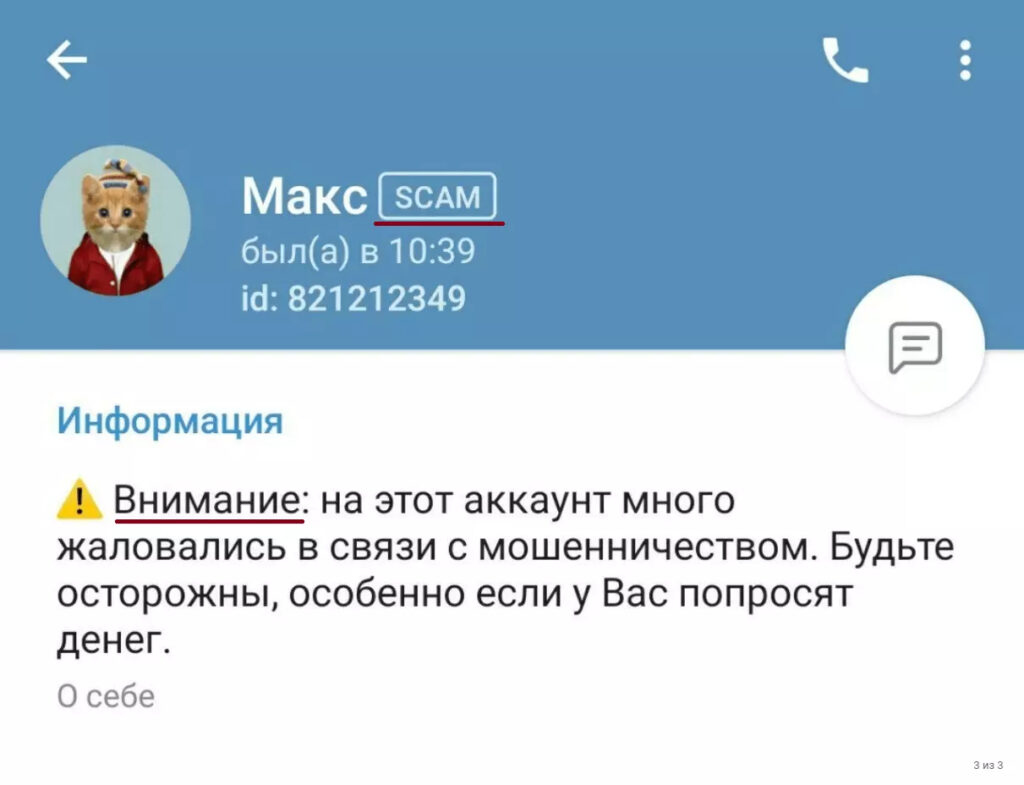
This kind of mark can also appear. Image: gruzdevv.ru
A SCAM label can be received for impersonating another person or company, for fraudulent giveaways, for phishing links, and other scam schemes. Channels with this label stop appearing in search results: they can only be accessed via a direct link. Removing the SCAM label is extremely difficult: you need to prove that it was assigned by mistake by contacting @notoscam.
The FAKE label works in a similar way. It is assigned to accounts identified as unofficial clones of real channels or profiles. A warning appears in the description of such accounts stating that they are not authentic.
How to Tell Apart Verification and Warning Icons in Telegram
Here’s a quick cheat sheet for all Telegram markings:
| Icon | Position | What It Means |
|---|---|---|
| Blue checkmark | Right of the name | Channel verified by the Telegram team |
| A+ | Left of the name | Channel registered in the Roskomnadzor registry |
| Other third-party icon | Left of the name | Channel verified by a third-party organization |
| Star / emoji | Next to the name | Telegram Premium subscription |
| SCAM | Next to the name | Channel flagged as fraudulent |
| FAKE | Next to the name | Unofficial clone of a channel or profile |
Pay attention to where the icon is positioned. If it’s on the right — it’s a mark from Telegram itself. If it’s on the left — it’s verification from a third-party service like Roskomnadzor. And a star simply means that the person pays for Premium.


