The best new Android apps of August 2026
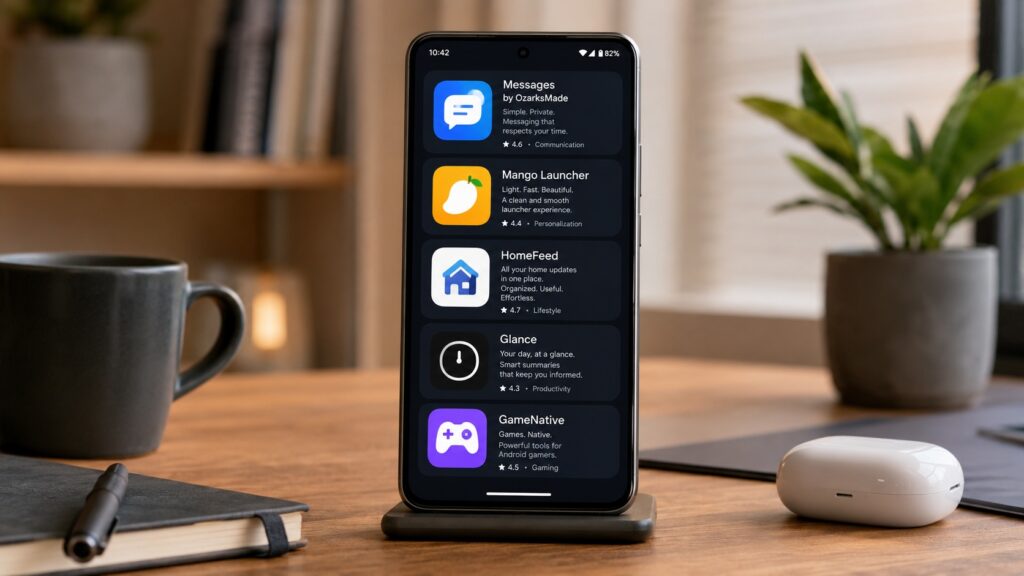
August 2026 brought a handful of interesting new Android apps addressing real needs — from a Samsung Messages clone that restores a familiar interface, to a tool that runs PC games from your Steam library directly on your phone. Here is a breakdown of each app, what it does, who it is for, and what limitations to keep in mind.
What you need to know
- Messages by OzarksMade recreates the Samsung Messages interface but still requires Google Messages running in the background for RCS support.
- GameNative, previously available only via GitHub, has launched on Google Play and lets users run supported Steam PC games natively on Android.
- HomeFeed is a free, open-source RSS widget styled with Material You that displays news directly on your home screen.
- Glance is a free calendar app that shows three months on a single vertical screen, designed especially for tablets and foldables.
Messages by OzarksMade: A Samsung Messages Clone
After Samsung discontinued its own messaging app and effectively pushed users toward Google Messages for RCS support, Messages by OzarksMade attempts to bring back the familiar Samsung Messages look and feel.
The key detail: this app does not fully replace Google Messages. Instead, it works as a front-end layer on top of it. Google Messages must still be installed and running in the background to provide RCS functionality — the modern messaging standard that supports read receipts, typing indicators, and file transfers over the internet. Messages by OzarksMade simply emulates the Samsung interface on top of that.
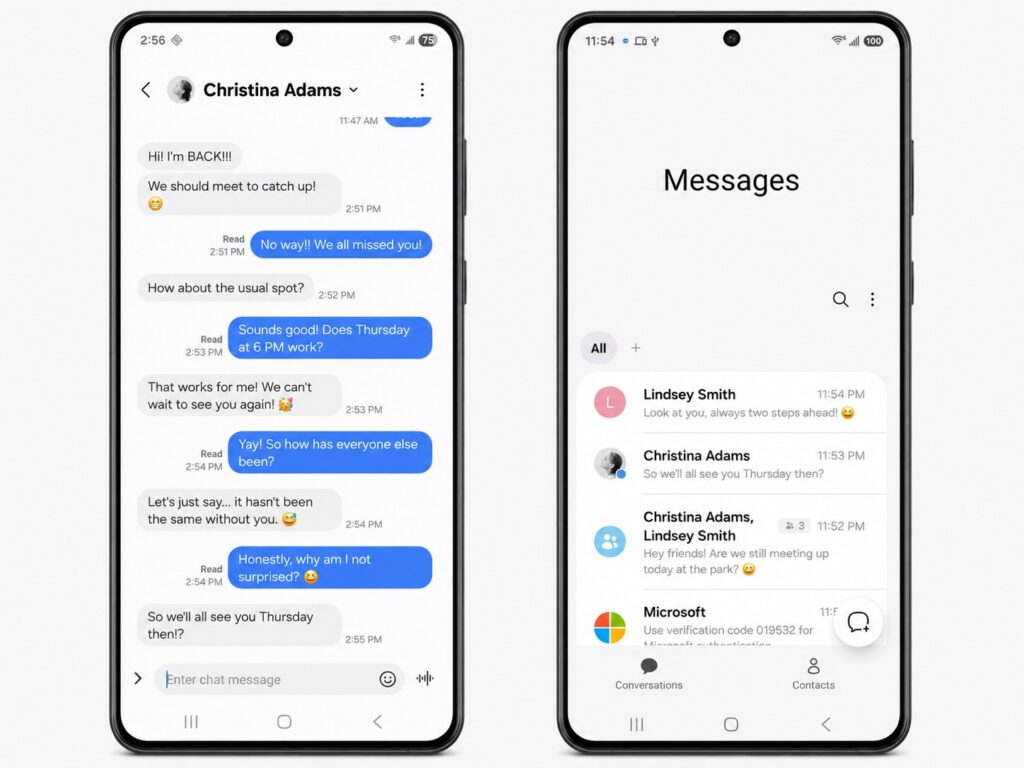
A convenient and attractive SMS app for Android

Important caveat: the app is not yet widely available and is in an early stage of development and testing. You can join the open beta through Google Groups, but this is an option for enthusiasts rather than anyone who needs a stable daily driver right now. Pricing is free, or $0.99 for additional features.
Mango Launcher: A Colorful, Customizable Home Screen
Mango is a new Android launcher that emphasizes vibrant colors and extensive customization. Its developer describes it as minimalist, fast, and highly configurable, prioritizing simplicity and efficiency.
Features include app folder support, built-in home screen widgets, various transition effects, and a gesture-based search function reminiscent of the old Nokia Z Launcher. In short, the app is packed with customization options for users who want to move beyond their phone’s default interface.
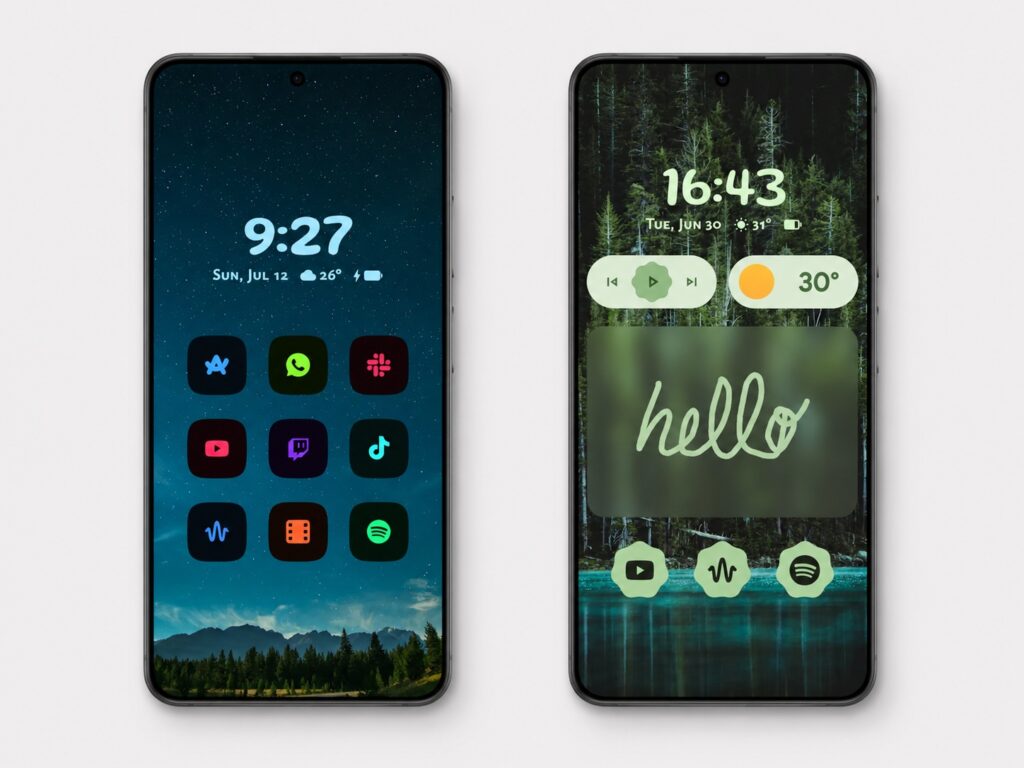
A fun launcher that transforms your home screen
The main drawback is pricing that is relatively high for a brand-new launcher. There is a two-week free trial, a yearly subscription at $6.99, and a one-time Pro purchase at $24.99 for lifetime access. For an app that is only a few months old, that is a significant ask — so it is worth thoroughly testing during the free trial before committing.
HomeFeed: A Simple RSS News Widget
HomeFeed is a free RSS widget for users who want news headlines directly on their home screen without a bulky standalone app. RSS lets you aggregate fresh content from websites you choose into a single feed.

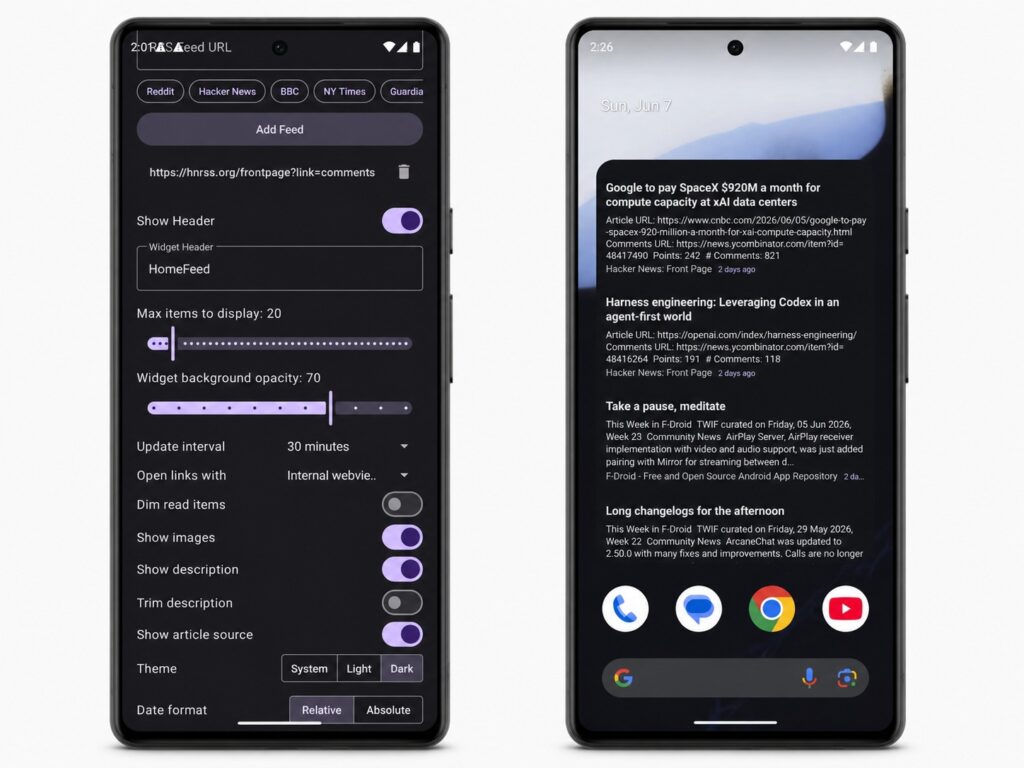
A convenient widget for consuming news content
The app follows Google’s Material You design language, so it blends in naturally on Pixel phones and modern Android devices. It supports multiple sources displayed in a unified feed right inside the widget and includes a built-in reader mode — no need to open articles in a separate browser. HomeFeed is an open-source project, so anyone interested can inspect how the app handles data.
Glance: A Wide-View Calendar for Android
Glance is a free calendar app with an unusual approach to viewing your schedule. Instead of the typical day-by-day or month-by-month switching, the app displays three full months on a single vertical screen. Tapping a date switches to an hourly view. The experience is similar to a large wall calendar poster compressed into an app.
This layout is especially useful on larger screens — tablets and foldable smartphones. The more display space available, the more events are visible at once, which is helpful for long-term planning.
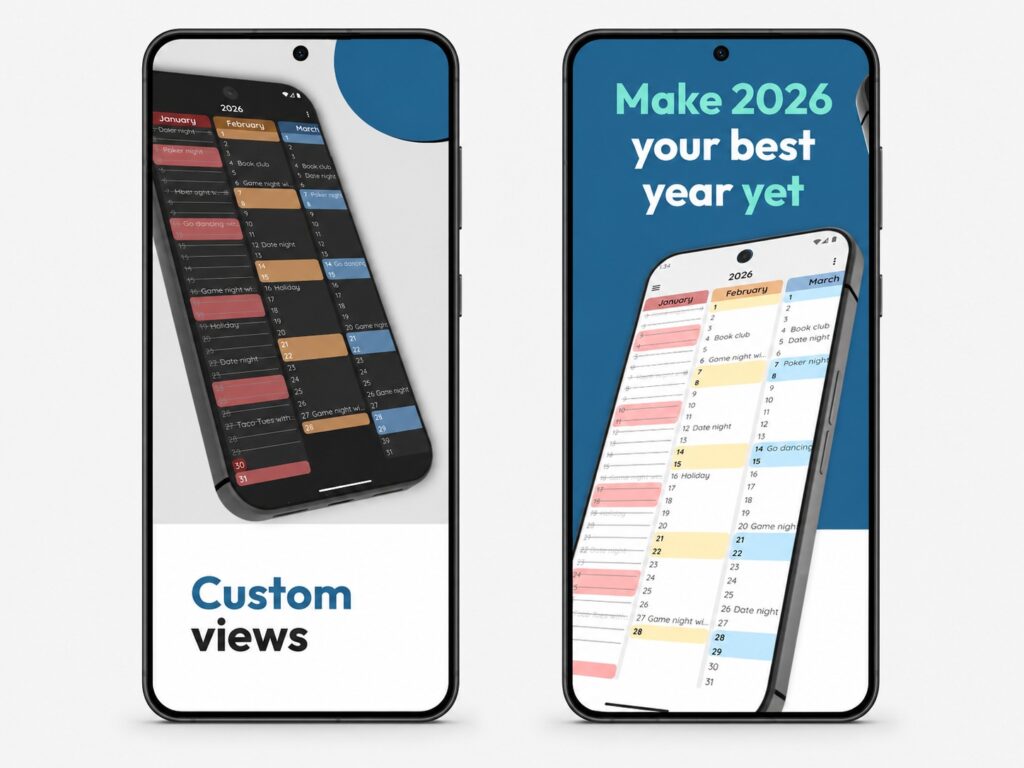
If you have a busy year ahead, this calendar may prove very handy

That said, it is important to understand the limitations: the app is stable but still in an early stage, so it has fewer features than more mature competitors. It is a reasonable choice if a broad overview of your schedule matters more to you than a rich feature set.
GameNative: Run PC Steam Games on Your Phone
GameNative lets users run PC games on Android, and the app has now launched on Google Play. Previously it was available only through GitHub; the Play Store release makes it accessible to a much wider audience.
The concept is straightforward: if you own a game in your Steam account and want to play it on your phone, GameNative can make that possible — provided the game is supported on your device. The project maintains a database of supported titles, and it is best to check compatibility before installing.
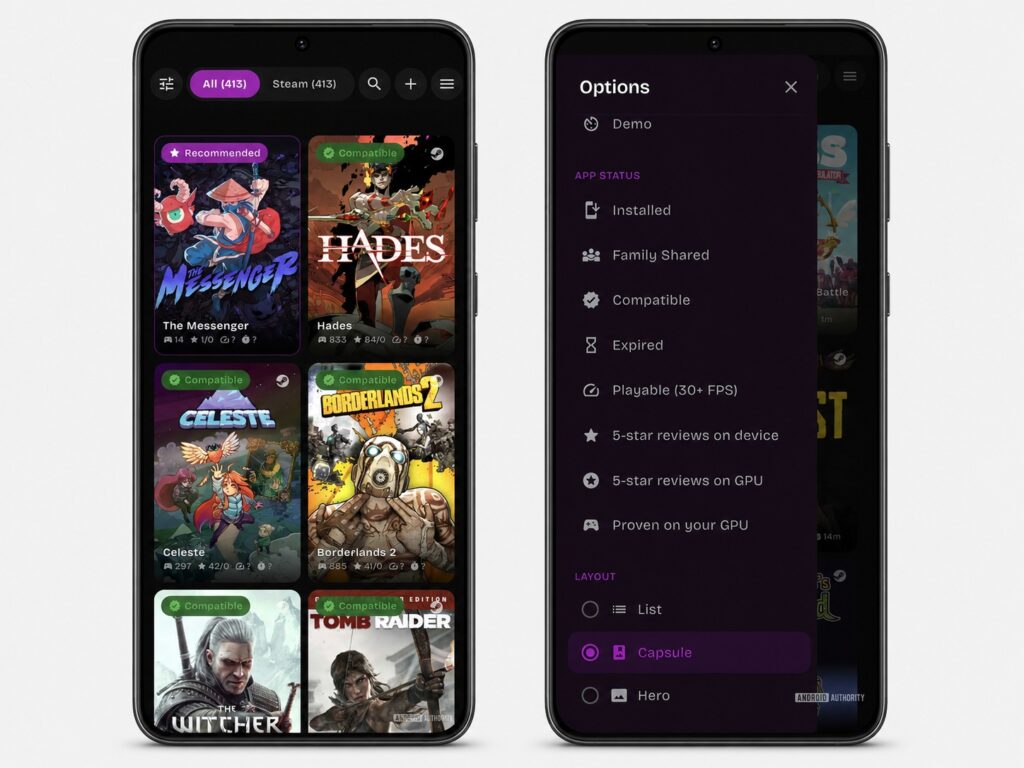
This app lets you play PC games on your phone
The app supports cloud saves with synchronization between PC and mobile, as well as controller connectivity. For gaming on the go it could be a useful companion, but results will depend heavily on whether your specific smartphone can handle a given title.