An Apple gift card in the Russian reality is now the only normal way to top up your Apple ID and comfortably pay for subscriptions, games, and apps. Payment via MTS and Beeline mobile phone balance was disabled on April 1. No more jumping through hoops with foreign bank cards and all the hassles that come with it. Buy a code, enter it in the App Store, and you’re good to go.
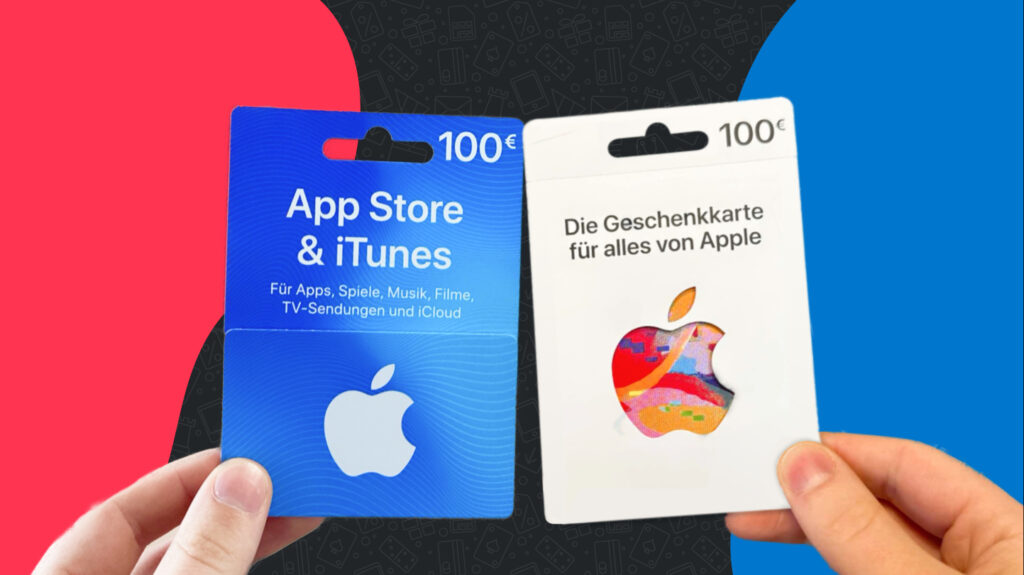
Apple Gift Cards: it’s important to know where to buy
But here’s the catch: there are so many scammers and shady schemes around gift cards that users are genuinely afraid to click “Buy.” And they’re right to be afraid — you can make a whole collection of mistakes here. Let’s break down the five most common ones that cause people to lose money on a completely level playing field. And at the end, I’ll tell you where I buy cards myself so I don’t have to worry.
Why an Apple Gift Card Won’t Activate
This is the number one issue by victim count. A person sees that their App Store region is set to Russia, goes to buy a card — and gets an American one. Or the opposite: the account was switched to the US long ago, but the card purchased is Turkish. The result is the same — the code won’t activate, the money is stuck, and the seller shrugs.
The rule is simple: the gift card region must exactly match your Apple ID region. Not the country where you live. Not the interface language. Specifically the region in your Apple account settings.
How to check your region in 10 seconds:
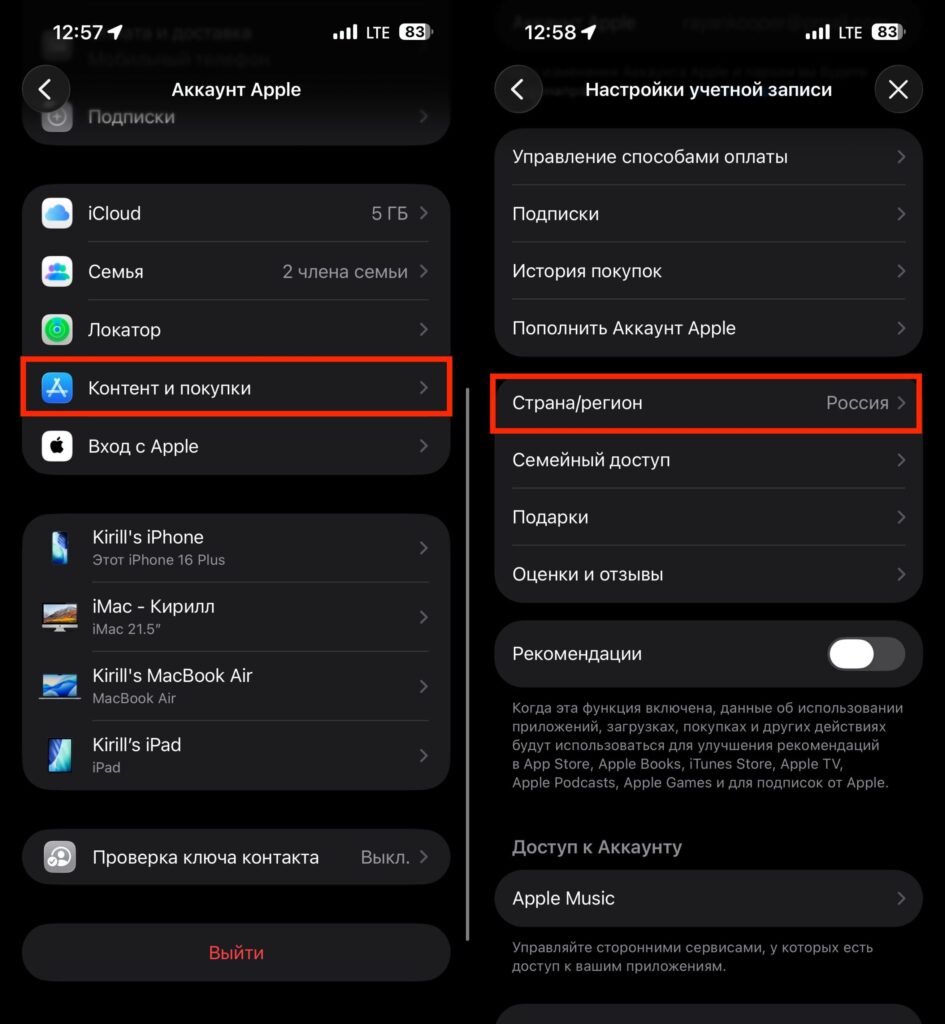
Make sure to check your region
- Open “Settings” — tap your name at the top
- Select “Media & Purchases” — “View Account”
- In the window that opens, find the “Country/Region” line
If you see “United States” — buy an American card. “Turkey” — a Turkish one. No other way. By the way, you can set up a second Apple account and use it in the App Store. Then you won’t need to change the region of your main account.
Apple Gift Card in Russia: How to Avoid Scammers
The scheme is boringly simple, but it still works. You google “buy Apple gift card,” land on a slick website with low prices, pay — and either get an inactive code or nothing at all. Support goes silent, the domain disappears within a week. How to tell a legitimate service from a scam:
- Domain age and reviews — check via whois when the site was registered. If it’s two months old but has dozens of reviews — they’re fake
- A real Telegram channel — reputable services have a channel with a publication history, not a dummy with three posts
- Reasonable pricing — if a $10 card costs 600 rubles when the exchange rate is 90, it’s not a sale, it’s a trap
- Support that actually responds — write to their chat before buying. If they ignore you — close the tab
Separately: never buy gift cards in private messages from strangers, even if they swear they’re trustworthy. This is a classic scam.
Apple Gift Card Activation: What to Check Before Entering the Code
It sounds funny, but it happens all the time. Your device may have multiple accounts logged in: your main Apple ID and a second account for the App Store. You redeem the code — and it goes to the wrong account.
Before activation, be sure to check which Apple ID you’re currently signed into in the App Store. This is not the same as your iCloud account:
- Open the App Store on your iPhone
- Tap the avatar in the top right, tap your account, and check which email address is shown
- Go to iPhone Settings and tap your account at the top of the screen.
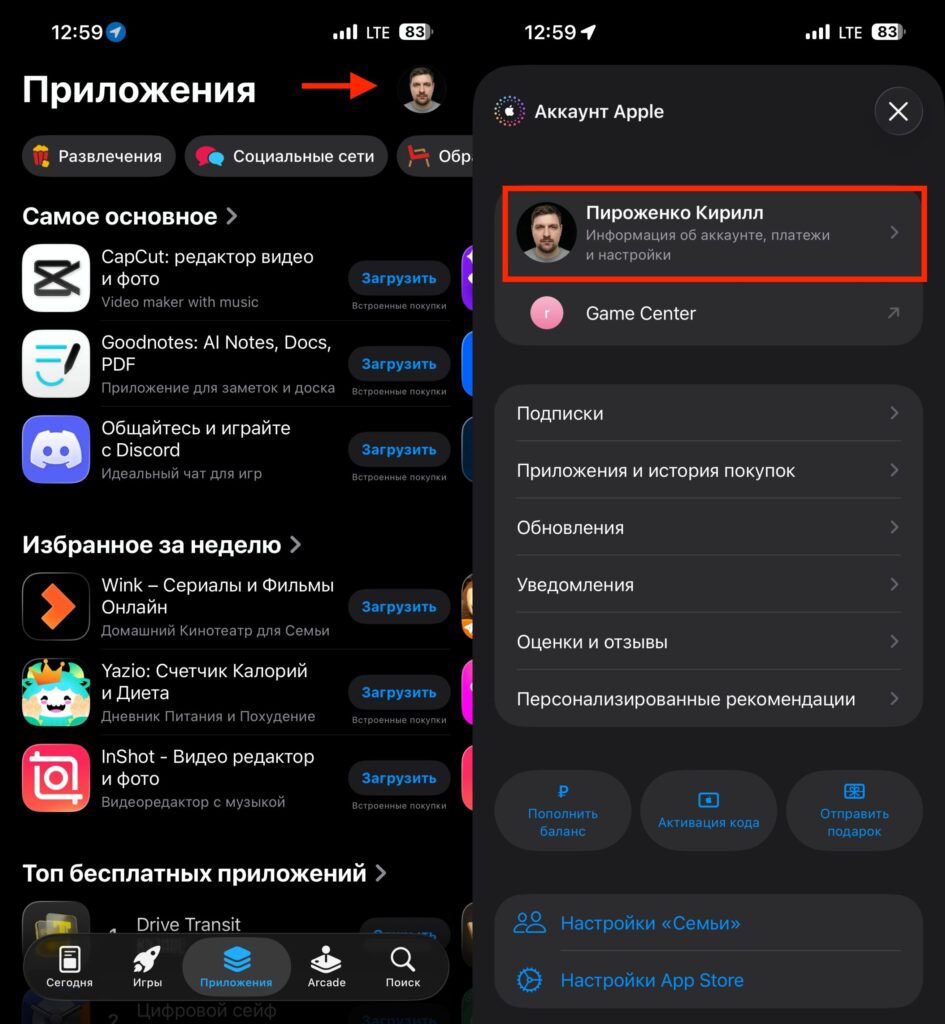
Make sure to verify whether it’s your Apple ID in the settings or not
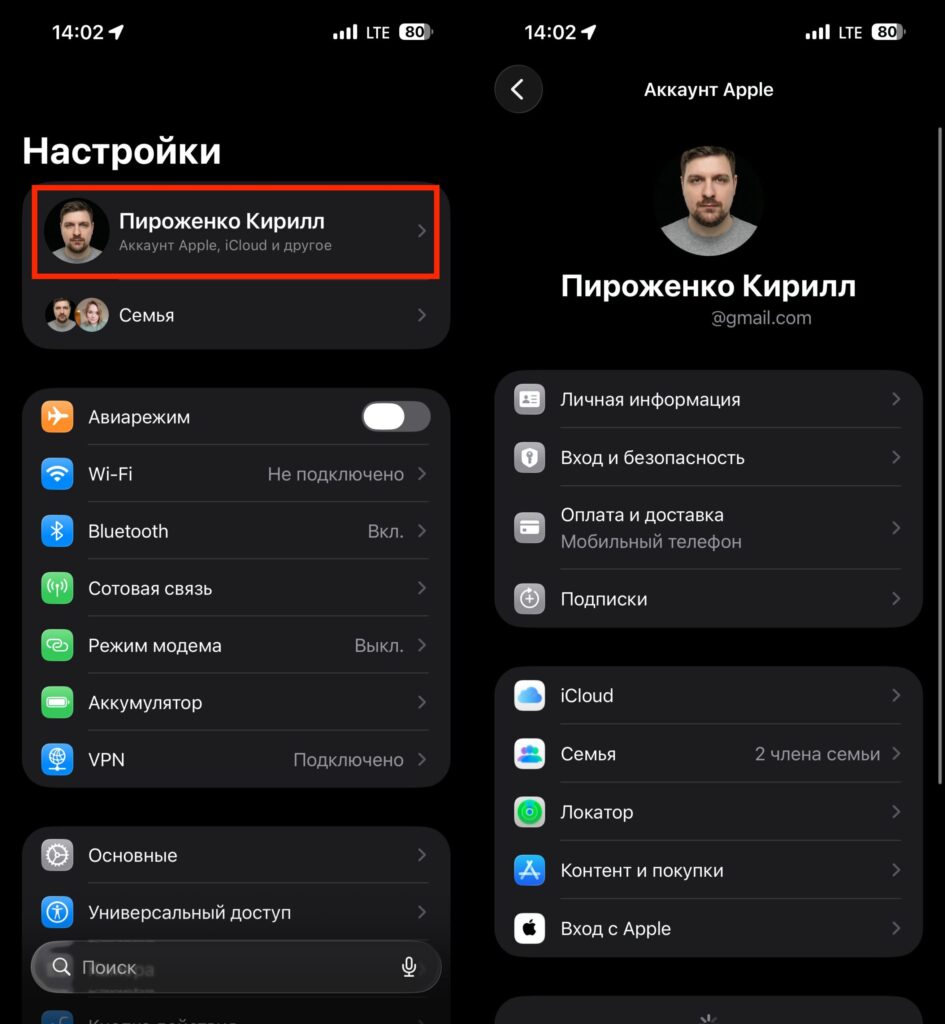
Check the account in settings and compare it with the one in the App Store
If the email addresses don’t match, switch the account in the App Store first, then enter the code.
And one more thing. If your family shares a Mac or iPad, make sure to sign out of other accounts before topping up. Apple won’t let you transfer money from someone else’s balance — that option simply doesn’t exist.
Lost Your Apple Gift Card Code: What to Do
A gift card code consists of 16 characters that arrive via email or a Telegram bot after payment. And here’s where many people do something strange: they activate the card immediately, then delete the email and receipt. A couple of days later, it turns out the code didn’t activate due to a glitch, or Apple flagged it as suspicious, or something else happened. And proving the purchase becomes impossible.
What to do correctly:
- Save the email with the code and the payment receipt for at least a month — in a separate folder, not in the trash
- Take a screenshot of the code immediately after receiving it
- If activation didn’t work on the first try — don’t enter the code again on different devices; instead, immediately contact seller support with your receipt
- Check the “Deleted” folder in your email. Emails are permanently removed from it after a month, so you have a good chance of finding the previously deleted Apple gift card code there
- Contact the support team of the service where you purchased the Apple gift card and ask for help with recovery and resolving the activation issue
Without a receipt, even a legitimate service can’t help you: they have thousands of customers, and without proof of payment, they simply won’t be able to find your order.
Should You Buy an Apple Gift Card on Avito and Wildberries?
On Avito, Wildberries, and other platforms, Apple gift cards are sold. Prices there are often above market rate — sellers factor in the marketplace commission, their margin, and a certain “risk.”
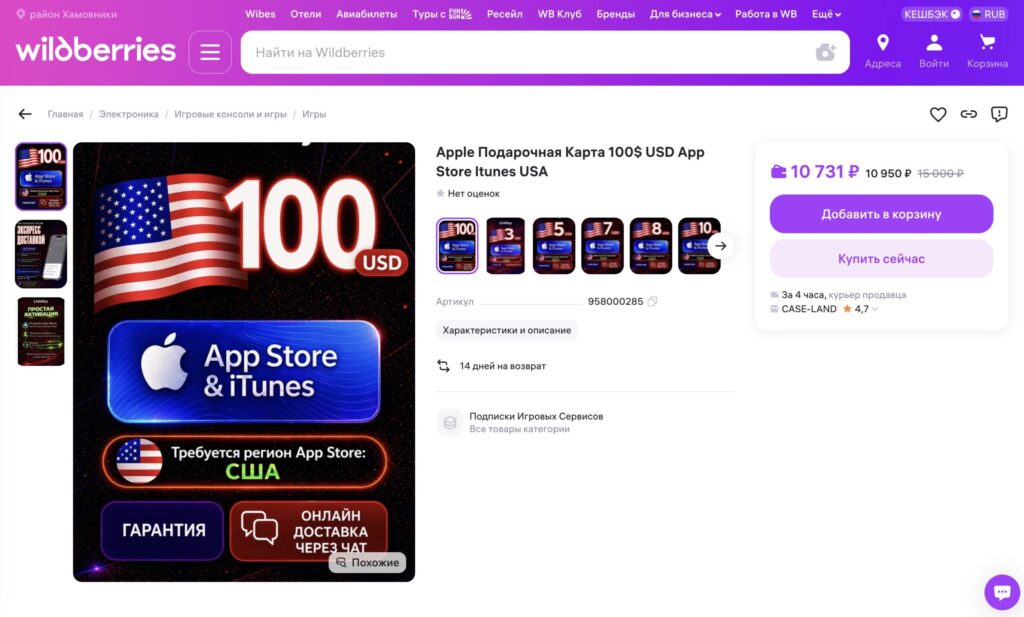
The price ends up being somewhat unreasonable
A typical story: a person pays 11,000 rubles for a $100 card, activates it, uses it for a week without issues, and then Apple flags the transaction as suspicious and reverses the top-up. The money disappears from the Apple ID balance, and the marketplace shrugs: “That’s a question for the seller, we’re just the middlemen.”
The rule: if a card on a marketplace costs more than at a specialized service — it’s not “more reliable,” it’s simply overpaying for a nice interface. And it doesn’t become even a tiny bit safer because of it.