At WWDC 2026, Apple announced iOS 27, and a significant portion of what was shown is familiar to any Android user. Much of what’s being presented as an iPhone novelty has been working on Samsung, Xiaomi, Pixel, Honor, and other smartphones for years. Below, we break down the main overlaps and explain what this means for you in practice — especially if you’re choosing between platforms or thinking about whether it’s time to switch phones.
iOS 27 is just catching up to Android
Liquid Glass on Android and Its Settings
Last year, Apple launched the Liquid Glass design style, which many criticized. In iOS 27, they finally added a transparency slider so users can adjust how “glassy” the interface looks. It sounds like a notable improvement, but it’s really just a refinement of last year’s controversial design, not a breakthrough.
Android smartphone manufacturers also rolled out similar semi-transparent glass styles en masse last fall in updates based on Android 16. The difference in approach: on Android, this effect can almost always be completely turned off, and some brands like Honor provided that very transparency slider even before Apple. As for the smooth animations Apple boasted about, many Android manufacturers were talking about them years ago and have only been doubling down on that focus since.
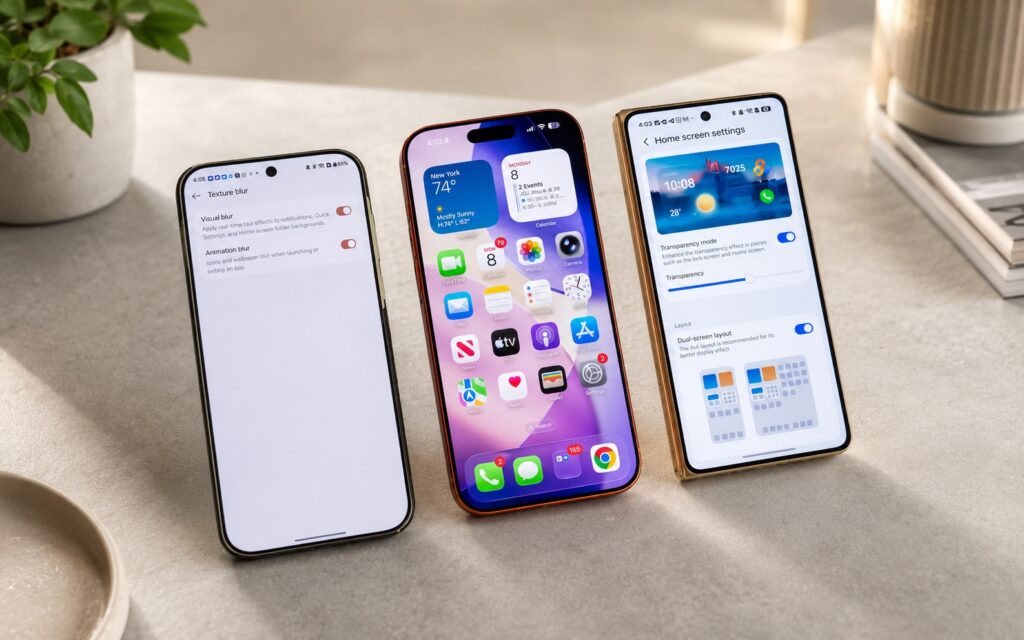
Only now has Apple added transparency settings
What this means for you: if beautiful animations and customizable transparency are a reason to consider a new iPhone, know that all of this already exists on Android, and often with greater customization freedom.
Switching Between Wi-Fi and Mobile Data
Apple presented it as an achievement that their phones can now seamlessly switch between Wi-Fi and cellular networks without dropping the connection. Details on how exactly this differs from typical behavior are scarce so far, and we’ll need to wait for the public version to get the full picture.
The problem is that on Android, a function matching this description has been working for many years. For the user, this is a basic thing: when your home Wi-Fi signal weakens, the phone automatically switches to mobile data, and you don’t notice any interruption during a call or download. So there’s not much to praise here — it’s simply bringing the iPhone up to the level that has long been considered standard on Android.
AI-Powered Voice Assistant on Android
The main intrigue is the updated Siri voice assistant with artificial intelligence. According to reports from last fall, the intelligence behind the new Siri is powered by Gemini from Google — the very same assistant that Android users have been living with for a year or two through Gemini, Galaxy AI, OnePlus AI, Motorola AI, or Honor AI. So essentially, Apple is catching up to Android using Google’s own technology.
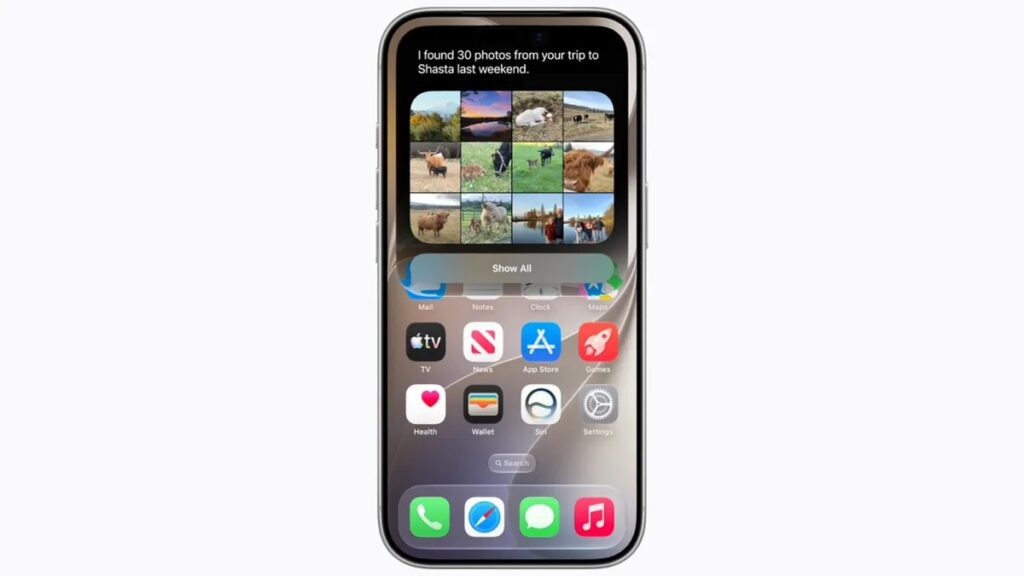
Only now has Siri received Gemini-level features
Specifically: Siri got a customizable voice, a dedicated app for storing queries and history, as well as a new camera mode that looks almost identical to Google Lens — which has been built into Android since 2017. Apple talked a lot about privacy, but there’s a catch: new Siri features are initially launching only in the US, while other regions (including the EU and UK) will get them later, once the company resolves issues with local regulations.
Another important detail about language availability. At launch, Siri AI only understands English, whereas Gemini already supports 70 languages. For a Russian-speaking user, this is a direct practical signal: the voice assistant on Android understands you today, while Apple’s equivalent in your native language will start working at an unknown date.
AI Features on Android and iOS
Apple Intelligence is the umbrella term for AI features not directly tied to Siri. And almost every capability shown has a close counterpart on Android. For example, the phone can now pull up relevant data at the right moment: when calling an airline, it displays your booking. The exact same scenario was demonstrated last fall in Magic Cue on Pixel 10 and in Now Nudge on Galaxy S26.
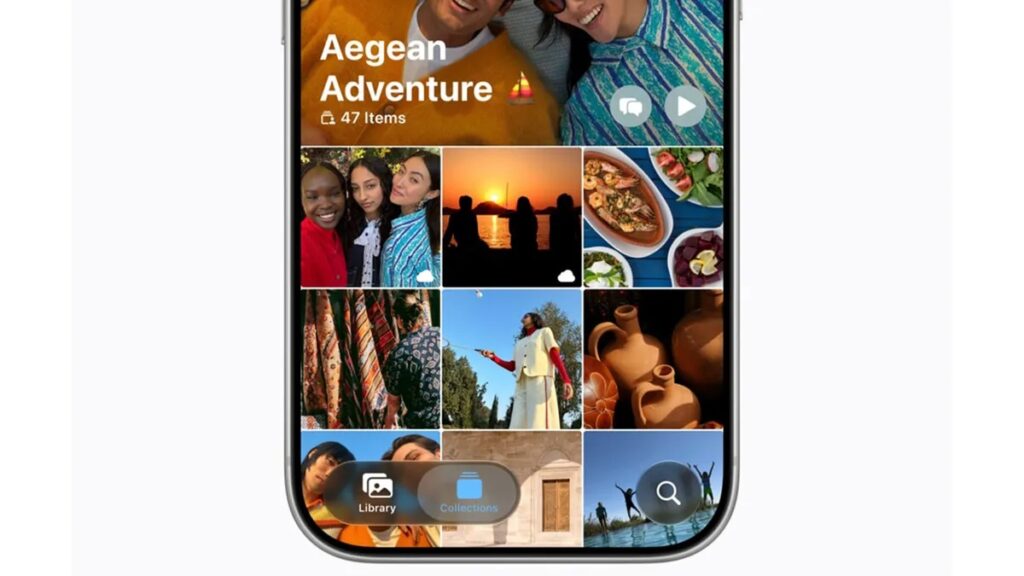
Old Google Photos features only arriving now. Image: Apple
The list of overlaps is long:
- contextual buttons when searching the screen — similar to what Circle to Search and Honor’s experiments on Android 16 have long been able to do;
- new AI editing tools in Apple Photos — almost all of them have been available in Google Photos for several years;
- writing emails, generating ideas from photos, and editing calendar events by voice — familiar scenarios for Android users;
- labels indicating an image was created or modified by AI — an analogue of Google’s long-running warning;
- smart home app update with AI — visually replicates the Google Home upgrade announced last fall.
Separately, Apple promises to improve voice input and autocorrect using AI. But Google linked its assistant to the Gboard keyboard back in 2020, and natural speech recognition on Android is already a generation ahead of what Apple showed. How well autocorrect will ultimately work on iPhone — we’ll see after the public release.
Is It Worth Switching from Android to iOS 27
The sober conclusion is this: iOS 27 is largely catching up to Android, not surpassing it. Most of the headline features are functions that Android smartphone owners have been using for a long time, sometimes since 2017–2020. Moreover, some capabilities Apple is releasing with regional and language restrictions, whereas on Android they’re already available and support Russian.
Who this matters to: if you’re on Android and were wondering whether you’re “falling behind” friends with iPhones — it’s more like the opposite. If you’re choosing between platforms, don’t be swayed only by a flashy presentation: real practical benefits are easier to get right now on Android.