When Apple introduced Focus modes in iOS 16, I was thrilled. Finally, you could flexibly manage notifications, set up different scenarios for work, sleep, and leisure. It seemed like the perfect tool for anyone tired of the endless stream of messages. Recently, I found a convenient way to limit annoying notifications on iPhone, but Focus modes turned out to be not so great. In the end, I disabled them all and kept only the good old Do Not Disturb mode. Here’s why.
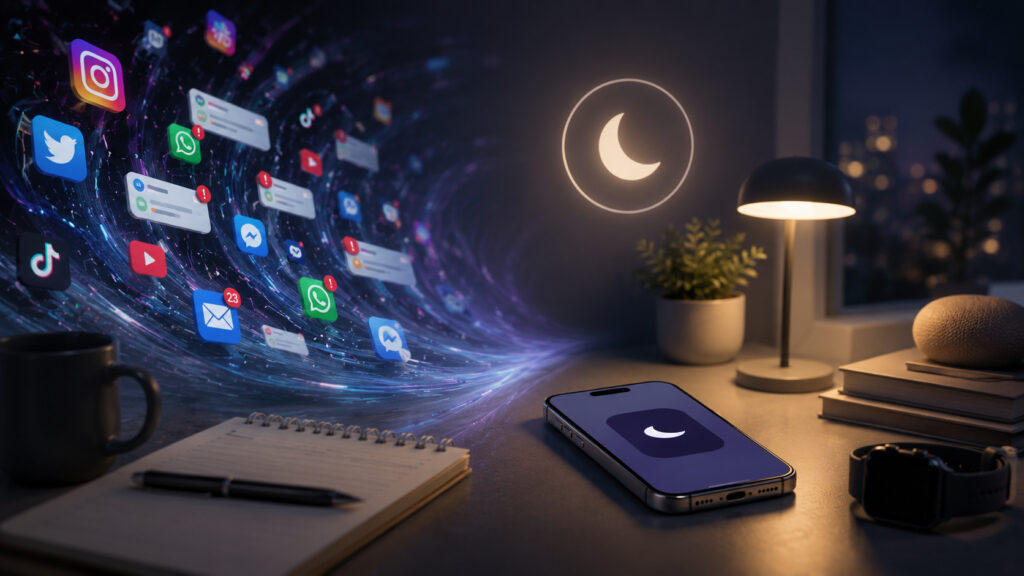
Lots of different modes is great, but some settings are still missing
What Is Focus Mode on iPhone and How It Manages Notifications
If you haven’t tried this feature yet, let me explain briefly. Focus modes allow you to create multiple notification profiles for different situations. For example, “Work” mode can let through messages only from colleagues and show only work apps on screen. “Sleep” mode silences everything. “Personal” mode cuts off work chats and email.
Sounds great, right? You set up lists of allowed contacts and apps, and the iPhone filters the incoming stream automatically. I tried it and was happy at first. But the first warning sign came pretty quickly.
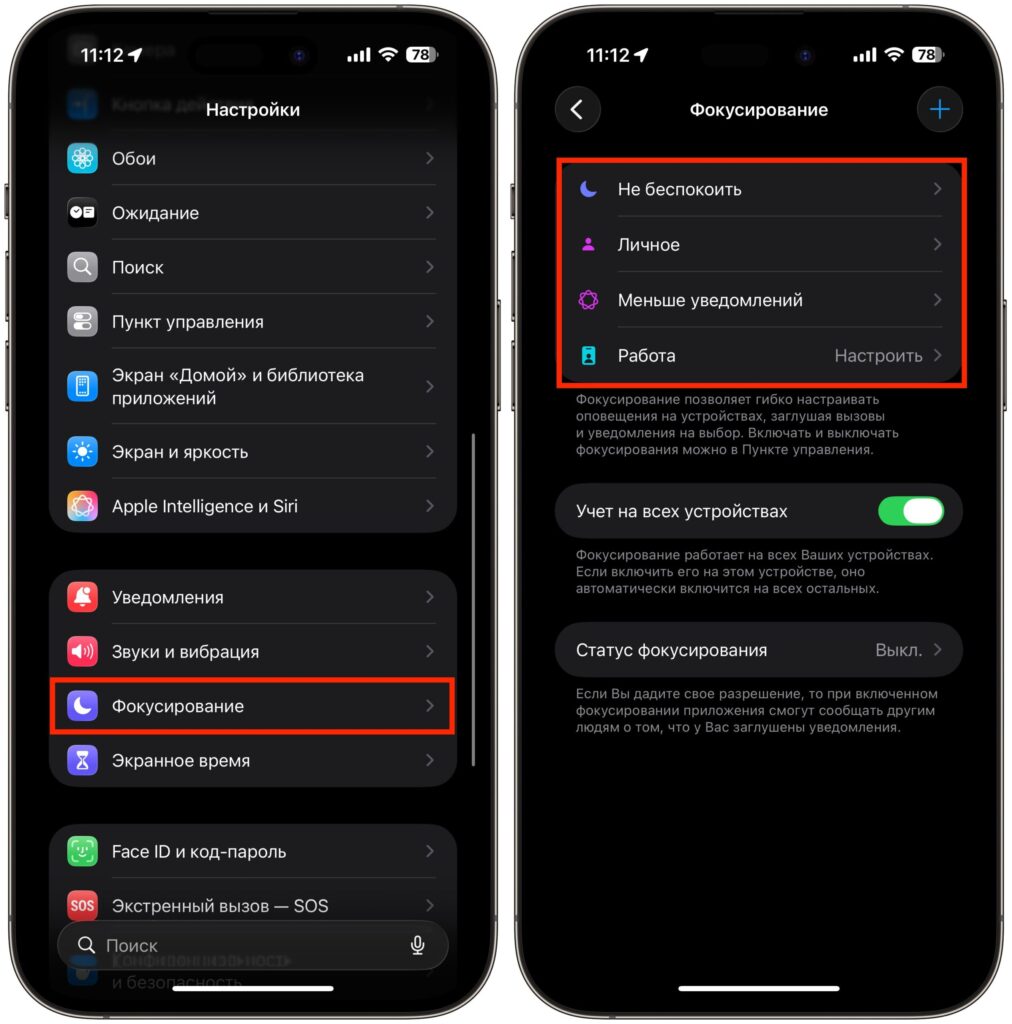
You can encounter the first drawback of Focus modes in the native Messages app
In Focus mode, you can specify specific people from whom you want to receive messages. Let’s say I added four colleagues to “Work” mode. Makes sense — I want to see their messages while everything else can wait. But here’s the catch: if any of the allowed contacts participates in a group chat, the entire group chat gets through the Focus filter. Even if there are twenty people in it and most of them have nothing to do with work. One allowed participant — and the whole chat slips through the filter.
I had to exclude some people from the Focus mode, even though I wanted to see their personal messages. Simply because they’re in the same groups as me, and those groups distract me.
How iPhone Focus Mode Limits Telegram Notifications
But things really broke down when it came to Telegram. I have a work group chat in Telegram whose messages I need to see at all times. The participants of this chat aren’t in my contacts list, and there’s no point in adding them — we communicate exclusively in that chat. The problem is that Focus modes in iOS work at the level of contacts and apps — but not at the level of individual chats within an app.
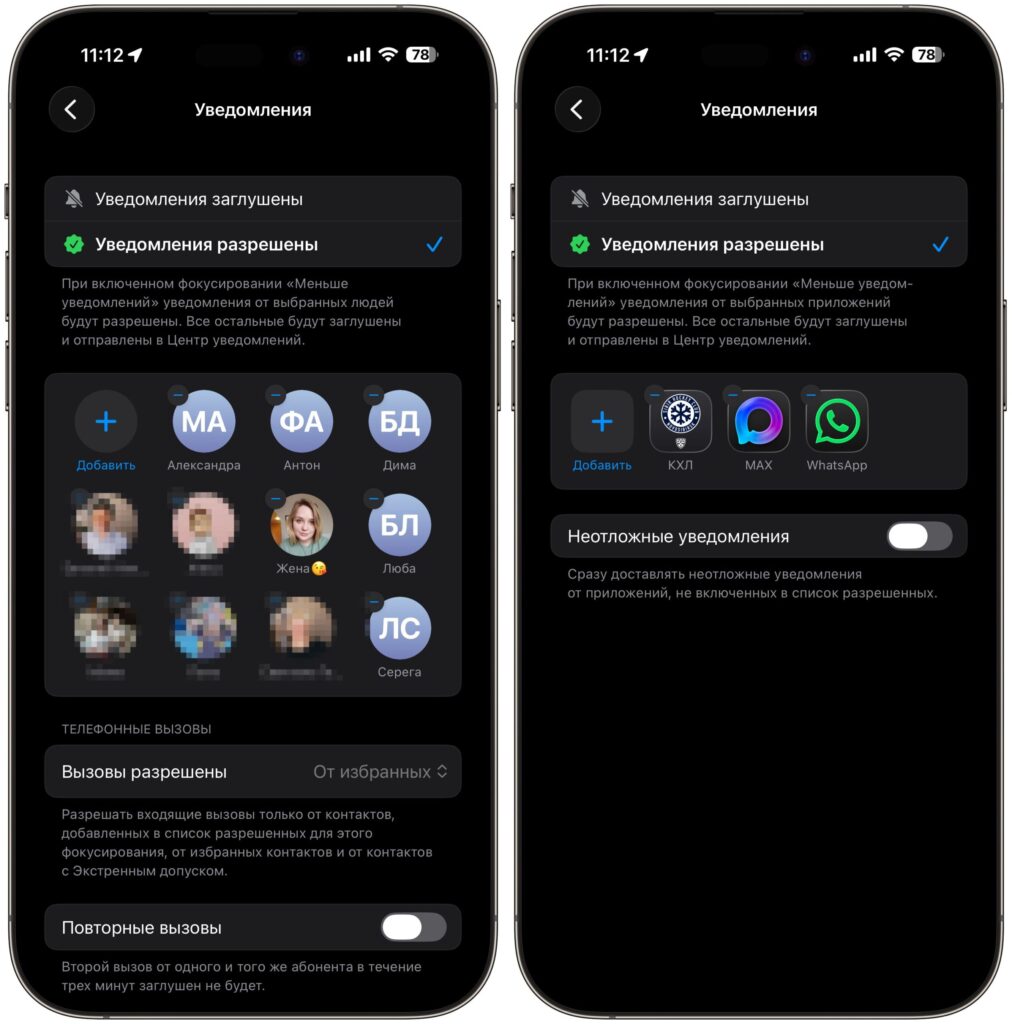
I can only configure specific people or specific apps, but I can’t select a chat
In other words, I can’t tell my iPhone: “Only let through notifications from this specific group chat in Telegram.” That option simply doesn’t exist. I have two choices, and both are bad.
- First — allow notifications from Telegram entirely. Then Focus mode loses its purpose because I have dozens of channels and chats there. Notifications pour in as if there’s no mode at all.
- Second — block Telegram in Focus mode completely. Then I risk missing important work messages that come through that specific group chat. And Apple offers no middle ground.
This is the core problem: Focus modes work on an “all or nothing” principle at the app level. For the standard Messages app, Apple at least implemented contact-based filtering, which is something. But for third-party messengers — where most communication happens — there’s no granularity at all. Group chats can’t be selected individually, nor specific channels, nor particular conversations. Considering that Telegram is the primary work tool for many of us, this is a critical shortcoming.
Do Not Disturb Mode on iPhone: Why It’s More Convenient
In the end, I went back to the simplest option — Do Not Disturb mode, which I turn on at bedtime. It’s completely straightforward: at night — silence, during the day — the full stream of notifications that I manage myself.
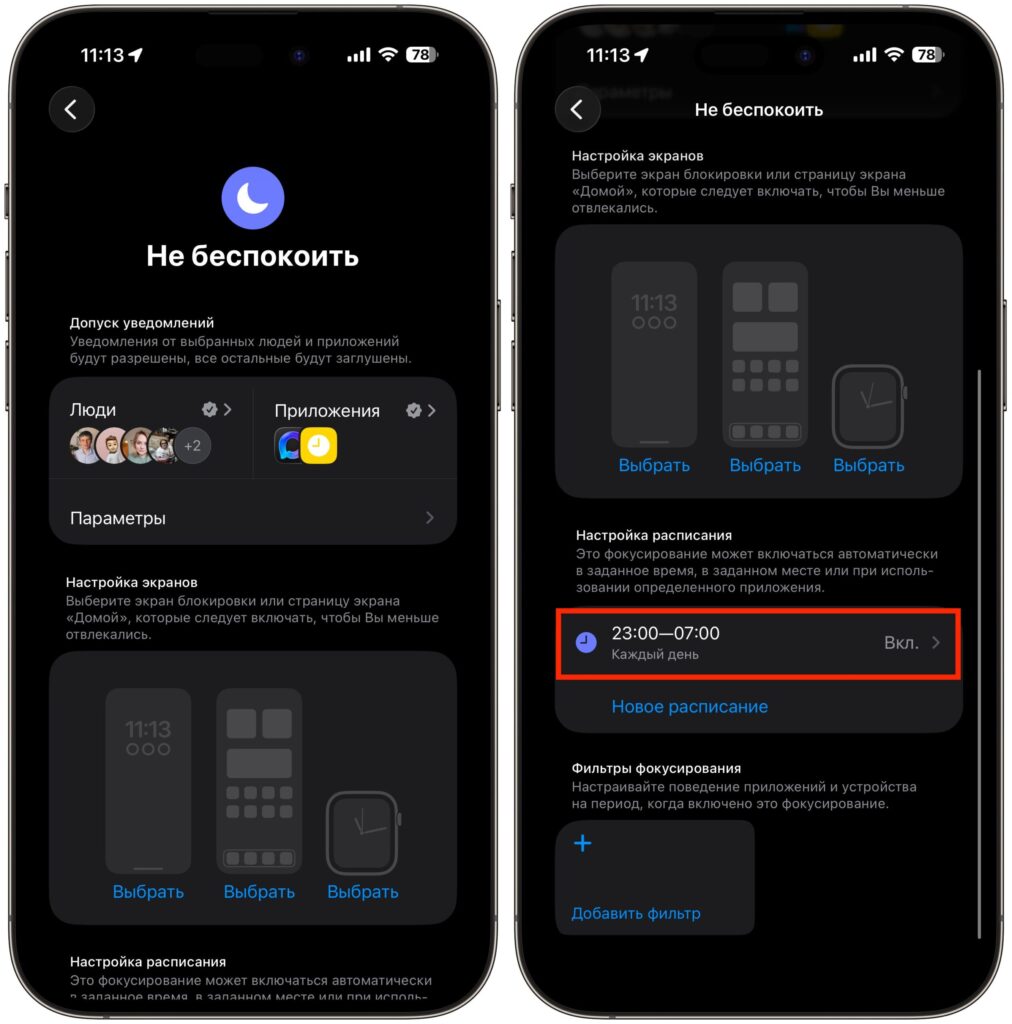
In the end, I just brought back Do Not Disturb and turn it on at bedtime
This sounds like a step backward, but in practice it turned out to be more convenient and predictable. With Focus modes, I constantly found myself in situations where I missed something important or, conversely, received notifications I didn’t want to see at all. The system promised flexibility but actually created new problems.
On top of that, setting up multiple Focus modes is a task in itself. You need to think through contact lists, allowed apps, and activation schedules. And then it turns out that one work chat in Telegram breaks the entire logic anyway.
Features Missing from iPhone Focus Mode
The idea behind Focus modes is great in itself. But Apple clearly didn’t refine the granularity of settings. Here’s what, in my opinion, needs to be added in future versions of iOS.
First, filtering at the level of individual chats — not just contacts. If I want to keep a specific group chat accessible, the system should allow that.
Second, smarter handling of group chats in Messages. Right now, one allowed participant pulls in the entire group chat — that’s illogical.
Third, integration with third-party messengers at a deeper level. Obviously, Apple won’t give Telegram full access to the Focus system. But at least a basic ability to choose which specific notifications from an app to let through would be very welcome.
Is It Worth Using Focus Modes on iPhone?
For now, Focus modes remain a feature with enormous potential but frustrating limitations. If you communicate only through iMessage and SMS, they might work for you. But for those who live in Telegram, they simply don’t work as intended. We can only hope that Apple will fix this — perhaps as soon as iOS 27.
In the meantime — Do Not Disturb at night and manual notification management during the day. Simple, predictable, and no surprises.


