iOS 27 can already be installed on an iPhone in Russia through standard means, without any workarounds. Fortunately, no one is blocking OS updates for our country. However, some of the new iOS 27 features will be dead weight under our conditions. Sometimes the language is the barrier, sometimes the region, and sometimes both. I’ve gathered everything in one place and separated language limitations from regional ones.
Breaking down which iOS 27 features are relevant for Russia
iOS 27 Features That Don’t Work in Russian
Apple Intelligence took the biggest hit when it comes to language. The official support list includes 16 languages: English, French, German, Italian, Spanish, Portuguese, Dutch, Danish, Norwegian, Swedish, Turkish, Vietnamese, Japanese, Korean, and two variants of Chinese. Russian is not among them, and it hasn’t appeared in iOS 27.
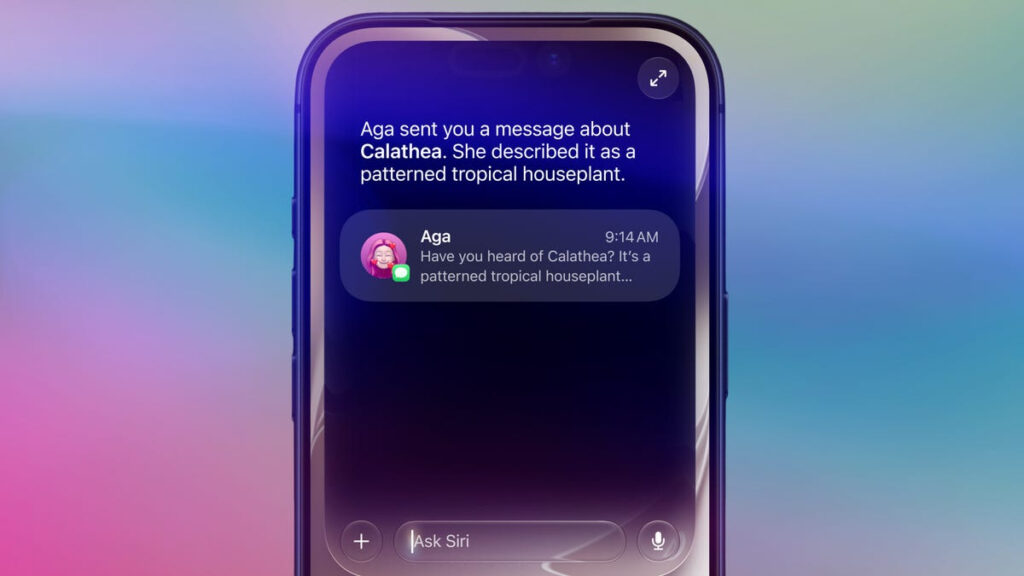
The new Siri is not available in Russian. Unfortunately
What this means in practice: all text-based AI tools won’t work in Russian — Writing Tools for rewriting and proofreading text, smart notification summaries, priority notifications, Smart Reply, generation and search in Mail, Messages, Notes, and Reminders. If you write in Russian, the system simply doesn’t understand what you want from it.
The new chat-based Siri also launches only in English. It has a separate app with conversation history, a Camera mode, and deep actions within apps, but it doesn’t understand Russian speech yet. Moreover, even in English, the set of Siri AI features depends on the iPhone model, so not everyone will get all the capabilities. Apple promises to add languages later, but there are no specific timelines for Russian.
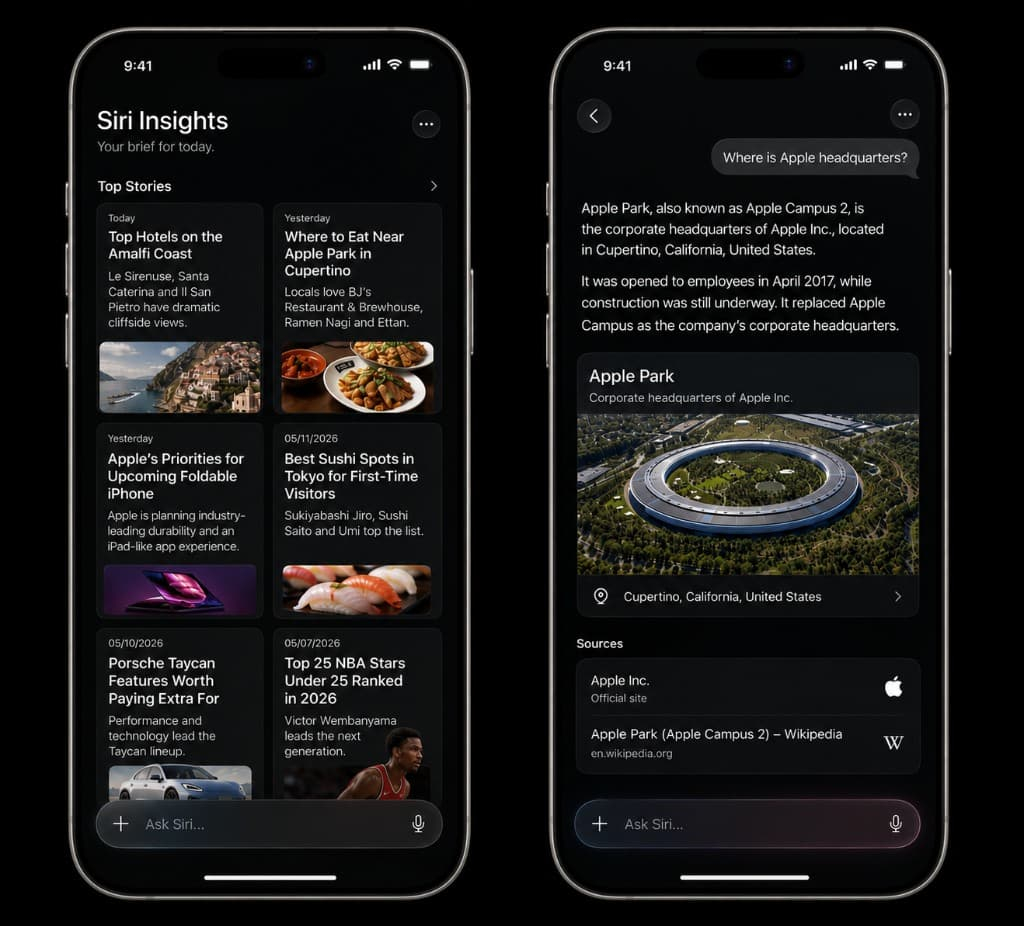
The Siri app also hits the English language barrier
Live Translation in Messages, Phone, FaceTime, and AirPods headphones works with the same Apple Intelligence languages. Russian is again not among them, so real-time translation of calls from Russian is a no-go.
Now for an important clarification that people constantly get confused about. Some tools are not tied to the interface language. The main example: Clean Up in Photos. It doesn’t accept text input but instead automatically recognizes and removes unwanted objects from the frame, so it works even on a fully Russian-language iPhone. In iOS 27, it’s been upgraded: new models better restore backgrounds even in complex scenes, and Fast, High Quality, and Auto modes have been added. Processing mostly happens on-device, without server calls.
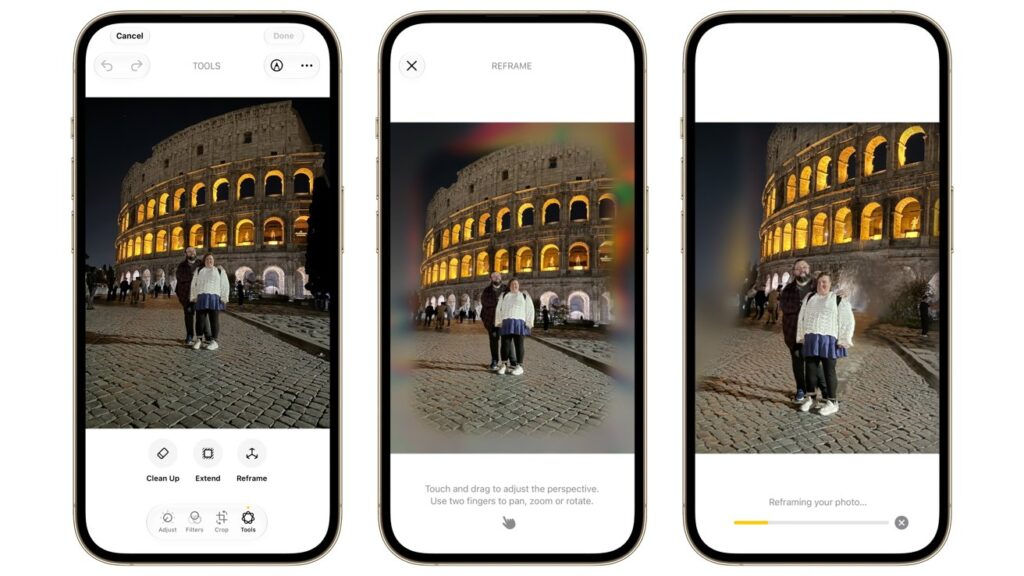
New features in Photos still work in Russia for now, and hopefully there won’t be any restrictions
Alongside Clean Up, iOS 27 added more buttons: Extend expands the frame beyond the original and fills in the background, Enhance pulls out light and color, and Reframe shifts the angle after the photo has already been taken. They don’t need text input either, so interface language is no obstacle. But there’s a nuance more important than language: Clean Up processes locally, while Extend and especially Reframe partially go to Apple’s servers via Private Cloud Compute when saving. For Russia, this is a potential weak point, because cloud processing could start being filtered by region at any moment. But for now it works, and that’s what matters most.
However, Image Playground and Genmoji are indeed tied to language. They generate images and emoji from text descriptions, and you’ll need to enter them in English — the system won’t accept a Russian prompt. Generation is available in Russia, but only if you’re willing to formulate requests in English. So the statement “all Apple Intelligence doesn’t work in Russian” is still inaccurate — the line is just finer than it seems.
iOS 27 Features That Don’t Work in Russia
Here, the main iOS 27 novelty is immediately useless for Russia. We’re talking about bill splitting via Apple Cash. You point the Camera in Siri mode at a receipt, the system recognizes items, calculates each person’s share including tax and tip, and sends payment requests through Apple Cash. Sounds convenient, but Apple Cash works only in the US. The feature simply doesn’t exist in Russia.

Bill splitting is completely irrelevant for Russia, just like any other Apple Pay features
The same goes for older services to which Apple ties new Wallet scenarios. Apple Card is only available in the US, digital ID in Wallet works in limited US states and Japan. The new Tap to Share function, where you share data with a merchant by tapping, depends on participating merchants that don’t exist here. Improved digital hotel keys are also about foreign chains.
Order tracking in Wallet was expanded in iOS 27, but only to Australia and Canada — previously it was the US and UK. Russia was never on the list, and still isn’t. The updated Apple Pay payment interface in web and apps is also pure theory for us: Apple Pay itself hasn’t worked in Russia since 2022.
Is It Worth Updating to iOS 27 in Russia
First, about hardware. iOS 27 itself will install on any iPhone from the 11th generation and newer — here Apple didn’t drop a single model from the list for the first time in several years. However, Apple Intelligence requires at minimum an iPhone 15 Pro or the 16 and 17 lineup. If you have a simpler iPhone, the language question is irrelevant: there will be no AI features regardless of country.
Updating is definitely worth it at least for the improved stability
If your phone is compatible and you want to get the most out of it, there’s a working compromise. Keep the system in English so Apple Intelligence activates, and set Russian separately for specific apps like Telegram, VKontakte, or your banking client in their settings. That way the visual AI tools will work, while your everyday apps stay in Russian.