Despite the fact that people most often complain about Xiaomi devices (and not without reason), models from other manufacturers also experience problems. Honor smartphones have massively stopped saving screenshots. When trying to take a screenshot, the system displays “insufficient storage space,” even though there is plenty of free space available. The problem has affected dozens of models worldwide, and Honor’s support team has already offered a specific solution.
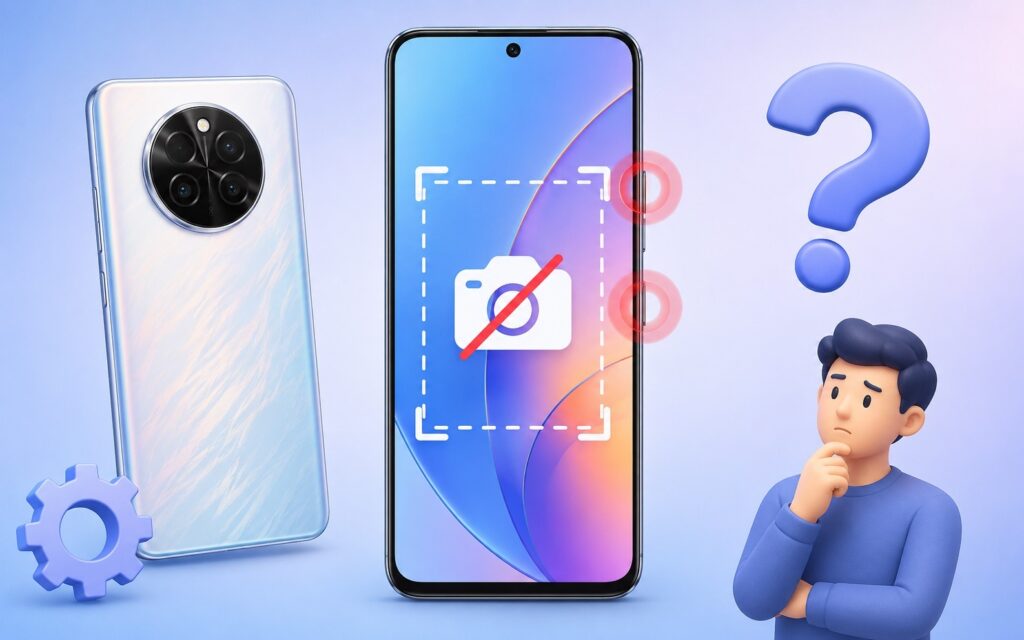
Fixing the screenshot problem on Honor
Which Honor Smartphones Are Affected by the Screenshot Bug
The bug started appearing on May 25, 2026. Complaints poured in from owners of various models: Honor X9b, Honor 200, Honor X7c, Honor X8b, Honor 70, Honor 400 Pro, Honor X8a, Honor 200 Pro, and others. According to international sources, the problem also affected the Honor 90, Honor 600, Magic V3, and Magic 7 Pro — meaning not only budget devices but flagships as well.
On other models, when attempting to take a regular screenshot using the standard gesture or buttons, the phone displays a notification: “Cannot save screenshot, insufficient storage space.” One user deleted over 3,500 photos and cleared the gallery cache, but the error persisted. Another reported that with a 512 GB drive and 300 GB of free space, nothing helped.
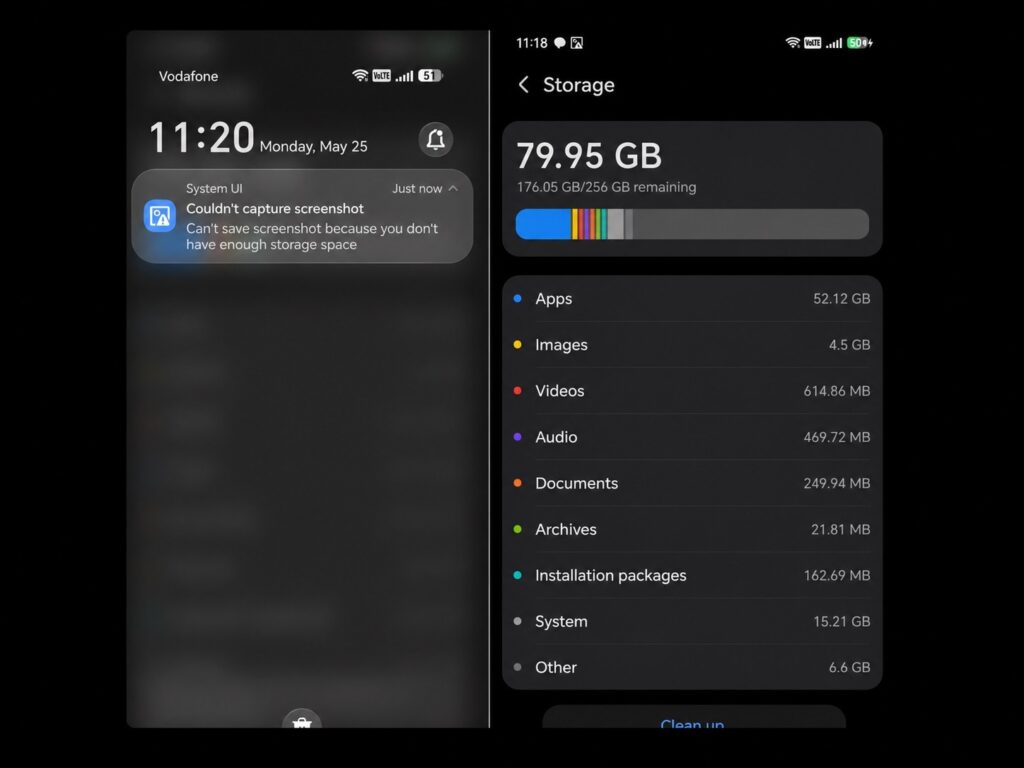
Screenshots won’t save even when there’s plenty of space
An important detail: long scrolling screenshots, screen recording, and knuckle screenshots continue to work normally. The error only appears when using the standard gesture. Some owners note that screenshots are actually saved in the gallery despite the pop-up error message.
Why Honor Stopped Saving Screenshots
If you chose Honor partly because of Google services support, it’s precisely that integration that let you down this time. Honor’s support team explained the cause: the problem is related to temporary settings of Google GMS Cloud services. Essentially, the failure occurred not on the smartphone’s side but at the level of Google’s cloud services integrated into the MagicOS shell. The device’s storage has nothing to do with it — the error is false.
The company emphasized that users’ personal data, photos, and files were not affected. Google is already aware of the issue and is working on a fix. For now, this is a server-side failure, not a firmware-specific problem. The fact that the bug affected Honor smartphones worldwide simultaneously confirms this theory.
How to Save Screenshots on Honor
Official support provided the following instructions for saving screenshots on Honor:
- Go to “Settings,” then “Users & accounts,” then “Google.”
- Tap “Sync now” or “Sync all.”
- Try again later if it didn’t help.
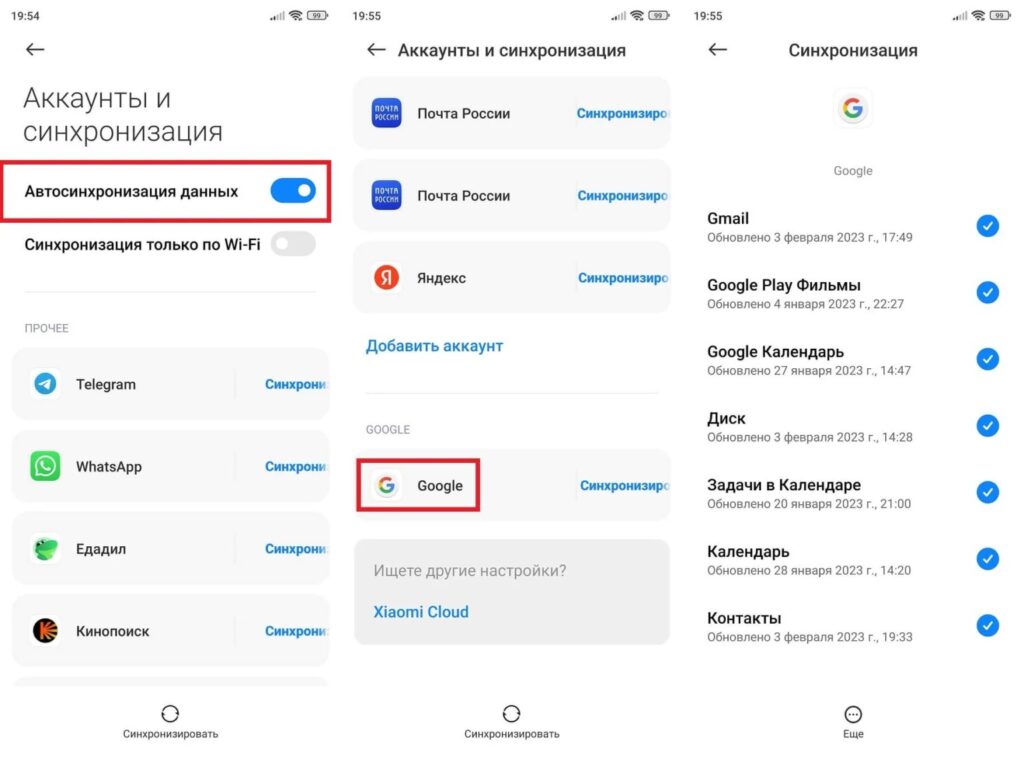
Honor suggests re-syncing with Google services
This solution helps reconnect the device to Google’s cloud services and reset the erroneous GMS Cloud settings. You don’t need to delete, reset, or reinstall anything. Some users also report that the problem resolves itself after a regular reboot. However, this doesn’t work for everyone — it apparently depends on whether Google’s server has had time to update the configuration for the specific device.
Temporary Ways to Take Screenshots on Honor
If Google sync didn’t help right away and you need a screenshot right now, there are several workarounds:
- Three-finger swipe down on the screen (for many, this gesture works even when the standard button combination doesn’t).
- Long screenshot: if you manage to tap “Long screenshot” on the preview before it disappears, the image will be saved.
- Knuckle screenshot (this signature Honor gesture is also unaffected by the bug).
- Screen recording with subsequent extraction of the needed frame (not the most convenient, but a working option).
- A third-party screenshot app from Google Play.
It’s also worth checking the gallery itself: for some owners, screenshots were actually saved despite the error message. The notification was false, and the file was sitting safely in the screenshots folder.