Enthusiasts from the Salem Techsperts channel disassembled a budget MacBook Neo and replaced its passive cooling with a powerful external system featuring a Peltier module and compressor. The result — benchmark records, but at the cost of completely disassembling the laptop. Let’s break down what this means for the average owner and whether it’s worth thinking about such experiments.

If you add proper cooling to the Neo, the computer can easily impress
How They Modified the MacBook Neo’s Cooling
MacBook Neo, like the MacBook Air, uses passive cooling — there’s no fan inside, and the chassis simply accumulates heat from the A18 Pro chip without actively dissipating it. This is a normal compromise for an entry-level laptop: thin body, silence, no moving parts.
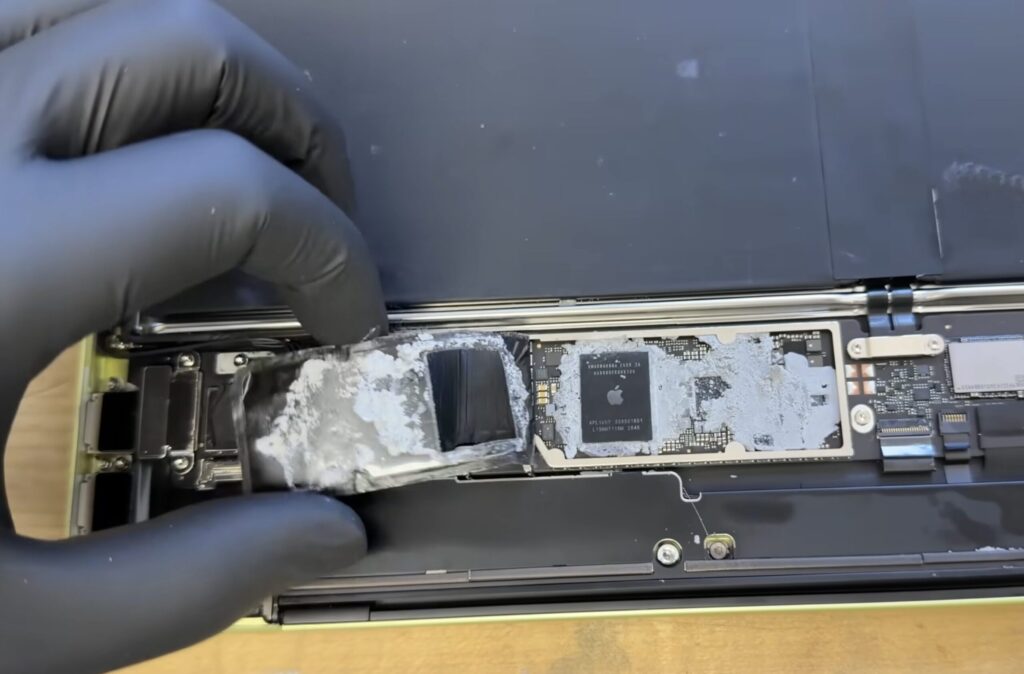
The computer had to be completely disassembled and connected to an external monitor
The enthusiasts went in the opposite direction: they removed the screen, keyboard, and trackpad, and instead of the stock cooling connected an external Peltier module with a large heatsink and compressor. Essentially, only the motherboard with the chip remained from the laptop.
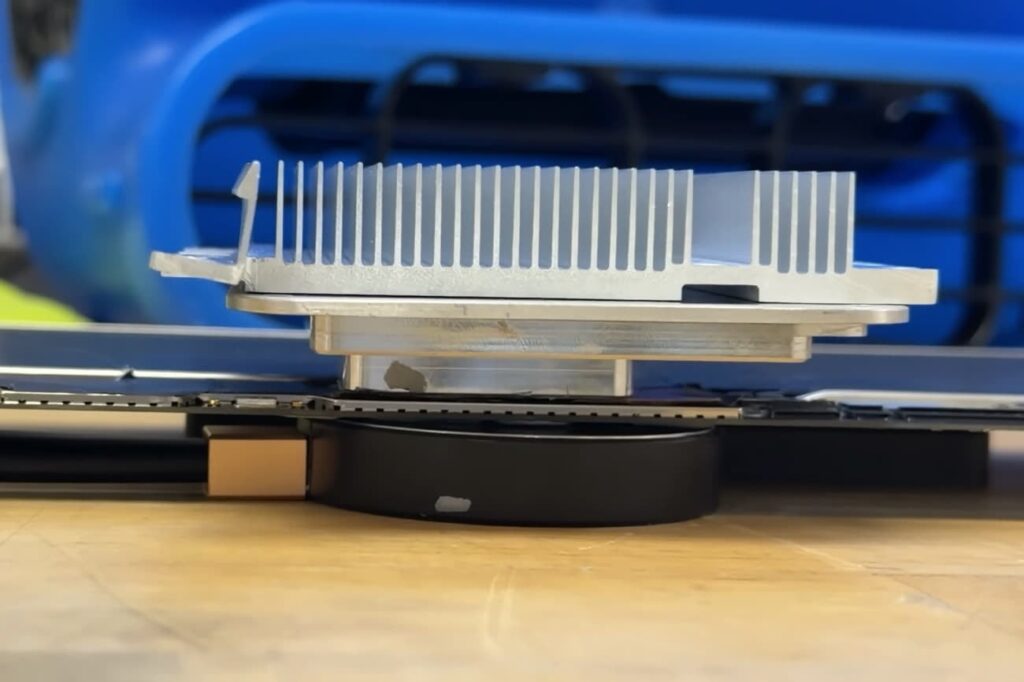
This is the setup they built for cooling
A Peltier module is a plate through which electric current is passed: one side cools down, the other heats up. The cold side is applied to the chip, and the heat from the hot side needs to be dissipated somehow — that’s exactly why the bulky compressor appears in the build.
This technology is sometimes used in overclocking, but is rarely found in regular computers — there’s too much hassle with dissipating heat from the reverse side of the module. There’s another problem too: condensation forms on the cold side, which can kill electronics. That’s precisely why a Peltier module requires careful insulation. For an everyday laptop, this is an impractical solution.
How Throttling Affects MacBook Neo Performance
An important point that’s often confused: the A18 Pro chip doesn’t become faster than in any other MacBook Neo. This isn’t about overclocking — it’s about the processor maintaining its maximum frequency longer with proper cooling and not dropping it due to overheating.
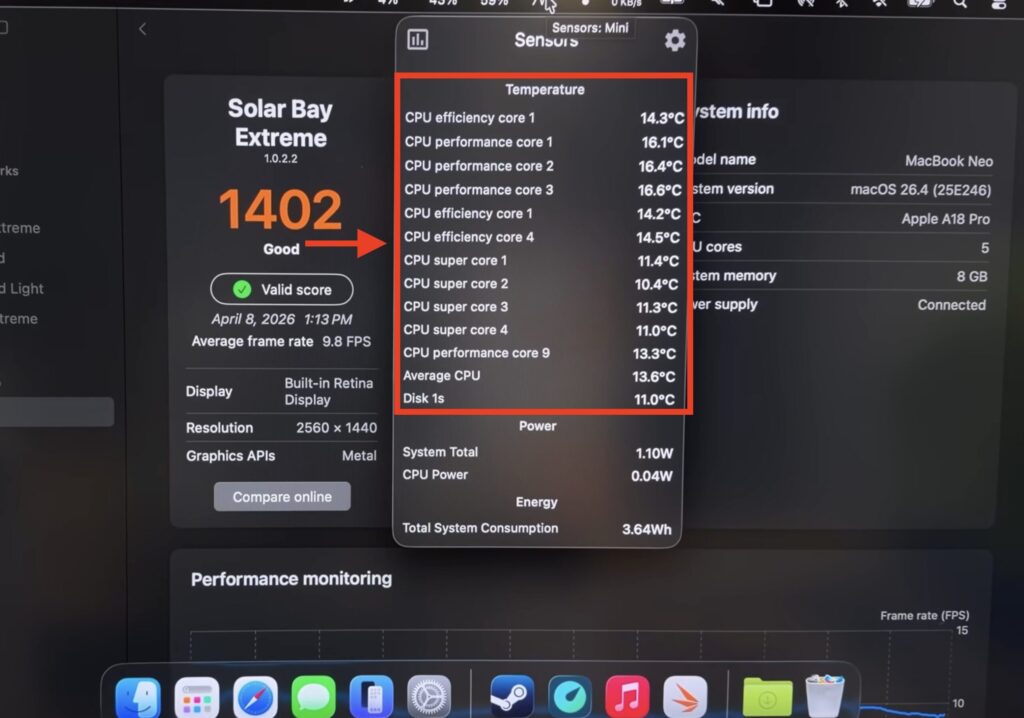
After installing the cooling, temperature under load held at these values
Essentially, the experiment shows the chip’s ceiling — what it’s capable of when the thermal limit is removed. In the regular MacBook Neo chassis, this ceiling is unreachable, and this is Apple’s deliberate choice for the sake of silence. The company intentionally limits the thermal envelope so the laptop remains silent.
Does the MacBook Neo Need Improved Cooling
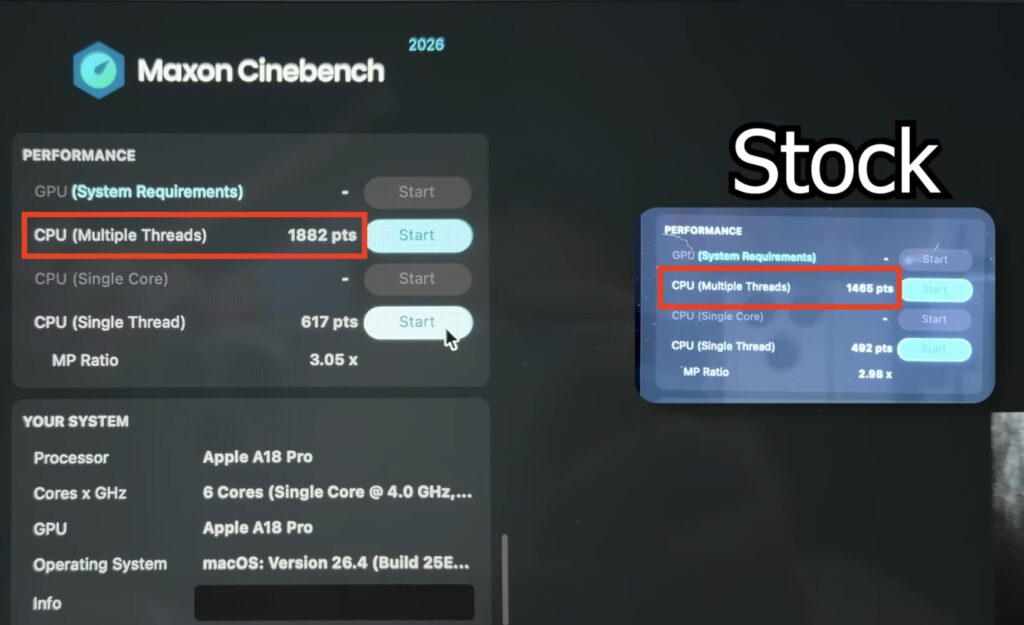
The result was improved benchmark scores because the system doesn’t reduce performance due to overheating
MacBook Neo isn’t designed for heavy workloads: hours-long gaming sessions, Cinema 4D rendering, or running benchmarks like 3DMark. It’s a laptop priced at 50,000 rubles for everyday tasks — browsing, documents, video, light work.
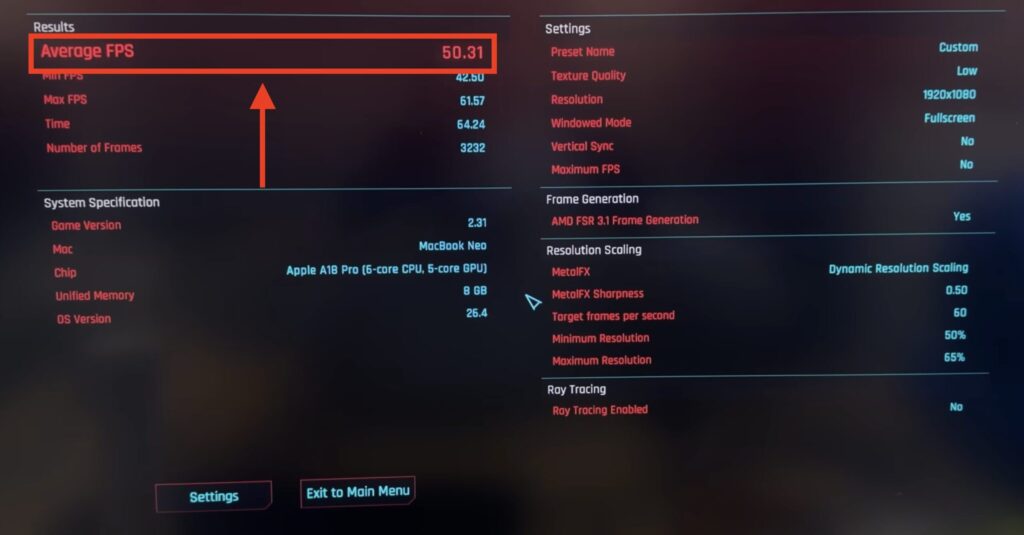
The cooling also affected gaming. Cyberpunk averaged 50 FPS
In typical scenarios, the difference between standard cooling and exotic cooling is barely noticeable. The performance gain only shows up where the system hits thermal throttling — meaning in workloads this laptop was never designed for in the first place.
If you need a Mac without performance compromises, there’s a separate category of devices — MacBook Pro with active cooling. If silence and a thin body matter — MacBook Air or Neo. Apple doesn’t offer a middle ground, and the video with the compressor only confirms this once again.
Is It Worth Improving MacBook Neo’s Cooling

You definitely shouldn’t try this experiment on your MacBook
This is an entertaining experiment, not a guide to action. It’s interesting to watch, but definitely not worth repeating: you’ll end up with a bunch of wires, compressor noise, and a laptop without a screen or keyboard. For real work, the choice is simple: if the MacBook Neo’s capabilities are enough for you — great. If not, there’s the MacBook Pro.


