Every iOS update is always a bit of a lottery. Apple promises bug fixes and stability improvements, but in reality, things don’t always go according to plan. I installed iOS 26.5 on my iPhone 16 Plus and I’m ready to share how the smartphone behaves after the update. Spoiler: it’s not so straightforward.
Let’s figure out if it’s worth updating
How iPhone Works After Updating to iOS 26.5
Let me start with the main thing — what concerns everyone the most. iPhone 16 Plus performance after updating to iOS 26.5 hasn’t changed. At all. The smartphone works exactly the same as on the previous version of the system. No slowdowns, no freezes, no lags.
iPhone performance on iOS 26.5 hasn’t changed
Apps open instantly, animations are smooth, and switching between tasks happens without any delays. If you were afraid that the update would slow down your iPhone — you can breathe easy. At least on the iPhone 16 Plus, everything is perfectly fine.
The system interface is responsive, gestures work without hiccups, and multitasking handles its duties exactly as it should. In short, no surprises in terms of performance. Apple didn’t disappoint this time.
Chrome on iPhone Freezes After iOS Update: What to Do
Now here’s where things get interesting. After updating to iOS 26.5, I encountered an annoying bug in Google Chrome. The problem manifests as follows: periodically while using the browser, the keyboard simply disappears. And this doesn’t happen in any specific scenario — it can occur at any moment.
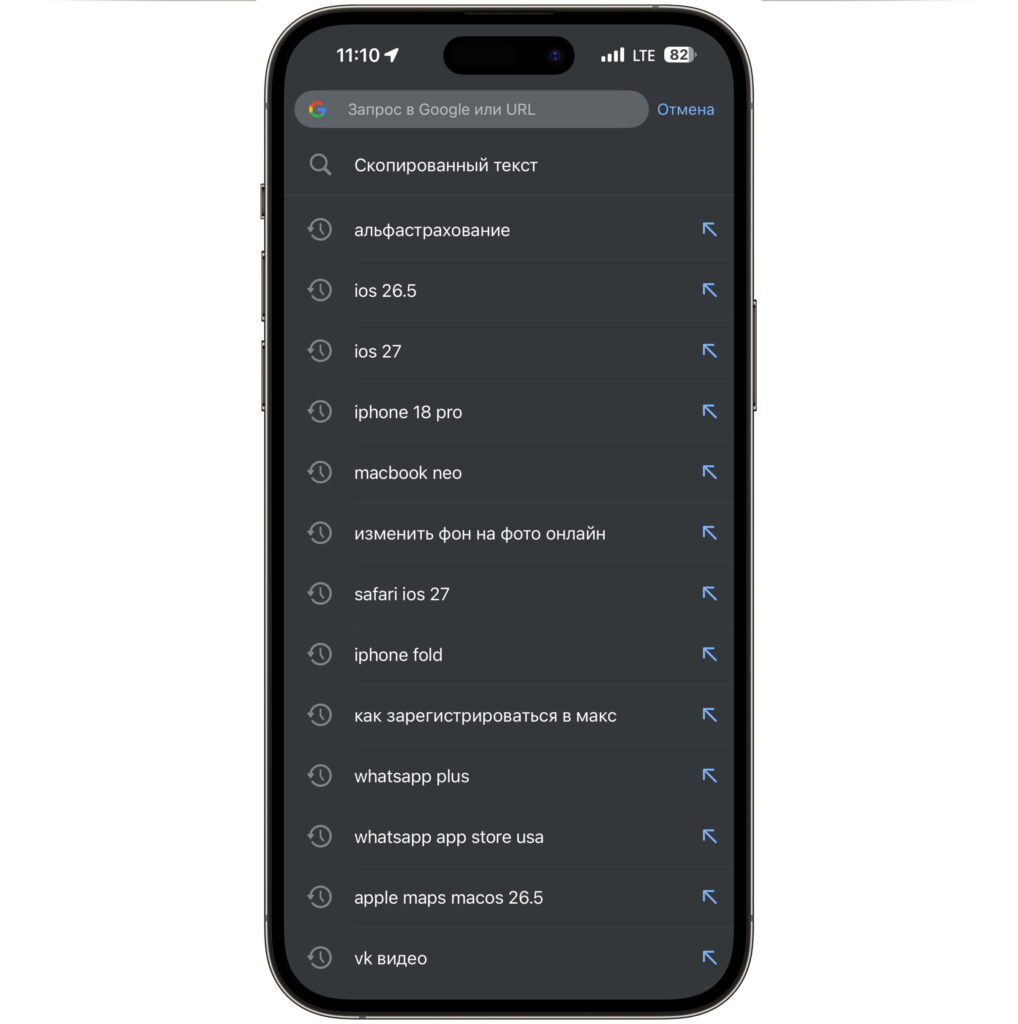
Chrome just freezes like this and doesn’t respond to touches
But the disappearing keyboard is only half the problem. Along with it, the entire tab becomes literally unclickable. You tap on links — nothing happens. You try to scroll — it doesn’t work. You tap on buttons — zero response. It feels like the browser simply freezes, even though visually everything looks normal.
The only fix for this problem is restarting the app. Close Chrome from the task manager, reopen it — and everything works as it should again. Until the next time, of course.
It’s hard to say whose side the problem is on — Apple’s or Google’s. Most likely, Chrome wasn’t optimized in time for iOS 26.5, and this bug will be fixed in the next browser update. But for now, this is the only truly annoying issue I’ve encountered after the update.
If you actively use Chrome on iPhone, be prepared for this. As an alternative — you can temporarily switch to Safari, where no such problems have been observed. Although, of course, changing your usual browser because of one bug isn’t exactly a pleasant experience.
Battery Drain After Installing iOS 26.5: What Changed
Now about battery life — a topic that always sparks heated debates after every iOS update. And here I don’t have the best news. iPhone 16 Plus battery life has slightly decreased.
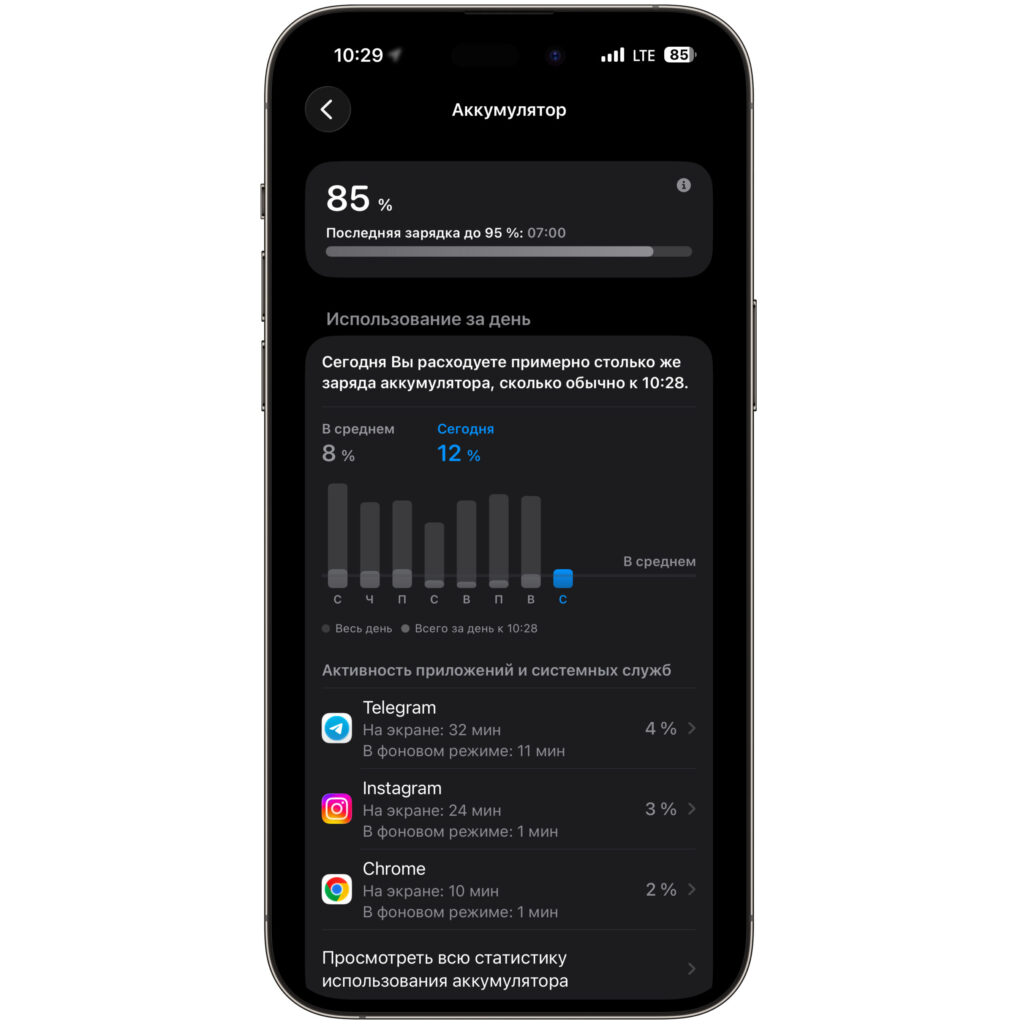
Battery consumption has increased
I noticed this from the battery usage graph. Before the update, the standard drain by the time I took the screenshot was approximately 8%. After installing iOS 26.5, the same figure rose to 12%. A difference of 4 percentage points — it’s not a catastrophe, but it’s not negligible either.
However, there’s an important nuance here. Not much time has passed since installing the update. And we all know that iOS likes to perform background optimization for some time after an update — reindexing data, recompiling apps, and other system processes. All of this loads the processor and, consequently, drains the battery.
Usually, full optimization takes anywhere from a few days to a week. After that, battery consumption typically returns to normal. So there’s every reason to believe that the current drop in battery life is a temporary phenomenon. I’ll wait a few more days and see how the situation changes. If after a week the consumption remains elevated — that would be cause for concern. But for now, it’s too early to sound the alarm.
Sber, T-Bank, Alfa-Bank, and RuTube After Installing iOS 26.5
I’d like to separately address a topic that’s relevant for every iPhone user in Russia. I’m talking about apps that were removed from the App Store but are still installed on our devices.
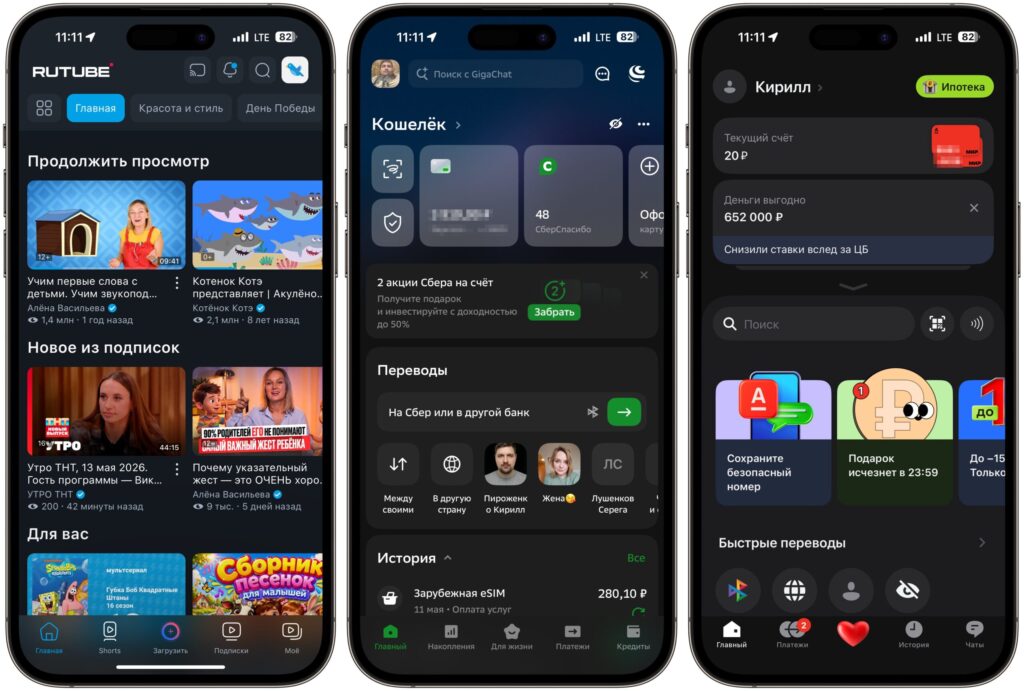
All old apps work just as before
After updating to iOS 26.5, I checked how RuTube, Sber, T-Bank, and Alfa-Bank work. All four apps launch and work absolutely normally. No crashes, no authorization errors, no interface glitches.
This is an important point because after every iOS update, rumors inevitably appear online claiming that Apple has supposedly started blocking removed apps. In practice, nothing like that happens. At least on iOS 26.5, all Russian banking apps continue to work in normal mode.
So if you’ve been putting off the update specifically out of fear of losing access to banking apps — there’s no need to worry. Go ahead and update.
Is It Worth Updating to iOS 26.5
Let me sum things up. iOS 26.5 on iPhone 16 Plus is a fairly stable update that doesn’t break your smartphone. Performance has remained at the same level, all core functions work without issues, and apps removed from the App Store still launch without problems.


