On April 21, 2026, OpenAI unveiled ChatGPT Images 2.0 — a new image generation model based on gpt-image-2. Sam Altman personally presented the update in a live stream and didn’t hide his excitement. The model is truly impressive: it can “think” before drawing, search for information on the internet during the generation process, and create up to eight related images in a single request. But that’s not the main thing. The main thing is what ChatGPT Images 2.0 learned to do with text in images.
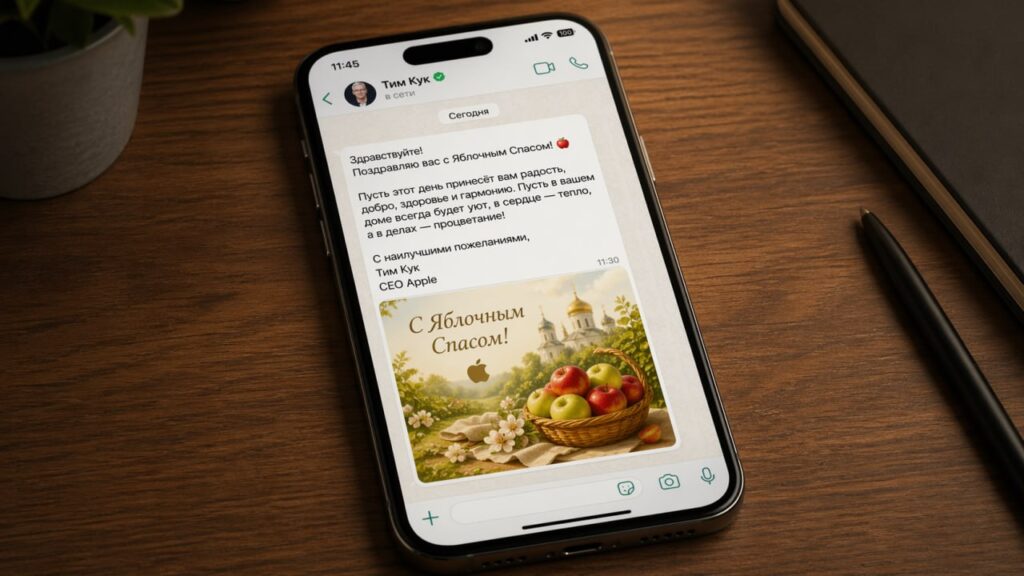
Check out how the new ChatGPT drawing tool can create screenshots
What the New ChatGPT Images 2.0 Model Can Do
Text on images has always been the Achilles’ heel of neural networks. Letters would blur, words turned into mush, and signs looked more like an alien alphabet. Distorted text was an instant giveaway of AI-generated work. The new model handles text on any surface brilliantly: signs, labels, smartphone screens, UI elements. And not just in Latin script — Japanese, Korean, Hindi, Bengali, and other languages are supported.
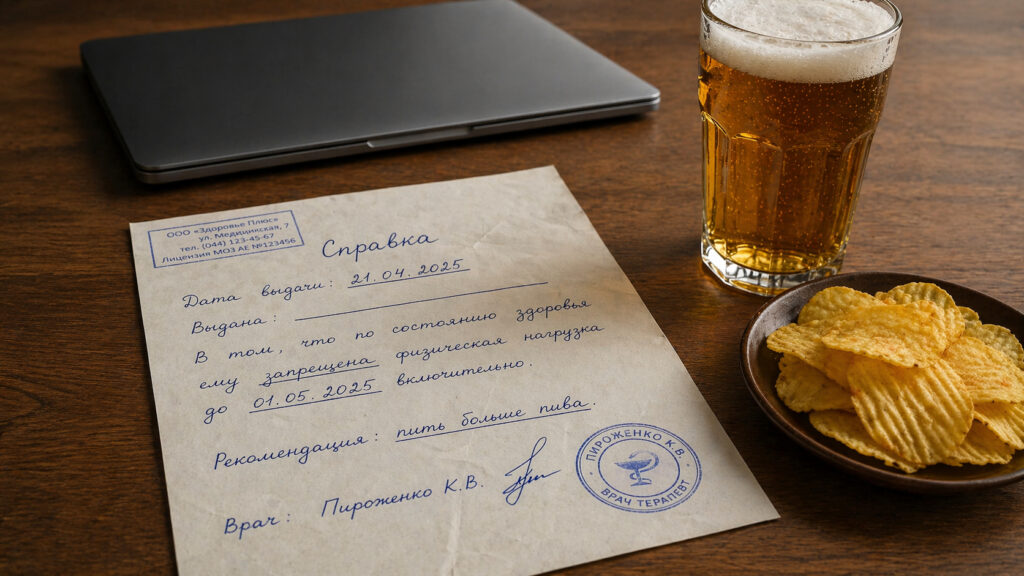
It can draw a medical note and place it in an interior setting. Awesome
ChatGPT Images 2.0 works in two modes. Instant is available to all users, including free ones, and delivers results quickly. Thinking is for Plus, Pro, and Business subscribers. In this mode, the model takes more time: it analyzes the request, checks the result, and if necessary searches for up-to-date information online.
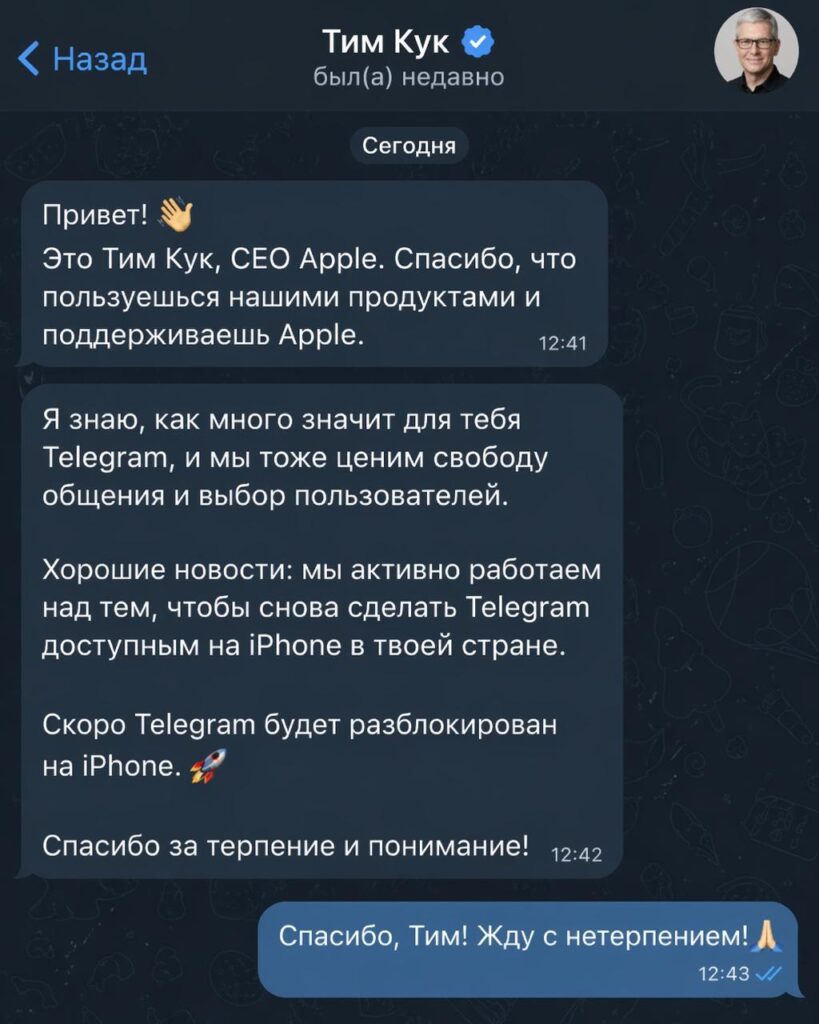
Only Tim Cook’s photo in the corner gives away the generated image
Resolution has increased to 2K. Aspect ratios from 3:1 to 1:3 are supported — from ultra-wide banners to vertical mobile screens. For developers, the model is available via API under the name gpt-image-2.
ChatGPT Draws Screenshots and Documents
This is where things get really interesting. You can draw with ChatGPT from either a smartphone or a computer. You don’t need to enable anything extra. Just go to the web version or the ChatGPT app, open a new chat, and type your request, starting with the word “Draw.”
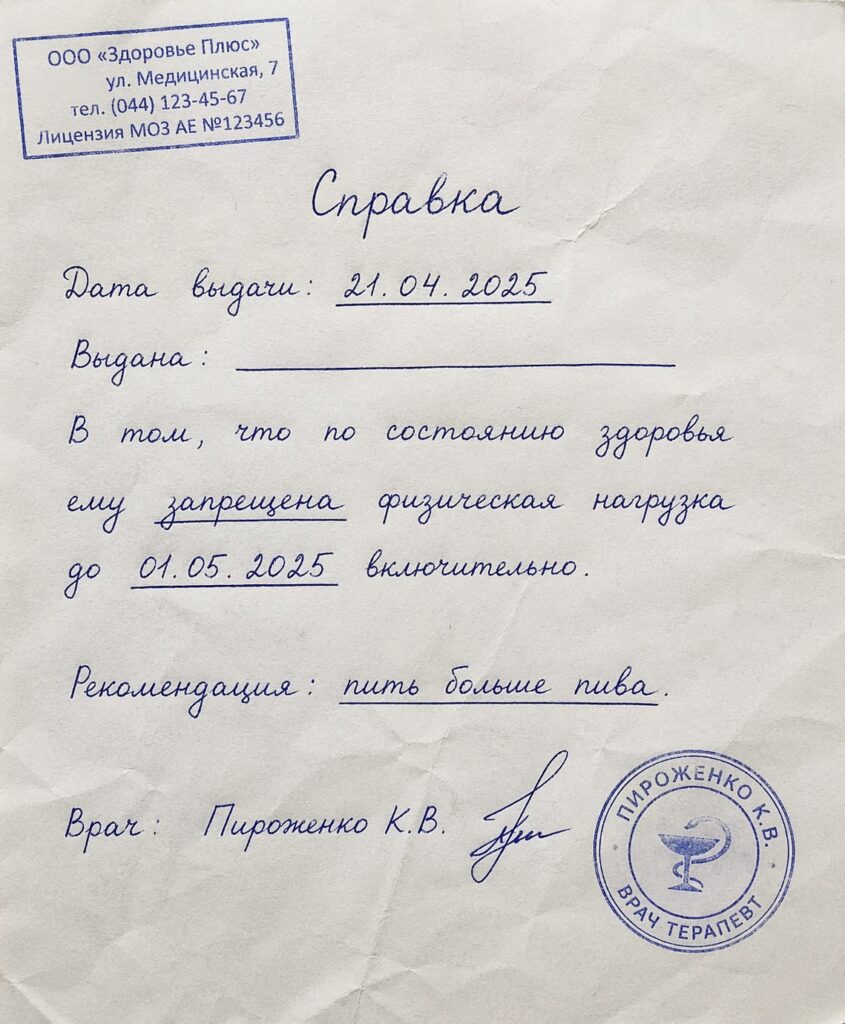
So how do you like this doctor’s note?
Prompt: draw a handwritten doctor's note dated 04/21/2025 issued by Dr. Pirozhenko K.V. stating that I am prohibited from physical activity until 05/01/2025 and should drink more beer. Don't forget to add the doctor's seal and the medical organization's stamp
We asked ChatGPT Images 2.0 to draw a handwritten doctor’s note with silly text and a recommendation. The result was nearly flawless: neat handwriting, natural strokes, no artifacts. At first, the neural network refused to do it, assuming we were trying to forge a document, but as soon as we told it this was just a joke, it got right to work.
Sounds cool if you’re a designer or illustrator. But think about this: if the neural network can generate handwritten text of this quality, what’s stopping it from “drawing” a real medical certificate? Or a receipt? Or a handwritten statement? Or maybe even a screenshot. For example, showing Tim Cook reading my articles on AppleInsider.ru:
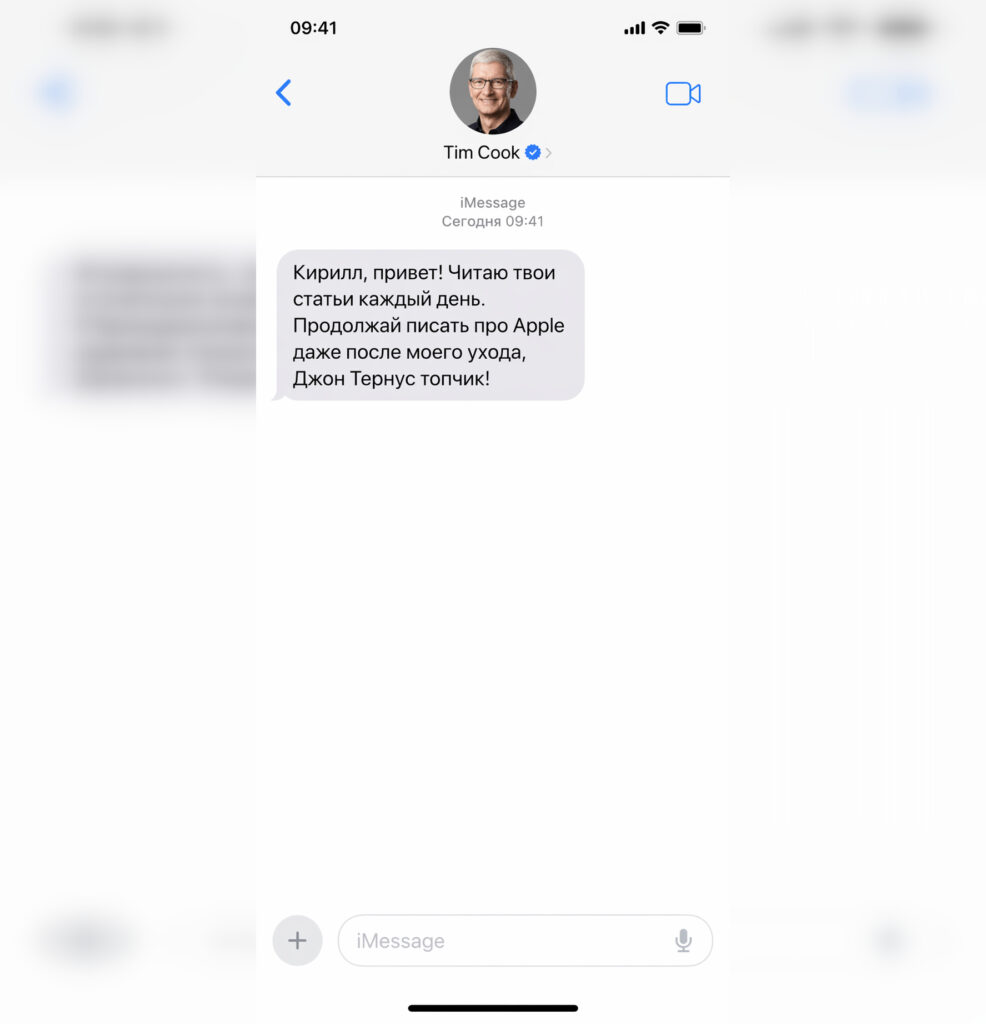
Tim also wished me to keep writing
Prompt: draw a picture as if Tim Cook messaged me in iMessage: Kirill, hi! I read your articles every day. Keep writing about Apple even after I leave, John Ternus is awesome!
The problem of fake documents emerged back in March 2025, when the previous version of the ChatGPT generator sparked a wave of experiments with forged receipts, ID cards, and employment contracts. The quality was noticeably worse back then — text got jumbled, logos looked strange. But even that level was enough to fool an inattentive reviewer.
With ChatGPT Images 2.0, the situation has become critical. The model creates convincing screenshots of payment systems, banking interfaces, and receipts with real company logos. All of this takes just a couple of minutes, without any Photoshop skills.
Who Is Threatened by Realistic AI-Generated Fakes
The list of potential victims is extensive. Insurance companies are already sounding the alarm: generating a photo of a damaged car and attaching a fake auto repair bill to it has become elementary. HR departments risk receiving résumés with fake diplomas and recommendation letters. Accounting departments face forged expense reimbursement receipts.
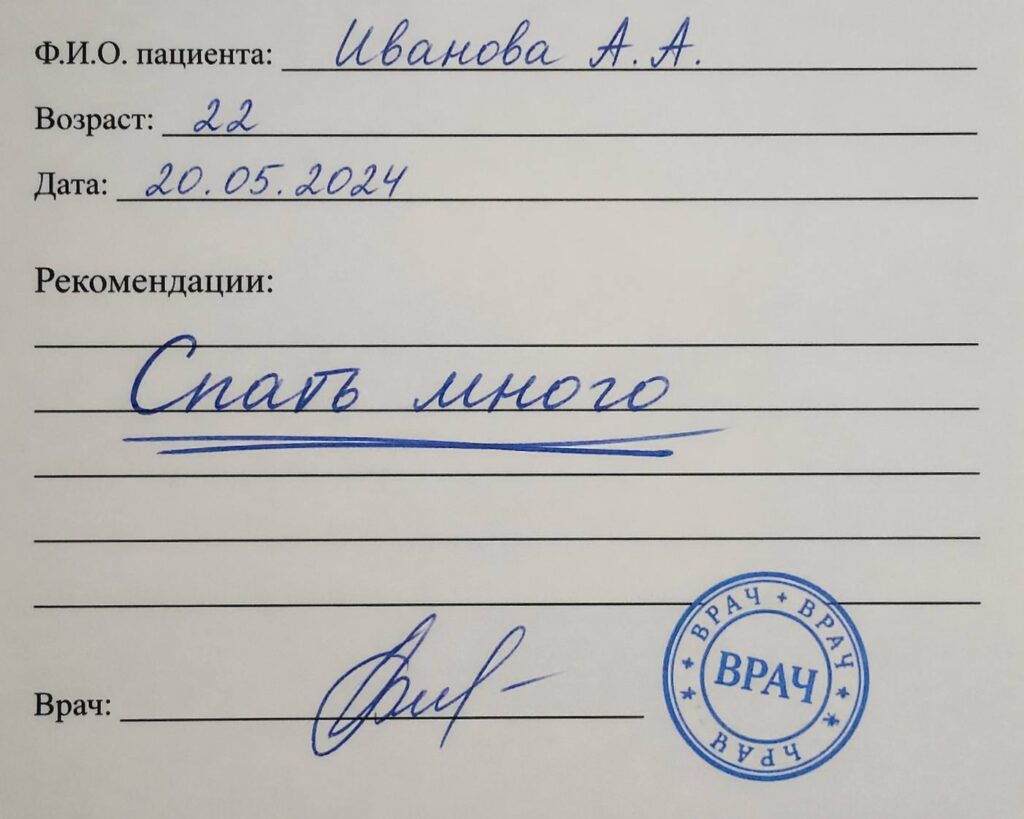
The doctor here recommends sleeping a lot
Cybersecurity experts call this the “zero-skill threat” phenomenon. Previously, producing a quality forgery required skills with graphic editors and access to specialized resources. Now all you need is to type a request in a chat.
OpenAI has put restrictions in place: the model refuses to create overtly fraudulent documents if the request explicitly mentions “fake” or “forgery.” But users quickly found workarounds — just rephrase the request, and the system fulfills it without any questions.
How to Identify a Fake Screenshot or Certificate
Stopping this completely is impossible. Image generators are getting better every month, and Google with its Nano Banana 2 is keeping pace with OpenAI. But there are a few things worth keeping in mind.
First, trusting screenshots as proof of anything is no longer viable. Not in chats, not in court, not when filing insurance claims. A screenshot is just an image, and now anyone can draw one.
Second, companies and government agencies will need to transition to digital document verification. A paper certificate with a stamp is no longer reliable confirmation. QR codes, digital signatures, and database verification are needed.
Third, OpenAI adds C2PA metadata to images.