The release of iPadOS 26.5 is just around the corner, and the update will bring three small but useful changes. This isn’t a system redesign, but rather targeted refinements — yet it’s exactly these little things that make up everyday comfort when working with an iPad. In the previous version, iPadOS 26.4, Apple also focused on targeted improvements, and iPadOS 26.5 continues this approach.
Apple is preparing an update not only for iPhone, but also for iPad
How to Connect Magic Keyboard to iPad via USB-C
The main practical improvement concerns Apple’s proprietary accessories. When connecting a Magic Keyboard, Magic Trackpad, or Magic Mouse via USB-C, the accessory will automatically establish a Bluetooth connection with the iPad. After disconnecting the cable, the connection will be maintained wirelessly — you no longer need to manually pair the device.
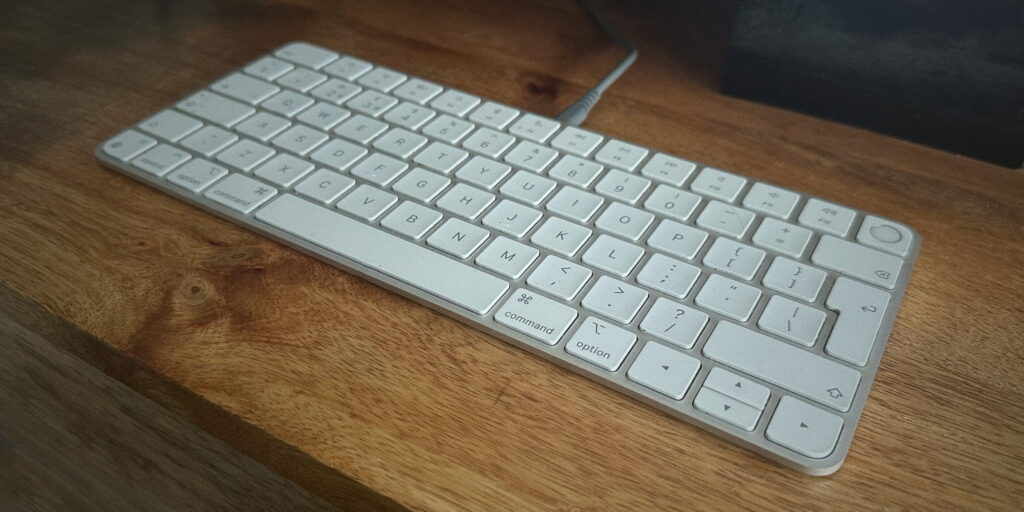
Now just plug in the keyboard with a cable, and the Bluetooth connection will establish automatically
On Mac, this logic has been working for a long time: plug in the cable once — and the accessory continues to work via Bluetooth. iPad is finally getting the same scenario. The benefit is obvious for those who buy an Apple keyboard or mouse for their tablet and don’t want to dig through pairing settings. If you use third-party accessories, this change won’t affect you at all.
Previously, when connecting a Magic Keyboard to an iPad for the first time, you had to go to Settings — Bluetooth, wait for the device to appear in the list, and manually tap “Connect.” Now you just need to plug in the USB-C cable — the system will recognize the accessory on its own and create a wireless pairing. This is especially convenient when you take your iPad on a trip and want to quickly connect a keyboard without extra steps.
New Wallpapers in iPadOS 26.5
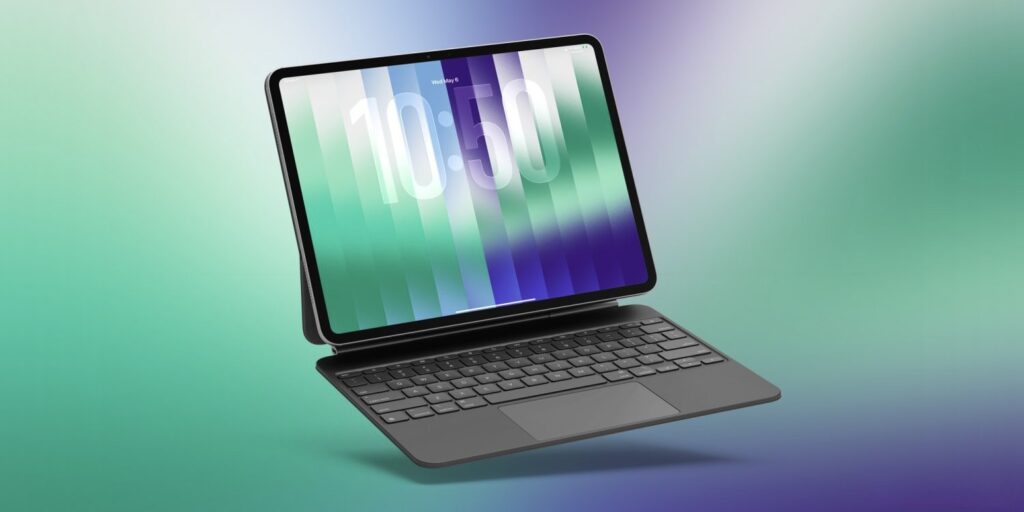
iPadOS 26.5 will feature Pride Luminance wallpapers — this isn’t just one image, but 11 color variants right away. Besides ready-made presets, there’s a constructor: you can manually select from 1 to 12 colors and create your own variant.
This is a purely cosmetic update, but on an iPad with a large screen, these wallpapers really do look more impressive than on iPhone. If you’re tired of your current desktop background — it’s a reason to check the settings. The wallpapers don’t add any additional functionality.
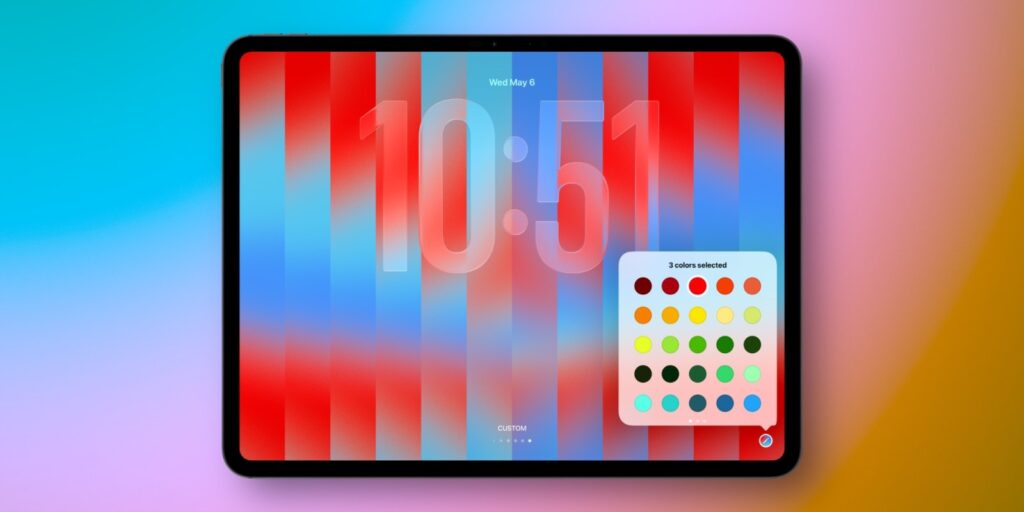
The point is that you can set up cool glass wallpapers in different colors
Interestingly, Apple expands the Pride wallpaper collection year after year. Previous versions of iPadOS featured variants with woven threads, rainbow waves, and kaleidoscopes. The Luminance format looks different — here the focus is on soft gradients and glow, which look especially great on screens with high brightness. The effect will be most noticeable on iPad Pro with an XDR display. However, keep in mind that these wallpapers won’t be available with the Russia region. To activate them, simply switch to the US and they’ll appear immediately.
How to Snooze a Reminder to an Exact Time in iPadOS 26.5
Apple has redesigned the logic of the “snooze” button in the Reminders app. Previously, when long-pressing a notification, the system offered vague options — “today afternoon,” “today evening,” or “tomorrow morning.” In iPadOS 26.5, there will be specific options with exact times — for example, “Remind at 3:00 PM” or “Remind tomorrow at 9:00 AM.”
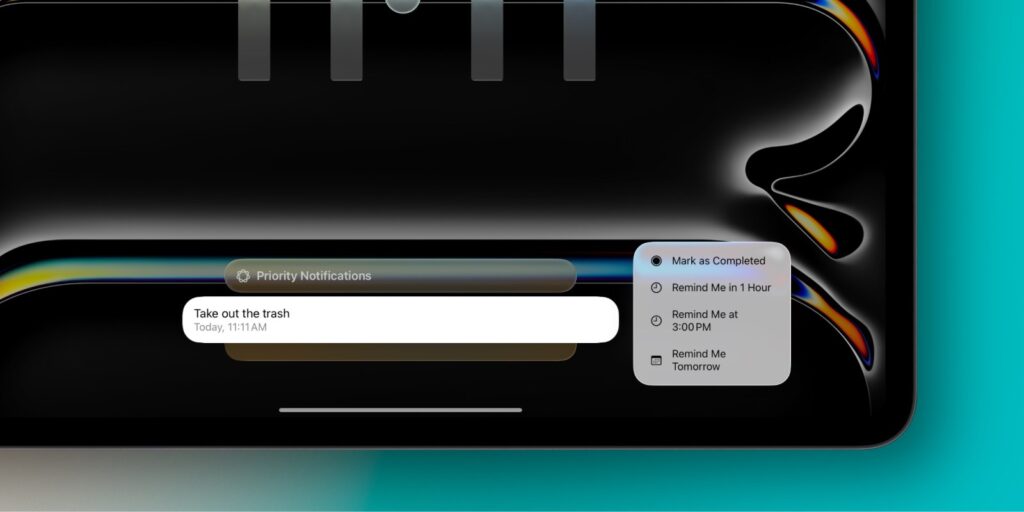
Snoozing reminders has become more convenient
The change is minor, but it was precisely because of the vague wording that the old feature worked poorly: it was unclear exactly when the follow-up notification would arrive. Now the user has a clear answer to the question of when the task will remind them — and Reminders becomes more convenient to use as a daily planner.
Additionally, the updated Reminders still allows you to choose a custom time through the standard interface, but now the quick options truly save time when snoozing tasks. If you previously ignored the snooze feature because of its imprecision — it’s time to try again.
iPadOS 26.5 Release Date
Along with the three main new features, iPad will also receive an Apple Maps update — the Suggested Places feature, which shows popular and trending places nearby. This is useful if you use Maps on your tablet for planning trips and walks.
Considering that iPadOS 26.5 has already received the Release Candidate version, it will be released next week, and to be more precise, on May 11 or 12. The list of supported devices will, of course, remain the same — all iPads compatible with iPadOS 26.
Otherwise, this is clearly an “interim” update. Apple is already focused on iPadOS 27, the presentation of which is expected at WWDC next month — where a significantly larger set of changes for iPad is promised.
Is It Worth Updating to iPadOS 26.5
iPadOS 26.5 is not the kind of version worth specifically tracking the release date for. It’s a neat set of refinements: automatic pairing of proprietary accessories will truly save time for Magic Keyboard and Magic Mouse owners, the updated Reminders will become slightly more convenient, and the new wallpapers are a nice bonus.
As usual with such updates, Apple will thoroughly improve stability
Nevertheless, the update is worth installing right after release. In such interim releases, Apple usually includes security fixes that aren’t mentioned in announcements. Additionally, system stability typically improves slightly with each minor update.
If you don’t use any of the scenarios listed above, you can safely wait for iPadOS 27 — judging by the announcements, that’s where the main package of new features will be. But skipping security updates is never recommended.


