Recently, a friend of mine asked a great question during a meetup: why even switch from a regular SIM card to eSIM? He said everything works fine as is, so why change anything. I thought about it — and realized I have a lot to share. One thing is theory, and another is personal experience. I’ve been using only eSIM on my iPhone 16 Plus for a long time now, and I have no intention of going back to a plastic SIM. Let me explain why.
Replaced SIM with eSIM and happy
Differences Between eSIM in iPhone and a Regular SIM Card
For those who aren’t familiar yet, here’s a quick reminder. A regular SIM card is a small piece of plastic with a chip that you insert into the phone’s tray. eSIM is a chip built into the iPhone onto which carrier data is loaded using a QR code or a special link. No cards, no trays, no ejector pins. You simply scan a QR code from your carrier — and within a minute, your number is already working.
In terms of call quality and internet speed, there is absolutely no difference between them. The same modem in the iPhone handles connectivity. The difference lies in convenience, security, and reliability. And this is where eSIM wins on all fronts.
eSIM is built right into the iPhone
An eSIM can store up to eight carrier profiles. Two can be active simultaneously — and you can switch between them in seconds right in the settings. This is convenient if you have work and personal numbers or if you frequently travel abroad and connect to local plans. With a regular SIM card, you’re limited to one slot. In newer models, Apple is increasingly moving away from physical slots — the iPhone 17 for some markets already works exclusively on eSIM. The trend is obvious — the future belongs to virtual cards.
Activation is also elementary. Remember how you used to have to go to a carrier store with your passport and stand in line? With eSIM, all of that is in the past. I set up my virtual card through the carrier’s app in five minutes without getting off the couch. No ejector pins, no tiny cards that are always trying to slip out.
By the way, there’s another advantage that’s rarely mentioned. The SIM card slot is an opening in the case. And any opening is a potential path for moisture and dust to get inside the device. Without a physical tray, the iPhone’s body becomes more hermetically sealed. Plus, it frees up space for a larger battery — that’s exactly why the battery life of iPhones without a SIM slot is better than versions with a physical tray. Apple isn’t removing slots for no reason — it’s part of a strategy to improve water resistance.
Why eSIM Is Better Than a Regular SIM Card If You Lose Your iPhone
This is the main argument that finally convinced me. Imagine the situation: you lost your iPhone or, worse, it was stolen. What does a savvy thief do first? That’s right — pulls out the SIM card. Without it, you can’t track the phone via the cellular network, and the thief gains access to your number. That means SMS codes from banks, confirmations in messengers, and basically everything tied to your number.
With eSIM, that trick won’t work. A virtual card cannot be physically removed from the device. The thief might try to turn off the iPhone or enable airplane mode, but there’s a solution for that too. I configured my iPhone so that Control Center cannot be accessed from the lock screen. Without unlocking the phone, it’s impossible to enable airplane mode or disable cellular data. Combined with eSIM, this turns a stolen iPhone into a brick that continuously transmits its coordinates via “Find My iPhone.” The chances of recovering the device are significantly higher than with a regular SIM card. To remove Control Center from the lock screen, do the following:
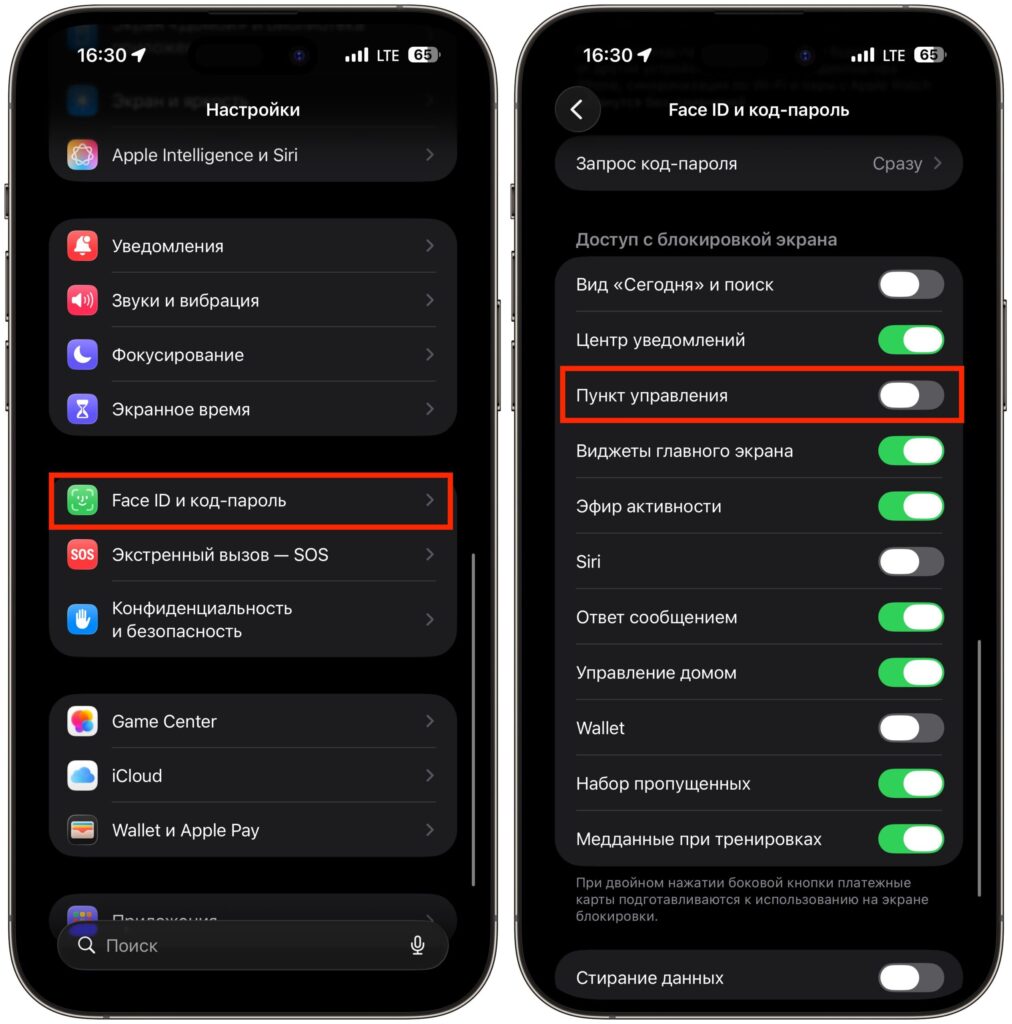
Disable this toggle
- Open “Settings” on your iPhone.
- Go to the “Face ID & Passcode” section (or “Touch ID & Passcode” on older models).
- Enter your passcode to access the settings.
- Scroll down to the “Allow Access When Locked” section.
- Find “Control Center” and turn off the toggle — it should turn gray.
- I also recommend disabling the “USB Accessories” toggle — this will prevent connecting the iPhone to a computer without unlocking it.
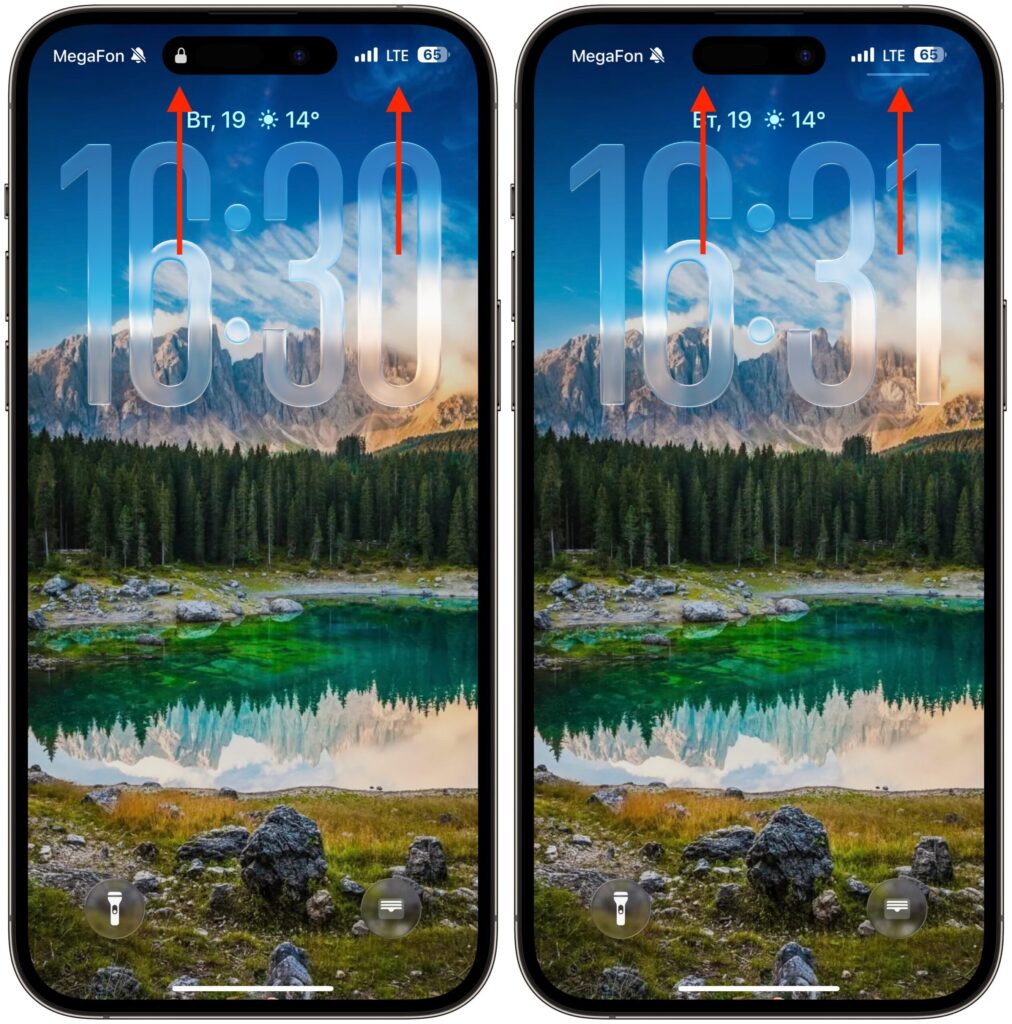
While the iPhone is locked, there will be no access to Control Center
After this, swiping down or up to open Control Center on a locked iPhone will be impossible. To enable airplane mode or disable Wi-Fi, a thief will first need to unlock the phone. And without your face or passcode, they won’t be able to do that. The iPhone will continue to transmit its location via the cellular network until the battery dies. This gives you time to find the device through the Find My app or contact the police with exact coordinates.
How Long Does a Regular SIM Card Last and Why eSIM Is More Reliable
This is something few people think about. A physical SIM card is an electronic device with a limited lifespan. Contacts tend to wear out and oxidize over time. If the SIM is old, it can start glitching: losing network signal, failing to register with the carrier, or dropping out at the worst possible moment.
According to experts, the average lifespan of a physical SIM card is three to ten years. Of course, it can last longer, but with each passing year, the probability of failures increases. And if you frequently swap the SIM between devices, the contacts wear out even faster. Moisture, dust, mechanical damage — all of these are enemies of the plastic card. Someone in our chat put it aptly: regular SIMs “die” over time.
eSIM is completely free of these problems. The built-in chip doesn’t wear out, doesn’t oxidize, and doesn’t break from being swapped around. It simply works — for as long as the iPhone itself works.
In fairness, a couple of caveats are worth mentioning. If your iPhone breaks so badly that it won’t turn on, you won’t be able to transfer the virtual card to another phone on the spot. With a physical SIM, you would simply pop it into a backup device. But let’s be honest — how often does that happen? Personally, in ten years of using iPhones, it has never happened to me. And if it does, the carrier will reissue the eSIM through their app or at a store.
eSIM for Travel: How to Get Internet Without Roaming
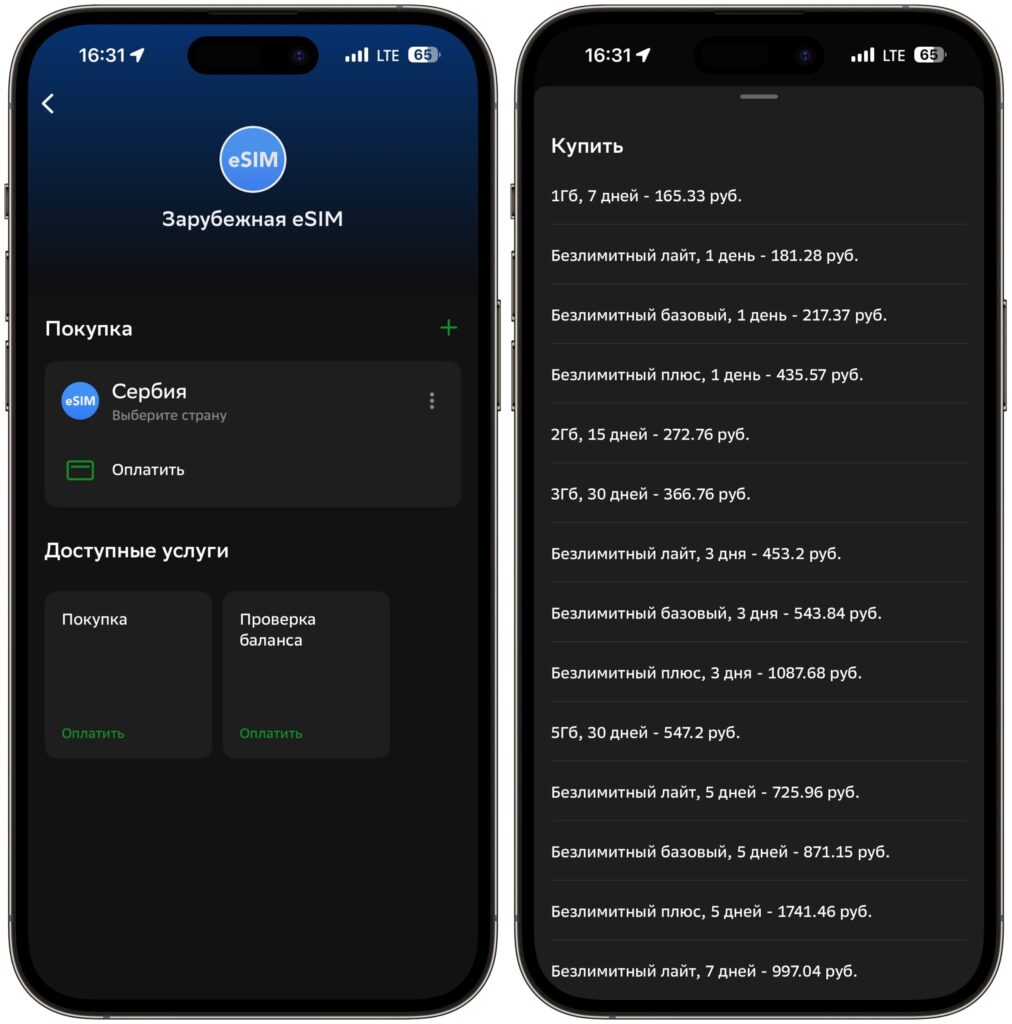
A separate topic that I can’t leave out. If you travel, eSIM for trips abroad is perhaps the most convenient invention of recent years. You used to either have to pay outrageous amounts for roaming or run around the airport looking for a kiosk with local SIM cards. Now everything can be resolved in a couple of minutes right from home.