Hackers have learned a very cunning yet primitive way to steal data from iCloud backups. This allowed them to restore the backup on another iPhone and gain access to all the information stored inside: photos, messages, contacts, logins, passwords, and much more. Let’s break down how they managed to pull this off and what you can do to protect yourself.
iCloud backups under threat: hackers use fake Apple pages for targeted attacks
How Hackers Steal Apple ID and iCloud Access
Unlike the recently discovered Coruna and DarkSword exploits, which used chains of complex vulnerabilities to hack outdated iPhones, this campaign is built on a much more primitive scheme — phishing.

You hand over your Apple ID to hackers yourself
Here’s how the mechanism works: the victim receives a link to a fake page that looks like a real Apple website. The person enters their Apple ID and password, after which hackers gain full access to the iCloud backup — and therefore to all iPhone contents: photos, messages, documents, passwords from the keychain.
How to Tell a Fake Apple Site from a Real One
Nearly 1,500 different web addresses were discovered, created to imitate legitimate services. Among the fake addresses targeting Apple users:
- facetime-web[.]me-en[.]io
- apple[.]id-us[.]cc
- icloud[.]com-ar[.]me
- icloud[.]com-service[.]info
- signin-apple[.]com-en-uk[.]info
Notice: all addresses look similar to real ones but contain additional parts in the domain. This is exactly how phishing works — at first glance, the link appears genuine, but upon closer inspection, the differences become visible.
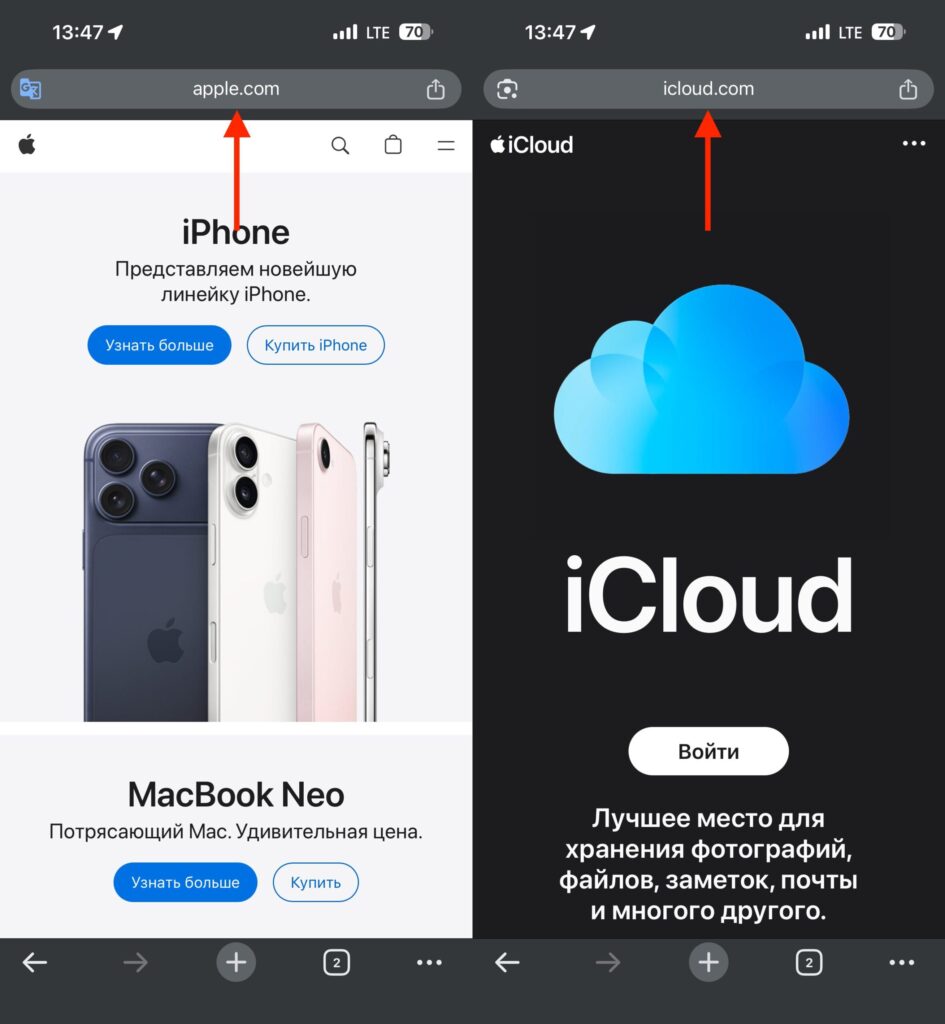
Check what pages you enter your Apple ID on
The website you navigate to should not have any extra parts in the address. If there are any, it’s best to close it and never go back.
How to Protect Your Apple ID and iCloud Backups
The key thing to understand: this attack does not exploit any holes in iOS or iCloud. It is entirely built on deceiving the user. This means the protection is in your hands.
Here’s what you should do:
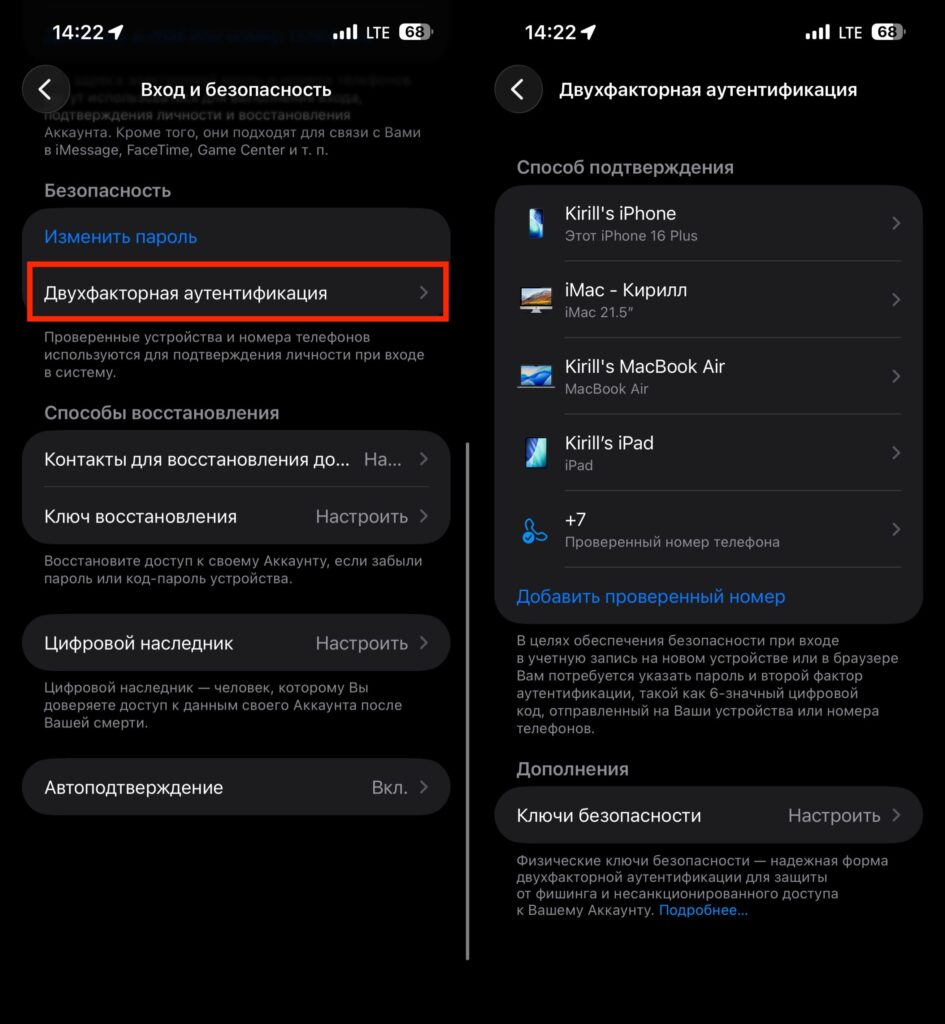
On all new accounts, 2FA is enabled by default, but on older ones, it needs to be enabled in settings
- Enable two-factor authentication for your Apple ID if you haven’t already. Even if someone learns your password, they won’t be able to log into your account without the second factor
- Never enter your Apple ID and password on pages you reached via a link from an email or message. Always open icloud.com or appleid.apple.com manually
- Check the address bar: real Apple websites are always located on the apple.com, icloud.com, or appleid.apple.com domain — without any additional parts
- Use Passkeys if your devices support them — they cannot be “lured out” through a phishing page
Who Is at Risk of iCloud Data Theft
The method itself — fake Apple pages for stealing Apple IDs — is used everywhere and in far more widespread fraud schemes. Phishing emails supposedly from Apple are sent to millions of people around the world. The “enter your Apple ID” scheme remains one of the most effective for scammers precisely because it doesn’t require any technical vulnerabilities — just user carelessness.
If you have two-factor authentication enabled and you don’t click on suspicious links — there’s no need to panic. But checking your Apple ID security settings certainly won’t hurt.