
Why your computer screen hurts your eyes and how to fix it
If your eyes hurt, sting, and feel dry after a workday at the computer, it doesn’t mean you have “weak vision” or that your monitor is “destroying” your eyes permanently. Such dryness and eye fatigue is often caused not by the screen alone, but by lighting, air quality, and prolonged close-up work. Eye fatigue from screens is almost always reversible and more often depends on settings and habits than on the device itself. And most problems can be solved in a couple of minutes without a trip to the store.
Monitor height affects your eyes more than you think
We tend to think that incorrect screen height is about the neck. But a monitor positioned too high fatigues your eyes more than anything. Most people find it more comfortable to look straight ahead or slightly downward — literally at a slight angle.
If the screen is raised too high, you have to keep your eyes wider open, you blink less often — and the eye surface dries out faster. Lower your monitor so that you’re looking at it slightly from above. Most monitor stands have height adjustment, and if yours doesn’t — a regular mounting arm will do the trick.
What distance to the screen is considered comfortable
The old parental “step away from the TV or you’ll go blind” sounds funny when we hold our smartphones 20 centimeters from our faces, or even closer. But there’s some truth to it: a screen that’s too close significantly increases eye strain.
A comfortable distance is considered to be 60 to 100 centimeters — roughly an arm’s length or slightly more. If your monitor is closer, simply push it back or roll your chair away. For narrow desks, a wall mount helps.
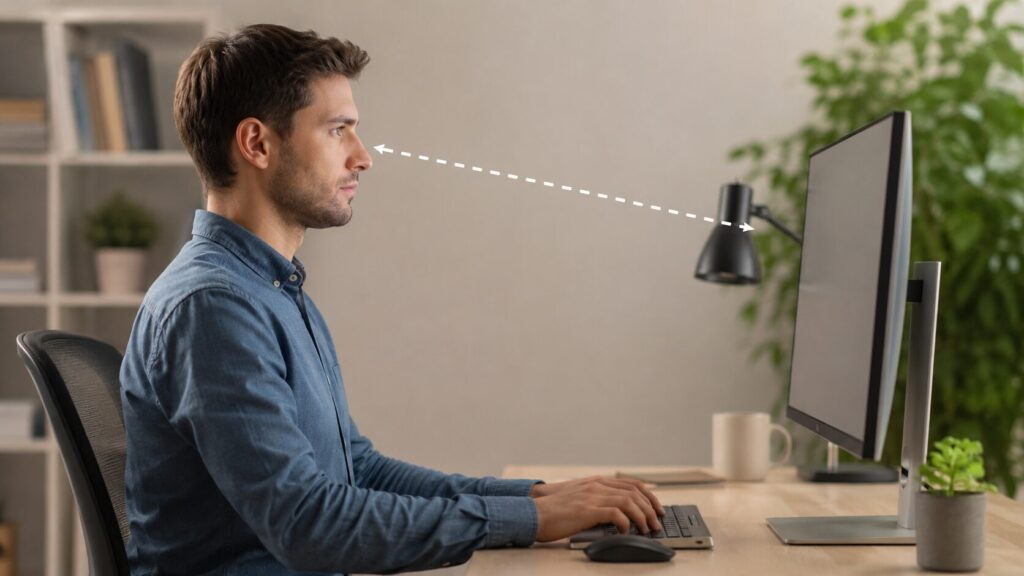
The preferred distance to the screen is 60 to 100 cm, and you should look at the screen straight on or at a slight angle (up to -16 degrees).
A smaller monitor turned out to be kinder to your eyes than a large one
It sounds paradoxical, since everyone dreams of a huge monitor. But for regular office work, smaller screens cause less eye fatigue than enormous ones.
It comes back to blinking again. In front of a large screen, we tend to open our eyes wider and blink less often. Because of this, the tear film doesn’t refresh properly, the eye surface dries out faster, and by the end of the day you get that familiar feeling of grittiness or stinging. People who work on laptops, on average, complain about discomfort less often than owners of large monitors. This isn’t a reason to throw away your monitor, but if you’re choosing between “huge” and “normal” — go with the latter.
Refresh rate and flickering: when it actually matters
Screen flickering is a real cause of fatigue, but today it’s less common. The human eye stops noticing individual frames at around 50 Hz, and almost all modern monitors output at least 60 Hz.
In other words, visible flickering due to low refresh rates is unlikely to affect you. It’s more useful to look for a flicker-free label — this is a technology where brightness is adjusted without rapid backlight flickering. This helps your eyes more than chasing high refresh rates.
Resolution and blue light: where’s the marketing and where’s the benefit
These two topics generate the most fears and advertising. Let’s break them down honestly.
- Resolution. 4K and 8K look more beautiful and sharper, but there’s no convincing evidence that they reduce eye fatigue. Get high resolution for the picture quality, not for your health.
- Blue light. It’s called “harmful” and “dangerous,” but research shows that blue light is not the main enemy of your eyes. What’s more important is that it disrupts sleep, and sleep deprivation then takes its toll on your eyes.
The conclusion is simple: don’t panic about blue light, and instead avoid staring at screens before bed.
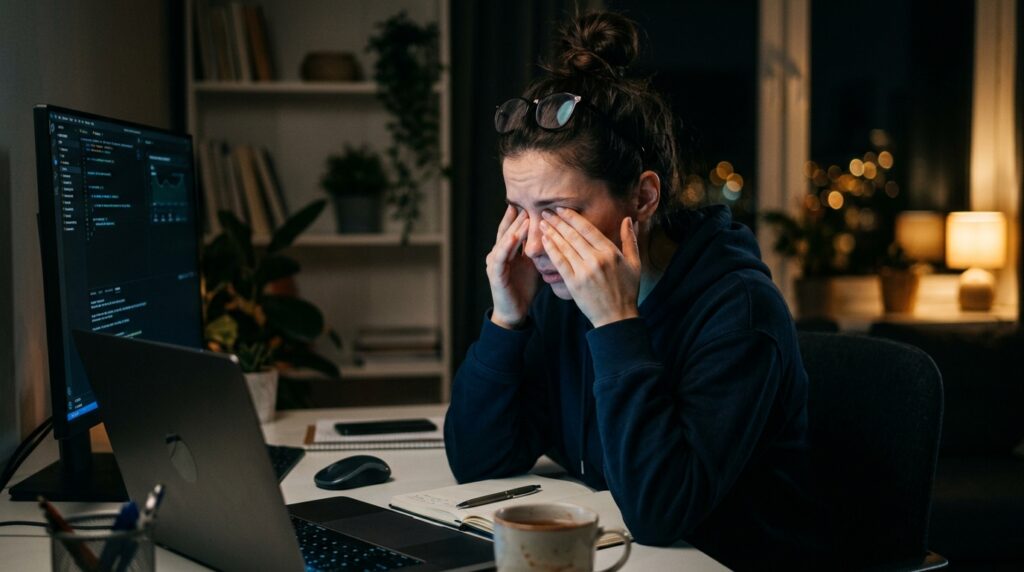
More often, eyes get tired not from “blue light” but from lack of sleep and prolonged focus on a close screen.
Brightness and glare — a common cause of eye pain
Often, to relieve eye strain, all you need to do is reduce the brightness and eliminate glare. An overly bright screen in a dark room or sunlight reflecting off a glossy surface forces your eyes to constantly readjust and tire out faster.
What helps:
- reduce brightness and contrast to match the room’s lighting;
- choose a monitor with a matte coating — it eliminates glare;
- for glossy screens, you can apply a matte protective film.
Curved monitors: are they really more comfortable?
A curved screen follows the shape of your field of vision, so your eyes have to “travel” less to reach the edges. This isn’t just marketing: in studies, people searching for information on a curved monitor reported fatigue and blurriness less frequently than on a flat one.
The curve has a parameter called R — the radius in millimeters at which the screen “wraps around” you. A curvature of 1000R has proven to be the most comfortable for the eyes. If you’re choosing a curved monitor and eye comfort is your priority, look for this value.
What habits help your eyes avoid fatigue from screens
Sometimes the monitor isn’t to blame at all — it’s how you sit in front of it. When your eyes are focused on a close object for hours without a break, strain accumulates on its own.
The most well-known recommendation is the 20-20-20 rule: every 20 minutes, look at an object 20 feet (about 6 meters) away for 20 seconds. Scientists currently debate how strictly this exact formula works, but everyone agrees on one thing: regular breaks for your eyes are beneficial.
So the simplest and most effective rule is to frequently look away from the screen and gaze into the distance, for example out the window. It’s basic, but it genuinely relieves strain.
What to look for in a new monitor for eye health
If you’ve decided to upgrade your monitor and don’t want to suffer again, pay attention to a few things:
- matte coating to prevent glare;
- a flicker-free label or anti-flicker technology;
- a moderate size rather than a gigantic one for office work;
- a 1000R curvature if you’re getting a curved model;
- TÜV Rheinland Eye Comfort certification — it’s not mandatory, but it gives peace of mind, since the monitor has actually been tested.
And a small life hack: if your eyes are sensitive, don’t hesitate to visit a store and spend a couple of minutes looking at different screens in person. That’s why they’re displayed there.
The main takeaway to remember: in most cases, a screen doesn’t permanently damage your vision. Eye fatigue almost always goes away once you adjust the monitor height, distance, brightness, and start taking breaks. However, if pain and discomfort persist for weeks, that’s a reason not to replace your monitor, but to see a doctor.