MacBook Neo isn’t a machine for heavy tasks, and many of its limitations are logical for its class. While the MacBook Neo is a perfect fit for a student, more demanding tasks may reveal problems. But one thing is surprising even against modest expectations: the speed of the built-in storage. It’s not about the capacity (256 GB in the base version), but specifically how fast this SSD reads and writes data.
Turns out the MacBook Neo also has a slow SSD
MacBook Neo 256 GB SSD: Real-World Speed Numbers
The MacBook Neo’s drive delivers about 1.7 GB/s on reads. That’s faster than many external SSDs, but noticeably slower than what Apple puts in most of its recent Macs. For comparison, the MacBook Air with the M5 chip holds around 6 GB/s — a difference of more than three times.
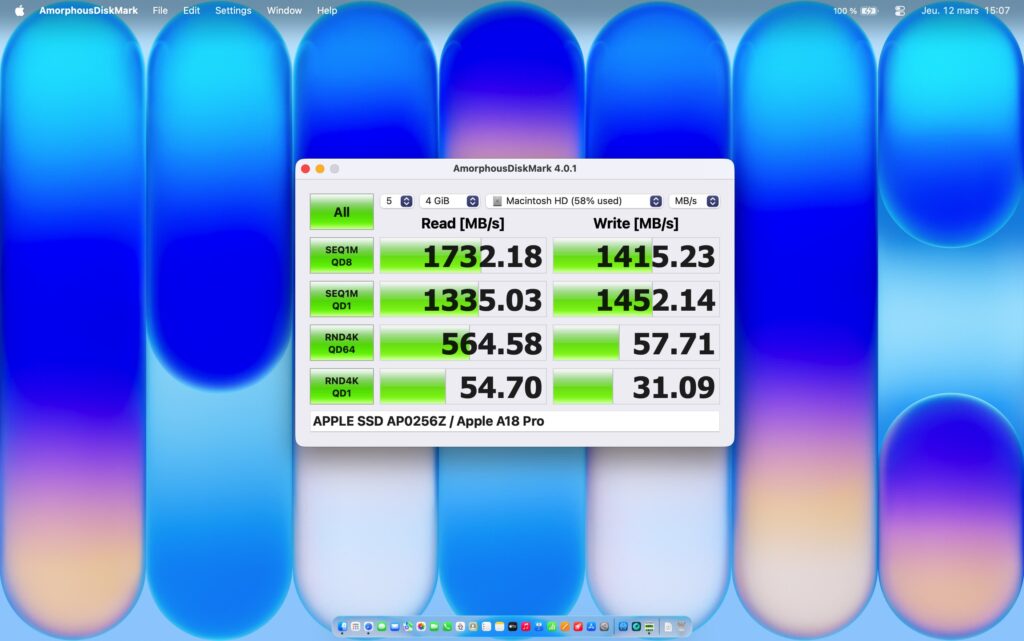
This is the maximum we managed to squeeze out of the Neo
Interestingly, the Neo came out in 2026, but the last time Apple had an equally slow SSD was in the MacBook Air M2 (2022). The reason for this coincidence is exactly one — it lies in how Apple’s storage is designed in general. This is all the more disappointing for the base version: given that the MacBook Neo’s price in Russia has dropped to nearly US levels, you’d expect decent speed for the money.
How the MacBook SSD Differs from a Regular Drive
To understand where the limitation comes from, it helps to recall how storage works in a regular PC. There’s a separate SSD module with its own “brain” — a controller. The controller connects to the processor via PCI-Express lanes (a high-speed channel inside the computer that carries data) and manages multiple memory chips simultaneously in parallel.
In 2026, a typical laptop SSD uses four PCI-Express 4.0 lanes, which is enough for speeds just under 8 GB/s. Top-tier models are moving to PCI-Express 5.0 and doubling the bandwidth. In other words, a separate controller with multiple memory chips easily maxes out the interface on reads.
How the Number of NAND Chips Affects Drive Speed
Apple does things differently. Starting with Apple Silicon computers (as well as Intel Macs with the T2 chip), there is no separate SSD controller — it’s built right into the main chip. The memory itself connects to the chip via PCI-Express lanes.
The key detail: in chips from M1 through M4 (and in A-series chips), each memory chip gets one PCI-Express 4.0 lane. That’s about 2 GB/s of theoretical ceiling per chip, slightly less in practice. From there, it’s simple math: the more memory chips, the higher the total speed, because they work in parallel.
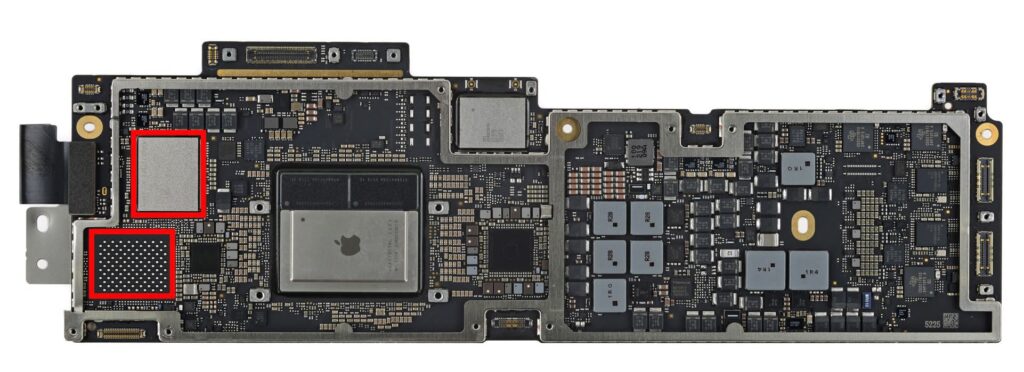
There are two memory slots, but only one is occupied
This is exactly why the Neo is slow. The MacBook Neo has only one memory chip, while the MacBook Pro has two or four. One chip — one channel — hence the ceiling of about 1.7 GB/s. The old base MacBook Air M2 had exactly the same problem: one chip instead of two.
How Drive Speed Affects MacBook Neo Performance
For everyday tasks, the difference between 1.7 and 6 GB/s is nearly unnoticeable: browser, email, notes, music, streaming video — none of these are bottlenecked by drive speed. The pain points begin where you’re working with large files:
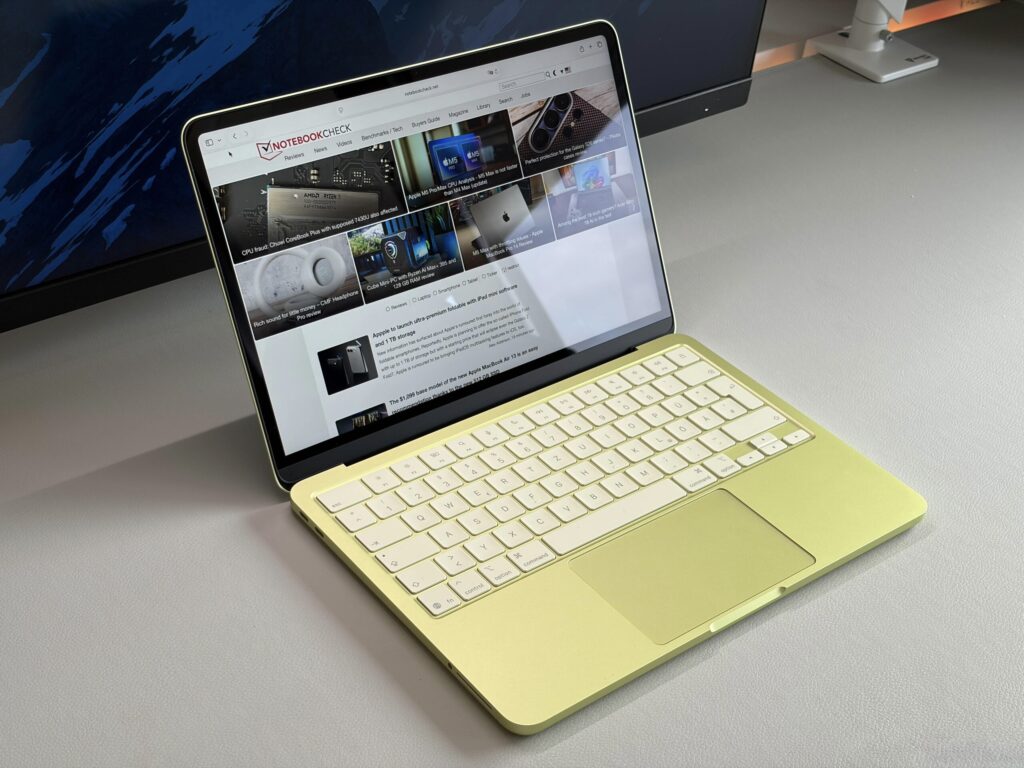
Working with video and heavy files on the Neo will be significantly slower
- copying large archives, photos, and video files
- working with projects in video editing and photo processing
- situations when memory is full and the system actively uses the drive instead of RAM
The last point is especially important for the base version: when RAM runs short, a slow SSD is felt more acutely because the system constantly accesses the disk. Combined with the 256 GB capacity, this is doubly unpleasant — space runs out fast.
How a New Processor Could Speed Up the MacBook Neo’s Drive
The good news is that the problem can be solved with a chip generation change. The new M5 chips have a different memory interface, and the memory chips there are different too — this suggests that Apple’s approach to connecting storage isn’t set in stone.
If a future MacBook Neo gets a newer chip at the A19 Pro level with an updated memory interface, even a single memory chip could work faster, and the 1.7 GB/s ceiling would no longer be a death sentence for the base model. This is a supposition based on how Apple’s architecture has evolved, not a confirmed specification.
Is It Worth Paying More for a MacBook Air Instead of MacBook Neo
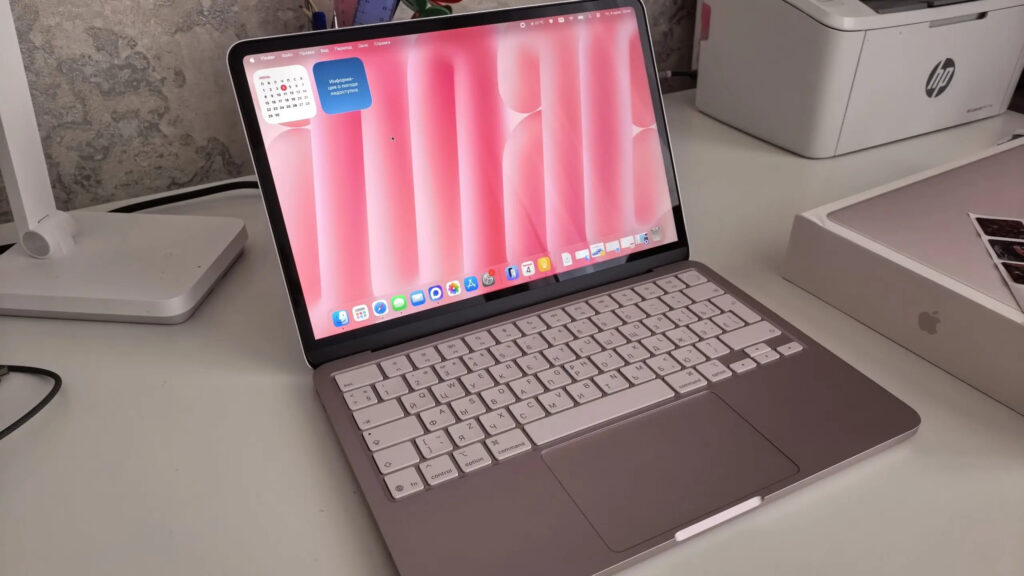
Most people won’t notice the difference between Neo and Air
If you’re getting the Neo for light tasks — studying, documents, web browsing, video — the slow SSD is unlikely to ruin the experience. Drive speed only becomes a problem when working with large files and under memory pressure, and that’s not the primary use case for this machine.
However, those who regularly handle heavy projects or copy large volumes of data would be wiser to look at the MacBook Air or Pro with two or more memory chips — where drive speed is several times higher. And if speed is critical for you, it might be worth waiting for the next generation Neo: a chip upgrade is the most realistic way Apple could improve speed here.