In the comments under reviews of the MAX messenger, stories resembling urban legends have been appearing for a while now. But the other day I stumbled upon something new: people are seriously taking old iPhone XRs to repair shops and asking to have the cameras and microphones physically desoldered. The logic is ironclad: if the hardware isn’t there, no one can spy on you. As it turns out, the built-in iOS tools for checking MAX for surveillance aren’t enough for some people. It sounds like a joke, but there’s a whole philosophy behind it that’s worth examining calmly — without slogans and without excessive irony.
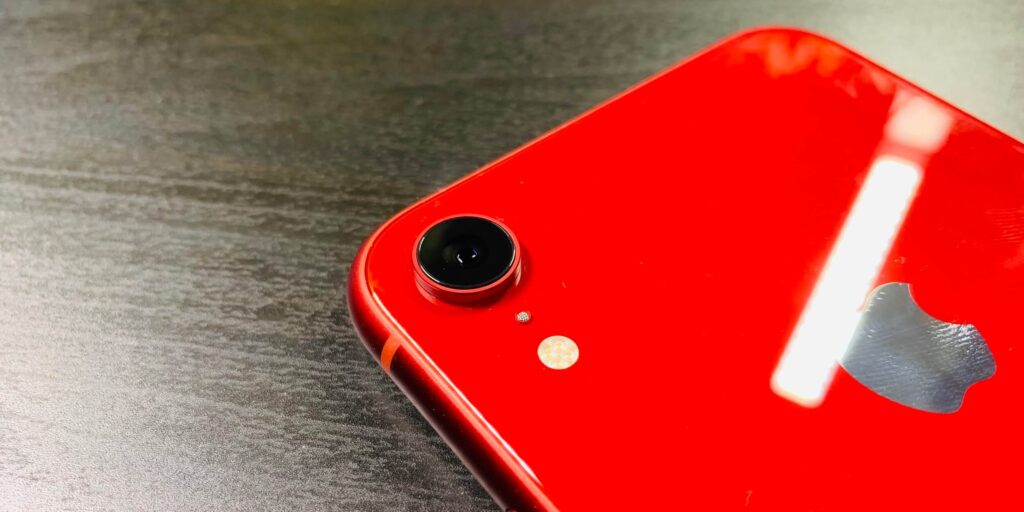
Many people have started buying old iPhones specifically for MAX. Image: lifehacker.ru
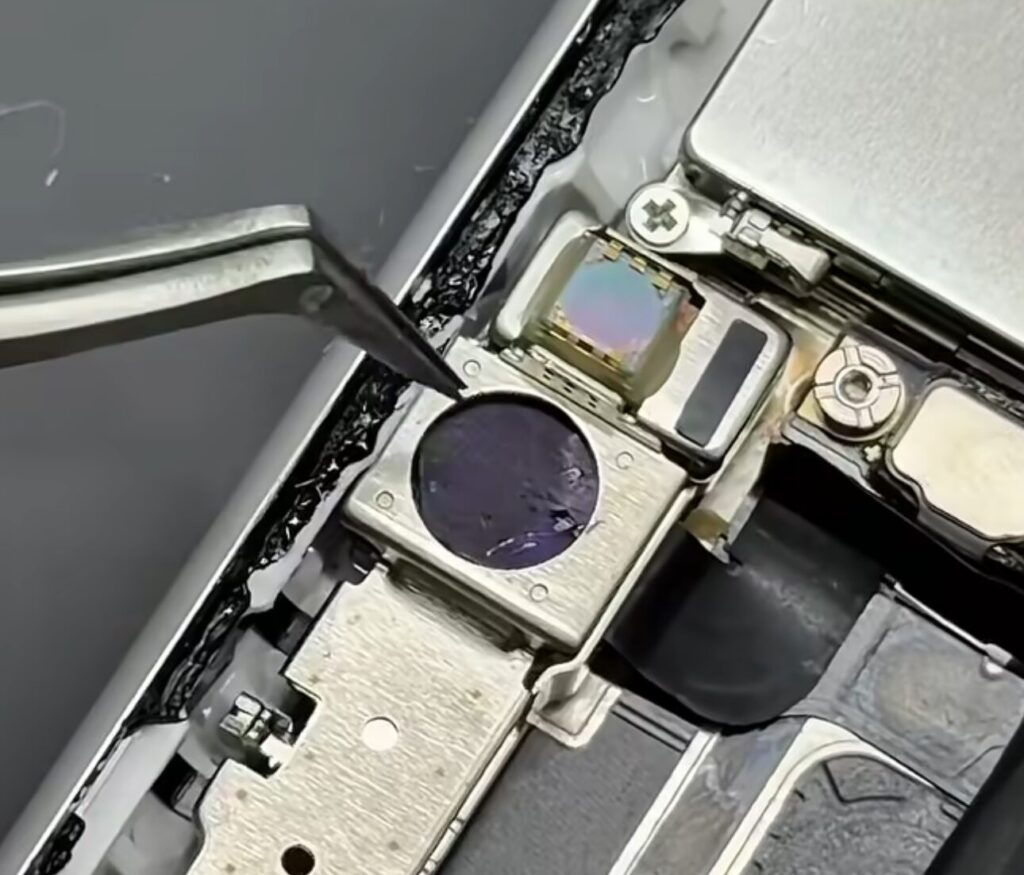
Cameras and Microphones Are Being Removed from iPhones
The scheme is simple. A user picks up a cheap used iPhone XR (they cost next to nothing now and still receive updates), takes it to a service center, and asks to carefully remove both cameras and all microphones. The result is a “dead” device from a surveillance standpoint: even if an app wanted to peek or eavesdrop, there would be nothing to peek or eavesdrop with. After this procedure, the phone is used strictly for MAX, government services, and calls through headphones. Although MAX can still monitor your VPN even in this setup.
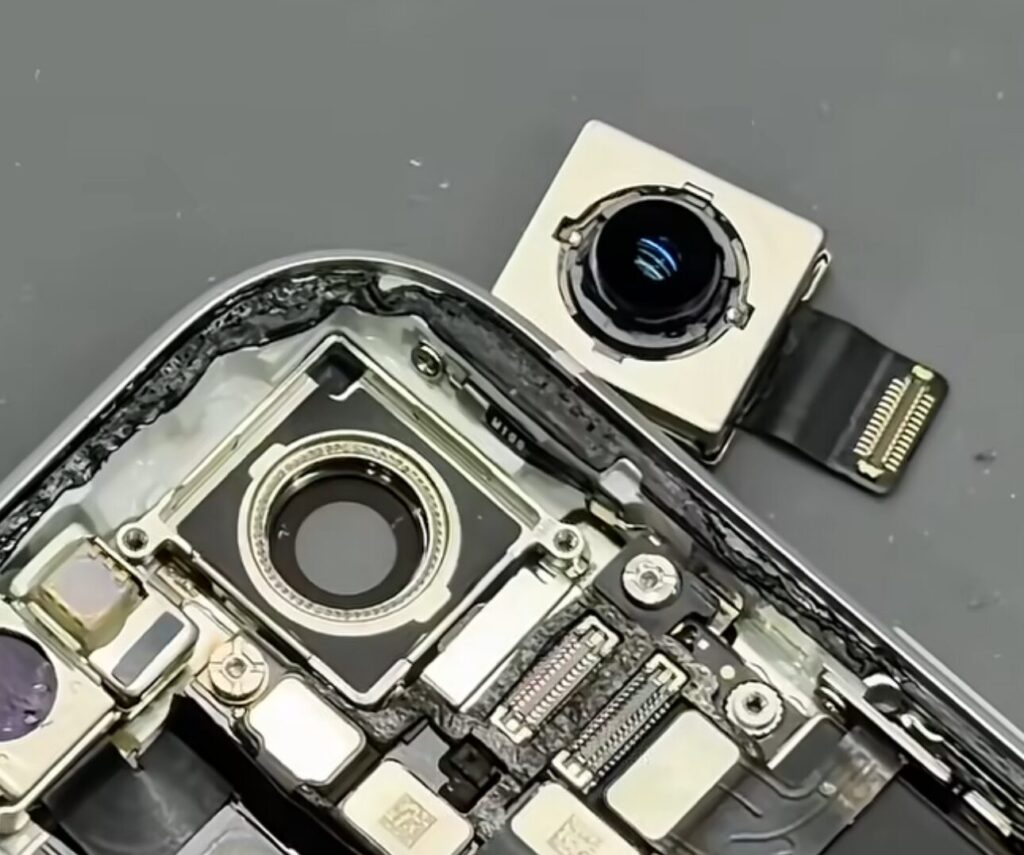
The main camera is removed
The motivation is also understandable. A person doesn’t want to install a “suspicious” app on their primary smartphone but can’t refuse it either: MAX is gradually becoming mandatory for a range of work and government scenarios. The “separate phone for the task” approach isn’t new — journalists, IT professionals, and plain paranoid people have been using it for ages. Only before it was about feature phones, and now it’s about a desoldered iPhone XR.
Does MAX Spy Through the iPhone’s Camera and Microphone?
And here’s where it gets really interesting. Because this whole soldering iron story is built on the assumption that MAX somehow particularly spies on iPhone owners. And this assumption doesn’t hold up even under superficial scrutiny.
The front camera is replaced with a dummy and all microphones are removed
First, iOS is designed so that no app can silently activate the camera or microphone. As soon as this happens, a green or orange indicator lights up at the top of the screen — green for the camera, orange for the microphone. This cannot be bypassed: the indicator is drawn by the system at a level below apps. If you don’t see a dot next to the Dynamic Island or notch — no one is recording or listening to you.
Second, a video recently circulated online where the author claimed they hadn’t touched their smartphone for a week, yet MAX had been accessing the camera and microphone the entire time. “Lapsha Media” investigated this case and showed that the author themselves had set permissions to “Ask Every Time” and had personally granted access the day before at 19:37. iOS honestly logged this — the video turned out to be fake, picked up by opposition channels.
Third, MAX on iPhone requests exactly the same permissions as Telegram, WhatsApp, or any other messenger: the camera for video calls and video messages, the microphone for voice messages, Face ID for digital ID. Apple simply won’t allow anything beyond this into the App Store.
How to Check App Access to iPhone Camera and Microphone
iOS has a built-in tool that for some reason very few people remember — the App Privacy Report. It shows when and which app accessed the camera, microphone, location, contacts, and so on. Here’s how to enable it:
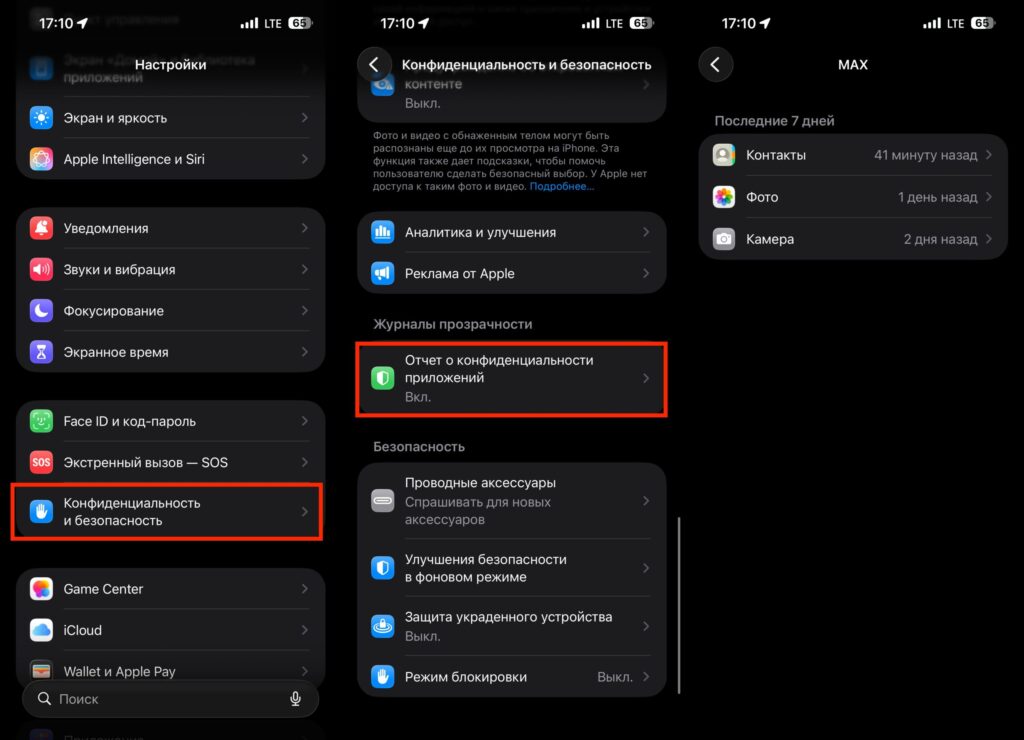
Here you can see when an app accessed the camera and microphone
- Open “Settings” — “Privacy & Security”;
- Scroll down to “App Privacy Report”;
- Turn on the toggle and wait a couple of days for data to accumulate;
- Return to the same section and see what and when MAX requested.
This is the objective picture that can’t be fabricated with a fake video. If MAX were really accessing the camera at night, it would be visible in the log in black and white. So far, no serious researcher has shown such logs.
Physically Disabling the Camera and Microphone: When It Makes Sense
To be fair, the “better to desolder than trust software” approach isn’t pulled out of thin air. There’s an entire category of devices for the privacy-conscious where hardware kill switches for the camera and microphone are a standard feature. The PinePhone and Purism’s Librem 5 are built exactly this way: you open the cover and flip a toggle that physically breaks the circuit. This makes sense when you don’t trust the operating system in principle — for example, if you work with sensitive sources or have genuine reasons to fear a targeted attack.
But iOS is not Android with a custom firmware from an unknown vendor. Apple has control over the hardware, the kernel, permissions, and the app store simultaneously. And if you trust iPhone enough to store banking apps, passwords, and Face ID on it — the logic of “only a soldering iron will save me from MAX” looks strange. Either you don’t trust iOS as a whole (in which case you should have been desoldering things long ago and not just because of MAX), or you do trust it — and then a regular toggle in settings is sufficient.
MAX Settings to Enable for Security
If the anxiety won’t go away but you still need to install the messenger, here’s a sensible minimum without a soldering iron:
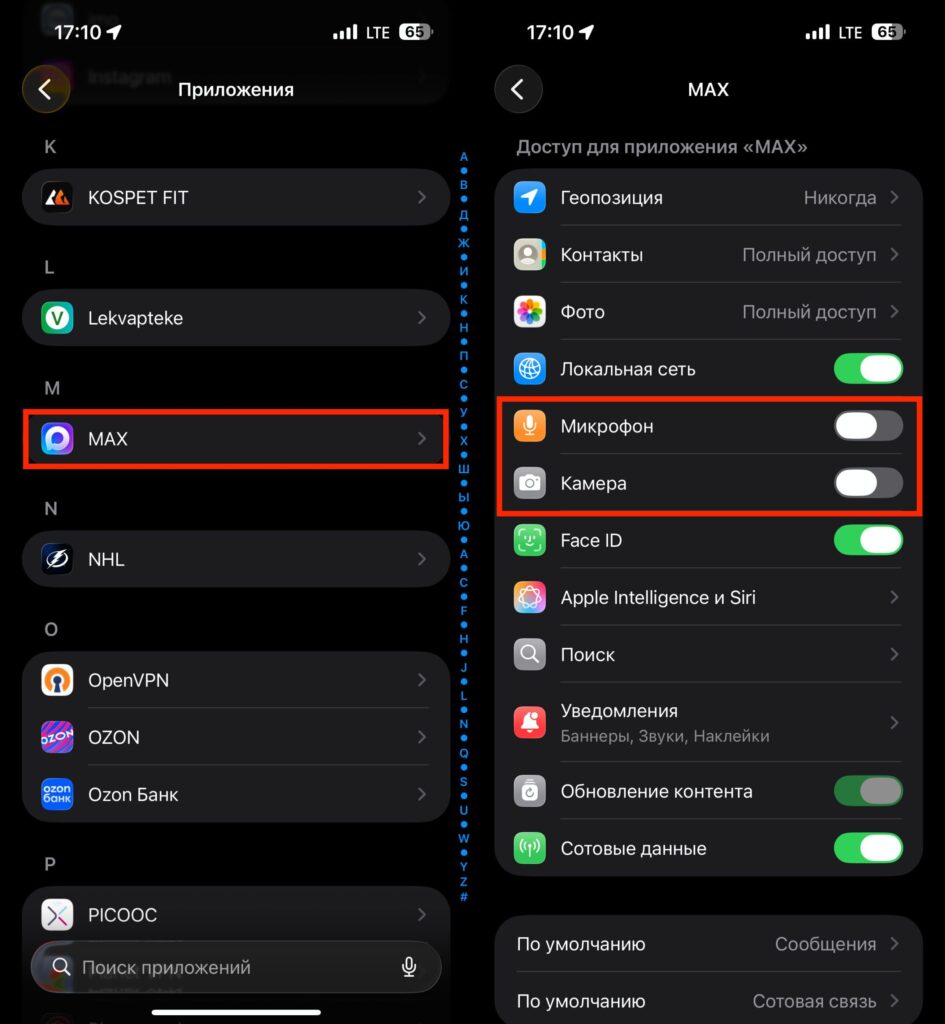
Turning off these toggles is the same as removing the camera and microphone from the smartphone
- In “Settings” — “Apps” — “MAX,” disable access to the camera and microphone. Only enable them during video calls;
- In microphone permissions, select “Ask Every Time” — iOS will show a prompt before each access;
- Enable “App Privacy Report” and check the logs once a week;
- Disable background app refresh for MAX in “General” — “Background App Refresh”;
- If you’re really scared, install MAX on a separate old iPhone without personal data. Just don’t sign in with your Apple ID.
This set of measures solves exactly the same problem as removing the microphones — but it’s reversible and doesn’t turn a working smartphone into a disposable terminal.
Should You Remove the Camera and Microphone from Your iPhone?
The story of desoldering cameras from iPhone XRs is essentially a monument to distrust. Distrust not of MAX per se, but of the idea that anything on a smartphone app can be controlled at all. And I understand people who think this way: the information landscape of recent years doesn’t inspire calm. But specifically in the case of iOS, the technology works on your side: indicators, access logs, permission toggles, App Store review — all of this is already built in and already protects you from the exact scenario that owners of “desoldered” iPhones fear.