Let’s see how iOS 26.4.1 affected iPhone battery life
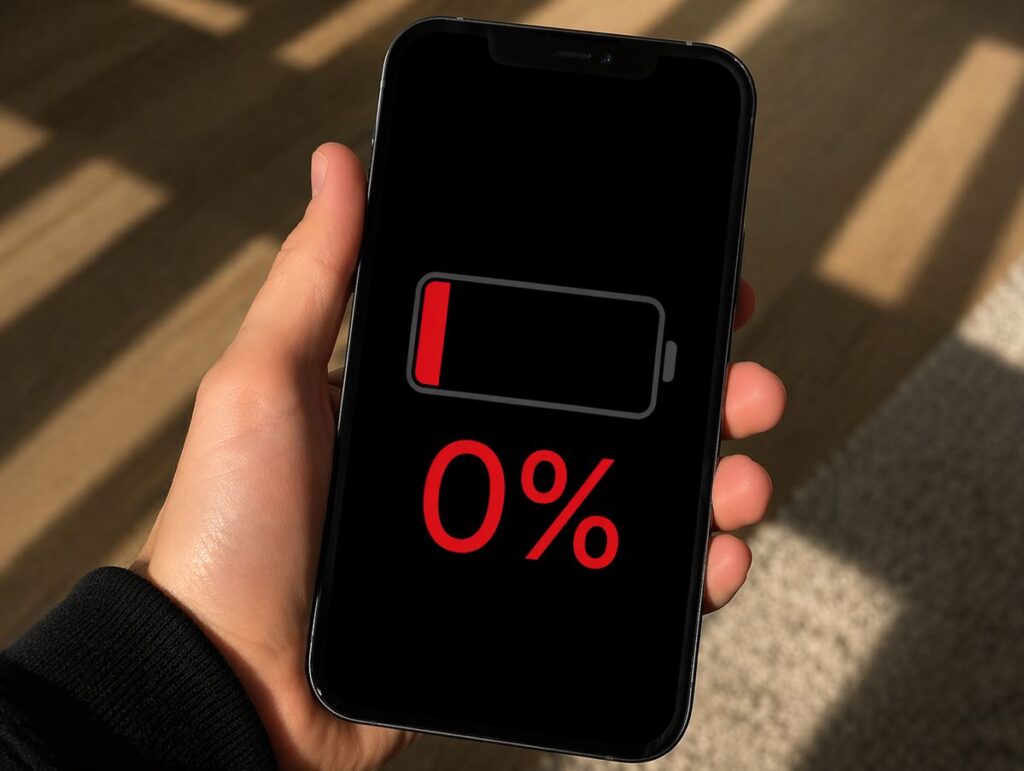
The new iOS 26.4.1 is a typical interim update that nobody was particularly waiting for, but which Apple released to fix accumulated bugs. No headline features, no AI capabilities — just targeted fixes. And that’s arguably a good thing: such builds are often even more beneficial for the user than major releases packed with new features. But like any other build, iOS 26.4.1 affects iPhone battery life — there’s no doubt about that. A fresh study and feedback from real owners will help us figure this out.
What’s New in iOS 26.4.1
The main thing in iOS 26.4.1 is the patching of several security vulnerabilities, which Apple discusses sparingly in its traditional manner. Plus fixes in Apple Music (after iOS 26.4, many complained about crashes in Playlist Playground), corrections to offline Shazam functionality, and elimination of keyboard freezes for some users. The build also resolved an issue with random iPhone reboots when connecting to certain USB-C accessories.
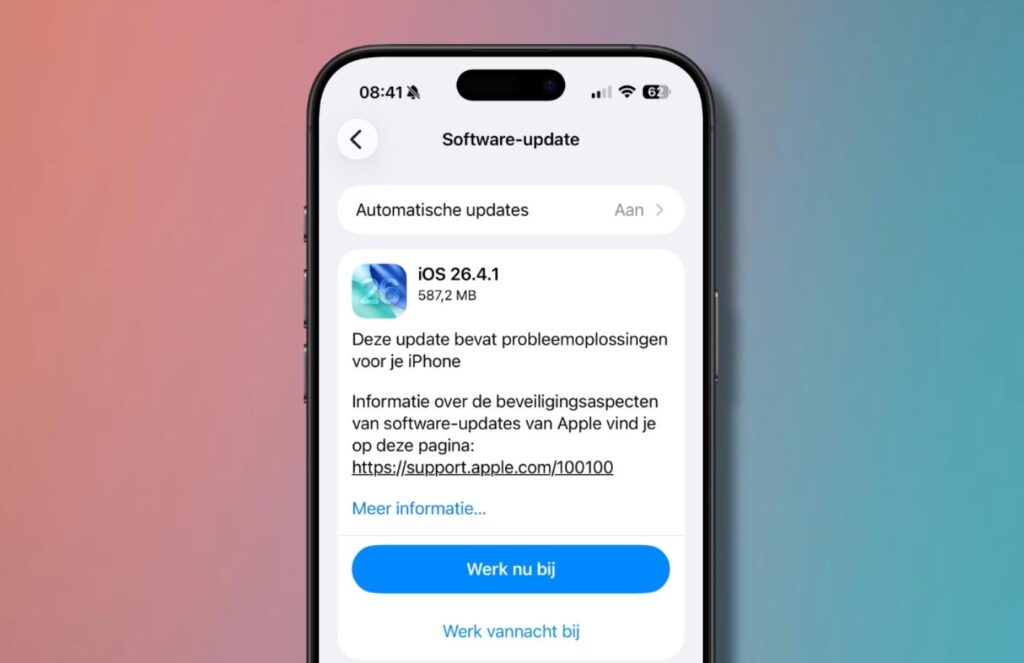
Don’t expect new features from this iOS update
- Security patch closing vulnerabilities in WebKit and network components.
- Fixes in Apple Music, including Playlist Playground stability.
- Elimination of minor keyboard and Face ID bugs.
- Resolved issues with USB-C accessories that caused reboots.
The update is small, so the main question is interesting: how has iPhone battery life changed with iOS 26.4.1? Especially considering that the battery life on iOS 26.4 was mixed — some gained, some lost. Let’s dig in.
iPhone Battery Life with iOS 26.4.1 — Test Results
Following the well-established tradition, blogger iAppleBytes conducted a battery life test on six iPhone models — from the oldest iPhone SE 2020 to the latest iPhone 16. Testing conditions were standard: identical brightness, identical set of tasks, identical battery health for each unit.
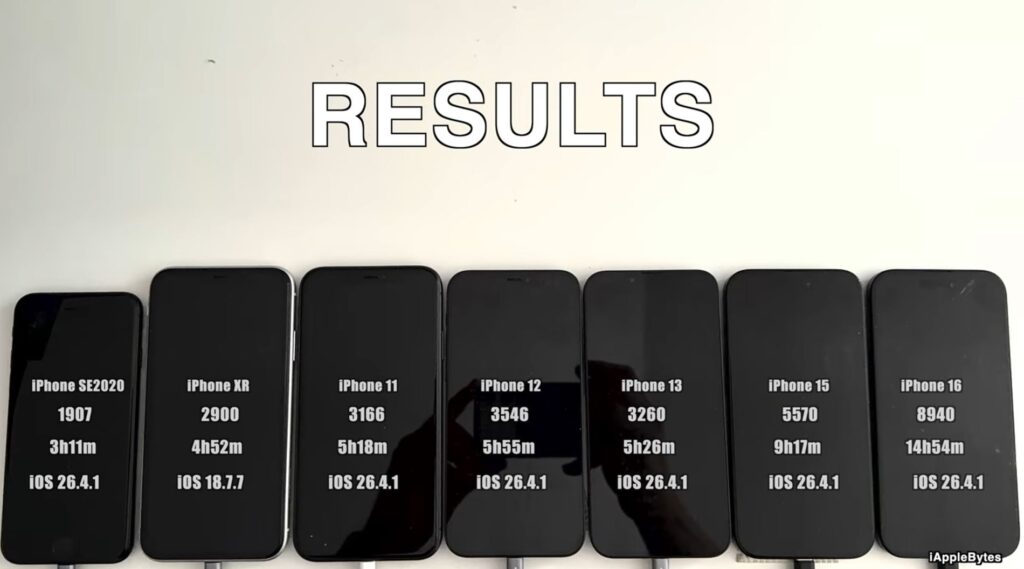
New study — new numbers
I compared the results with four iOS versions at once: the recent iOS 26.4, last year’s iOS 18.4.1, and the year-before-last iOS 17.4.1. The result was a very illustrative retrospective.
| Model | iOS 26.4.1 | iOS 26.4 | iOS 18.4.1 | iOS 17.4.1 |
|---|---|---|---|---|
| iPhone SE | 3 hours 11 minutes | 3 hours 20 minutes | 3 hours 22 minutes | 3 hours 33 minutes |
| iPhone 11 | 5 hours 18 minutes | 5 hours 27 minutes | 5 hours 31 minutes | 4 hours 55 minutes |
| iPhone 12 | 5 hours 55 minutes | 5 hours 55 minutes | 5 hours 43 minutes | 5 hours 50 minutes |
| iPhone 13 | 5 hours 26 minutes | 5 hours 24 minutes | 6 hours 41 minutes | 6 hours 40 minutes |
| iPhone 15 | 9 hours 17 minutes | 9 hours 19 minutes | 9 hours 26 minutes | 10 hours 22 minutes |
| iPhone 16 | 14 hours 54 minutes | 14 hours 59 minutes | 13 hours 47 minutes | — |
The first thing that stands out — iOS 26.4.1 barely affected battery life compared to iOS 26.4. The difference for almost all models is measured in minutes, and that’s generally a good sign: such modest updates shouldn’t break what already works. But there are still nuances.
- iPhone SE continues to lose ground. Minus 9 minutes compared to iOS 26.4, minus 11 minutes compared to iOS 18.4.1, and a full 22 minutes of decline relative to iOS 17.4.1. For a smartphone that barely lasts just over three hours in testing, every minute counts. It’s clear that the oldest model in the lineup is gradually losing ground with each iOS 26 build.
- iPhone 11 also dipped slightly — minus 9 minutes compared to iOS 26.4. But looking at the bigger picture, the result remains excellent: compared to iOS 17.4.1, it’s plus 23 minutes. The update to 26.4.1 didn’t bring anything critical, just a slight correction.
- iPhone 12 — a perfect zero. The same result as on iOS 26.4, which happens extremely rarely. At the same time, compared to iOS 18.4.1 there’s a 12-minute gain, and compared to iOS 17.4.1 — only a 5-minute difference. Owners of this model got lucky: over two generations of iOS, battery life has barely changed.
- iPhone 13 — still painful. Plus 2 minutes compared to iOS 26.4 — that’s more of a test margin of error than a real improvement. But if you compare it with iOS 18.4.1 and iOS 17.4.1, the picture is grim: minus over an hour. This is arguably the most affected model in the entire iOS 26 lineup — and iOS 26.4.1 didn’t fix the situation.
- iPhone 15 stays stable: minus 2 minutes compared to iOS 26.4. But looking at iOS 17.4.1, the difference is already over an hour — 65 minutes. Apple is clearly trimming battery life on the iPhone 15, presumably in favor of optimization for Apple Intelligence and other new features.
And the iPhone 16: it lost a negligible 5 minutes compared to iOS 26.4, but still remains the leader in battery life. Nearly 15 hours — a result unreachable for all other models. And compared to iOS 18.4.1, there’s a gain of over an hour, which once again confirms: Apple is optimizing iOS 26 for modern smartphones. There’s no longer any doubt about that.
Does iOS 26.4.1 Kill iPhone Battery
Short answer — no, the new iOS doesn’t harm your iPhone. Long answer — it depends on which smartphone you have. To simplify, iOS 26.4.1 just solidifies what was already the case in iOS 26.4: iPhone 16 and iPhone 12 feel great, iPhone 11 and iPhone 15 hold up confidently, while iPhone SE and iPhone 13 continue to suffer.
iPhone 13 is once again among the losers
iPhone 13 remains the main victim of iOS 26. On iOS 18.4.1 it lasted 6 hours 41 minutes, while on iOS 26.4.1 — only 5 hours 26 minutes. That’s minus 75 minutes — over an hour of battery life evaporated over two system generations. And iOS 26.4.1 specifically didn’t fix this problem, despite users’ hopes. If you have this particular model and your battery is already wearing out, I advise delaying the update as much as possible or at least preparing for reduced battery life.
iPhone SE is also in the risk zone — it loses a little with each build. Over the journey from iOS 17.4.1 to iOS 26.4.1, the smartphone lost 22 minutes, which is quite noticeable for its modest battery. On the other hand, a 2020 model is already showing its age, and you shouldn’t expect miracles from it.
An important reminder: iPhone battery life tests are synthetic benchmarks. They’re conducted on specific units with specific battery health, under specific conditions. In reality, your results may differ — both for better and for worse. But such tests reflect the overall trend across the model lineup quite accurately.
iOS 26.4.1 — User Feedback
As always, we recommend checking feedback from other users to know how iPhone battery life changed after the update. We recently shared our own impressions after updating iPhone to iOS 26.4.1 — be sure to check it out.