The official Telegram has long been able to switch between accounts right inside the app — up to three profiles for free and four with Premium. That’s enough for most people, but only until you want to completely separate personal and work messaging: with different icons on the home screen, different notifications, and different histories. At that point, one app isn’t enough — you need a second Telegram client that will live alongside the main one. Let’s figure out how to do this on iPhone in 2026, now that Telegram X has disappeared from the App Store, and Telega turned out to be spyware that could leak your conversations anywhere.
You can use multiple Telegrams on iPhone
Why Install a Second Telegram on iPhone
The most obvious scenario is separating personal and work life. In one app you have friends, family, and favorite channels; in the other — clients, colleagues, and project chats. On the home screen, these look like two different icons that can be placed in different folders, with different themes and independent notification settings. Turn off the work one at night — and sleep in peace.
The second scenario is more than three accounts on one device. The official Telegram allows you to hold three profiles simultaneously for free, with a fourth available through a Premium subscription. If you manage multiple channels, work with clients in different time zones, or have a separate account for public activity, three slots quickly become insufficient. Third-party clients remove this limitation — some can hold up to ten accounts, others have no limit at all.
The third scenario is visual separation. When you have two apps, you physically can’t mix up a chat with your boss and a chat with a friend. It sounds trivial, but until you try living with two clients, you won’t appreciate it.
Switching between profiles within a single Telegram works, but it has several non-obvious downsides. First, there’s only one icon on the home screen — and you can’t see that a notification came specifically to your work account without pulling down the notification shade. Second, switching requires waiting for data to load each time — especially noticeable on older iPhones that already have issues running Telegram. Third, all accounts share the same app settings: theme, text size, notification behavior by category. If you want your personal Telegram in light theme and your work one in dark theme, you’re out of luck.
That’s exactly why many people go the route of installing a second client. And this is where it gets interesting.
What Happened to Telegram X and Telega
It used to be simple: the App Store had the official Telegram X — the one with the black icon that Pavel Durov once bought from a third-party developer and turned into an “experimental” version of the messenger. People installed it specifically for a second account — the interface was almost the same, the engine was different, and the icon was immediately distinguishable from the main Telegram.
Now Telegram X is no longer in the App Store. Apple removed it from search results, updates haven’t been released in several years, and new users can’t download the app. The only way to get it back is if you installed Telegram X before — then it remains in your purchase history. Open the App Store, tap your avatar in the top right corner, go to the “Purchased” section, and find Telegram X through search. However, unfortunately, it won’t work anymore. You won’t be able to log in, and every time you try, you’ll get an error.
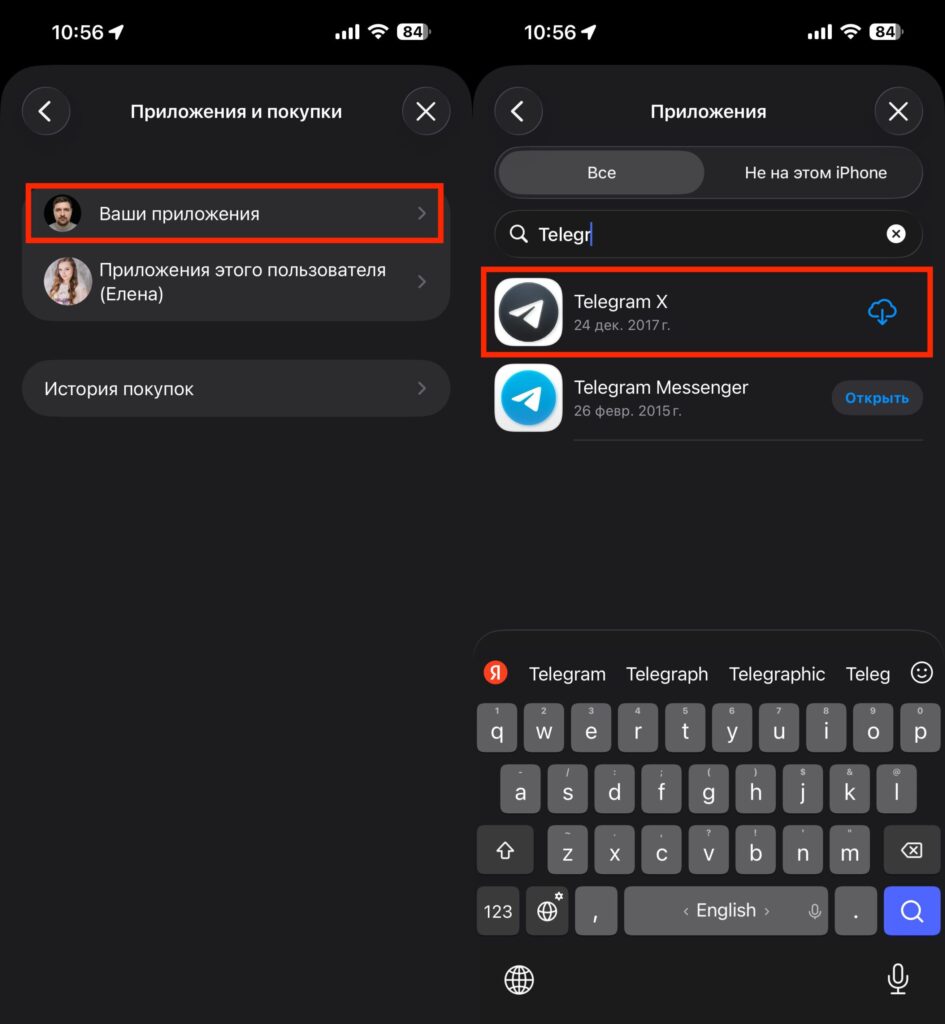
Telegram X can be retrieved from purchase history
The second option that many Russians had in 2026 was the Telega client from a Kazan-based company. It could bypass blocks, supported calls without a VPN, and for a while was second in the top free apps in the App Store’s “Social Networking” category. Then on April 9, 2026, it was removed from the App Store on all fronts. The reason was harsh: Cloudflare flagged the project’s domains as spyware, GlobalSign revoked the TLS certificate, and researchers at RKS Global had published an analysis back in March claiming that Telega was replacing Telegram data center addresses with its own servers in Kazan, transmitting phone numbers and Telegram IDs to VK via the MyTracker service, and routing calls through Odnoklassniki’s infrastructure.
So Telega is not an option. Even if you find an APK for Android or an old build, using it on your main account is dangerous: it could theoretically be used to read your messages.
Which Telegram Clients Are Available in the App Store in 2026
The good news is that the App Store still has legitimate alternative clients built on Telegram’s open-source code that have passed Apple’s review. Here’s a current short list:
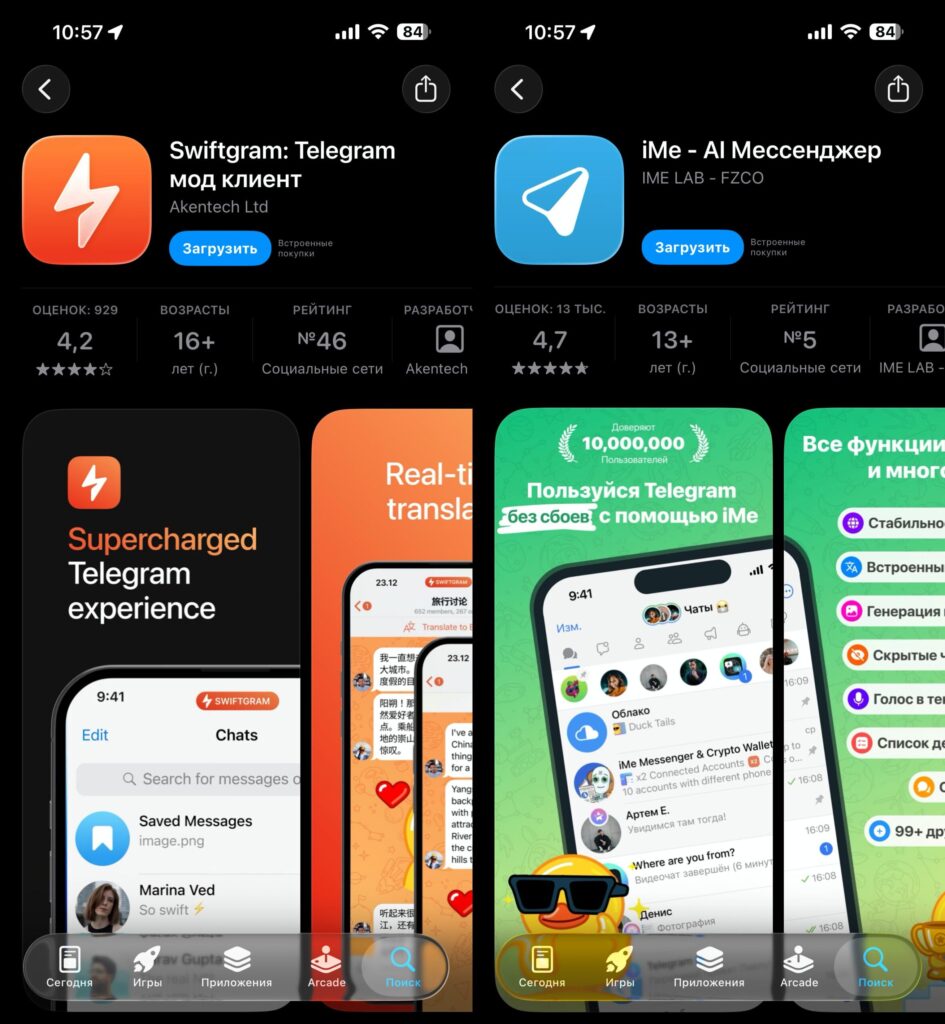
The App Store has a sufficient number of alternative TG clients
Swiftgram — a minimalist open-source client with no ads, no AI wallets, and no other bloat. It’s essentially the official Telegram but stripped of Stories (which can be disabled), with faster voice message transcription and AirPlay support for video. Visually almost indistinguishable from the original, but with a different icon — exactly what you need for a second client. The project is developed openly, which addresses the main concern about third-party apps.
Nicegram — the most well-known alternative that took the “all-in-one” approach. It features the Lily AI assistant powered by GPT-5, Gemini, and Claude, a built-in non-custodial Web3 wallet, and — importantly for our topic — an unlimited number of accounts. If you need to keep five or more profiles on one iPhone, this is your option. The downside is an overloaded interface, and you’ll likely never open some of the features.
iMe Messenger — similar to Nicegram in its “super app” philosophy: AI assistant, crypto wallet, translator, voice message transcription, flexible folders with tags. Supports up to five accounts without purchases. According to reviews, it’s more stable than Nicegram, but the interface is even more packed.
All three apps are officially approved by Apple and installed from the App Store in the standard way. They never request someone else’s Apple ID, don’t ask you to install a configuration profile, and don’t require certificates. If someone online offers you a “special Telegram” download via a link or profile — close the page, it’s almost certainly a scam.
Installing a Second Telegram on iOS: Step-by-Step Guide
The procedure is the same for any client from the list above. I’ll walk through it using Swiftgram as an example, because personally I’d start with that one.
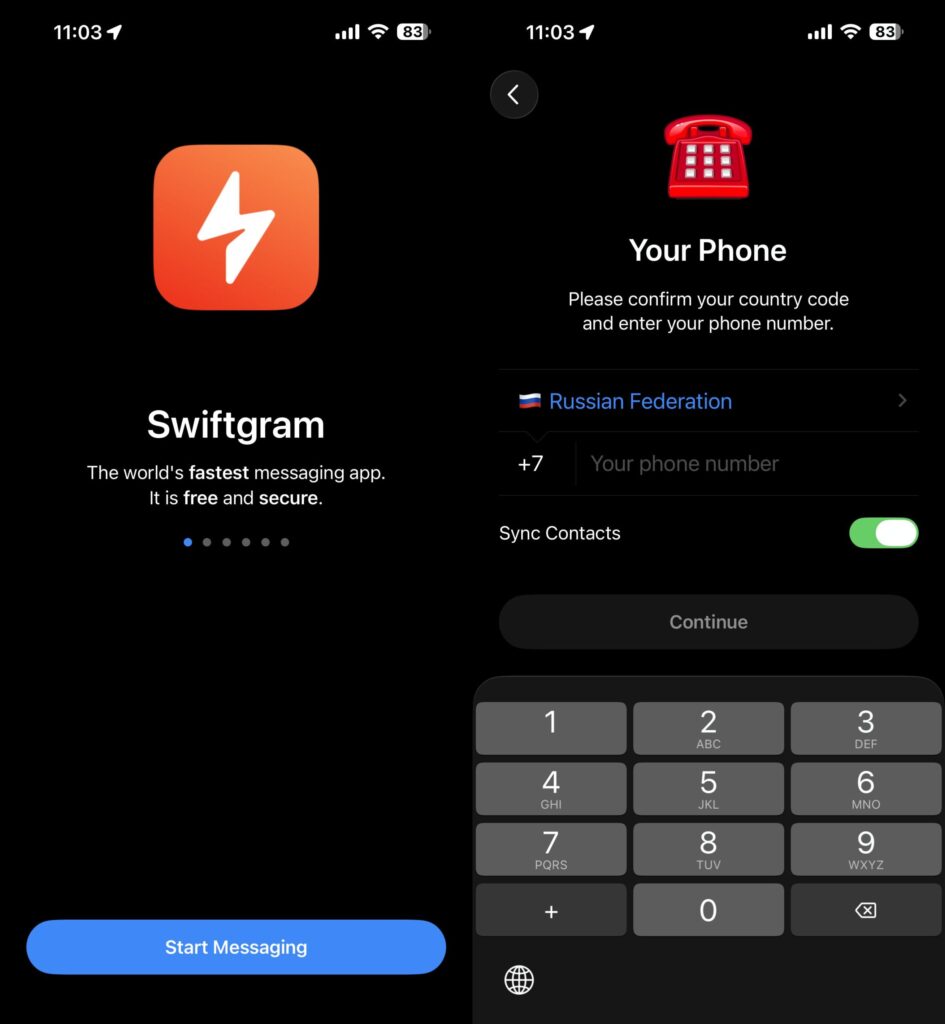
Authorization in Swiftgram looks exactly like in Telegram
- Open the App Store on your iPhone.
- In the search bar, type the client’s name — Swiftgram, Nicegram, or iMe Messenger.
- Make sure the developer matches the official one: for Swiftgram it’s Swiftgram, for Nicegram — Appvillis, for iMe — iMe Lab OÜ. Fakes in the App Store are extremely rare, but it doesn’t hurt to check.
- Tap “Get” and confirm the installation via Face ID, Touch ID, or your Apple ID password.
- After installation, open the app — it will greet you with the familiar Telegram login screen.