So much has been said about the new Siri and Apple Intelligence at WWDC 2026 that it’s easy to miss what really matters behind all the big promises. The key point is that the smart assistant isn’t available to everyone yet: many people are still on the waitlist and can only read about the announcements. But everything else in iOS 27 works right now, and anyone can install the first iOS 27 beta. Among the minor changes, there are several that I use more often than I expected. Here are nine features that are easy to overlook, but they’re the ones that actually change the everyday experience.
We found truly useful iOS 27 features
How to Make a Photo from a Video on iPhone
A familiar situation: you shot a video and then wanted to pull out one great frame. Previously, you had to take a screenshot, crop it, and only then send it somewhere. The quality obviously suffered in the process.
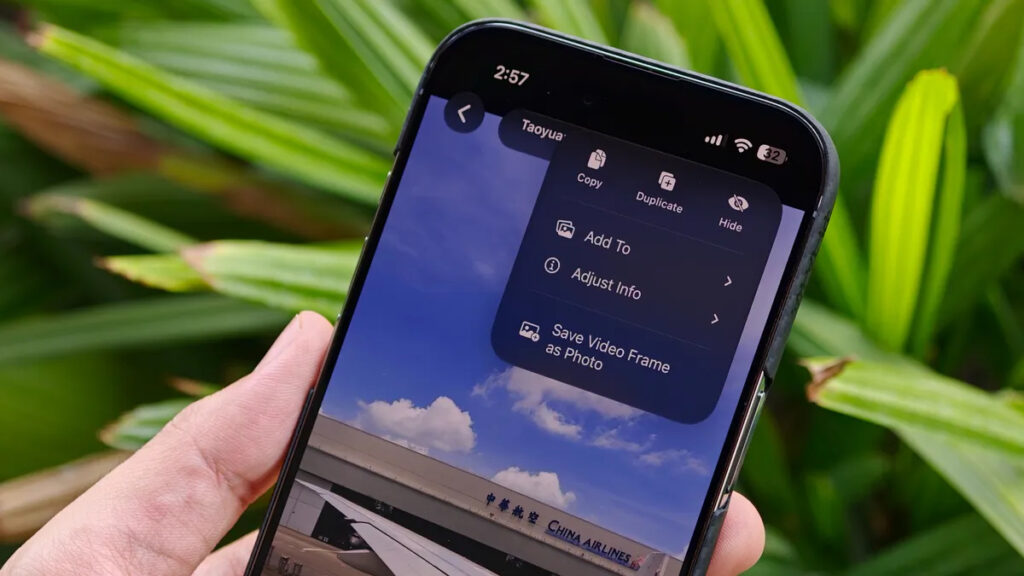
You can create a photo from a video right in the gallery
In iOS 27, it’s much simpler. While watching a clip, tap the three-dot menu in the upper right corner and select “Save Frame as Photo.” The system will extract the desired moment and save it to your media library as a separate image, in full resolution, not as a cropped screenshot.
Force Upload Photos to iCloud on iPhone
Not everyone buys an iPhone with years’ worth of storage to spare, so iCloud is an important thing for many. But there was one old pain point: iCloud Photos usually waited until the phone was connected to Wi-Fi and charging before uploading pictures to the cloud.
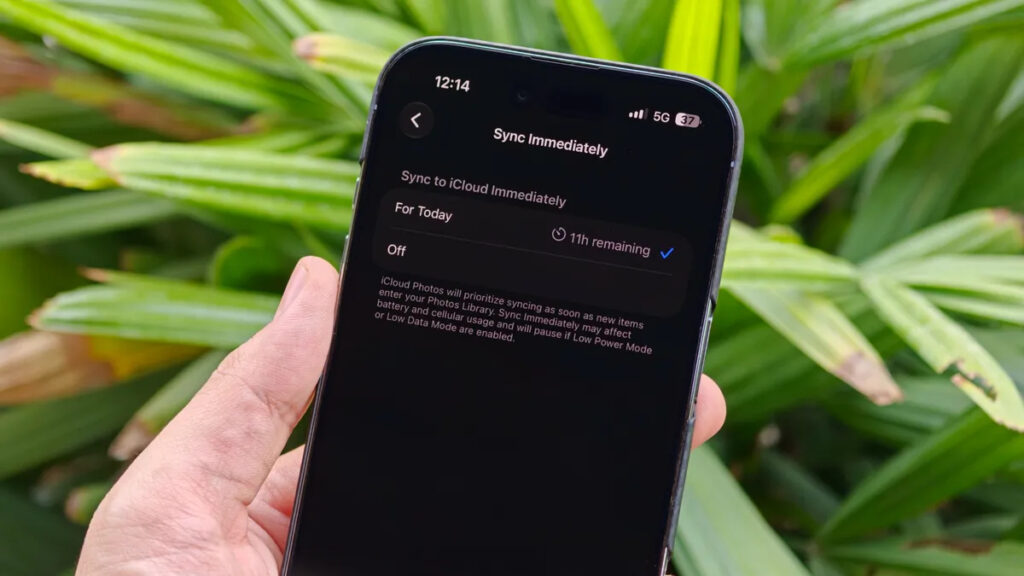
Flexible iCloud sync settings
Now there’s more control. You can start the upload right away without waiting for the right conditions. This is useful on trips: you take a ton of photos and immediately send them to the cloud, just in case the phone gets lost, stolen, or ends up in a pool.
The most convenient part is that the mode can be enabled for just one day. After that, iOS will automatically return to its usual behavior, and you won’t have to remember what settings you changed.
Find All Photos Taken on Your iPhone
People have been asking for this for years. Until now, the Photos app lumped everything together: camera shots, images from WhatsApp and Telegram, and screenshots. Apple separated videos and screenshots, but there was no dedicated section specifically for your own photographs.
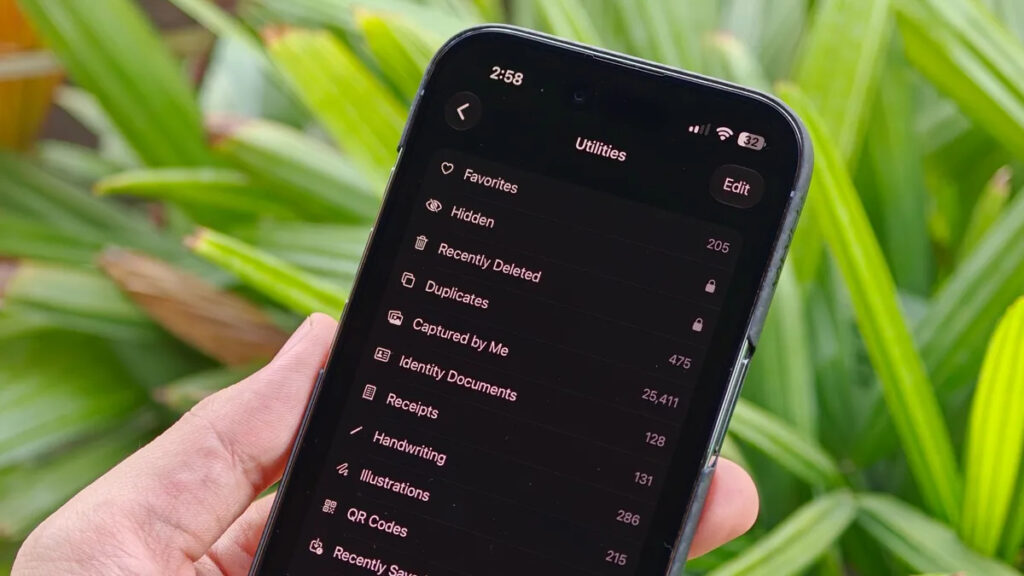
Now you can select only images taken on your iPhone
In iOS 27, it’s here. To find it, open the “Collections” tab, then “Utilities,” and the “Taken by Me” option. From there, you only see what you shot yourself — no one else’s memes or forwarded images.
Separate Alarm Volume on iPhone
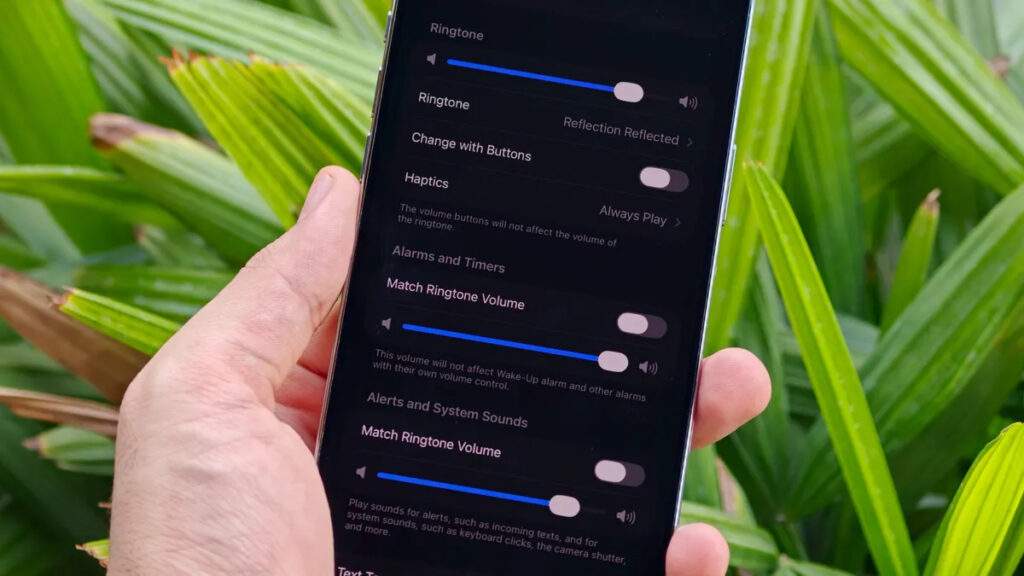
Alarms now have their own volume slider
Android has had this for a long time, but separate volume control has only now arrived on iPhone. Previously, the alarm volume was permanently tied to the ringer volume: turn one down and the other automatically went down too.
In iOS 27, you can set different levels for alarms, ringtones, timers, and other system sounds. So you can keep the ringer quiet so you don’t startle the office, while cranking the alarm to maximum to make sure you wake up. Or the other way around — whatever works for you.
New Alarm Settings in iOS 27 for Days Off
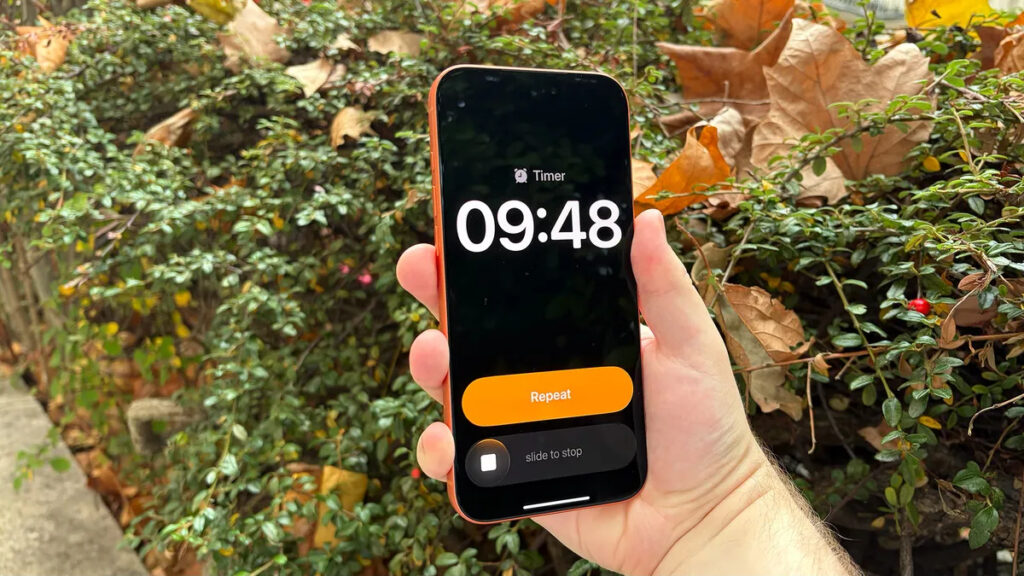
The alarm can now automatically detect days off
Another small but pleasant update in the Clock app. It can now detect your days off. The feature checks your calendar and cross-references it with regional holidays to figure out when you don’t need to wake up early.
Example: you have an alarm set for a weekday morning, but the next day turns out to be a public holiday. iOS will ask in advance if you’d like to skip that alarm. It’s a small thing, but that extra hour of sleep on holidays is totally worth it.
How to Quickly Paste Copied Text on iPhone
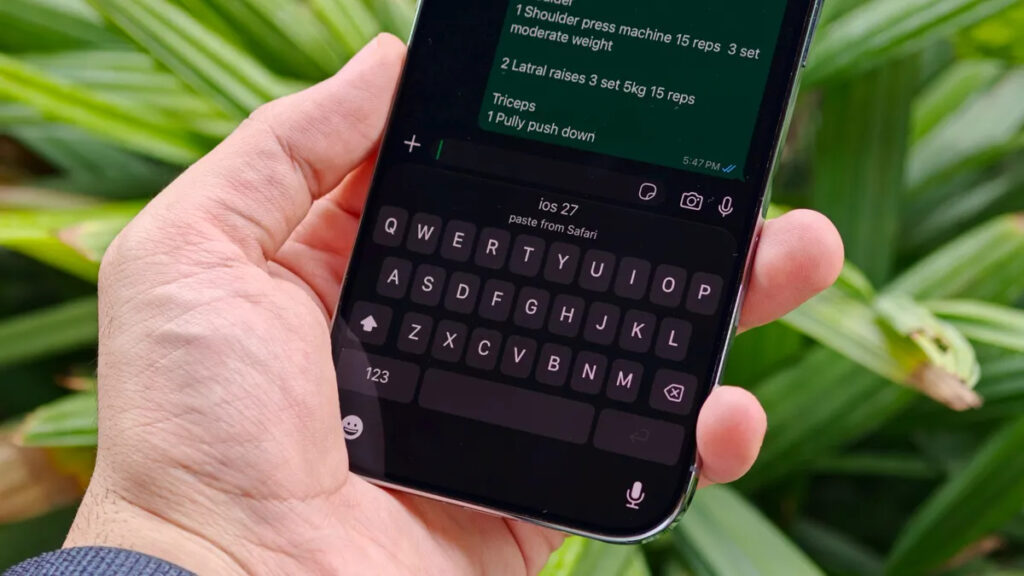
The clipboard is now built into the keyboard
I noticed another convenient addition. The keyboard now shows copied text and even screenshots right in the suggestion bar. Copy something, switch to another app, and the copied snippet immediately appears above the keyboard for quick pasting.
Previously, this mainly worked with one-time SMS codes and links. Now Apple has expanded the feature much further, making copy-paste noticeably faster.
New Lock Screen Settings in iOS 27
If, like me, you prefer to see more wallpaper and less clock face, iOS 27 has an option for that. You can enable compact clock, where the date and time fit into a single line at the top.