Today let’s take a little break from iOS 27 with its huge number of new features and talk about iMessage. For several years, the built-in Messages app was just a green icon for me that I only opened to read service and promotional SMS. But this year I caught myself going there more often than other messengers, and the reasons turned out to be not at all where I was looking for them.
I actually use iMessage and I’m happy with it
Does iMessage Work in Russia in 2026
I’ll start with the main point, because for a Russian user this is currently the deciding argument. While FaceTime fell under restrictions, and regulators have accumulated questions about other messengers, iMessage works just fine. I send and receive messages every day, and the blue bubbles arrive without delays.
iMessage still works in Russia
It’s not about luck — it’s about the technology. iMessage traffic goes through the same servers as Apple Push Notification service. This means that an attempt to shut down the messenger would immediately affect all notifications on iPhone: alerts from banks, delivery services, email, and other apps would stop coming through. The technology behind it is quite interesting.
In practice, I haven’t encountered a single failure caused by iMessage itself in recent months. There are occasional activation issues after changing a SIM card or updating, but those are fixed in a couple of minutes and don’t mean the service has been shut down. For me, this is a rare case where you can just use it and not keep a backup plan in mind.
How to Use iMessage Without a Phone Number
The second reason I love iMessage: a phone number isn’t required here. All you need is to sign in with your Apple ID, and you’re connected. Messages are sent and received via the email address linked to your account, and the other person sees you by that address.
This is convenient in several scenarios. I have an iPad without a cellular module and a Mac, and it’s convenient to write in iMessage from the iPad on the same account, even without a SIM card. If you’ve changed your number or are temporarily without service, the conversation doesn’t break off. And it’s also a small plus for privacy: not every contact needs to know your real number.
If you want to completely unlink your number and keep only your Apple ID, here’s how to do it:
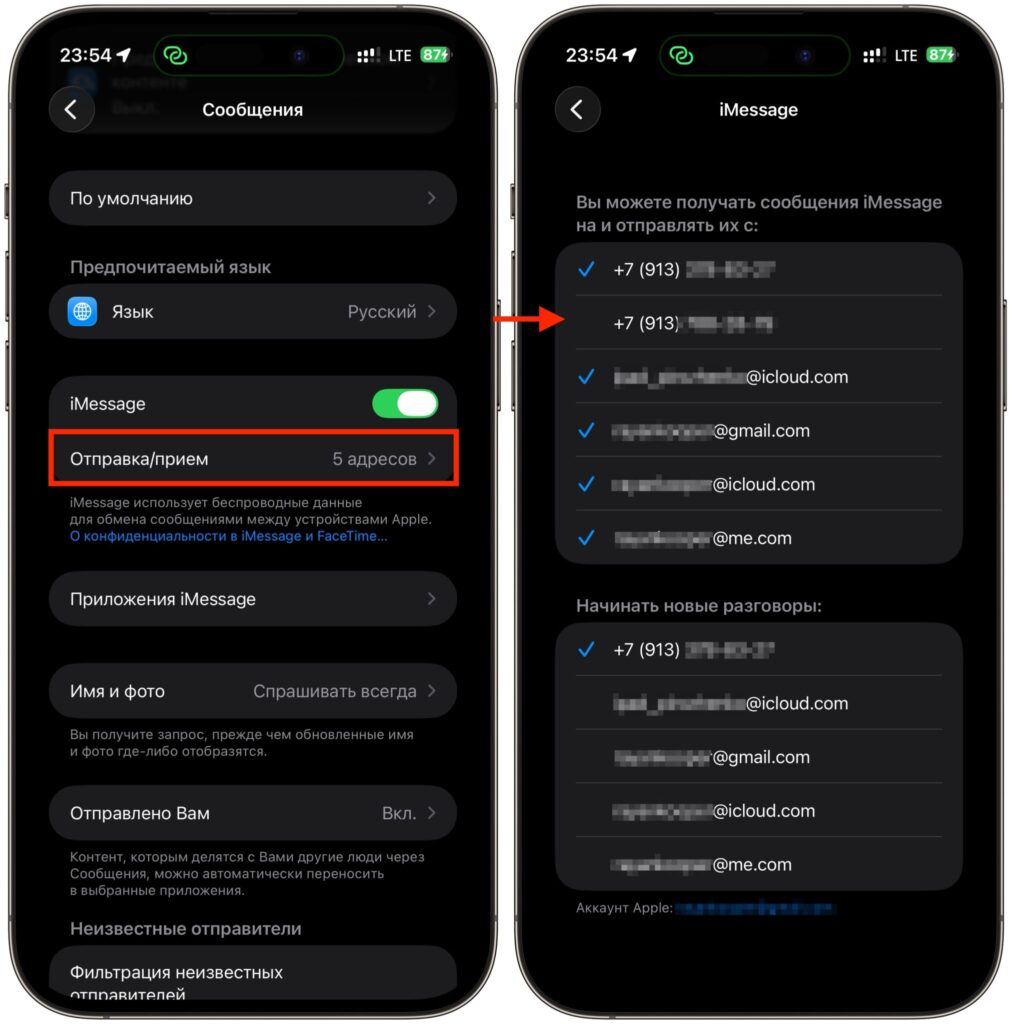
Just uncheck the number and chat using email
- Open “Settings” and scroll down to the “Apps” section.
- Select “Messages” and make sure the iMessage toggle is on.
- Tap “Send & Receive.”
- In the “You can receive iMessage to” section, uncheck your phone number, leaving only the Apple ID address checked.
- In the “Start new conversations from” section, select your Apple ID address so that new chats are sent from it.
After this, iMessage will work purely through your account. If you want to bring back your number, just check the box again.
Voice Message Transcription in iMessage
I’m one of those people who doesn’t like listening to voice messages. When someone sends me a one-minute voice note and it’s noisy around me or inconvenient to play audio, voice message transcription saves the day. And this is where iMessage outperforms many competitors.
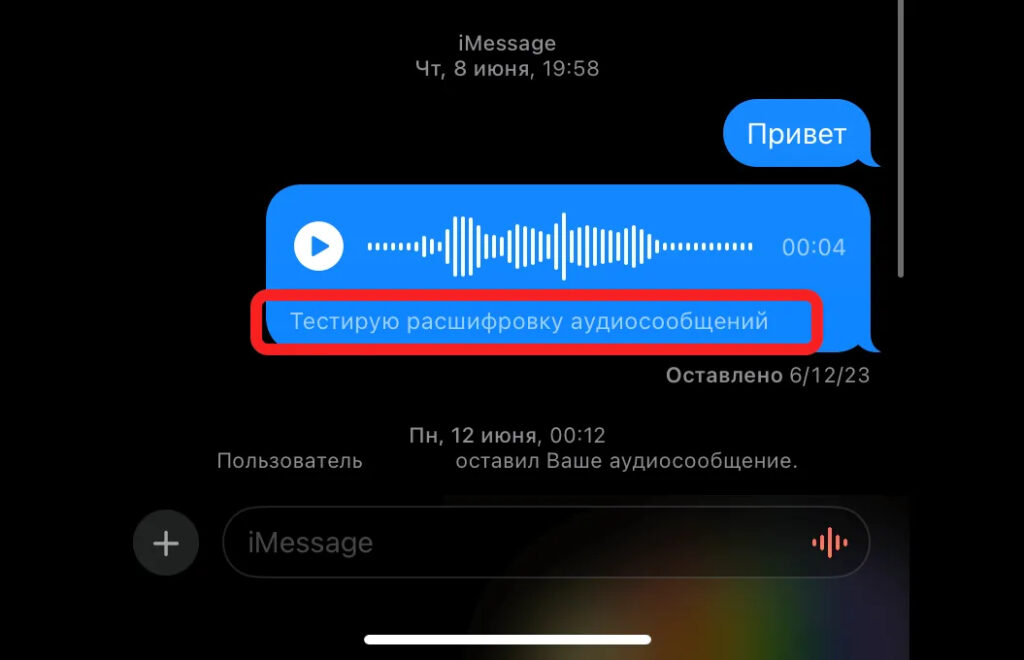
My favorite iMessage feature. I can’t stand voice messages
The text version of a voice message appears automatically right under the audio track, and it’s free. No subscription needed, no need to forward anything to third-party bots, no need to copy anything. iPhone recognizes the speech itself and shows the text in the chat window. Recognition is done on the device itself, so you don’t need to worry about privacy.
Compare it with the alternatives. In Telegram, transcription is hidden behind paid Premium. In WhatsApp, it works but feels limited. In iMessage, everything works out of the box and costs nothing. For me, this is the feature I use literally every day, and you only notice it when it’s suddenly gone.
How to Change Chat Background in iMessage
Before, I wouldn’t have thought that a chat background could change anything. But it turned out to be a small but pleasant touch. In recent system versions, Apple added backgrounds for individual chats, and here iMessage has finally caught up with Telegram.
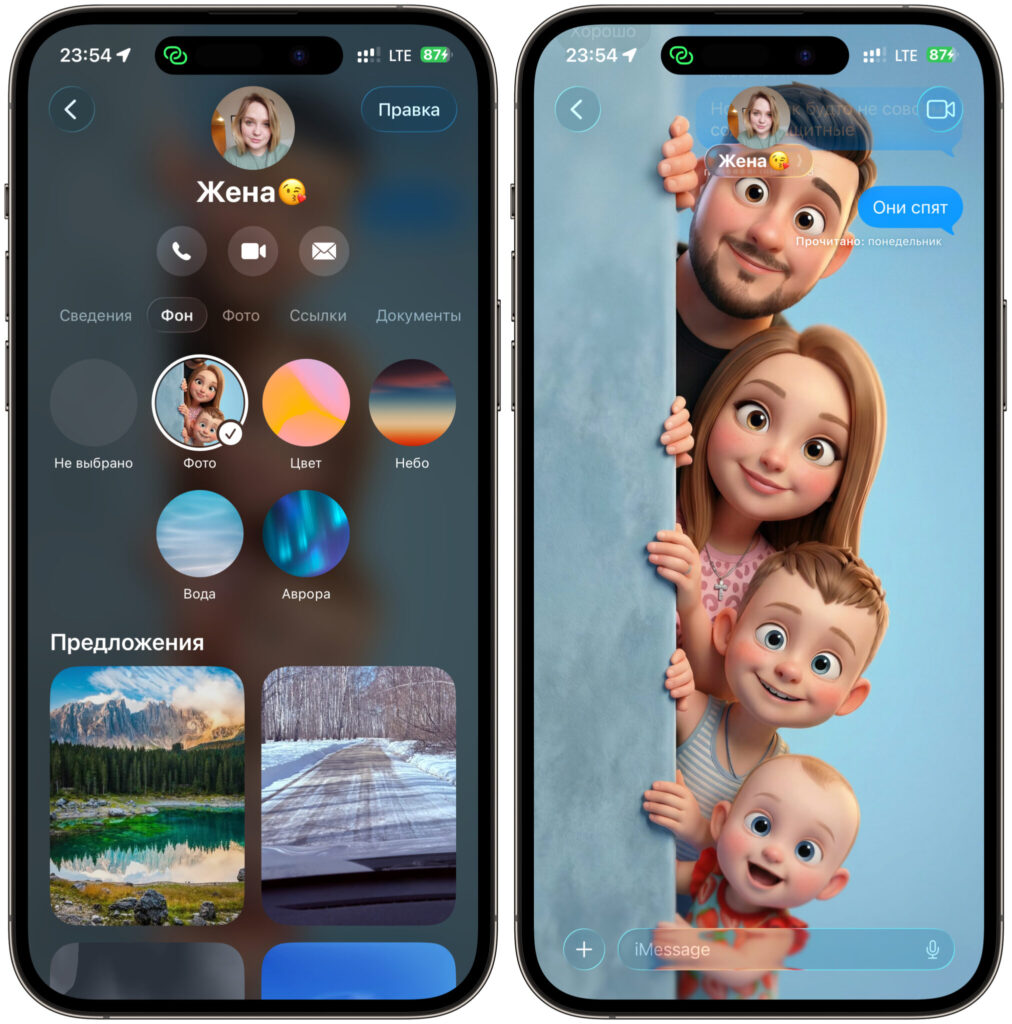
You can customize the chat however you want. I, for example, replicated the Telegram background
You can choose a ready-made image from Apple’s collection, set any of your own photos, or generate a design. The convenience is that the background is visible to all participants in the conversation, not just you. The design syncs across all your devices.
I set different images for different chats and now even at a glance I understand where I am: work chat, family, or friends. Your eye catches the background faster than the name at the top. This isn’t the only thing that was added in the update, but chat backgrounds specifically made the messenger feel more alive.
How Fallback SMS Sending Works on iPhone
The last reason saves you at the most inconvenient moment. Imagine: you’re in the subway, in an elevator, or out in the countryside where the network barely works. You need to send a message urgently, but there’s no internet. In most messengers, the text will just hang with a “sending” label.
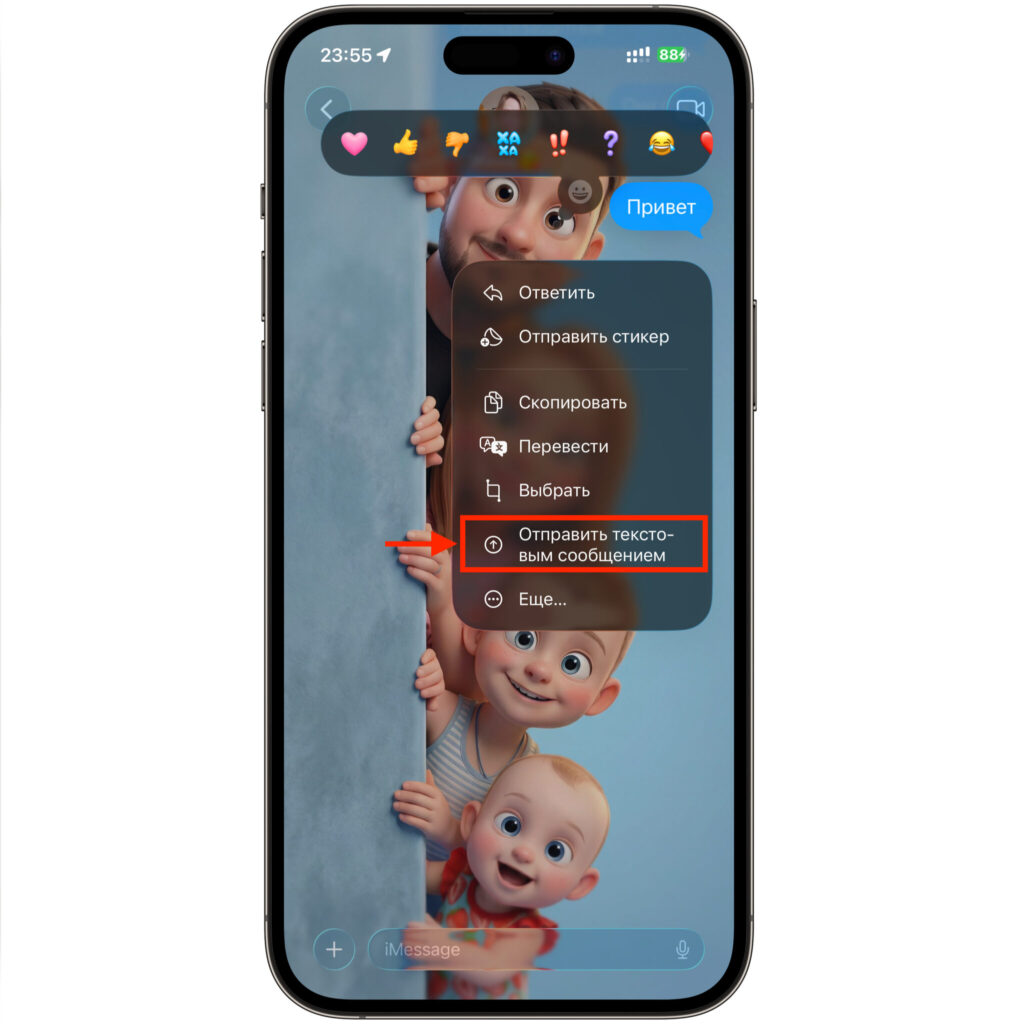
If you want, you can push the message through manually with this button
In iMessage, things work differently. If at the right moment there’s no internet connection, the message can be automatically sent as a regular SMS. This is a unique advantage that no other messenger offers — the ability to fall back to SMS ensures your message always gets delivered, even without data.