As of April 1, 2026, topping up a Russian Apple ID has become impossible. MTS and Beeline — the last operators that allowed depositing money into an Apple account from a mobile phone balance — disabled this feature at exactly midnight. No other top-up methods exist for Russian accounts anymore.
App Store payments are over. Image: macobserver.com
What Happened with Apple ID Top-Ups in Russia
Since spring 2022, when Apple suspended Apple Pay and stopped accepting payments from Russian bank cards, users had only two ways to top up their Apple ID balance — through mobile phone balance with MTS and Beeline. This was a compromise that at least allowed some way to pay for subscriptions, apps, and additional iCloud storage.
Now this channel is closed too. We tried to top up the balance and encountered the error “Mobile payment is temporarily unavailable. Please try again later.” Attempting to purchase an app resulted in another error: “Your account is temporarily unavailable. Please try again later.”

These are the errors that pop up
The only thing that still works is previously generated top-up codes, if you managed to create them before the shutdown. But creating new codes is also no longer possible. Even through Sberbank Online. We checked that too, and nothing works.
What Will Happen to Apple Music, iCloud, and App Store After Mobile Payment Shutdown
The change affects everyone who uses a Russian Apple account and pays for any services:
- iCloud+ with expanded storage — when the balance runs out, the storage will revert to the free 5 GB
- Apple Music — the subscription will stop working
- Paid apps and subscriptions from the App Store
- Apple TV+, Apple Arcade, and other Apple services
If you still have money in your Apple ID balance, it makes sense to review your list of active subscriptions. You may want to cancel some of them to stretch your remaining balance as long as possible. You can check and cancel subscriptions in Settings — [your name] — Subscriptions.
What Will Happen to iCloud Data When the Apple ID Balance Runs Out
This is the main practical question. If you’re paying for expanded iCloud storage and the balance runs out, Apple won’t delete your data immediately. The company usually provides a certain period during which files are preserved, but new data stops syncing if the volume exceeds the free limit.
iCloud storage is the first thing that will be affected when the balance hits zero
Practical advice: don’t wait until your iCloud+ subscription expires. You should already make local backups of your most important data — photos, notes, contacts, and messages. You can do this through iTunes (or Finder on Mac) for a full iPhone backup, and photos can simply be copied to your computer.
How to Change Your Apple ID Country and Continue Paying
The only working option for those who want to continue fully using Apple services is to change the account country. For example, to Kazakhstan, Turkey, or another country where Apple accepts payments. Important details:
- Before changing the country, you need to spend all the remaining balance on your Apple ID and cancel all active subscriptions
- After changing the region, you’ll need a bank card from the country you choose, or another available payment method, such as gift cards
- Some purchased apps and content may become unavailable in the new region
- The region change procedure takes just a couple of minutes and is done in account settings
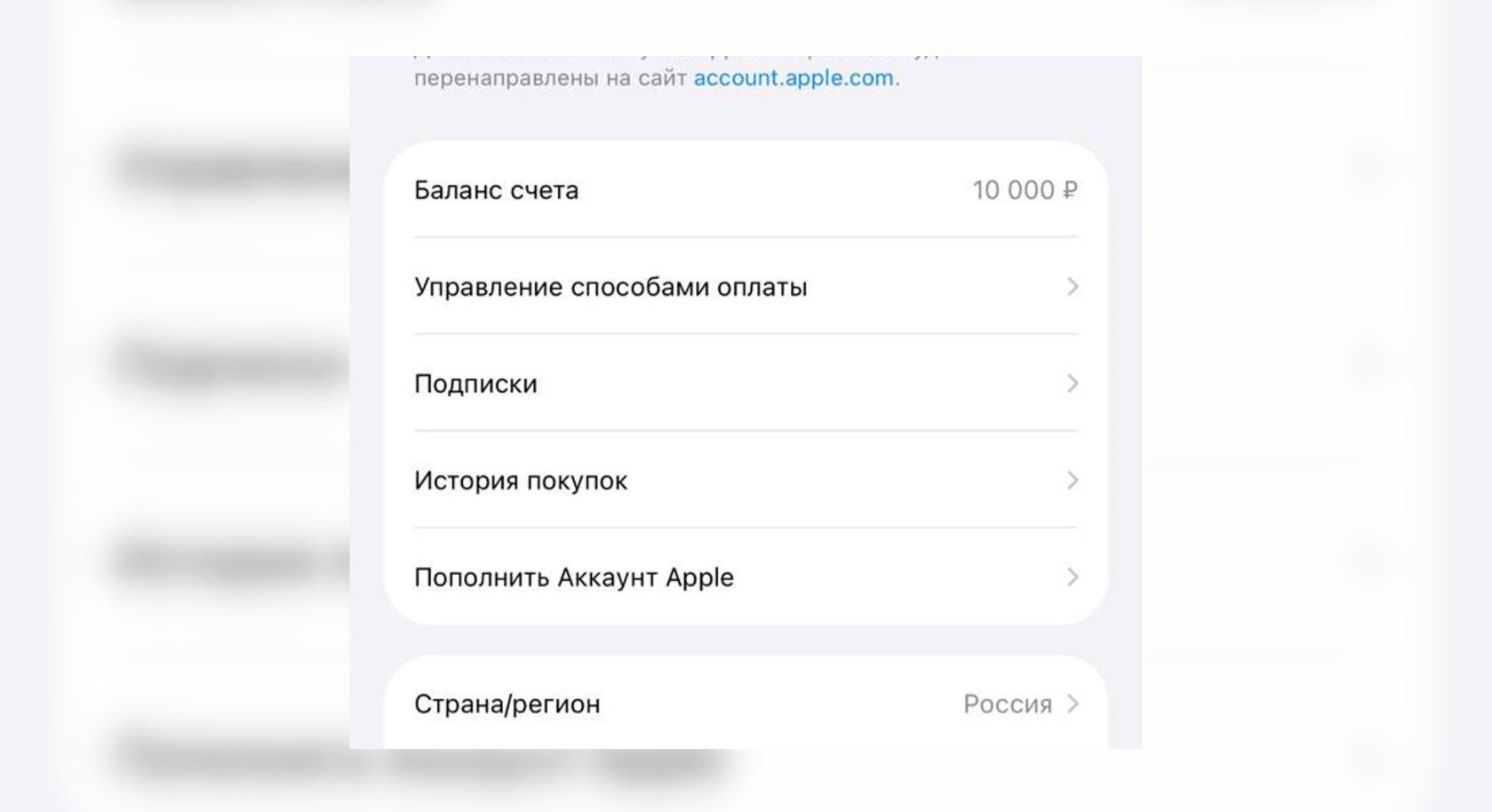
Be sure to check your Apple ID balance before changing regions
This isn’t an ideal solution — essentially, you’re moving to a different digital jurisdiction with all the associated complications. But at the moment, this is the only legal way to continue paying for Apple services.
What to Do Right Now: Step-by-Step Plan
If you have a Russian Apple ID, here’s the minimum set of actions:
- Check your current Apple ID balance: Settings — [your name] — Payment & Shipping
- Cancel subscriptions that aren’t critical to save your remaining funds
- Make a full iPhone backup to your computer via iTunes or Finder
- Download photos and important files from iCloud to a local drive
- If you’re ready — change the account country and set up a new payment method
A local iPhone backup is the first thing you should do today
For those who don’t want to change their country, there’s a passive scenario: use what’s already been purchased and downloaded while the remaining balance lasts. Free apps will continue to work, iOS updates will still arrive — no account balance is needed for that.
The situation is unpleasant but not catastrophic — provided you take care of backups in advance. Those for whom Apple subscriptions are critical can resolve the issue by changing their region. Everyone else just needs to save their data locally and calmly continue using their Apple devices — just without paid services.


