Until recently, the 14-inch MacBook Pro with the Max processor remained an almost ideal purchase option. It was noticeably more compact than the 16-inch version, yet allowed you to get the most powerful Apple chips without feeling like you were sacrificing anything. Against the backdrop of rumors about the next generation MacBook Pro with OLED and an even more powerful processor, the news that the latest MacBook Pro 14 with M5 Max can’t handle its own hardware looks particularly surprising.
As it turns out, MacBook Pro 14 with M5 Max is not the best purchase choice. Image: notebookcheck-ru.com
According to Notebookcheck, the compact model under heavy load cannot stably maintain performance on either CPU or GPU, meaning that in theory the top Apple chip doesn’t reach its full potential in real-world use. On paper, everything looks very impressive. The M5 Max features an 18-core CPU and 40-core GPU, meaning we’re talking about the maximum performance configuration for professional tasks. But the problem apparently isn’t with the chip itself, but with the fact that the 14-inch chassis simply can’t handle this level of power and heat output.
Why the MacBook Pro 14 with M5 Max Throttles
According to Notebookcheck’s tests, under stress load the M5 Max in the 14-inch MacBook Pro initially draws 96W briefly, but after just one to two seconds sharply drops power to approximately 46W. The laptop can’t even maintain that level, and eventually power consumption stabilizes at 42W. For comparison, the 16-inch MacBook Pro with M5 Pro performs much better and doesn’t throttle power so aggressively. It holds at around 70W, which is substantially higher.
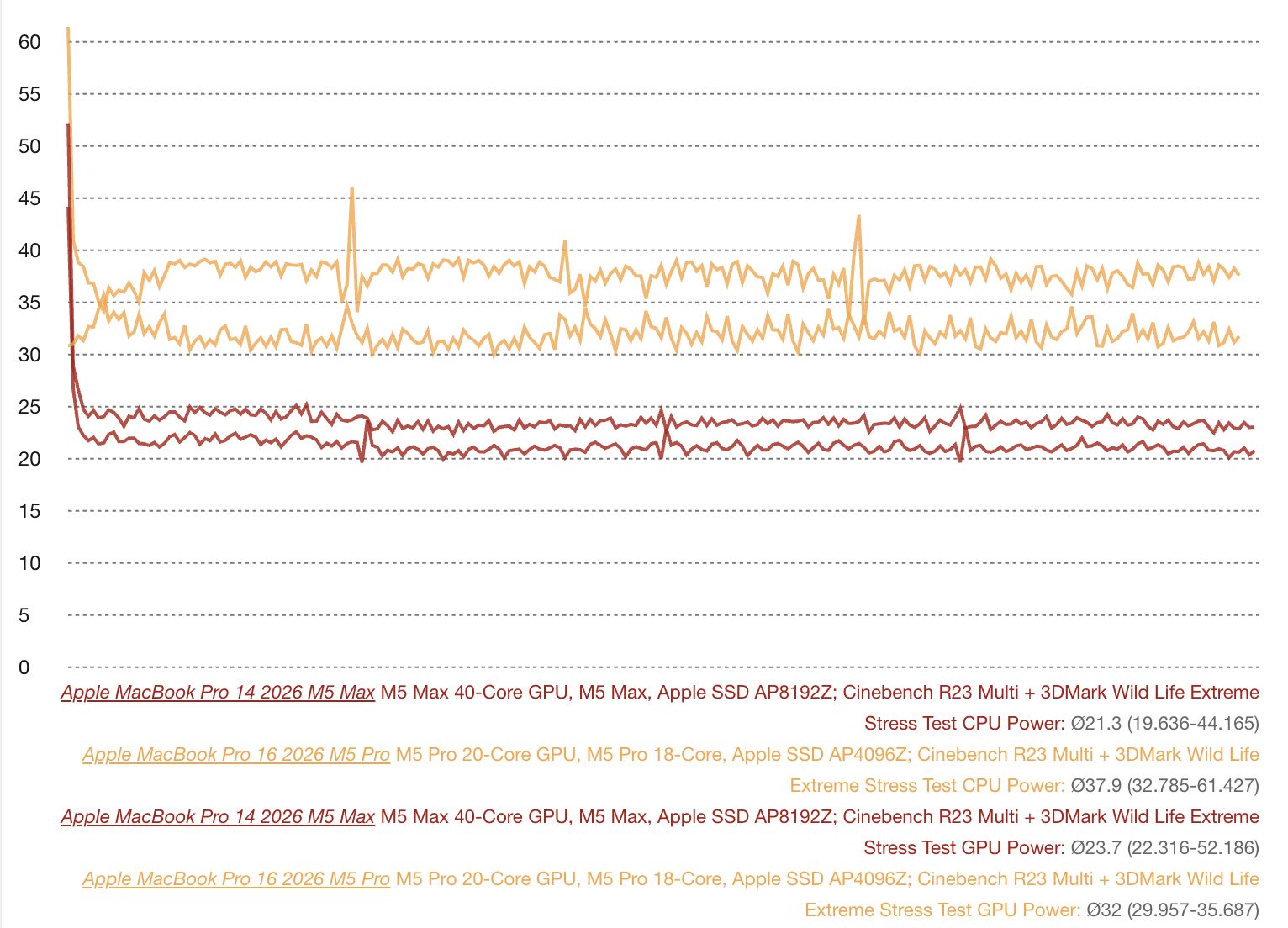
The red line shows the MacBook Pro 14 M5 Max test. Notice how much lower the results are. Image: notebookcheck-ru.com
This is exactly where the main problem with the new model becomes clear. Apple continues to sell a very powerful chip in a compact chassis, but you can’t cheat physics. The 14-inch MacBook Pro chassis is physically smaller than the 16-inch one, and its heatsinks and fans can’t cope with heat dissipation from the top-tier processor. Apple has been using the same chassis for more than one generation now, and with each chip update, the thermal headroom keeps shrinking. The result is aggressive throttling. The laptop doesn’t overheat or break down, but it also doesn’t unleash the M5 Max’s full potential.
When the system quickly hits thermal and power limits, the impressive specs remain impressive primarily on the specification sheet. In real sustained workloads, where a laptop is purchased for rendering, graphics, video editing, or heavy computations, what matters isn’t a peak burst of power for a couple of seconds, but the ability to sustain it consistently and predictably. And that’s exactly where the MacBook Pro 14 with M5 Max runs into trouble.
How CPU and GPU Performance Drops on the MacBook Pro 14 with M5 Max
The problem isn’t limited to combined workloads. When loading only the CPU, its power consumption briefly reaches approximately 75W before dropping to 50W. Under GPU-only load, the picture is similar: initially 72W, then a quick drop to 55W and later to 44W. Moreover, Notebookcheck reports that under sustained workloads, GPU performance drops by approximately 10%, and in their extended review they also note noisy fans and inconsistent results under prolonged graphics load.
Another unpleasant detail also surfaced. The power adapters for the new MacBook Pros may be insufficiently powerful for such peak loads. For the 14-inch model, Apple still uses a 96-watt power adapter, and this looks especially odd considering that the M5 Max itself can briefly consume that same 96W.
The most telling thing here isn’t even that a compact laptop heats up and throttles frequencies. For such devices, that’s generally expected. What’s far more important is this: Apple is selling a configuration that by name and price looks like an unquestionable flagship, but in practice may turn out to be a compromise precisely in the usage scenario it’s purchased for. In other words, the M5 Max in the MacBook Pro 14 exists, but the question is how much you actually need this particular variant if a significant portion of its potential is bottlenecked by the chassis.
Should You Buy the MacBook Pro 14 with M5 Max
If you need the MacBook Pro 14 primarily for its compactness, battery life, and travel convenience, then the concept of such a laptop hasn’t gone anywhere. But the M5 Max configuration specifically now looks like a less logical purchase. The larger MacBook Pro 16 unlocks the M5 Max better. In the 16-inch version, it turns out to be approximately 15% faster than the same chip in the 14-inch model.
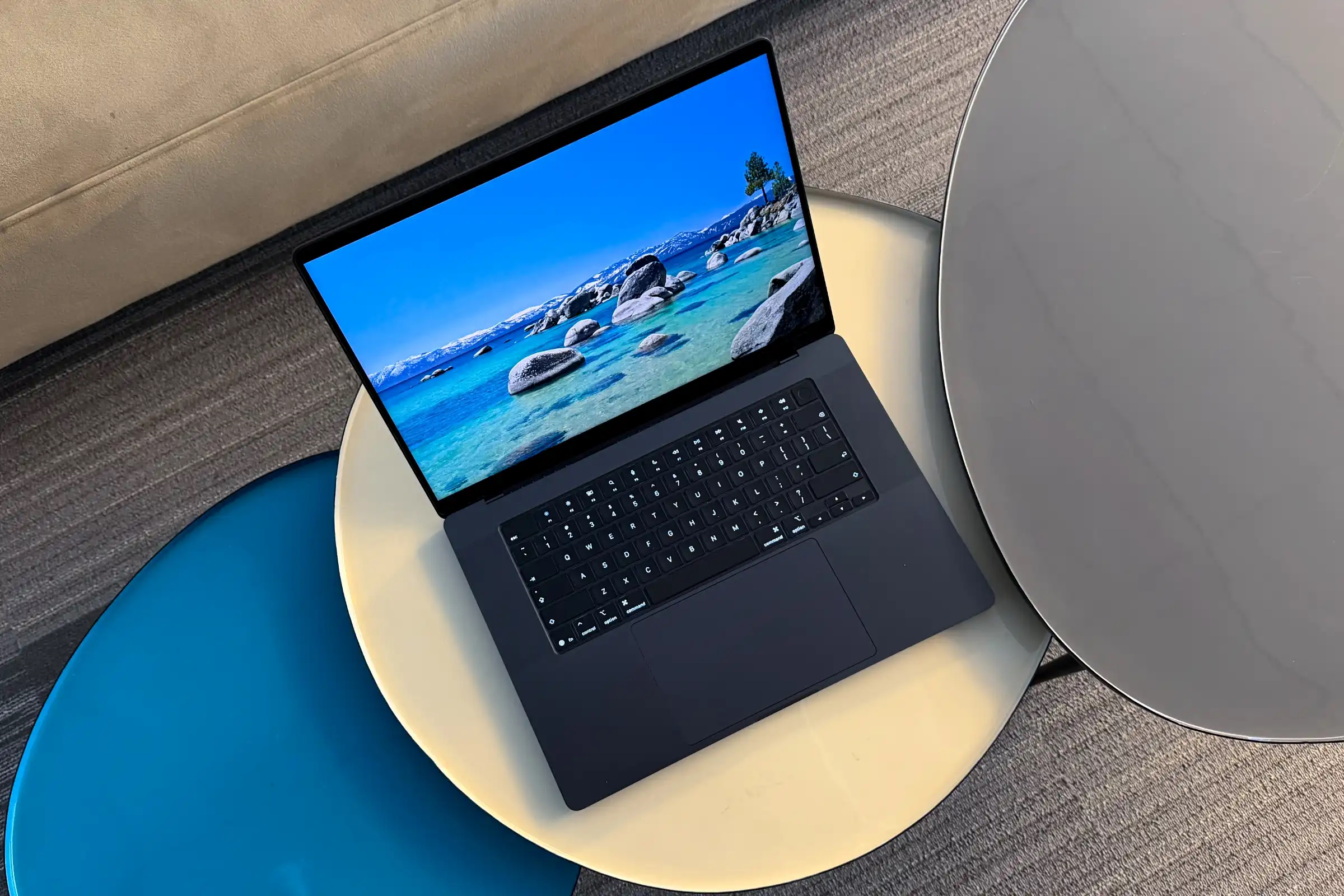
Choose the 16-inch version to get maximum performance. Image: macworld.com
This leads to a rather unexpected conclusion. If you need maximum power, it makes more sense to look toward the 16-inch MacBook Pro, because its cooling system and overall power headroom are simply better suited for this class of hardware. And if you specifically want the 14-inch model, it might be more logical to choose a more moderate configuration where the balance between performance, temperature, and noise will be more reasonable.
There’s also a broader signal for Apple in this story. The current M5 generation is still based on the third-generation 3nm process, and in the future the company is expected to transition to 2nm with M6 chips. This could indeed improve efficiency, but it’s already clear that a process node transition alone isn’t enough. If Apple continues to ramp up the power of Pro and Max chips, it will either need to make more serious changes to laptop cooling systems, or more honestly separate configurations so that buyers understand: not every top-tier chip performs equally well in every chassis.