Telegram has released one of its most significant updates in recent times. Version 12.6 introduces a built-in AI message editor, significantly revamped polls, and iPhone owners got a native document scanner. The best part is that all the new features are available everywhere. Let’s break down what changed and why it matters.

Telegram got a big update! Hurry up and install it! Image: 9to5google.com
AI Message Editor in Telegram — How to Fix Text Before Sending
The main highlight of the update is the AI Editor right in the message input field. It works simply: type text longer than three lines, and an AI icon appears above the send button. Tap it — and you get several text processing options.
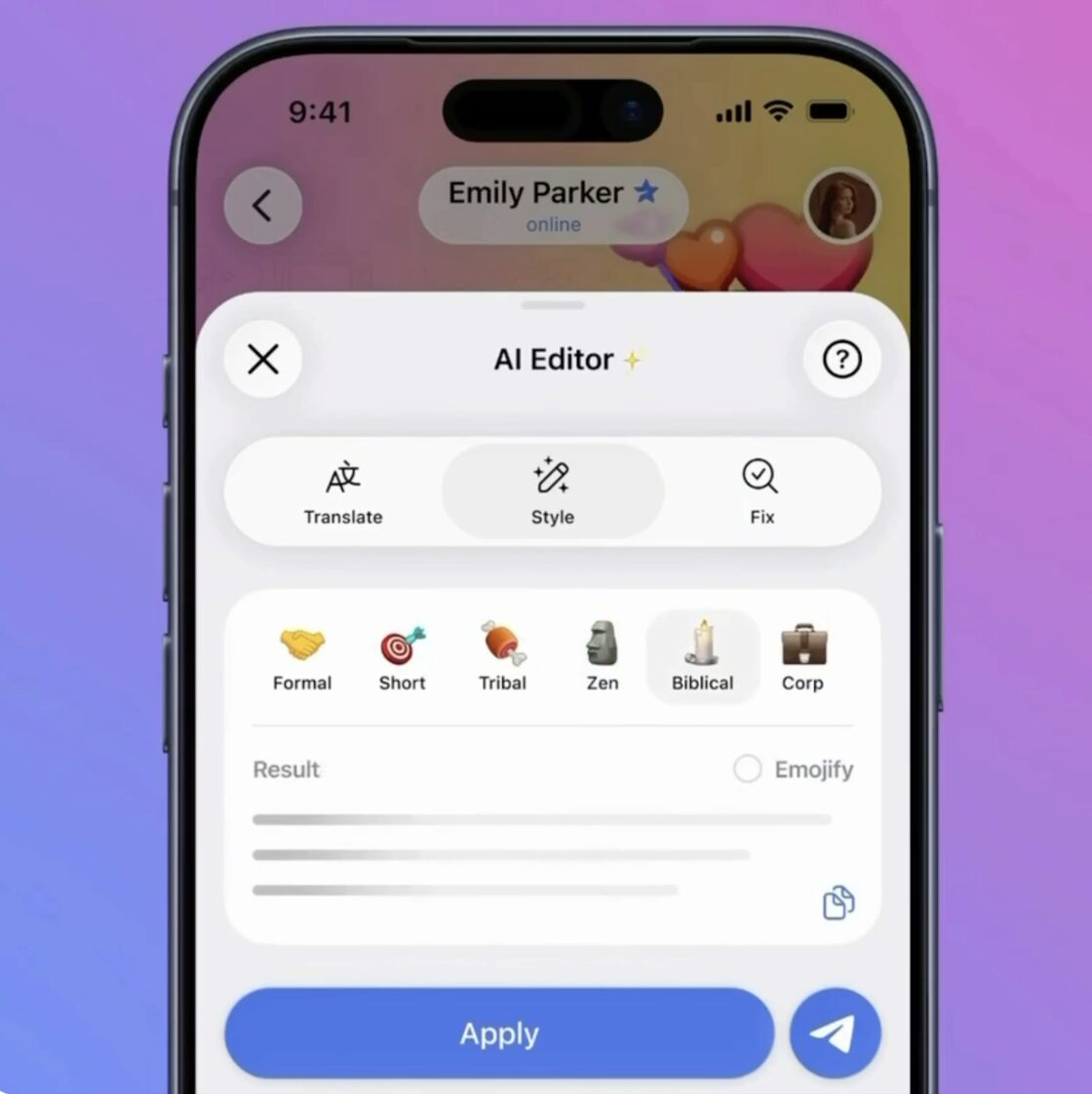
There are several styles to choose from
The editor can fix grammar, rewrite a message in a different style, and translate it into another language. Styles are available for every taste: Formal, Short, Tribal, Corp, Zen, Biblical, and even Viking. The last three are more for entertainment, but overall the feature is useful. Especially if you need to quickly translate a long message or make it more formal before sending it to your boss.
Under the hood — open-source AI models. All requests are processed through the Cocoon Network. Telegram claims that no one has access to user data — each request is encrypted on the client side.
Telegram Polls with Photos and Timers — All New Features
Polls in Telegram have existed for a long time but were fairly basic. In version 12.6, they’ve been drastically revamped — with more than 10 new features added.
Now you can attach photos, videos, and even geolocation to questions and answer options. A description field has been added for additional context. And participants can suggest their own answer options in an already active poll.
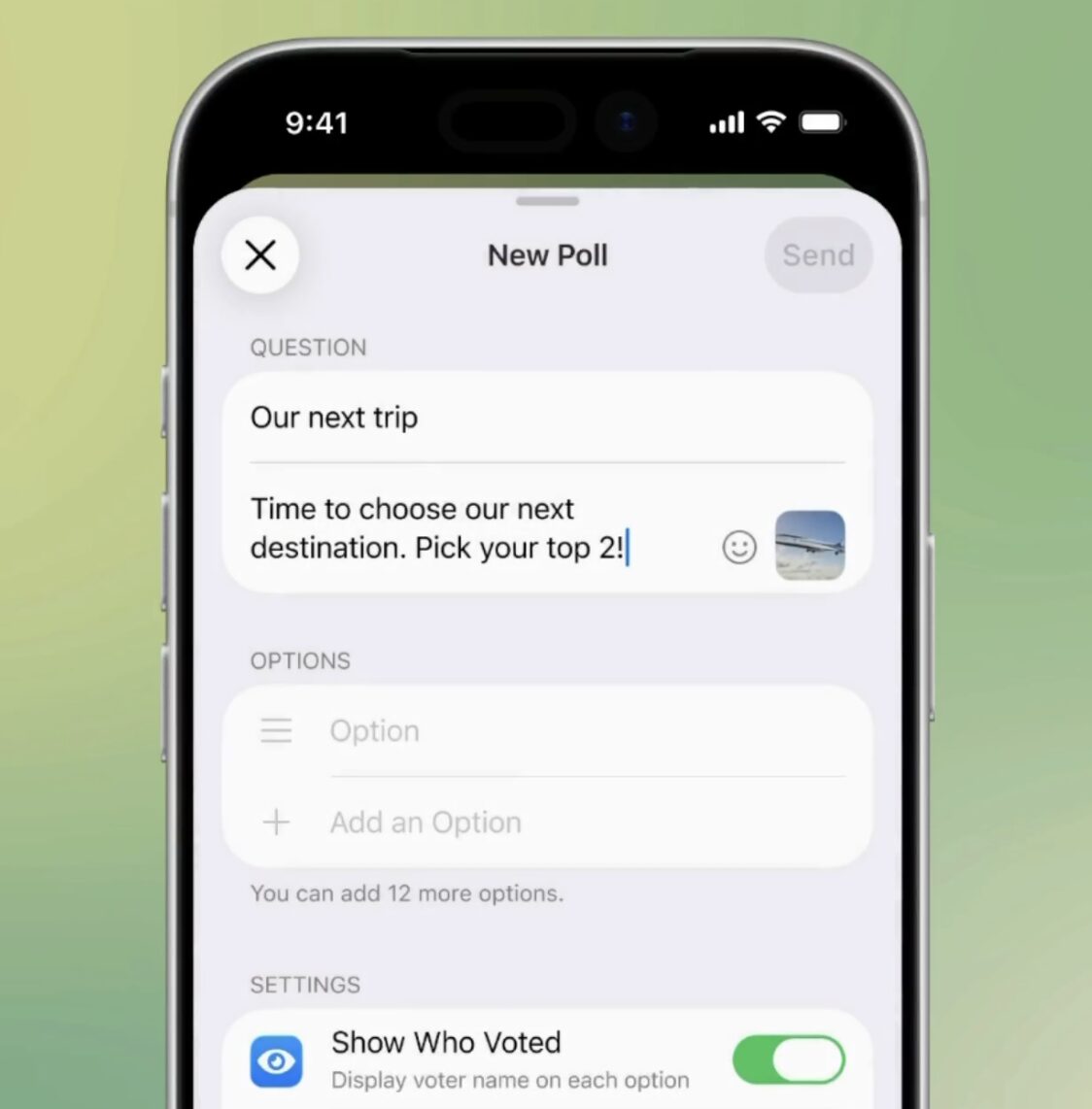
You can now attach images to polls
Among other new features:
- Poll timer — voting closes automatically when the set time expires
- No re-voting — you can no longer change your answer
- Shuffled options — each user sees options in a random order
- Hidden results — results can be hidden until the time runs out
- View results without voting — the poll creator can now see results without casting their own vote
All polls — past and active — are now in a separate tab in group and channel profiles. If open votes are enabled in a group chat, Telegram will send a notification every time someone votes.
Live Photos in Telegram on iPhone — How to Send Live Photos
Telegram has finally received native support for Live Photos on iOS and Motion Photos on Android. Previously, when sending “live” photos, they were converted to regular static images. Now everything works as intended — photos play with motion in any Telegram app.
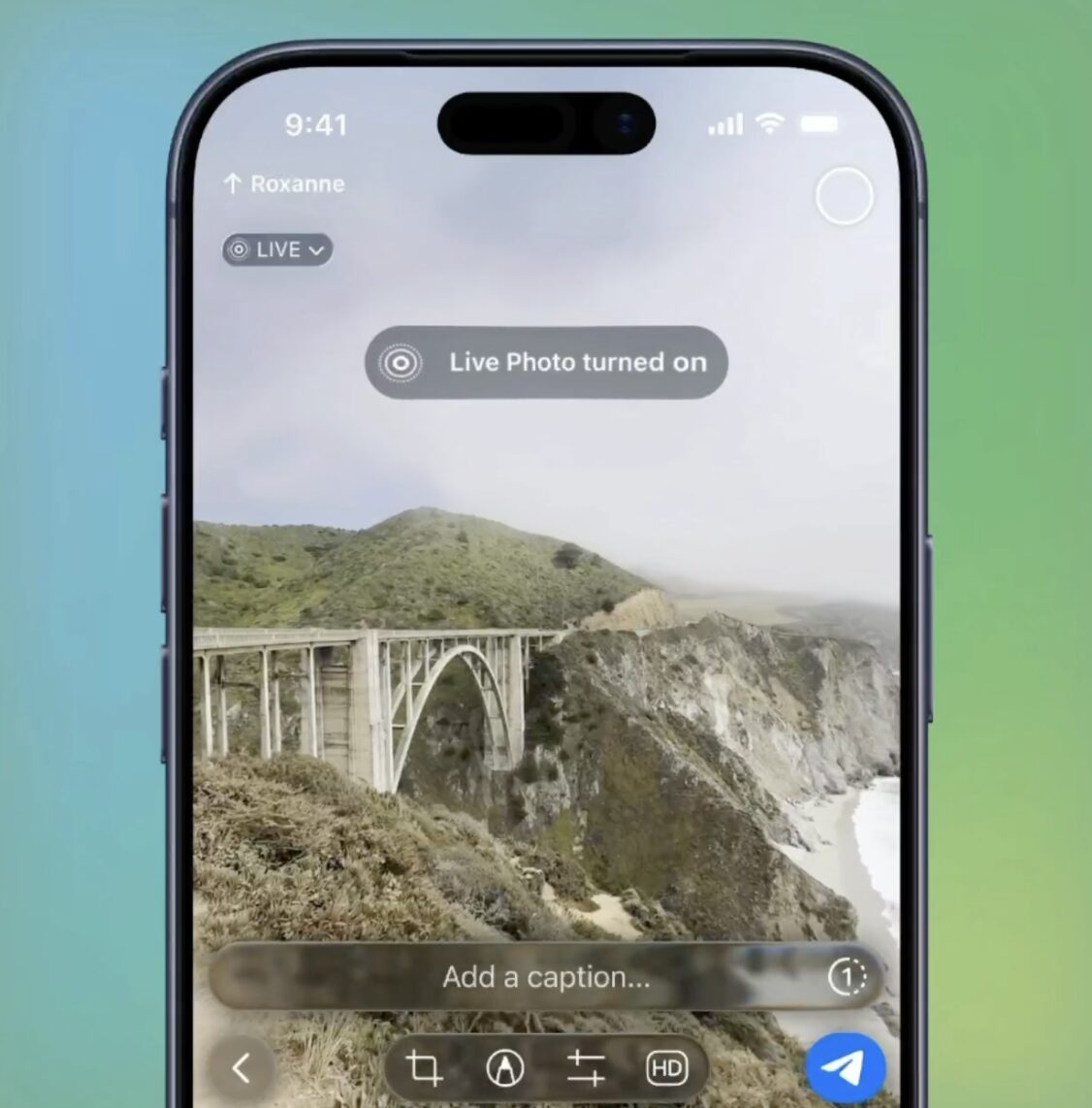
Live Photos are finally fully supported by Telegram
Three modes are available in the media editor:
- Live — single playback
- Loop — infinite cycle
- Bounce — plays forward and backward in a loop
For those who frequently share Live Photos through messengers — this is a long-awaited update.
How to Create a Telegram Bot Without Programming
With the updated Telegram Bot API, bots can now create and manage other bots on behalf of the user. It sounds complicated, but in practice this means you can launch your own bot in just a few taps — without any programming skills.
Essentially, bot builders are emerging: you interact with one bot, and it creates another one for you — personalized and configured for your tasks. Convenient for those who have long wanted to create a bot but were afraid something would go wrong.
Document Scanner in Telegram on iPhone — How to Scan to PDF
A separate bonus for iPhone owners — a built-in document scanner right in Telegram. Previously, you had to use a third-party app or Notes for this.
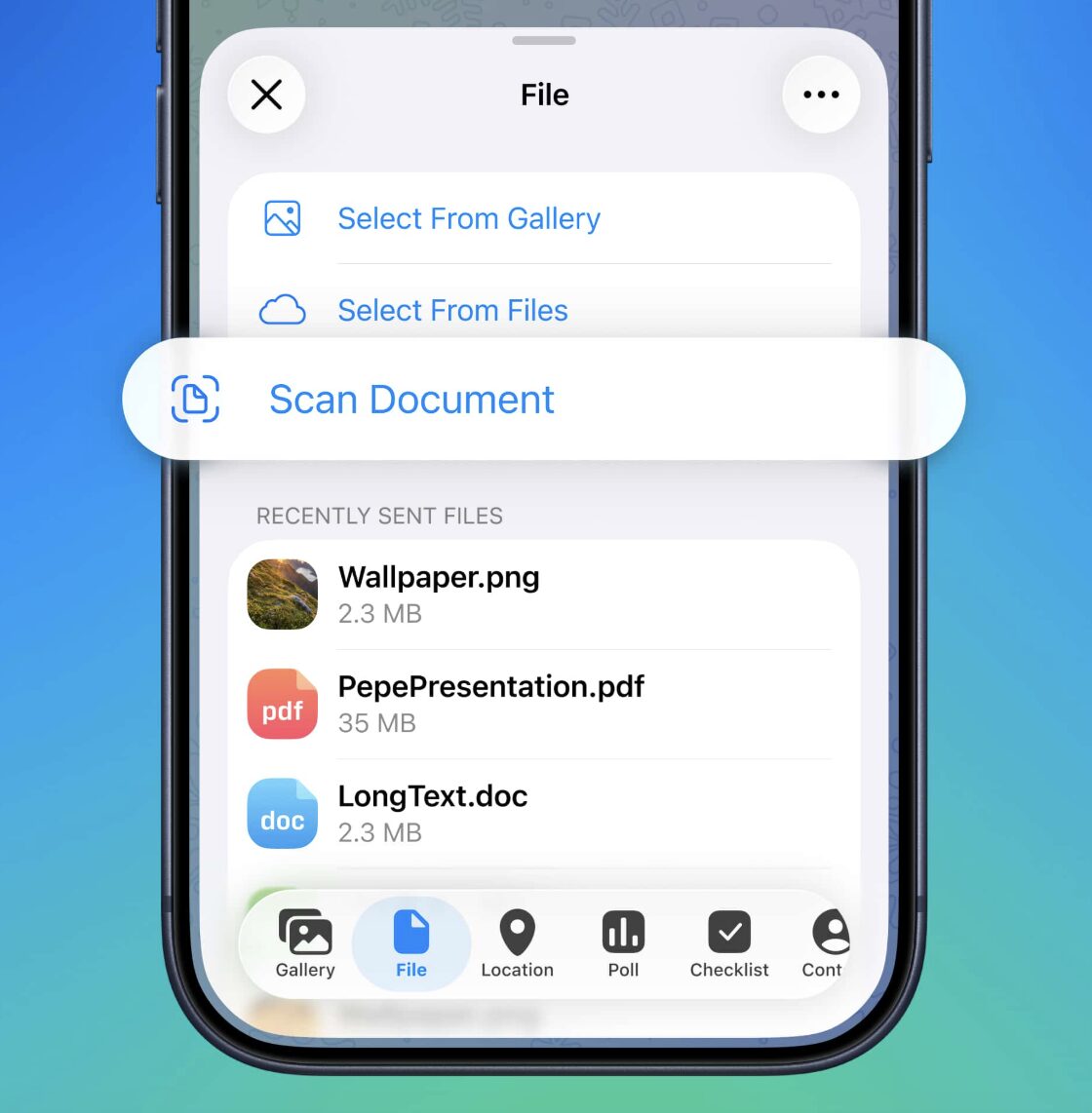
No more third-party apps needed for scanning
The scanner can automatically detect document edges, remove the background, and convert the result to PDF. Multiple pages can be combined into a single file. Manual settings are available: adjusting borders, filters, and image rotation. You can find the feature in the attachments menu: File — Scan Document.
Unofficial Telegram Clients — Why They Are Dangerous
Another notable addition is a badge in user profiles for those who use third-party Telegram clients. If your contact is using an unofficial version of the app, you’ll see a warning that the conversation may be less secure.
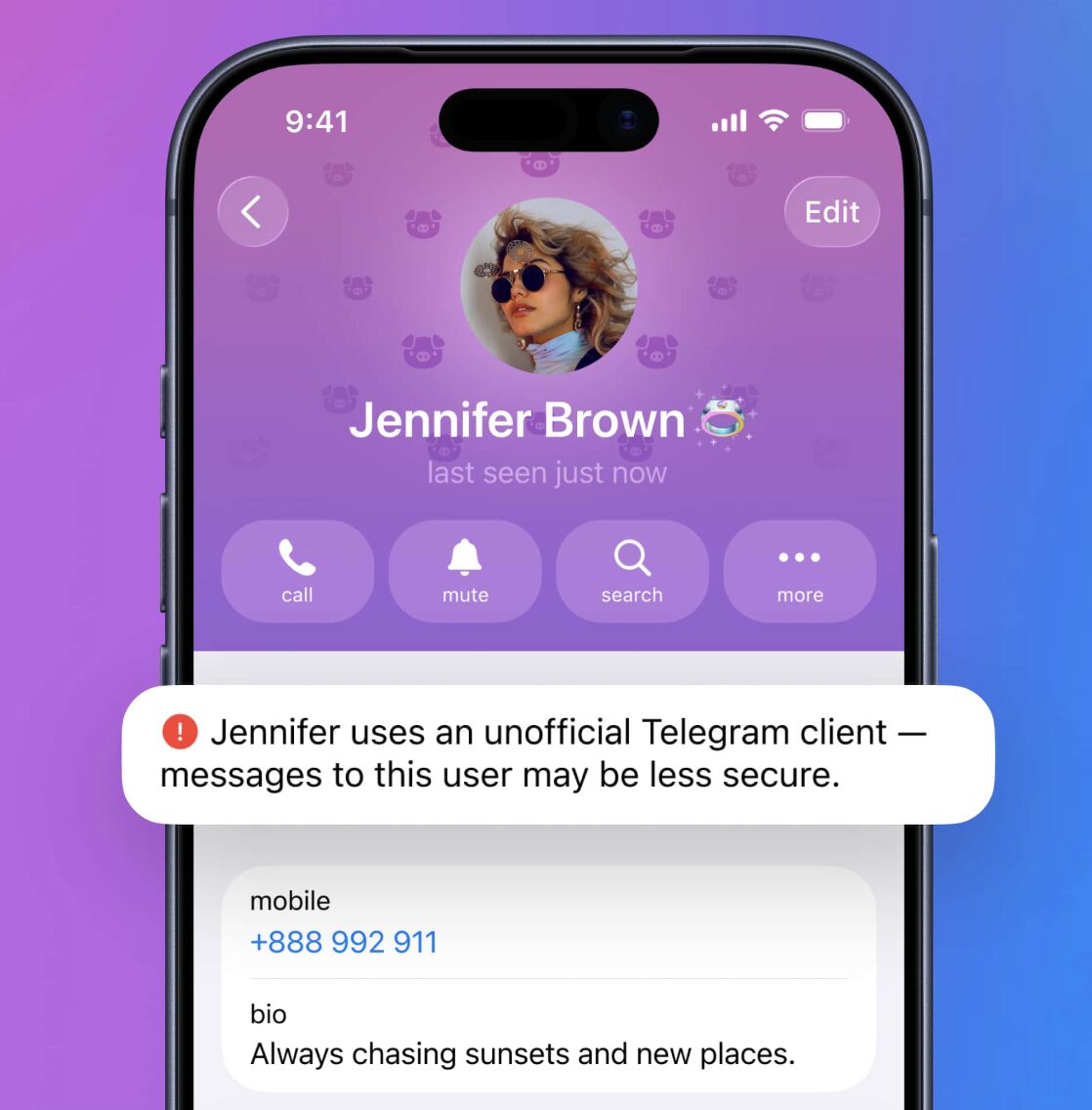
This badge will appear for everyone using an unofficial client
This is an important step for security. Unofficial clients are not verified by Telegram, and the messenger’s developers cannot guarantee that your data is being handled correctly.
How to Update Telegram to Version 12.6 on iPhone
Telegram 12.6 is one of the most feature-packed updates in recent months. The AI editor is genuinely useful for those who frequently write long messages or translate text. Enhanced polls will come in handy for channel and group administrators. And the document scanner and Live Photos support are nice bonuses for iPhone owners.
The update is already available in the App Store for everyone. Simply open the Apple App Store, tap on your profile in the upper right corner, and find Telegram in the “Updates” section and update it. Fortunately, it’s free, so anyone can do it.


