Apple has released the RC build of iOS 26.4, with a fairly large number of changes for iPhone. Among them are new Apple Music features, accessibility tools, 8 new emoji, and practical touches like improved keyboard accuracy. The public release is expected next week, followed by iOS 26.5 with Gemini-powered Siri features entering the beta cycle.
iOS 26.4 RC is already available for installation. Image: 9to5mac.com
New Apple Music Features on iPhone
The most noticeable changes in iOS 26.4 are related to Apple Music. The main new feature is Playlist Playground: you describe in text what playlist you want, and the system generates it with a title, description, and tracklist. Essentially, it’s an AI playlist generator, although Apple hasn’t yet specified how accurately it works or what models it uses.
The second major addition is the Concerts section. It shows nearby concerts from artists in your library and recommends new performers based on your listening habits. For those who attend live performances, this may be more convenient than searching for events manually.
Three more changes in the music department: offline music recognition through Control Center (the result appears automatically when iPhone reconnects to the internet), an Ambient Music widget for the home screen with selections for sleep, relaxation, productivity, and unwinding, as well as full-screen backgrounds for album and playlist pages.
How to Disable Liquid Glass in iOS 26.4
Apple is adding three improvements in the Accessibility category. A new “Dim Flashing Lights” setting reduces Liquid Glass glare when tapping on interface elements — buttons and other elements. Subtitle settings are now accessible directly from the subtitle icon when viewing media, making them easier to find and configure.
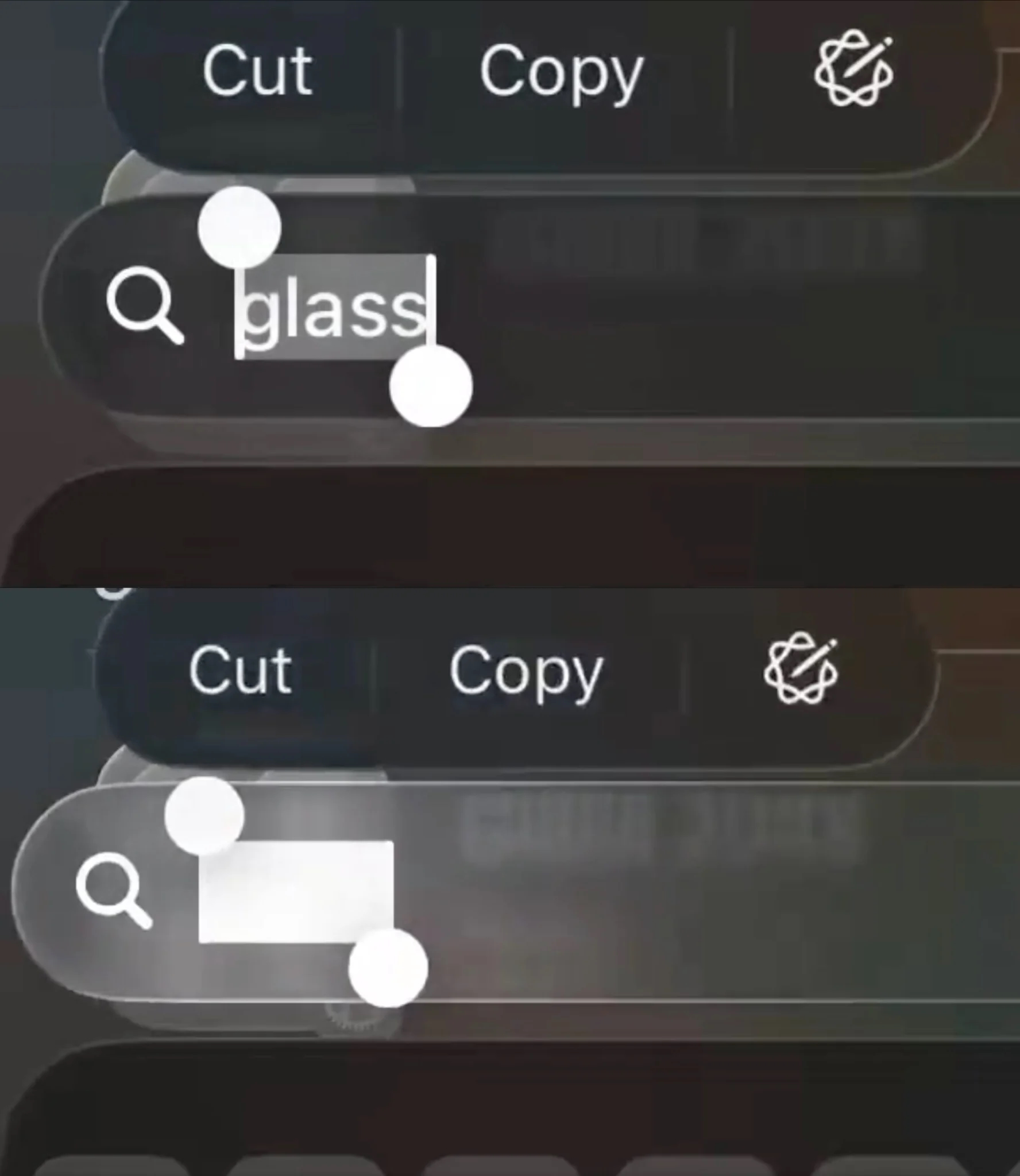
The top screenshot has flash dimming enabled. It’s clearly better
It’s also worth noting that the Reduce Motion setting now more reliably reduces Liquid Glass animations for users sensitive to on-screen motion. This is an important point: after the introduction of Liquid Glass in iOS 26, many complained about aggressive animations, and Apple is gradually refining this aspect.
New Emoji in iOS 26.4
The update introduces 8 new emoji, including an orca, trombone, landslide, ballerina, and distorted face. They will be available through the standard emoji keyboard.
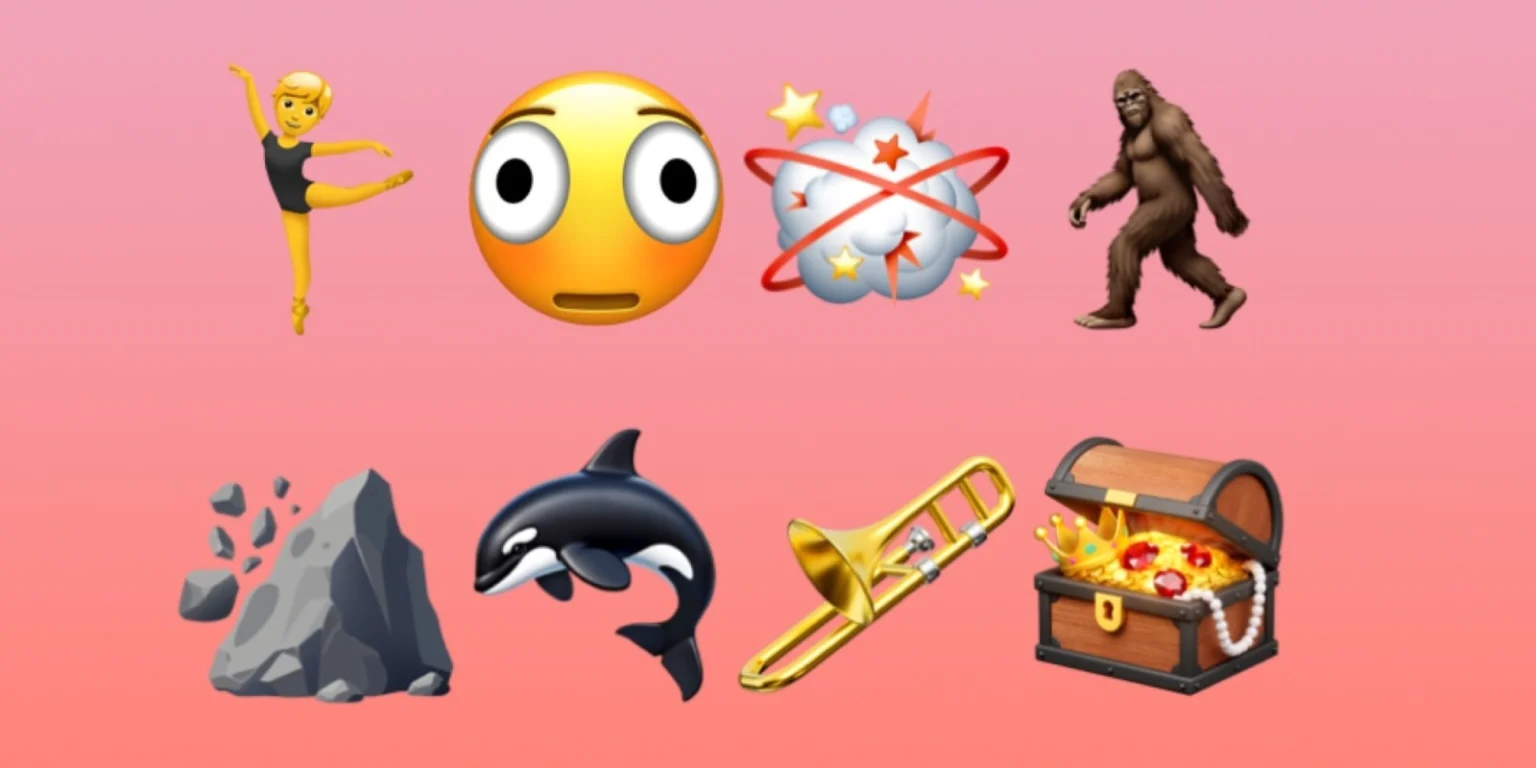
New emoji will appear across all new OSes. Image: 9to5mac.com
The Freeform app gets advanced image creation and editing tools, as well as a premium content library, joining Apple Creator Studio. In Reminders, you can now mark tasks as urgent via Quick Toolbar or long press, and filter urgent reminders in smart lists.
A useful change for families: Purchase Sharing now allows adult members of a family group to use their own payment method for purchases, without relying on the family organizer. Previously, all purchases went through a single card or phone number — now everyone can pay independently.
And lastly: Apple promises improved keyboard accuracy during fast typing. There are no details, but if you often notice typos when typing quickly, this could be a noticeable improvement.
When Will iOS 26.4 Be Released and Should You Update
The RC build is already available to beta testers. The public release is expected next week. After that, iOS 26.5 should enter the beta cycle, which is rumored to bring the first Siri and Apple Intelligence features powered by Gemini.
iOS 26.4 is not a revolutionary update, but it offers a set of practical improvements. If you use Apple Music, the new playlist and concert features are worth checking out. If you were annoyed by Liquid Glass animations — the update may make the interface more comfortable. For family subscriptions, the Purchase Sharing change is important. But if none of the above applies to you, you can install the update on a regular schedule — for security fixes and minor keyboard improvements.


