vivo has been calling itself a maker of some of the best camera phones on Android for years now, and this is backed up not only by marketing claims but also by real device specifications. This, in particular, motivated me to buy the vivo X300 in November 2025. The smartphone is positioned as a compact flagship, and on paper it has the best camera for its size. But this model, like any other from the manufacturer, has its nuances. I want to talk about them in this vivo camera review, providing several characteristic sample shots as examples.
Everything you need to know about vivo smartphone cameras
Pros of the vivo X300 Camera
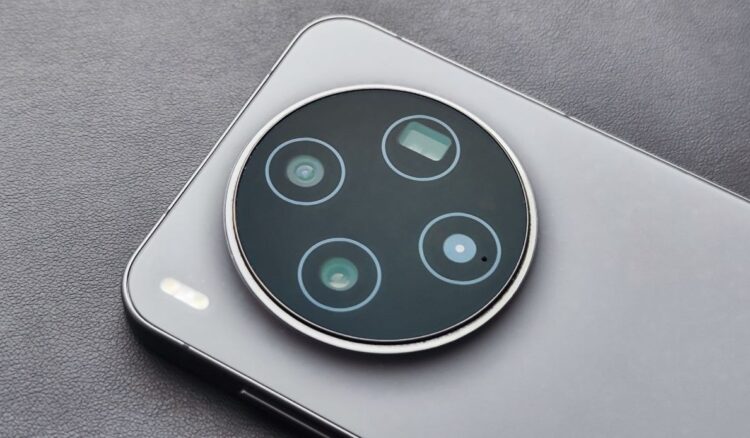
The vivo X300 camera features a quartet of lenses, each of which is genuinely useful:
- Main camera: 200 MP (1/1.4″), 23 mm with OIS.
- Ultra-wide: 50 MP (1/2.76″), 15 mm with AF.
- Telephoto: 50 MP (1/1.95″), 70 mm with OIS.
- Front camera: 50 MP (1/2.76″), 20 mm with AF.
If you don’t understand anything about camera specifications, just know this: it truly has the best camera among compact smartphones of 2026. Neither the Galaxy S26 nor the Xiaomi 17 has this kind of setup.
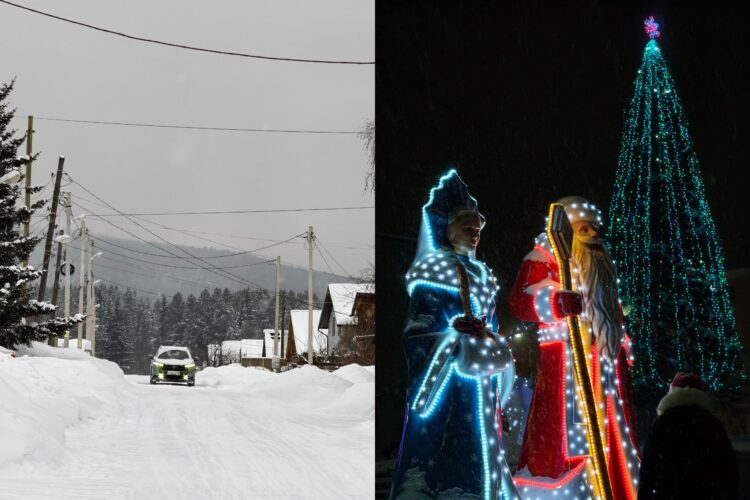
vivo X300 takes great photos both day and night
But the vivo camera is great not only on paper but also in practice. It takes beautiful shots regardless of lighting conditions, adding a touch of artistry to them — and that’s where the catch lies.

AI makes shots more artistic
But let’s stick to the pros of the vivo camera for now. It’s perfect for portrait photography, offering several focal lengths to choose from: 23 mm, 35 mm, 50 mm, 85 mm, and 100 mm. I predominantly used 85 mm. The depth is sufficient, and the quality is slightly better than at 100 mm.

vivo X300 — the king of portrait photography
The beauty of vivo X300 photos is achieved through artificial intelligence. It doesn’t kick in immediately but rather during the post-processing stage. If you try to view a shot right after pressing the shutter button, it will still be processing for a couple more seconds, and only then can you see the final result.
Cons of the vivo X300 Camera
The AI in vivo is the main problem of the vivo X300. On one hand, the neural network makes shots more artistic and eliminates flaws. On the other hand, it does its job so aggressively that it makes people mock the entire Android market.
I knew about the AI in the vivo X300 before purchasing it. The first sample shots appeared online right after the presentation in October 2025, and at strong zoom levels they were horrifying. The smartphone turned people into god-knows-what, but vivo promised to fix it.
Since its release, the vivo X300 has received several major updates, but the problem still hasn’t been resolved. It’s cool, of course, that the smartphone lets you photograph people on the opposite stand of a 12,000-seat arena, but not at this cost!
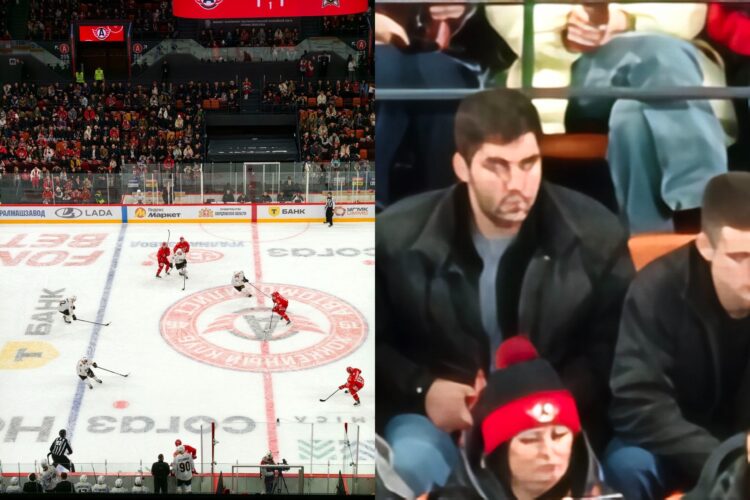
vivo X300 has great zoom, but what does it do to faces?
One might think that all this “watercolor effect” only shows up at extreme zoom levels from 20x to 100x. But in reality, the neural network kicks in by default on the telephoto lens when you use magnification of 3x and above. This is especially noticeable in portrait mode, where vivo X300 often turns people into wax figures.
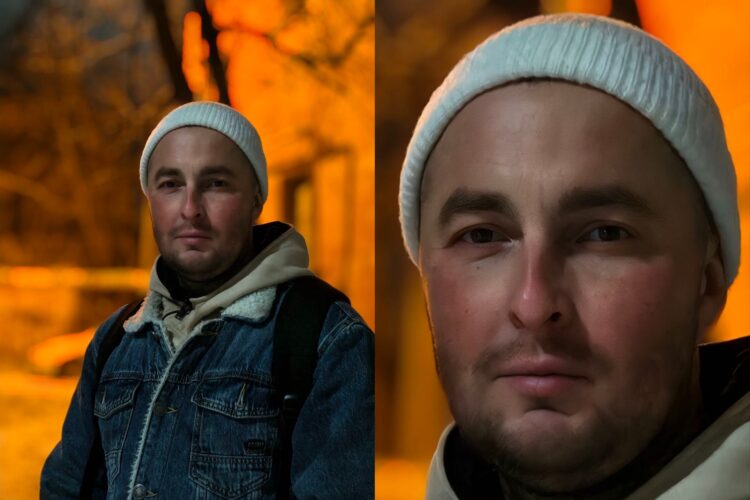
In portrait mode, vivo X300 turns people into wax figures
The vivo camera smooths skin, blurs facial hair, and redraws eyes from scratch, even though you didn’t try to enable any beautification effect in the camera settings. Girls might like this, but when the vivo X300 literally applies “plaster” to a man’s face, questions arise.
How to Disable AI in the vivo Camera
Interestingly, the camera settings do allow you to reduce the aggressive neural network processing on the telephoto lens. Here’s how to remove AI photo processing on vivo:
- Launch the camera app.
- Open settings.
- In the “Photo” tab, go to the “Intelligent optimization” section, then to “Super enhancement of photos taken with the telephoto lens.”
- Set the value to “Off.”
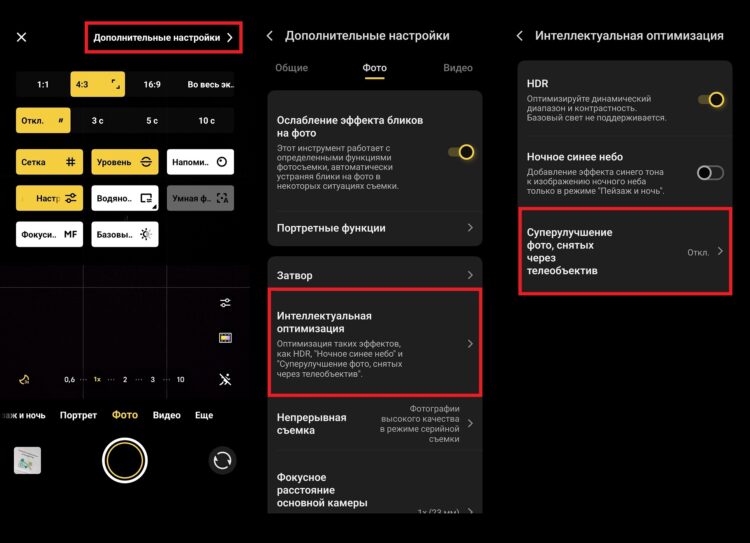
AI can be disabled, but not completely
The AI in the vivo camera will be less noticeable, but it won’t disappear completely. The smartphone will continue to redraw the image. The whole problem lies in the post-processing that vivo performs forcibly. You can’t opt out of it no matter what settings you choose. And for this, I absolutely hate the vivo camera.