You sent someone a message in MAX, there’s no reply, and instead of the exact time of their last visit, the profile shows a mysterious “Was recently” or “Was long ago”. What does it mean? Did they read the message? Did they even open the messenger at all? Let me break down how these statuses work and what’s behind them.

Understanding MAX visit statuses
Why You Can’t See the Last Seen Time in MAX
The national messenger by default does not show the exact last seen time in MAX to strangers. This is intentional: the app protects user privacy and prevents unfamiliar people from tracking your activity. The settings logic works like this:
- By default, the exact contact visit time in MAX is only visible to those the person has added to their phone book;
- Everyone else sees a vague status: “Was recently” or “Was long ago”;
- You can go further and hide the visit time from everyone entirely, so even contacts won’t see when you were last online.
If you can’t see someone’s exact visit time in MAX, it means you’re either not in their contacts, or they’ve hidden this information from everyone.
What Does “Was Recently” Mean in MAX
The “Was recently” status in MAX replaces the exact visit time and means the person opened the messenger anywhere from a few minutes to a few hours ago. It’s impossible to be more precise: MAX intentionally hides the specific time.
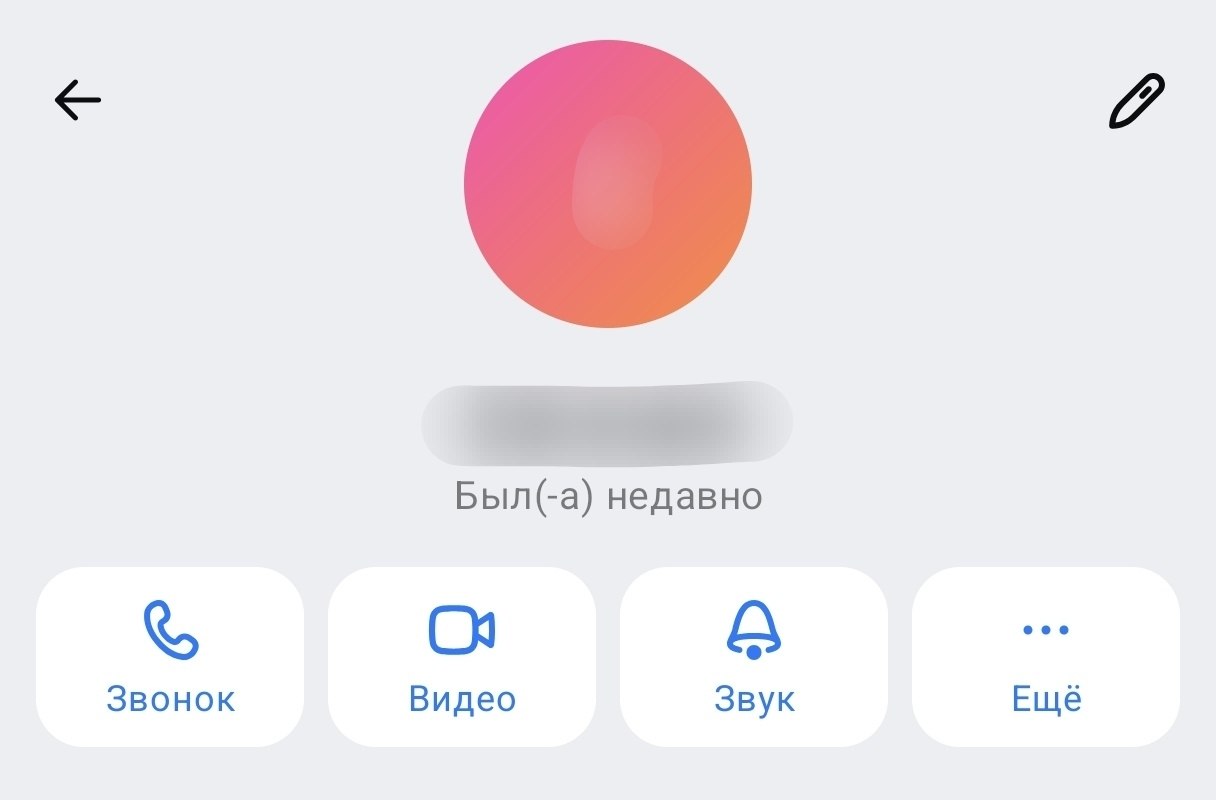
This person was online recently
If a person in MAX “Was recently”, you can be fairly confident they opened the app today. They may have seen your message. They may have simply not replied. Both scenarios are entirely possible.
What Does “Was Long Ago” Mean in MAX
The “Was long ago” status in MAX is the opposite story. It means the person hasn’t opened the messenger for anywhere from several days to several weeks. Again, the exact number is intentionally hidden. If a person in MAX “Was long ago”, they most likely haven’t seen your message yet, or they’ve abandoned the messenger altogether. It happens. Especially considering that many people have MAX installed as a backup alongside Telegram.
If MAX shows “Was long ago” for several weeks in a row, the person has either deleted their account in the national messenger, switched to a different phone number, or is simply ignoring the app. None of these scenarios can be verified through the status, since MAX doesn’t reveal any details.
How to Set “Was Recently” Status in MAX
An important point: the “Was recently” status in MAX is already automatically shown to everyone who isn’t in your contacts. That is, strangers already don’t know your exact login time in MAX. But if you want to hide it from absolutely everyone, including contacts, here are the instructions:
- Open the MAX messenger on Android.
- Tap on your profile icon or go to the “Security” section.
- Find the “See online status” option.
- Select “Nobody,” and then neither contacts nor strangers will see even the vague status.
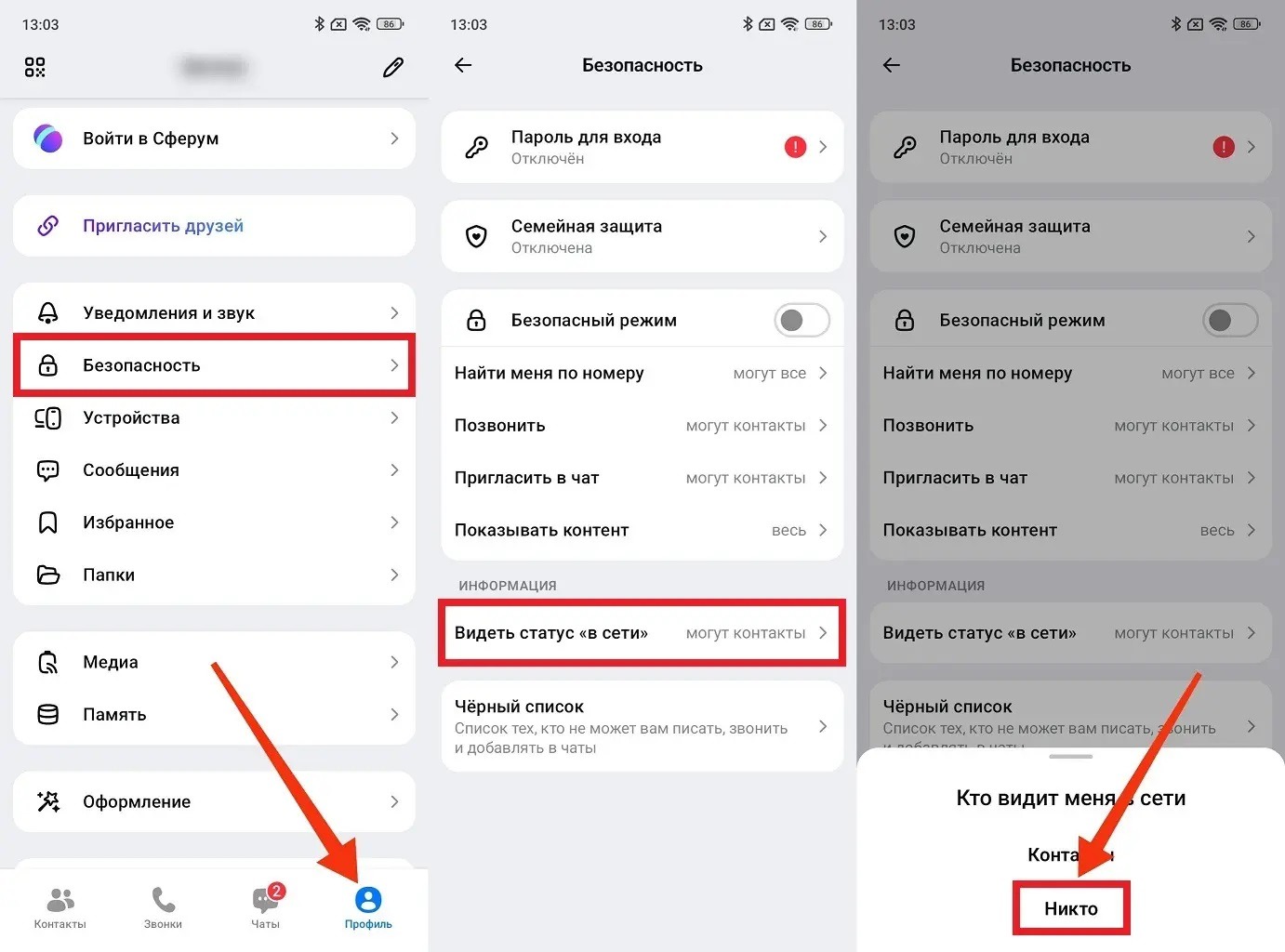
This is how you become invisible in MAX
After this, your profile won’t display any status about your last visit. However, you yourself will also stop seeing the visit time in MAX for those who have also hidden this information. Reciprocity, as it is.
How to Find Out When Someone Was Last in MAX
There is no direct way to find out the exact last seen time in MAX if the person has hidden it. MAX intentionally does not provide this capability. The only working option: ask the person to add you to their contacts. If they do and their privacy settings are set to “Contacts” (not “Nobody”), you’ll start seeing the exact login time in MAX. But only when both conditions are met simultaneously: you’re in their contacts and they haven’t hidden the time from everyone.
If you can’t see the visit time in MAX even after being added to contacts, it means the person has deliberately hidden this information from everyone. That’s their right, and there’s no technical workaround. And lastly: despite all this privacy with statuses, scammers actively hack accounts in MAX. So a hidden last seen time is not a guarantee of account security, but merely a protection of personal space.


