Samsung was in no rush to release the March security update and only began the rollout in the second half of the month. However, it still finds time for updates. The first to receive the patch were the flagship Galaxy S25 models, and the list has been growing rapidly since then. The update is now available for several dozen models, including mid-range smartphones from the Galaxy A series. If you haven’t checked your Samsung settings in a while, now is the time. Let’s break down what exactly was fixed and who has already received the update.
The Samsung March 2026 security update is available for dozens of Galaxy devices
What Was Fixed in the Samsung March 2026 Security Update
Honestly, the March patch turned out to be quite significant. The Samsung security update for March 2026 closes 65 vulnerabilities. Of those, 60 are directly related to Android and came from Google, while the remaining 5 concern Samsung Galaxy’s proprietary shell and components. In practice, this means the patch fixes holes both at the operating system level and at the manufacturer level.
Is that a lot or a little? For comparison, a typical monthly update usually closes between 30 and 50 vulnerabilities, so 65 is noticeably above average. Samsung has been taking security more seriously in recent months, and it shows in the volume of patches. Of course, most of these vulnerabilities are unlikely to be noticed by the average user in daily life, but you still shouldn’t delay installation. Some vulnerabilities can be used for remote data access, and that’s no joke. The Android March 2026 security patch is best installed as soon as it becomes available on your device.
Which Samsung Galaxy Devices Received the March 2026 Update
The list of devices that have already received the March Samsung Galaxy update is quite impressive. Samsung rolls out the patch gradually, but by the end of March, the coverage is already very decent.

Not only flagships will receive updates. Photo: phonearena.com
The flagship lineup is fully covered. The Galaxy S25 security update has reached all models in the series: Galaxy S25, Galaxy S25+, Galaxy S25 Ultra, Galaxy S25 Edge, and even the relatively new Galaxy S25 FE. Previous generations haven’t been forgotten either. The Galaxy S24, Galaxy S24+, Galaxy S24 Ultra, and Galaxy S24 FE are also on the list. All three Galaxy S23 models have been updated as well, including the Galaxy S23 FE.
Samsung’s foldable smartphones are also receiving the March patch. The list includes the Galaxy Z Fold 7, Galaxy Z Flip 7, Galaxy Z Flip 7 FE, Galaxy Z Fold 6, Galaxy Z Flip 6, and even the Galaxy Z TriFold along with the Galaxy Z Fold Special Edition. Support for older models is also in place: Galaxy Z Fold 5, Galaxy Z Flip 5, Galaxy Z Fold 4, and Galaxy Z Flip 4 are all being updated.
As for mid-range devices, so far the update has reached the Galaxy A55, Galaxy A54, Galaxy A53, and Galaxy A36. The list will most likely grow in the coming days, as Samsung typically rolls out to the remaining A-series models slightly later than the flagships.
How to Install the Security Update on Samsung Galaxy
If you found your smartphone on the list above, checking for the Samsung update takes literally a minute. Open “Settings,” then go to “Software Update” and tap “Download and Install.” If the patch is already available for your region, the system will offer to download it.
But there’s a catch. Samsung rolls out updates in stages, so even if your model is on the list, the patch may not arrive immediately. Don’t panic and don’t try to manually flash your device. Just check every couple of days, and the update will definitely appear. To be honest, the delay is usually between a few days and a couple of weeks depending on the region and carrier.
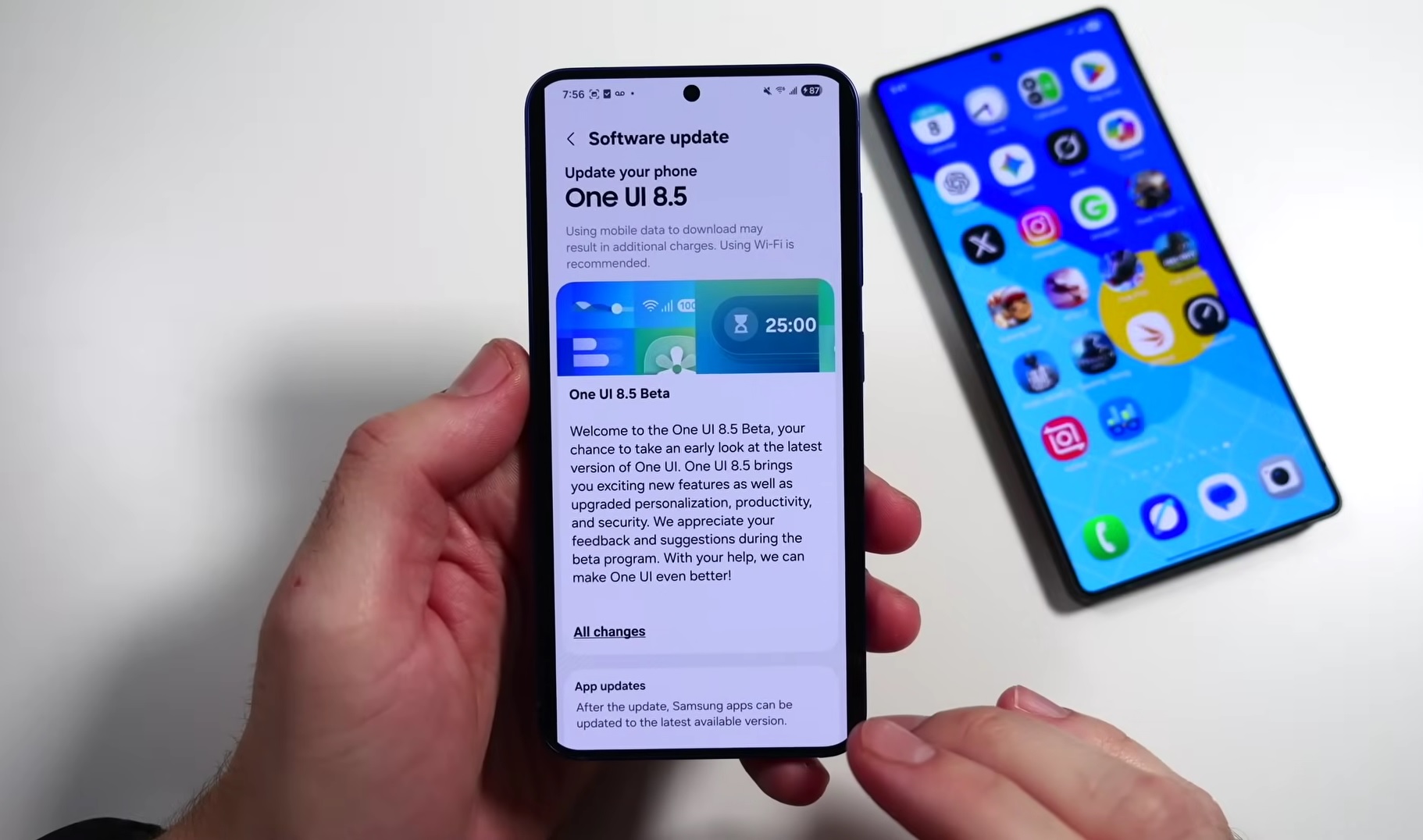
Samsung released a major update for beta testing program participants
One UI 8.5 Beta — Which Devices Have Gained Access
In addition to the March security patch, the Samsung team is actively working on deploying the One UI 8.5 beta. This is a separate story, but it directly concerns the same devices. Recently, the beta became available for the Galaxy S25 FE, the entire Galaxy S24 series (including the Galaxy S24 FE), and Galaxy Tab S11 tablets.
In April, according to available information, even more models will be added to the beta testing program. If you’re interested in trying One UI 8.5 before the official release, keep an eye on updates. But keep in mind that a beta is a beta, and I would only recommend installing it on your main device if you’re prepared to tolerate potential bugs and unstable behavior in certain apps. For experiments, it’s better to use a spare smartphone if you have one.
Should You Update Your Samsung Galaxy to the March 2026 Patch
Absolutely yes. 65 closed vulnerabilities is not a cosmetic update but serious security work. Of course, you’re unlikely to notice a difference in performance or interface after installation. Security patches usually don’t change anything visually. But at the data protection level, the difference is real and significant.
The update is especially relevant for those who use their Samsung smartphone for mobile banking, store important documents, or simply don’t want to discover one day that someone has gained access to their data. Yes, the likelihood of a targeted attack on an average user is small, but why take the risk when installation takes five minutes?
It’s also worth noting that Samsung continues to support even 2022 models like the Galaxy Z Fold 4 and Galaxy Z Flip 4 with updates. For a company that was often criticized for slow updates, this is notable progress. Take a minute to check for updates. Personally, I always install security patches on the very first day they arrive, and I advise you to do the same.