When Apple releases interim updates for iPad, many people primarily expect bug fixes and security patches. But iPadOS 26.4 looks a bit more interesting. Based on the current beta version, which anyone can already install just like on iPhone, Apple is preparing several notable changes that don’t turn the system upside down but make the iPad more convenient for everyday use. This includes Safari, multitasking, Apple Music, and even Freeform.

Breaking down the new iPadOS 26.4 features. Image: 9to5mac.com
New Tab Bar in Safari in iPadOS 26.4
In previous updates, Apple already sped up internet on iPad, and now it has turned its attention to the browser. One of the most pleasant little changes in iPadOS 26.4 is related to Safari. Apple is bringing back the compact tab bar that was removed in iPadOS 26. For many, that was a strange decision because on iPad every extra pixel at the top really matters, especially if you work in a window rather than full-screen mode.
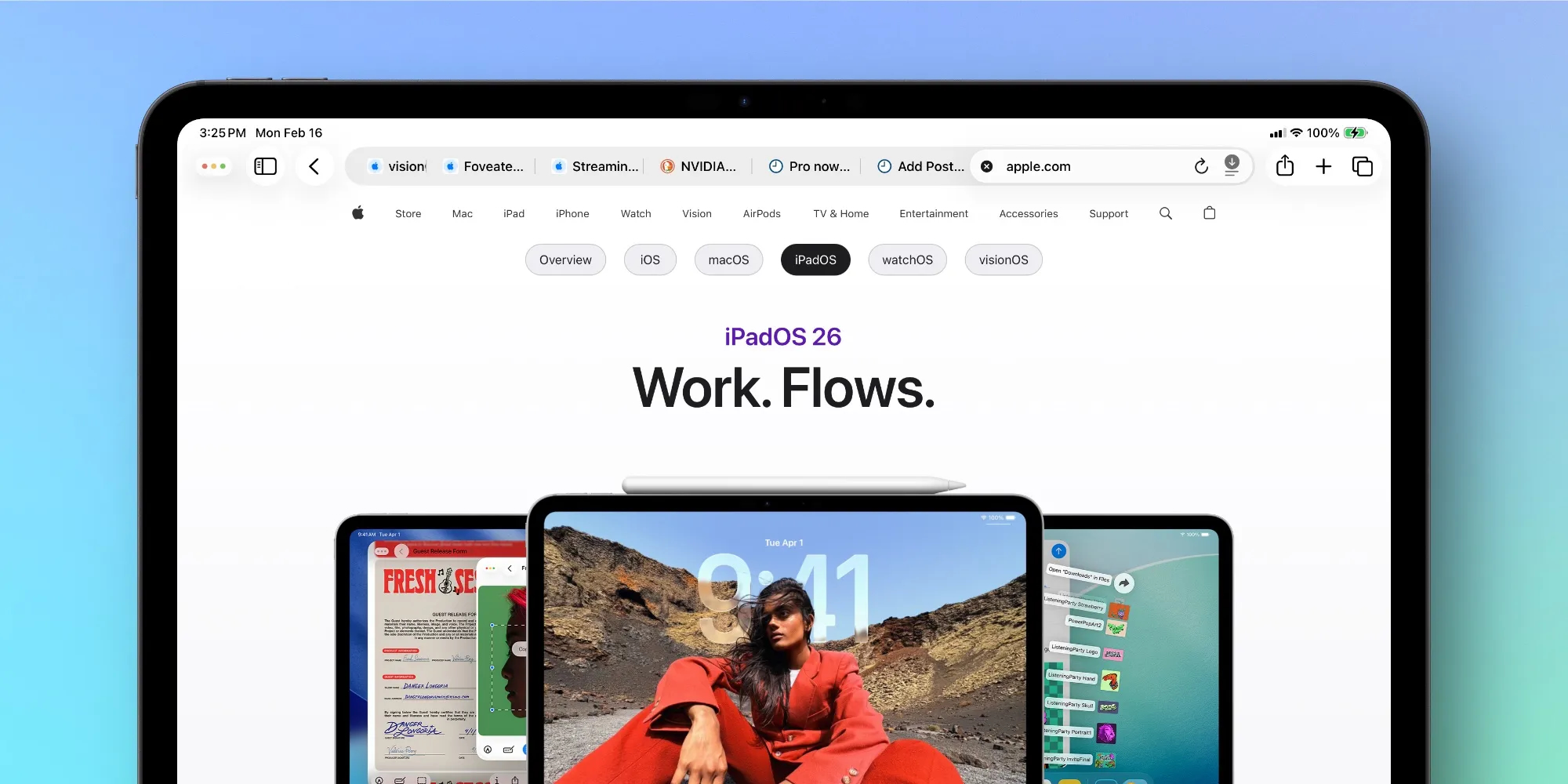
You can now enable the compact tab bar. Image: 9to5mac.com
The concept of this mode is simple. Tabs, browser buttons, and the address bar are combined into a single strip, leaving more room on screen for the actual website. On larger iPads this is nice, and on compact models or when working in Split View, this setting can be really useful. At the same time, Apple isn’t making the compact interface mandatory. In Safari settings, the regular option with a separate tab bar will remain, so everyone can choose the layout that suits them best.
In practice, this is exactly the kind of update that seems small but makes a difference every day. If you frequently read websites, work with documents in the browser, or keep another app open alongside it, the return of the compact bar could turn out to be one of the most useful features of iPadOS 26.4.
What Will Change in iPadOS 26.4 Multitasking
Another change concerns multitasking. In iPadOS 26, Apple significantly reworked how app windows work, making the iPad more flexible. But along with this came a new problem: if you have many windows of one app open, at some point it’s easy to forget what you already have running in the background.
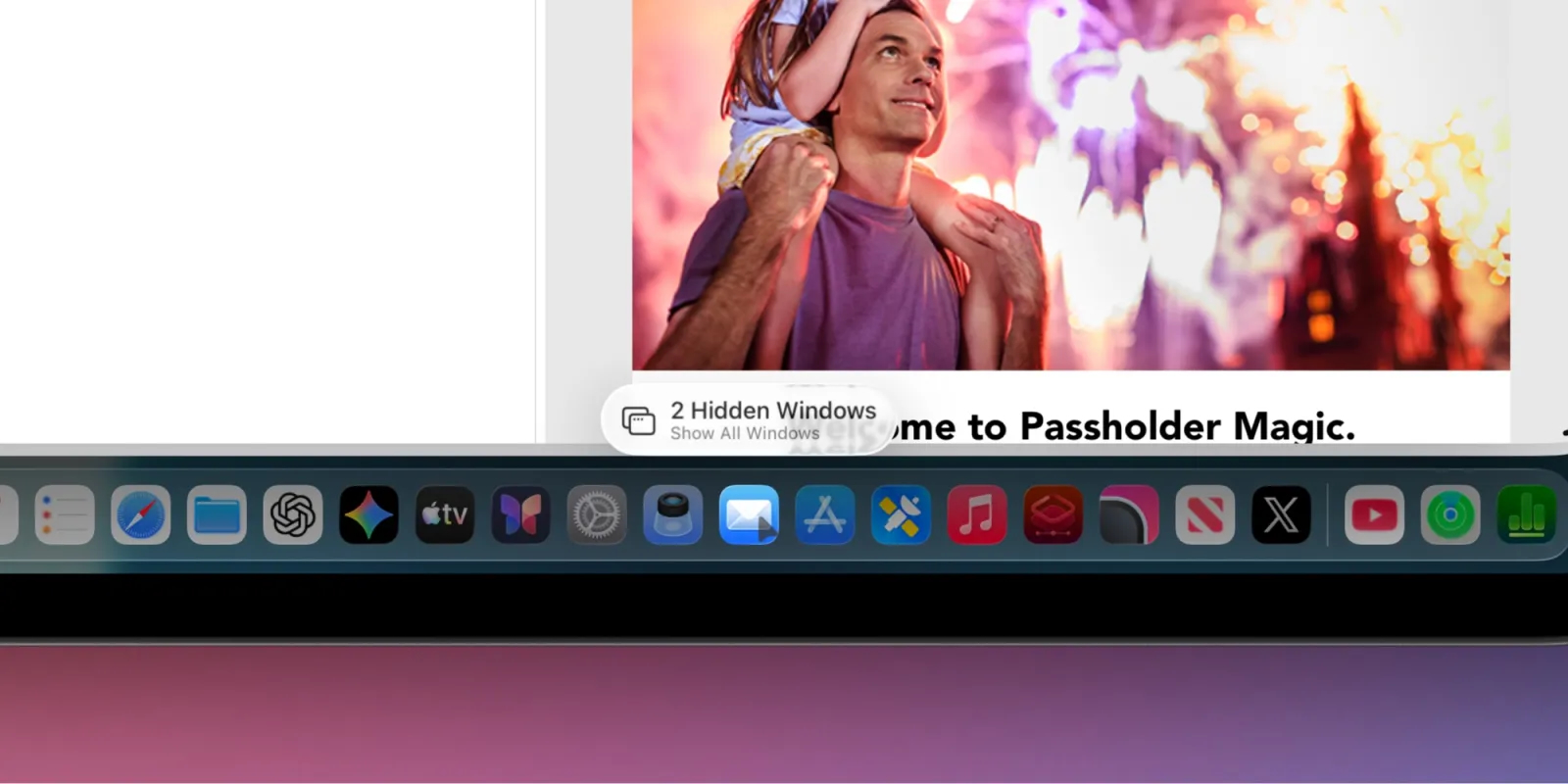
Hidden windows will now be shown in a separate notification. Image: 9to5mac.com
In iPadOS 26.4, Apple adds a Hidden Windows pop-up hint. If you open an app that already has several windows, a small notification with the number of hidden windows appears at the bottom of the screen. Essentially, it’s not just a warning but also a button: tap it, and the system shows all open windows of that app.
It doesn’t sound like a huge deal, but for those who work seriously on iPad, the feature is useful. It helps tidy things up faster, avoid keeping unnecessary windows open, and simply reduces confusion. This will be especially handy for those who constantly use Safari, Notes, Files, Pages, or other apps where it’s easy to accumulate several parallel windows and then lose track of what’s already open.
Creating Playlists by Description in Apple Music on iPad
One of the most notable features of iPadOS 26.4 comes to Apple Music. It’s Playlist Playground, a new tool that lets you build playlists using AI. Users simply enter a text prompt, and the system suggests a selection of tracks matching the desired mood, scenario, or genre.
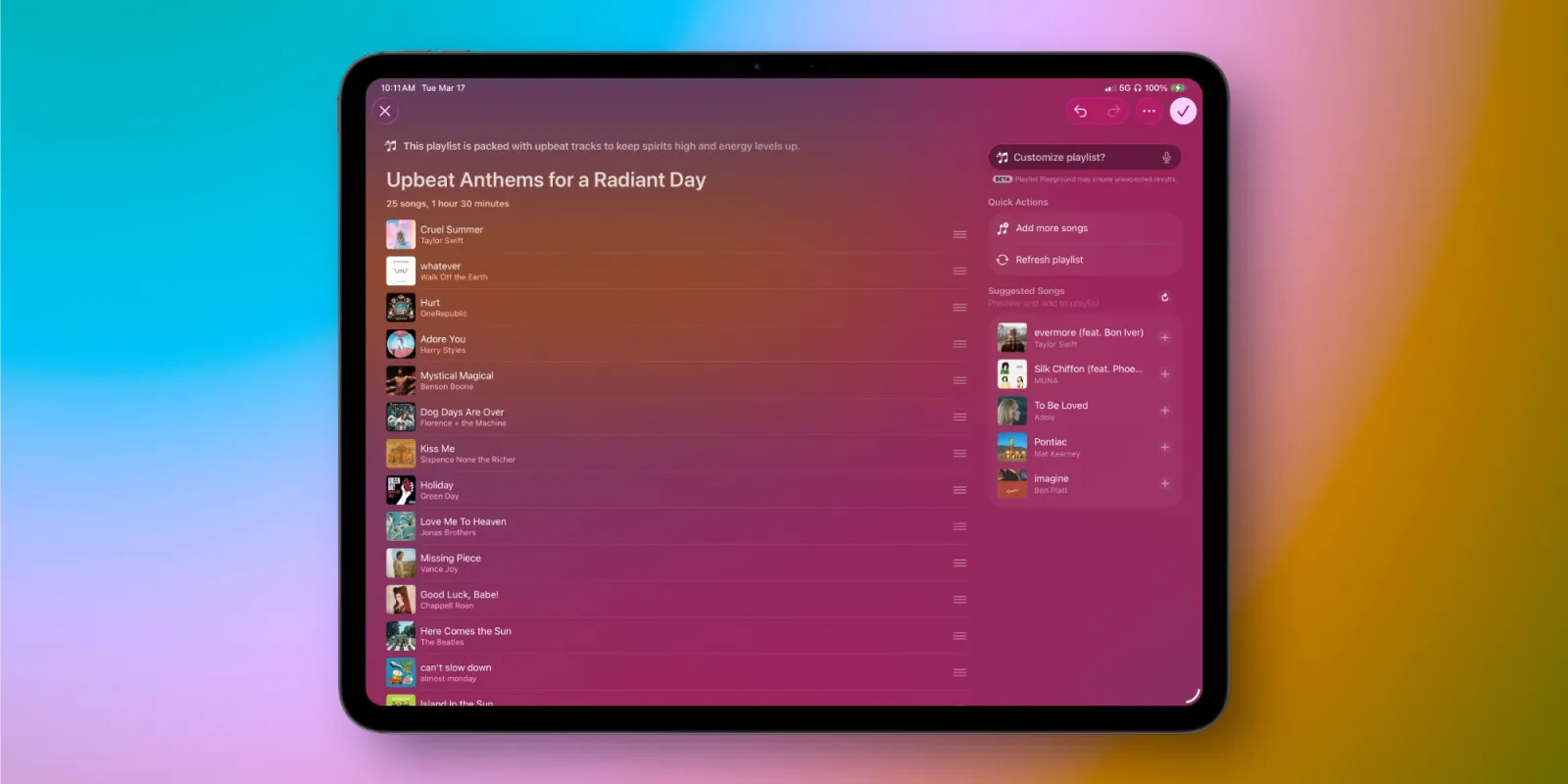
Give Apple Music a text prompt, and the app creates a playlist for you. Image: 9to5mac.com
Apple, based on the test version, also offers ready-made suggestions so you don’t have to think of a prompt from scratch. But you can write your own request too. For example, ask for music for an evening walk, workouts, a road trip, or calm instrumental work music. After that, the finished playlist can be refined: adjust the prompt, manually remove something, or add other tracks.
This is no longer just a cosmetic update but a real attempt to integrate Apple Intelligence into everyday music use. For those who love discovering new tracks but don’t want to manually assemble playlists every time, this feature could work really well. That said, its value directly depends on the availability of Apple Intelligence and how well the service understands user requests in the needed language. But the idea itself looks quite promising.
What’s New in Freeform in iPadOS 26.4
Perhaps the most unusual innovation involves Freeform. This app has long been seen as one of the most “iPad-centric” Apple services because it’s especially convenient to work with ideas, diagrams, notes, references, and sketches on the tablet. And now Apple is planning to expand its capabilities through Apple Creator Studio features.
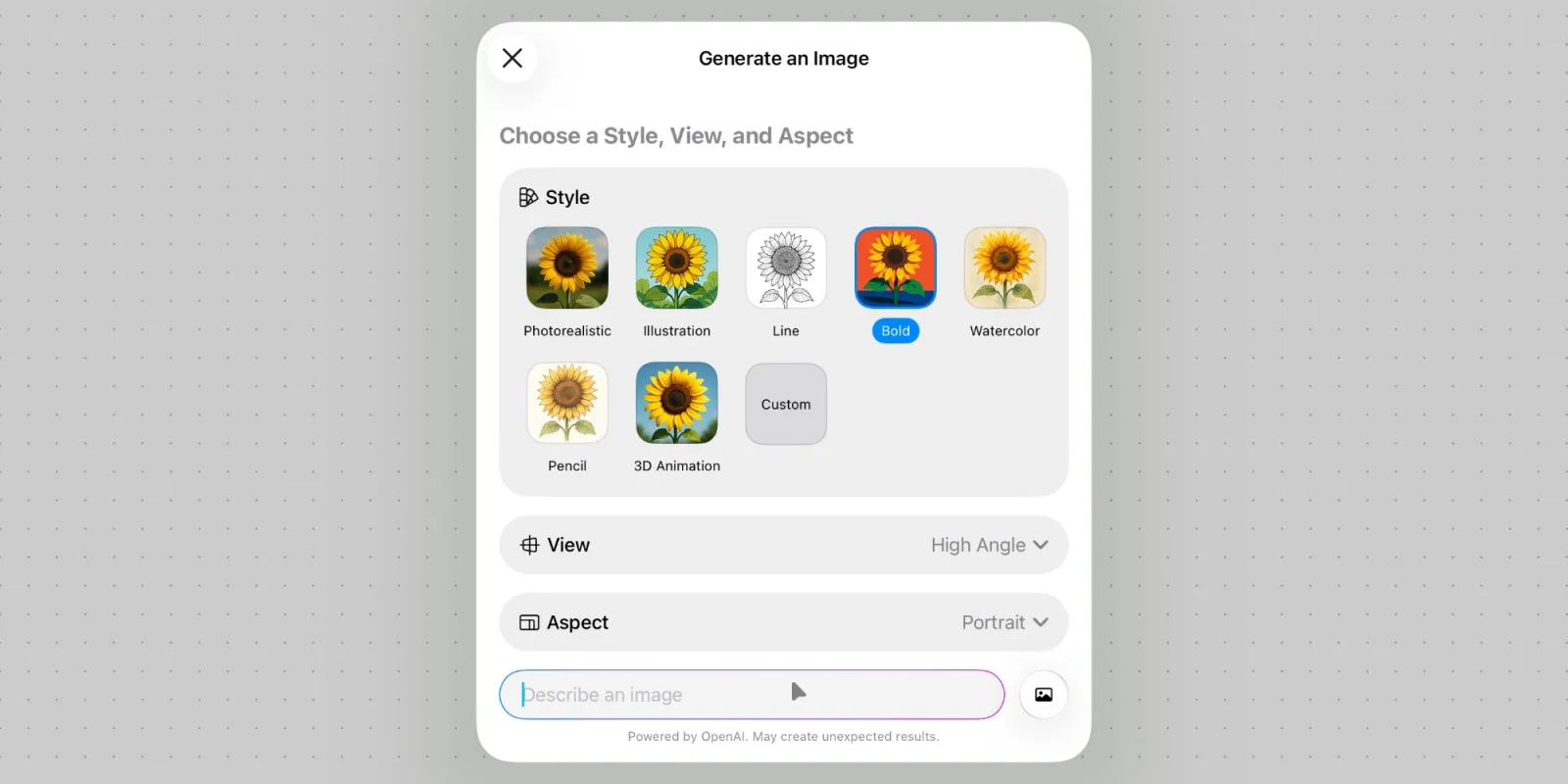
You’ll be able to generate images right in Freeform. Image: 9to5mac.com
According to available information, Apple Creator Studio subscribers will get several additional tools in Freeform. These include creating new images using OpenAI models, access to Content Hub with premium images, AI suggestions for cropping, and upscaling low-resolution images. In Apple Creator Studio itself, Apple also separately describes premium content, intelligent cropping, and image upscaling, and the company’s support pages confirm that Freeform is among the apps where such paid AI features are available.
For the average user, this isn’t necessarily a reason to rush to update. But if you use iPad for creative work with Freeform, these new tools could significantly expand your workflow possibilities.