Xiaomi 12T Pro was my previous smartphone. A great device with fast charging at 120W: from zero to one hundred percent in 20 minutes. But it was the charging that became the source of problems. Every time I plugged the phone into an outlet, it heated up noticeably (it was uncomfortable to hold in my hand, and the temperatures were unsettling). I thought for a long time that this was normal, until I figured it out. It turned out there were two culprits, and I found them in five minutes. If you also notice that your phone heats up while charging, this story is for you.

The very smartphone that was overheating. Image: TechTablets
Why Does a Smartphone Heat Up While Charging
A slight warmth during charging is normal and unavoidable. The physics is simple: when transferring electrical energy, part of it dissipates as heat. The higher the charging power, the more heat is generated. That’s exactly why fast charging for a phone is always a compromise between speed and temperature.
But there’s a difference between “slightly warm” and “burns your fingers.” A phone overheats for several reasons:
- fast charging is enabled at high power;
- the case prevents heat from escaping the body;
- background apps are running, loading the processor;
- a bad cable or charger with unstable voltage;
- a degraded battery that accepts current less efficiently.
In my case, the first two factors were at play simultaneously, and it was their combination that produced such an unpleasant result. Smartphone heating during fast charging is tolerable by itself, but the case turned the body into a thermos.
The Danger of Fast Charging on Android
The method is simple — sequential elimination. First, I removed the case and put the phone on charge. It got noticeably better, but the smartphone was still heating up during charging more than I’d like. Then I went into settings and found the fast charging function. I disabled it and put it on charge again — without the case.
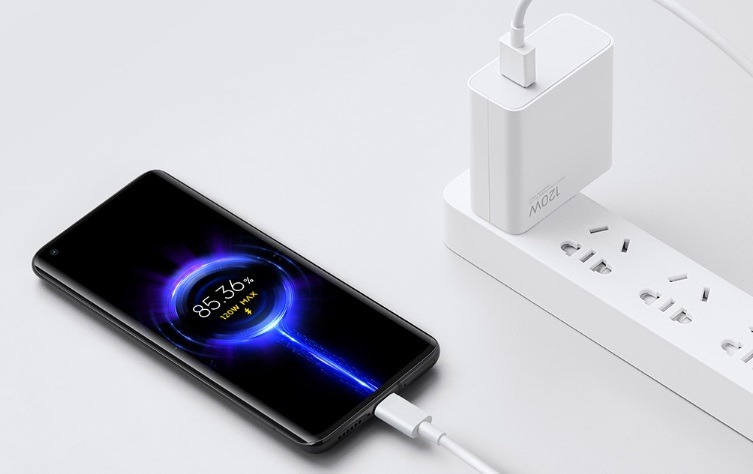
120W is really too powerful a charger. Image: Xiaomi
The phone became warm but no longer hot. Quite comfortable. The whole diagnosis took about five minutes. No apps, no service centers. Just two actions: remove the case and go into settings.
What to Do If Your Smartphone Overheats While Charging
Remove the case while charging. A case is great protection in everyday life, but during charging it works as a thermal insulator. The smartphone body is a radiator through which heat escapes. The case blocks this process. This is especially relevant for thick leather and silicone cases. Simply remove the case while the phone is charging, and smartphone heating will noticeably decrease.
Disable fast charging. On the Xiaomi 12T Pro, this is done as follows:
- Open “Settings.”
- Go to the “Battery” section.
- Find “Charging parameters.”
- Select “Wired charging mode.”
- Set the value to “Default.”
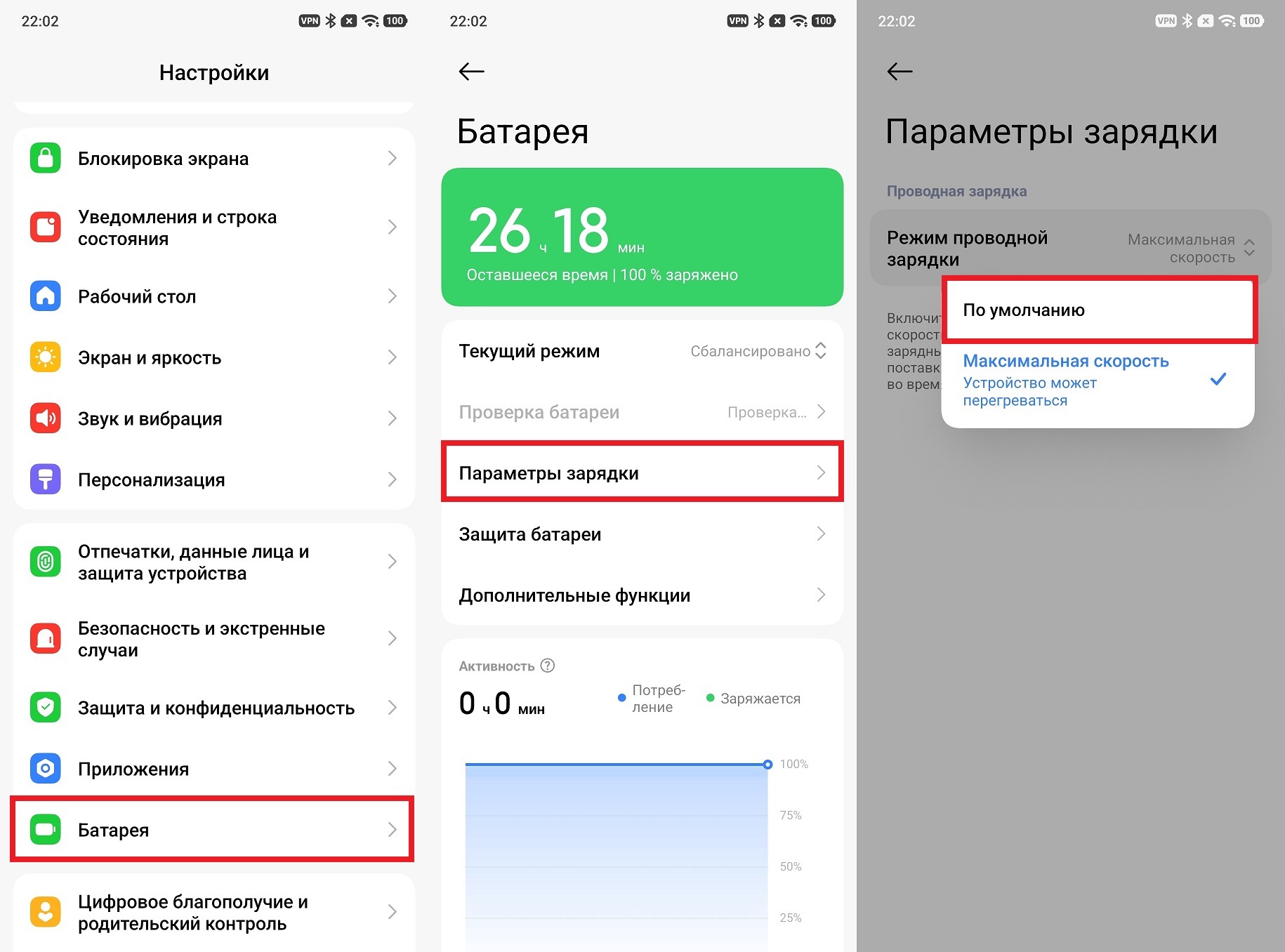
The smartphone actually stopped overheating
On other smartphones, the path may differ slightly. Look in the “Battery” or “Charging” section. Names vary: “Fast Charging,” “Turbo Charging,” “Super Fast Charging,” “HyperCharge.”
After disabling it, the Xiaomi 12T Pro started charging from zero to one hundred percent in 30 minutes instead of 20. But here’s what’s interesting: up to 90%, the speed was practically unchanged. The difference is only felt in the final stretch: that’s where fast charging caused maximum heat, and that’s where disabling it makes a difference. In real life, when you rarely drain the phone to zero, the difference is almost unnoticeable.
When Phone Heating Is Especially Dangerous
The solutions described above help with everyday overheating. But sometimes the charger heats up or the smartphone overheats for more serious reasons, and that’s when you should be concerned. Reasons to visit a service center:
- the smartphone gets extremely hot even without a case and with fast charging disabled;
- the body has deformed or swollen in the battery area;
- the phone shuts off by itself during charging;
- the charging block gets so hot that it’s unpleasant to hold;
- a strange smell appears during charging.
A swollen battery is no longer just discomfort — it’s a real charging hazard. Lithium-ion batteries can catch fire when swollen. If the body has noticeably changed shape, don’t delay your visit to a service center. And if your smartphone supports fast charging and works normally but still heats up more than usual after several years of use — most likely the battery has degraded and it’s time to replace it. The downsides of fast charging are exactly this: high power accelerates battery wear, and after two or three years the difference becomes noticeable.