Let’s see how the update affected iPhone battery life
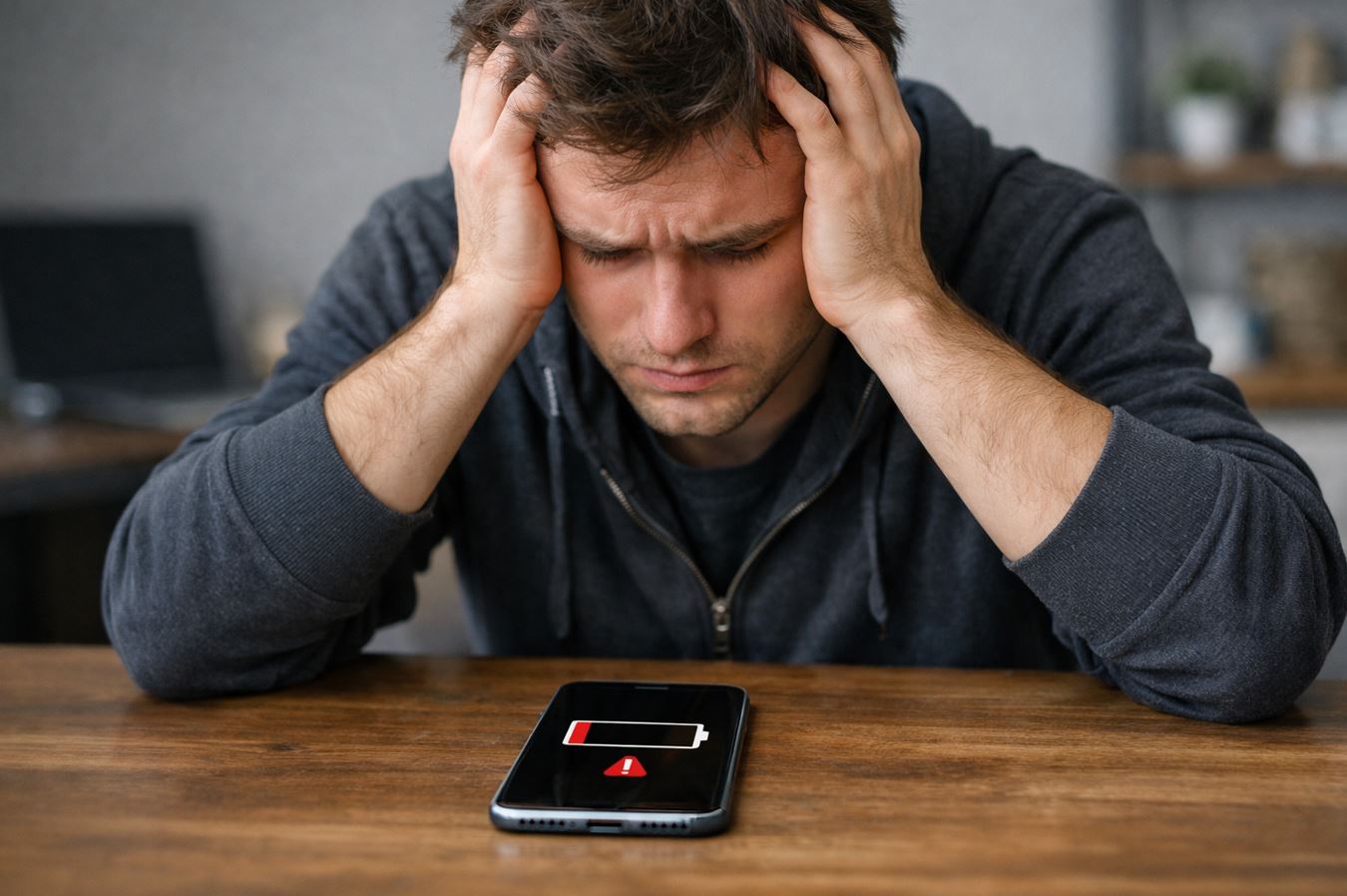
A few days ago Apple released iOS 26.4 — an update with new features and plenty of bug fixes. The new build had been long awaited and extensively tested, so it should be very polished. But the main question everyone has after installing it is how iPhone battery life has changed. We found out everything known about battery life with iOS 26.4 and present the latest battery test data. Below we compared results with three previous iOS versions, including last year’s iOS 18.4.
What’s New in iOS 26.4
iOS 26.4 is not as major an update as previous builds — Apple has already used up practically all the big new features. But there are still some interesting things inside. The main change is Playlist Playground in Apple Music. This is an Apple Intelligence-based feature that creates playlists from text descriptions: you type in a mood or situation, and iPhone picks music, comes up with a name, and even generates cover art.
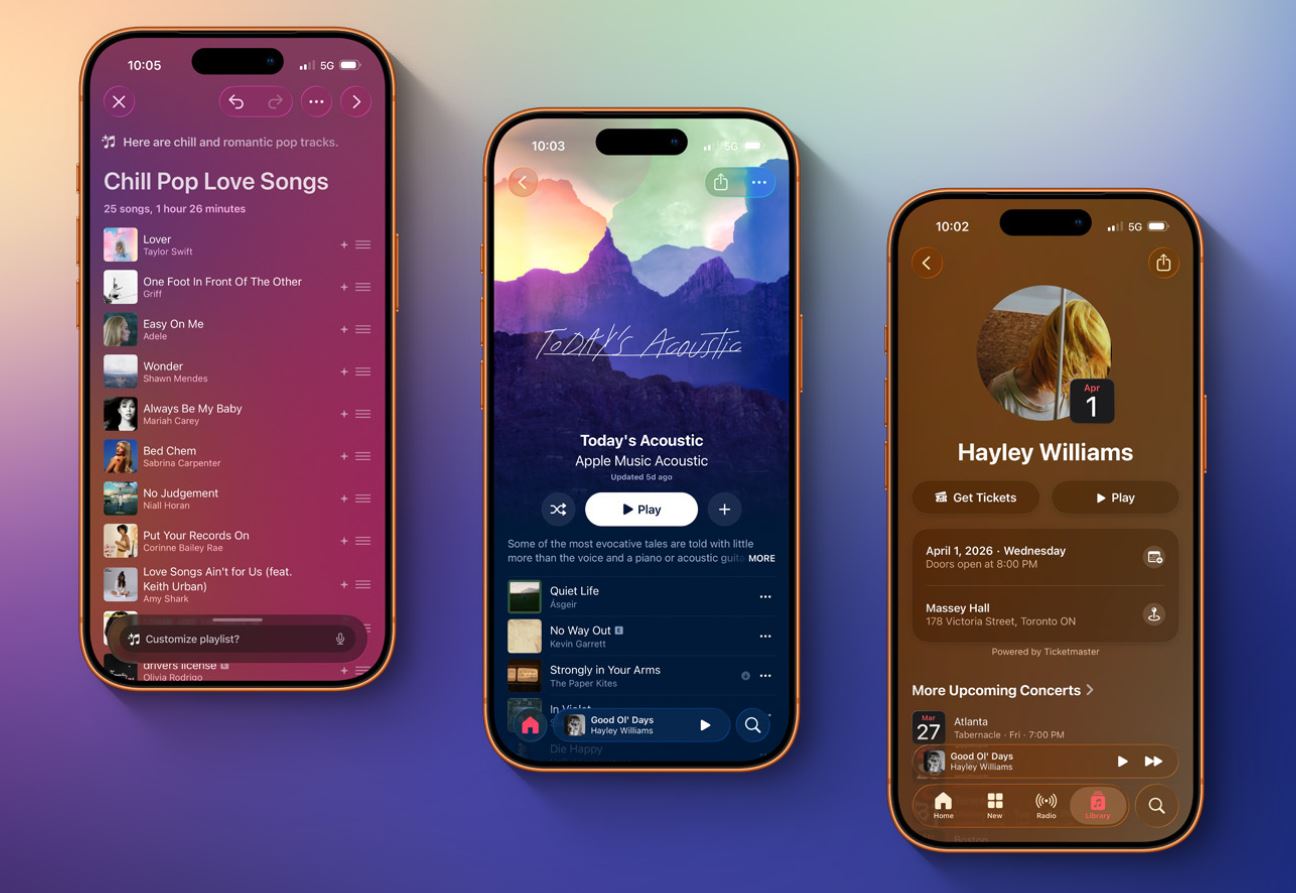
Several new features in iOS 26.4 can actually come in handy. Photo: 9to5mac
- Also in Apple Music, a “Concerts” section appeared for finding nearby performances by artists from your library, and offline music recognition via Control Center — Shazam now works without internet.
- On the practical side: the Stolen Device Protection feature is now enabled by default — previously it had to be activated manually. If the iPhone is away from a familiar location, the system requires Face ID or Touch ID to access passwords and payment data.
- The Podcasts app now supports video episodes, and the keyboard has become more responsive to touches during fast typing. Plus 8 new emoji — orca, trombone, yeti, and others.
The iOS 26.4 features seem minor, but that’s normal for the current iteration. Let’s see how iPhone battery life has changed with iOS 26.4 on board.
How Does iPhone Hold Charge with iOS 26.4
Every iOS update is a lottery for the battery. Last time, iOS 26.3.1 showed mixed results: iPhone 13 battery life dropped again, even though the previous major build iOS 26.3 had just restored it to normal levels. So we approached iOS 26.4 testing with particular interest.
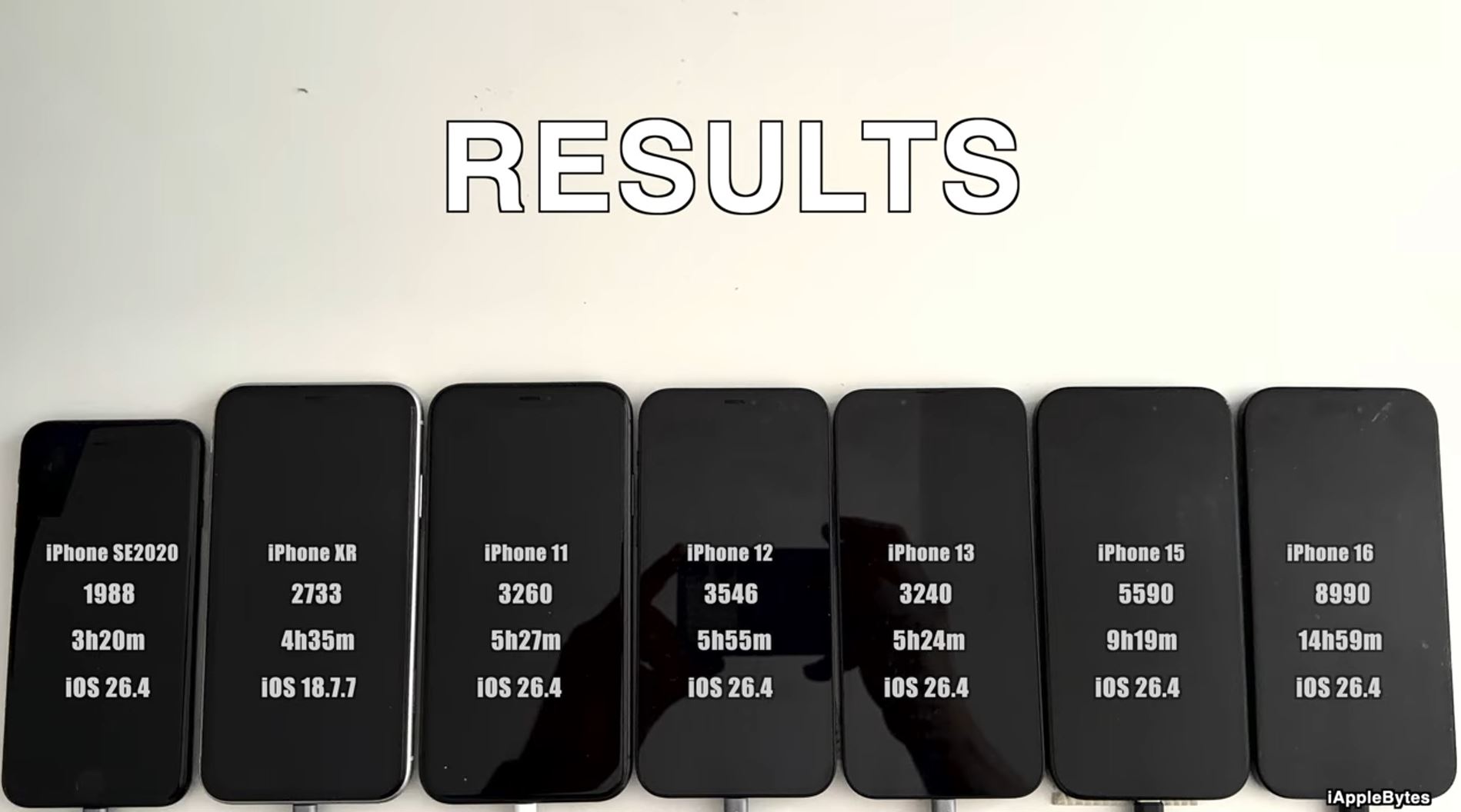
Another test is ready. Photo: YouTube channel iAppleBytes
Blogger iAppleBytes traditionally ran tests on six models — from iPhone SE 2020 to iPhone 16. We compared iOS 26.4 results with three previous versions: iOS 26.3.1, iOS 26.3, and iOS 18.4. The picture turned out quite interesting.
| Model | iOS 26.4 | iOS 26.3.1 | iOS 26.3 | iOS 18.4 |
|---|---|---|---|---|
| iPhone SE | 3 hours 20 minutes | 3 hours 38 minutes | 3 hours 28 minutes | 3 hours 40 minutes |
| iPhone 11 | 5 hours 27 minutes | 4 hours 42 minutes | 5 hours 30 minutes | 4 hours 54 minutes |
| iPhone 12 | 5 hours 55 minutes | 5 hours 36 minutes | 5 hours 37 minutes | 6 hours 1 minute |
| iPhone 13 | 5 hours 24 minutes | 6 hours 37 minutes | 6 hours 33 minutes | 6 hours 31 minutes |
| iPhone 15 | 9 hours 19 minutes | 9 hours 17 minutes | 9 hours 36 minutes | 9 hours 57 minutes |
| iPhone 16 | 14 hours 59 minutes | 13 hours 56 minutes | 14 hours 35 minutes | 14 hours 2 minutes |
The results are mixed — as often happens with iOS updates. Let’s break it down by model. First, note the drop in battery life for iPhone SE: it lost 18 minutes compared to iOS 26.3.1 — the worst result among all tested versions. For a smartphone with an already small battery, this is noticeable. Compared to iOS 18.4, the loss was 20 minutes. I don’t recall anything like this in all this time.
- iPhone 11 — the main winner of this test. A 45-minute gain compared to iOS 26.3.1! The result is almost on par with iOS 26.3, and compared to iOS 18.4 — plus half an hour. If you have an iPhone 11, you can update with peace of mind.
- iPhone 12 also improved: +19 minutes over iOS 26.3.1 and +18 minutes over iOS 26.3. The only thing — compared to old iOS 18.4 it’s still minus 6 minutes, but the difference is negligible.
- iPhone 13 — the main loser. It lost over an hour compared to iOS 26.3.1 (from 6:37 to 5:24) and over an hour compared to iOS 26.3. This iPhone seems cursed: every update throws it from one extreme to another. In iOS 26.3, battery life went up, in 26.3.1 it held steady, and now it dropped again.
- iPhone 15 showed a stable result — virtually no change compared to iOS 26.3.1 (+2 minutes). But compared to iOS 18.4, the loss was 38 minutes — half an hour of battery life somehow disappeared since the last “eighteenth” versions.
- iPhone 16 — the second winner of the test. A full hour of battery life gained over iOS 26.3.1 (from 13:56 to 14:59). The best result among all four versions! It looks like Apple is optimizing iOS 26 primarily for the current generation.
Owners of these iPhones are confused: what’s happening with battery life after the update? Apple frankly tests users’ nerves with every build. And yes: despite the approximate results, the overall conclusion is once again baffling.
Does the New iOS 26.4 Kill iPhone Battery
To simplify: iPhone 11, iPhone 12, and iPhone 16 won — their battery life improved. iPhone 15 stayed the same. But iPhone SE and iPhone 13 lost charge, with iPhone 13 losing significantly. No place for the old-timers, it seems?
An interesting pattern: iPhone 16 performs better with every iOS 26 update. Since iOS 18.4 was released, it has gained almost an hour. Apple clearly gives priority attention to optimizing for the current generation — and that makes sense. Meanwhile, iPhone 13 remains “unstable” in terms of battery life. One update adds an hour, the next takes it away. If you have this model and battery is critical — it might be worth waiting for reviews after installation.
But let’s remind you: iPhone battery tests are approximate in nature. They are conducted on specific units with a certain level of battery wear, under specific conditions. Real-life results may differ. They’re worth noting and keeping in mind, but not trusting completely.
Should You Update to iOS 26.4
We traditionally recommend monitoring real user reviews on iOS 26.4. Here’s what readers responded this time.
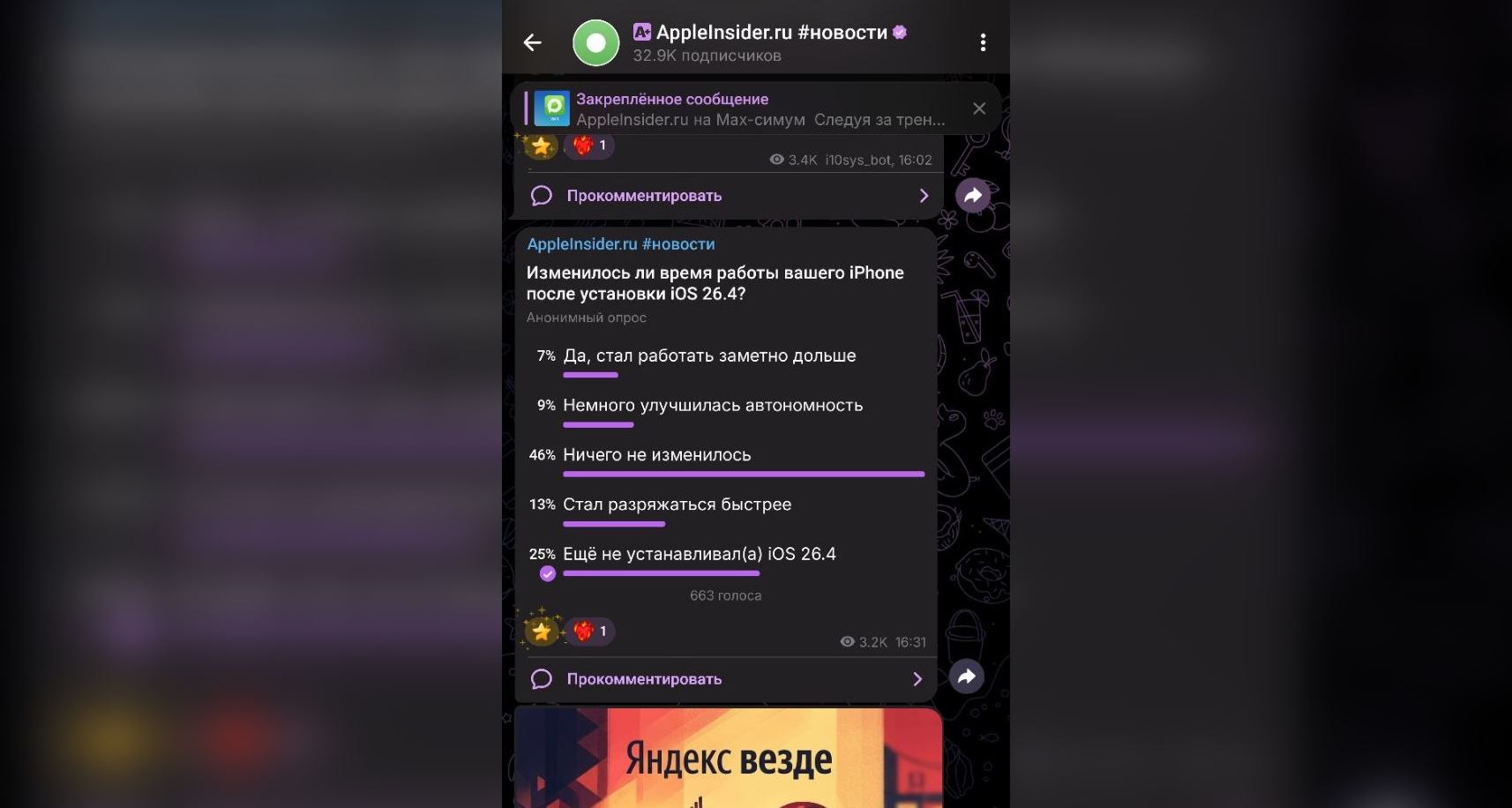
Our readers voted after the update was released
As usual, many simply skip the update (25%), postponing it for a better time. Almost half of readers (46%) didn’t notice any changes, while the share of those unhappy with battery life on iOS 26.4 remains significant. What’s the conclusion? Should you update your iPhone to iOS 26.4? Our answer is — yes.
- First, iOS 26.4 patches dozens of vulnerabilities in WebKit, Siri, Keychain, Mail, and network components. That alone is sufficient reason to install it. Security is more important than a few minutes of battery life.