From the outside, everything looks simple: the waiter takes the order, the kitchen prepares it, and the guest leaves satisfied. Inside, it’s a mechanism of hundreds of small decisions where every inaccuracy becomes a hole in the margin. The cashier didn’t mark “no onions” — the cook assembled the wrong dish, and the remake ate up time and ingredients. The cook was “a little generous” with cheese — the cost crept up while the recipe card remained just paper morality. The warehouse clerk accepted a delivery “by eye” — batches and expiration dates stopped adding up. The manager reconciled revenue from three spreadsheets — and made decisions based on yesterday’s guesses. That’s how “manual assembly” works: speed depends on the heroism of the shift, accuracy depends on memory, and money depends on luck.
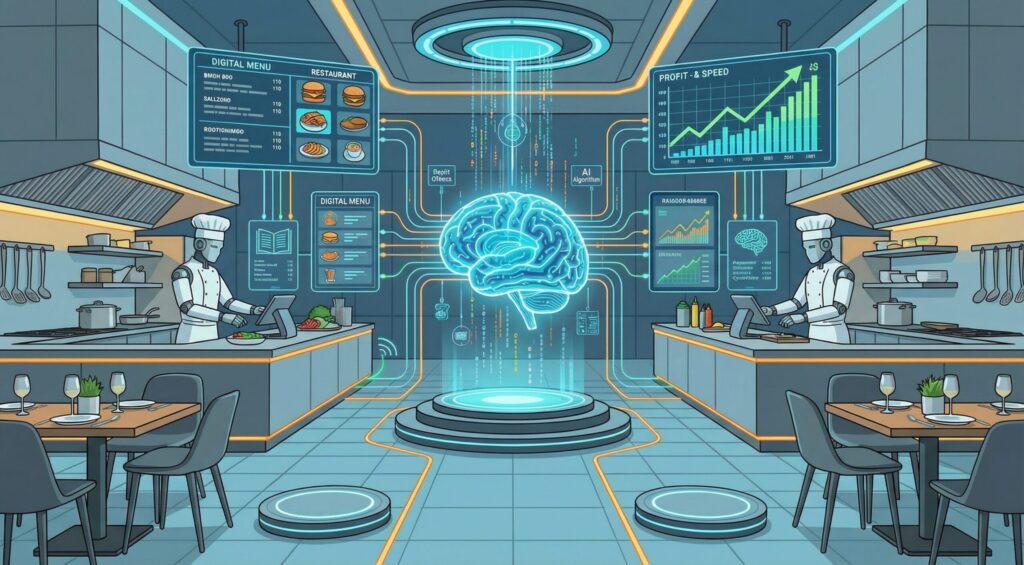
Where money hides in a restaurant and why manual mode always loses to automation
Restaurant software isn’t needed for trendy diagrams. It closes exactly the spots where the human factor hits the wallet: it turns a system event into a process action. A check is immediately a kitchen task, preparation is a write-off according to the recipe card, shipment is batch and expiration date tracking, closing the day is a report that not only the accountant reads but also the manager. A restaurant wins where unnecessary touches disappear: a modifier is selected on the screen rather than spoken in the noise of the dining room; the kitchen queue is built by deadlines rather than the “whoever’s loudest” principle; the warehouse operates on actual consumption rather than “just in case.” The result isn’t in the beauty of the interface — it’s in the fact that decisions are made today, while the queue is still at the counter, not a week later at a meeting.
The Restaurant Operating System: What It Looks Like During a Real Shift
It all starts at the front. Modern software collects orders from the dining room, website, and aggregators into a single loop — without copy-pasting and double entry. Modifiers don’t drown in phone calls: “spicier,” “substitute the side dish,” “sauce on the side” — mandatory selections on the POS screen, which means the kitchen sees exactly what the guest requested. The ticket doesn’t wait for the printer — it flies onto kitchen display systems (KDS), splitting by station: hot, cold, bar. Priorities are set by the system — takeout, delivery, and dine-in live in one queue where “promised by the minute” actually matches the output. When a peak is inevitable, KDS highlights delays, and the manager moves people based on facts, not intuition.
Next, the warehouse kicks in. Restaurant automation software tracks batches and expiration dates, writes off ingredients “at the moment of preparation” according to recipe card standards, warns about remaining stock, and suggests purchases based on actual consumption. “Generous spoonfuls” and the magic of “nobody knows where the cheese went” disappear, working capital doesn’t freeze in the fridge, and expired products stop being a surprise. Changed the cream supplier — the cost is recalculated here and now, not at the end of the month.
The third layer is money and reporting. Integration with POS systems and payment processing means that payments, discounts, returns, and bonuses live in the same logic as operations. The dashboard shows the shift’s pulse: revenue by channel, average check, “payment → handoff” speed, remake rate, promo effectiveness, stock levels, and write-offs by category. And this isn’t a museum of charts: you see that the “filter coffee with a second dessert” promotion is eating into margin — you turn it off; you notice a speed drop — you shift the schedule by half an hour, move popular modifiers to the first screen; you realize greens are in the “red zone” — you change the delivery. Changing course during the day — that’s what distinguishes a system from “after the fact” reporting.
The fourth layer is people. Restaurant software records roles and permissions, plans shifts based on actual traffic, and issues procedure checklists. The manager sees “hot” spots: where discounts are spreading, where pace has dropped, where dairy or fish are “going red.” Not chat discussions — facts with timestamps and shift data.
The fifth is CRM and delivery. Loyalty stops being “10% off for everyone”: food service automation systems collect guest habits and offer precise scenarios — “caramel latte” on rainy evenings for those who love sweets; early access to a new sandwich for those who order lunch from the office. Delivery and takeout live in the same loop: statuses sync, the courier sees “by the minute,” the guest sees honest readiness, and the counter gets fewer calls.
Two stories — no fanfare, but with arithmetic. A bistro in a food court reconfigured its KDS: takeout was shifted to lunch by −15 minutes, and the line at the counter collapsed without a second register; the average “payment → handoff” dropped by 42 seconds. A pizza chain standardized recipe cards and centralized purchasing: “surprise” cheese shortages disappeared, food cost returned to the target range and added two points above plan. In both cases, the software did one thing: turned a check into an action, an action into accounting, and accounting into a decision today.
How to Choose and Implement Without Heroics: A Route That Pays for Itself
Start not with a catalog of icons but with your own pain map. Where are seconds being lost: searching for items, dictating modifiers, disputes between dine-in and delivery at the handoff window? Where are grams leaking: “generous spoonfuls,” remakes, expired products? Where are decisions late: reports “when there’s time,” promotions that live longer than their usefulness, schedules that don’t match the peak? This map is your brief for the system.
Next — the basic set that moves the numbers immediately: unified order intake (dine-in/aggregators/website), KDS with priorities, recipe cards with automatic write-offs, batches and expiration dates, real-time stock levels, POS and payment integrations, a “today” dashboard. At this stage, you’re not trying to “turn everything on” — you’re eliminating bottlenecks. The next layer is delivery, CRM/loyalty, advanced analytics, tasks, and staff management. The key principle is one database and one logic for all locations if there are several: no “parallel reality” at a neighboring branch.
The pilot is short and honest. One location, two to three weeks, four “before/after” anchors: median “payment → handoff” time, remake rate, food cost stability on hits, batch and expiration date discipline for sensitive categories (dairy, fish/meat, greens). If nothing moves, the setup missed the mark: reconfigure POS presets, adjust KDS priorities, enable “lightning” inventory checks, establish acceptance and same-day labeling rituals. The goal of the pilot isn’t to admire the interface but to prove the economics.
There’s also a criterion for the right choice. Good restaurant software is invisible to the team and obvious to the guest. The bar doesn’t argue with the floor over queue priority, the kitchen doesn’t argue with the register over modifiers, the warehouse doesn’t argue with the report over “lost” batches. And the owner sees not a “pretty summary” but levers that change the day: turn off a promotion, reassign people, shift a delivery.
If this sounds like the picture you want, everything after is simple: request a demo using your menu and launch a pilot — in a couple of weeks you’ll have your own “before/after” curves and the calm confidence that software isn’t an expense but an engine of speed, accuracy, and profit.