I turned to ChatGPT with a complaint about my iPhone XS (2018) draining quickly. The chatbot offered several tips — and the main solution turned out to be a simple worn-out battery replacement. The story is straightforward, but it raises the right questions: how do you know when your battery has “died,” and when should you replace it versus replacing the entire iPhone?
Asked ChatGPT why iPhone drains so fast — here’s the simple fix that actually helped
What ChatGPT Advised the iPhone XS Owner
I gave the AI a specific prompt: “Why does my iPhone XS drain so fast?” ChatGPT identified the main cause as a worn-out battery — which makes sense for a phone that’s about 8 years old at the time of publication.
The chatbot recommended checking the battery health: go to Settings → Battery → Battery Health and look at the percentage next to “Maximum Capacity.” If the value has dropped below 80%, the battery has significantly degraded and should be replaced.
In addition to battery replacement, ChatGPT also mentioned other possible issues — but I confirmed that in my case, the root cause was indeed the old battery, and I replaced it.
How to Check Battery Health on Any iPhone
ChatGPT’s advice doesn’t reinvent the wheel here — this is a standard iOS feature. But many iPhone owners still don’t know about it or haven’t checked. Here’s how to do it:
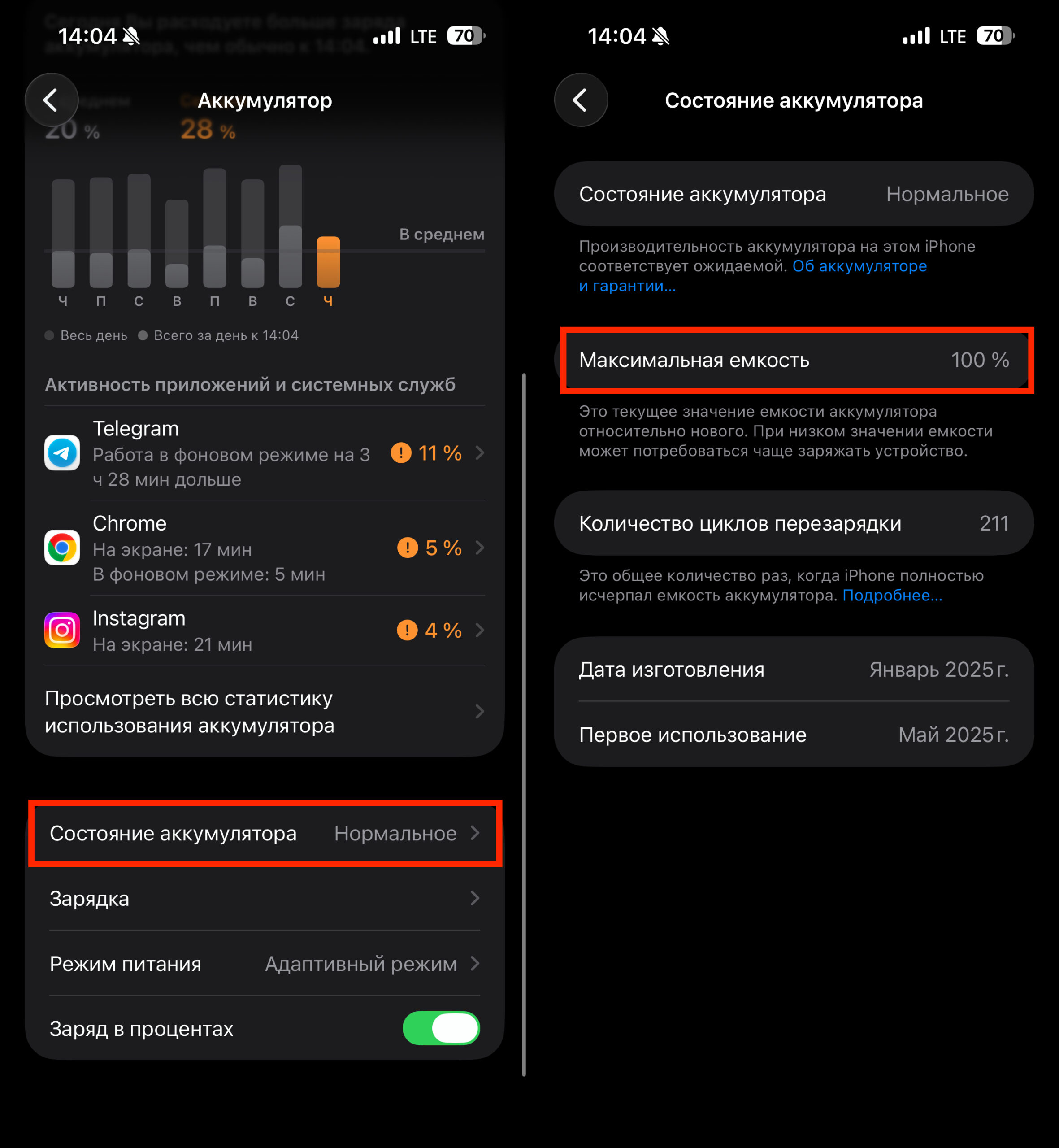
Battery capacity dropping below 80% is a direct path to replacement
- Open Settings.
- Go to the Battery section.
- Tap “Battery Health” (on iPhone 14 and older, this is called “Battery Health & Charging”).
- Check the “Maximum Capacity” value.
If the reading is below 80%, the battery is significantly worn. In this case, the iPhone may start running slower (the system automatically reduces performance to prevent unexpected shutdowns), hold charge poorly, and overheat. On iPhone 15 and newer, you can also see the number of charge cycles and the date the battery was first used.
How Much Does iPhone Battery Replacement Cost and When Is It Worth It
I had to pay a considerable amount for replacing the iPhone XS battery through Apple. Several thousand. That’s even more than what’s typically charged for newer models. But this is the standard price for older models from iPhone X to iPhone 13, which are no longer manufactured.
In terms of Russian market realities: there’s no official Apple battery replacement in Russia, but third-party service centers charge approximately 3,000–5,000 rubles for an iPhone XS battery replacement, depending on the city and component quality.
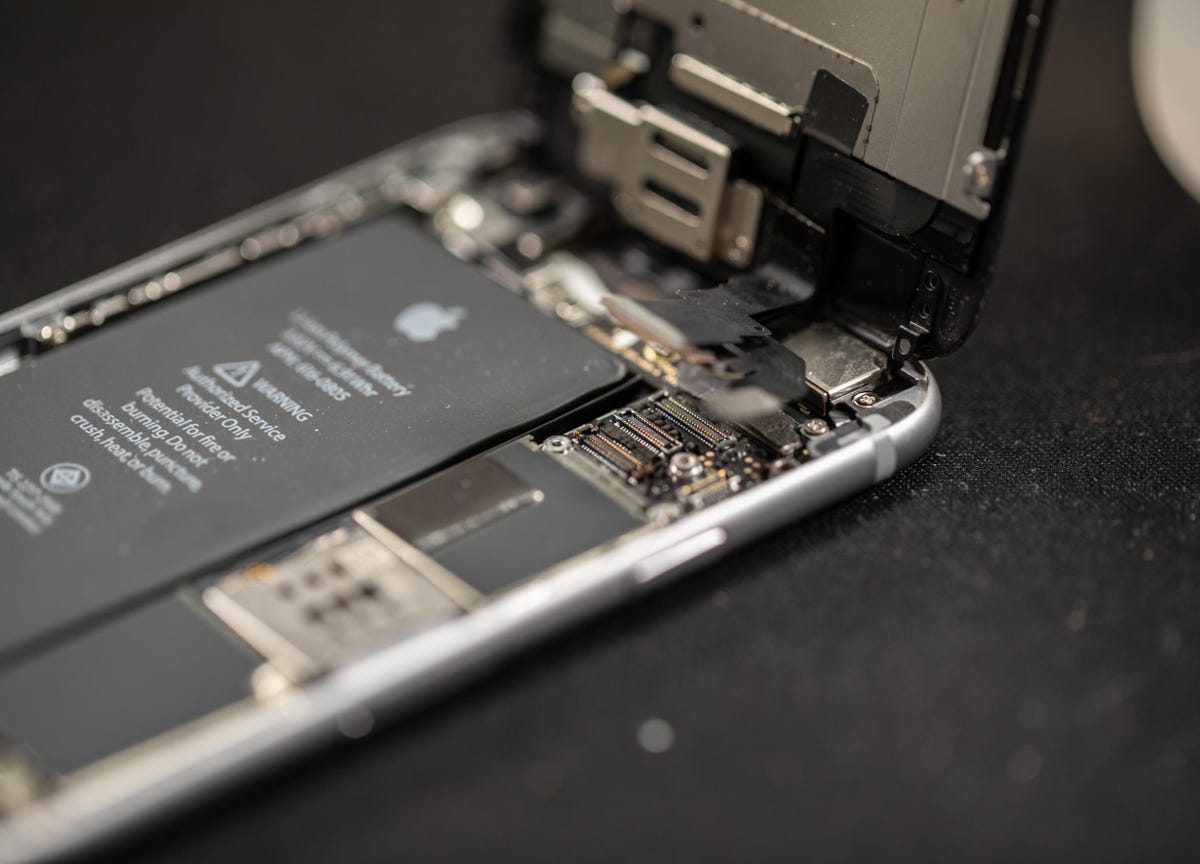
Sometimes battery replacement makes sense. Image: cnet.com
Battery replacement is justified if:
- “Maximum Capacity” is below 80%
- iPhone shuts down at 20–30% charge
- The phone noticeably overheats during normal use
- The charge doesn’t last even half a day
However, if your iPhone is more than 5–6 years old, it’s worth considering: a battery replacement will extend the device’s life but won’t solve issues with an outdated processor, lack of iOS updates, and insufficient RAM. In such cases, it may be wiser to put that money toward buying a new iPhone.
Is It Worth Asking ChatGPT About iPhone Problems
This story is more of an example that ChatGPT can deliver correct but obvious answers. The advice to check battery health and replace it is the first thing any tech-savvy friend or even Apple’s own support page would tell you.
Nevertheless, for someone who has never looked at the Battery section in Settings, ChatGPT can be a decent starting point. The AI provides step-by-step instructions in plain language and doesn’t require you to dig through Apple’s documentation.
But there’s an important caveat: ChatGPT cannot see your specific iPhone and cannot perform real diagnostics. It works with text and provides the most likely causes. If the problem isn’t the battery but, for example, background app activity or a glitch after an iOS update, the chatbot might lead you down the wrong path.
What Else Can Cause Rapid iPhone Battery Drain
If your iPhone drains quickly but battery health is still normal (above 80%), the problem may lie elsewhere. Here’s what to check:
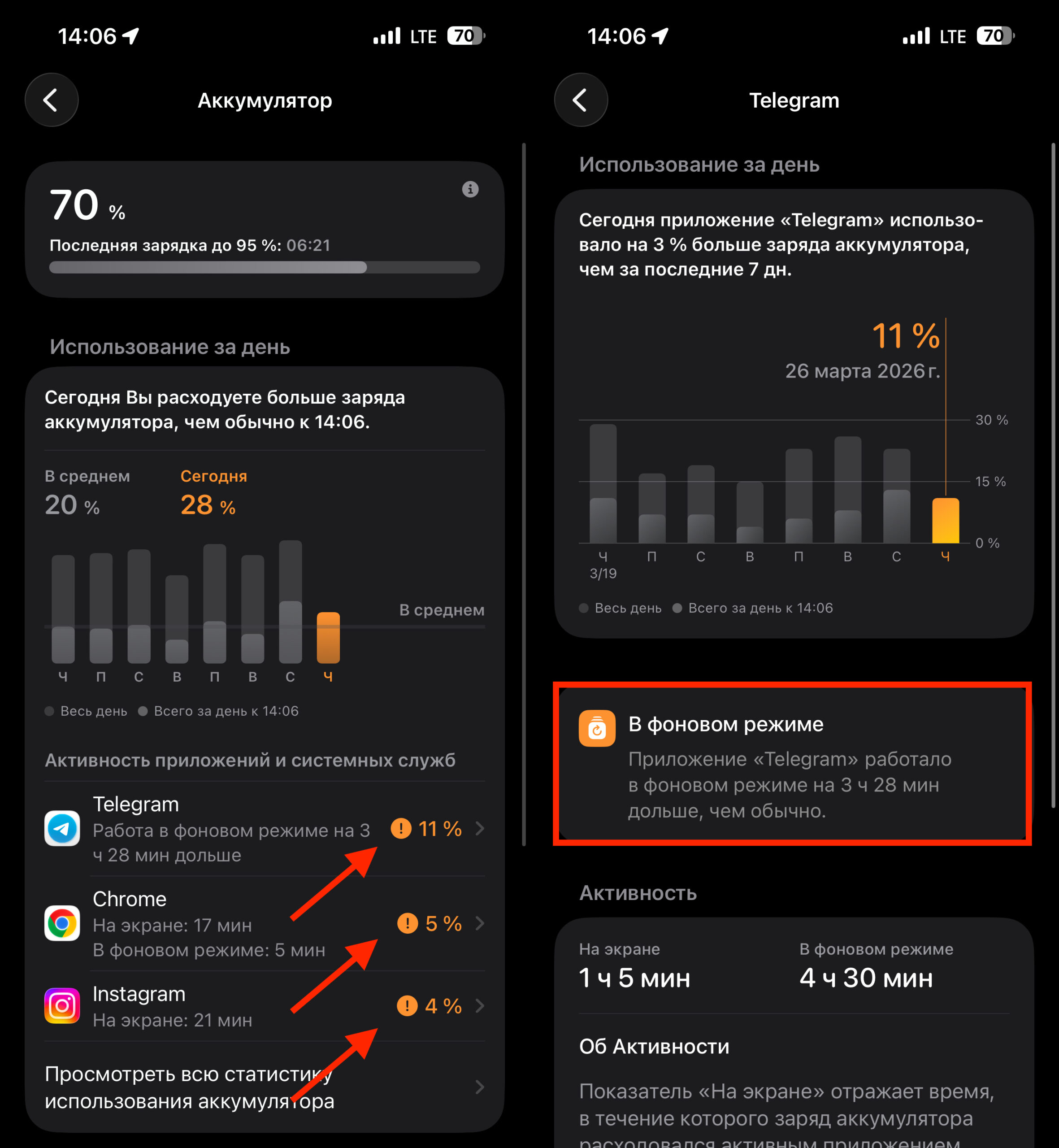
iOS shows which apps consume more charge than usual
- Background app activity. Go to Settings → Battery and see which apps consume the most energy. If an app is using a disproportionate amount — restrict its background activity.
- Screen brightness. Auto-brightness helps save charge. Make sure it’s enabled: Settings → Display & Brightness.
- Recent iOS update. After an update, iPhone may drain faster for several days — the system performs background data indexing. Wait 2–3 days before sounding the alarm.
- Poor cellular or Wi-Fi signal. When iPhone constantly searches for a network, it uses more energy.
All of this can be checked on your own — without ChatGPT and without visiting a service center.
Who Will Benefit from ChatGPT’s iPhone Battery Advice — and Who Won’t
If you have a relatively new iPhone (15 or 16 series) and the battery drains faster than expected — it’s most likely not about the battery but about settings or a specific app. Check the Battery section in Settings.
If your iPhone is more than 3–4 years old and “Maximum Capacity” has dropped below 80%, battery replacement is the simplest and cheapest way to restore normal battery life. It really works, and ChatGPT didn’t make anything up here.
However, relying on AI as your sole “diagnostician” isn’t advisable. For basic questions — it works fine. For a real problem that simple tips can’t solve — it’s better to visit a service center where your iPhone can be inspected in person.