I did a review of all the official HyperOS 3 features — there’s a lot of interesting stuff. But now a hidden function has been discovered that Xiaomi didn’t announce separately. After the update, the area around the camera cutout periodically seems to fade and darken. It looks alarming. Especially if you don’t know what’s happening. Let’s figure out what’s going on with the Xiaomi screen after the update and whether you should be worried.
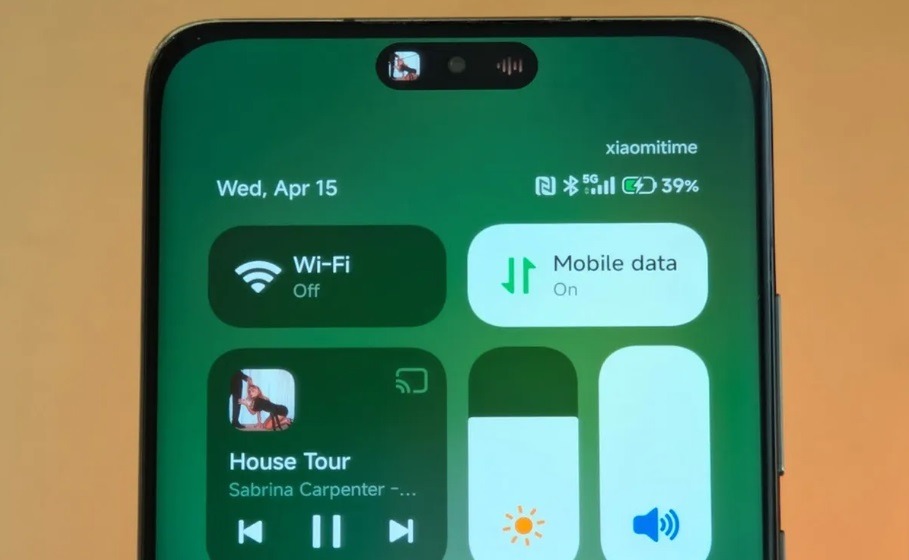
The Dynamic Island interface is to blame. Image: ximitime.com
What Is HyperIsland on Xiaomi
To understand why the screen dims in that specific spot, you first need to understand the feature itself. HyperIsland is Xiaomi’s Dynamic Island, an analog of Apple’s Dynamic Island. It appeared with the HyperOS 3 firmware and transforms the front camera cutout from a dead zone into a useful interface element.
Specifically, HyperIsland can display up to three background tasks simultaneously: timer, voice recorder, navigation, and trip information. You can switch between them right from this compact island without opening the full app. You can pull it down to get a quick preview of the active task. It looks neat. But this very feature creates the issue we’ll discuss next.
Where and Why the Xiaomi Screen Dims
After the HyperOS 3 update, users began noticing that the area around the camera cutout periodically becomes slightly darker, as if the graphics there are fading. Not the entire Xiaomi screen, but only the zone around HyperIsland. It doesn’t appear immediately but after prolonged use.
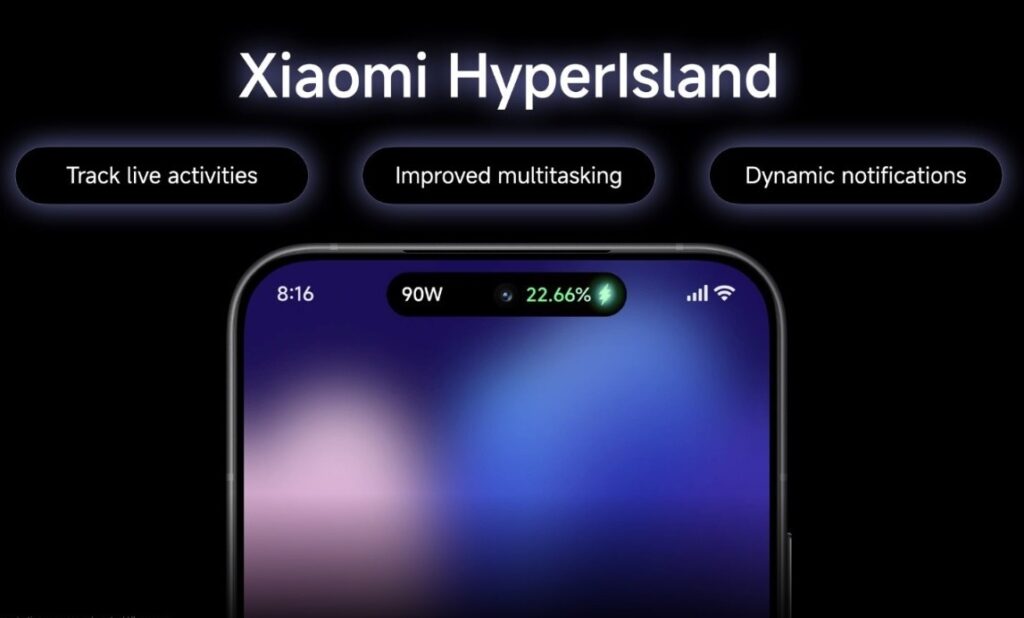
The area near the front camera fades — right where HyperIsland is located. Image: Xiaomi
On social media, this was quickly labeled as a bug. People talked about Xiaomi screen quality issues after the update, suspected display defects, and demanded a fix. Xiaomi initially didn’t comment on the situation, which only fueled the fire. In reality, it’s not a bug. But to understand what’s happening, you need to understand the physics of AMOLED screens.
Causes of AMOLED Screen Burn-In
AMOLED burn-in is the physical degradation of pixels due to uneven wear. Each pixel in an OLED or AMOLED matrix emits light independently. Blue sub-pixels wear out faster than red and green ones, so over time color reproduction shifts toward warmer tones. Several factors accelerate this process:
- high screen brightness with constant use;
- static interface elements in one place (navigation bar, status bar, icons);
- prolonged display of light and white tones at maximum brightness;
- Always On Display with the screen constantly on.
That’s exactly how the screen burned in on my Redmi Note 10 Pro. Though in my case, it wasn’t the navigation bar that left an imprint, but app icons. Either way, this can’t be fixed: pixels don’t recover. The only option is replacing the display.
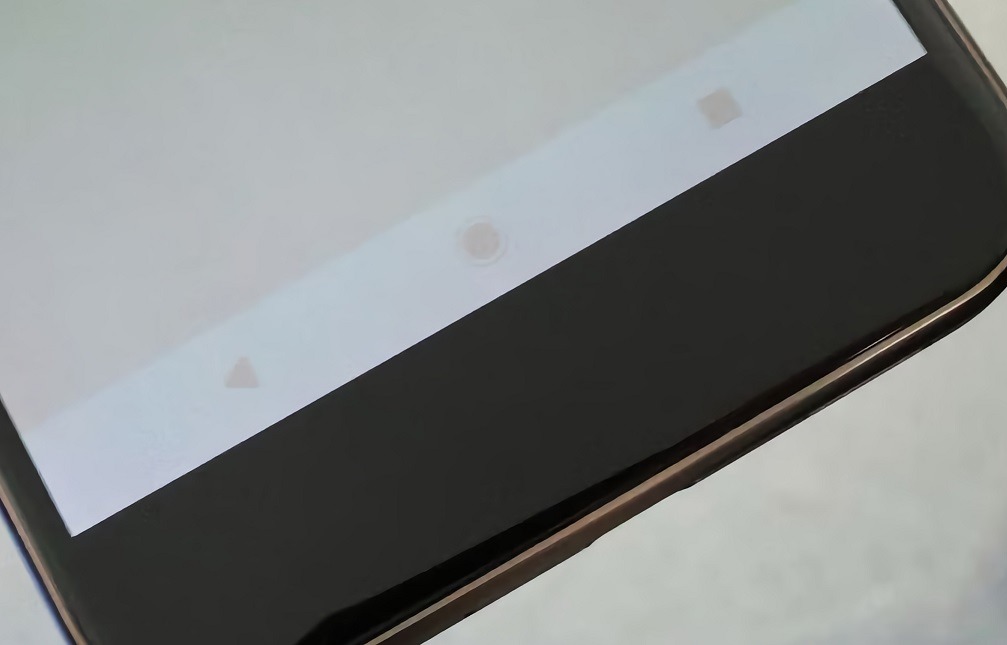
An example of how static elements can leave imprints. Image: 4pda.to
HyperIsland is a permanent static element at the top of the screen. It’s always in the same place, always active, always displayed. For AMOLED panels, especially in older smartphones, these are ideal conditions for accelerated burn-in.
How Screen Protection Works in HyperOS 3
Tech blogger @缪特mt received official confirmation from Xiaomi: what looks like a bug is actually an intentional burn-in protection algorithm. Xiaomi’s screen protection in HyperOS 3 works as follows. The system constantly monitors pixel condition and tracks how long the static HyperIsland element has been displayed in one place. When the time exceeds the allowed threshold, the algorithm gradually dims the graphics in that zone and micro-shifts the pixels. This prevents uneven degradation and protects the matrix from irreversible damage.
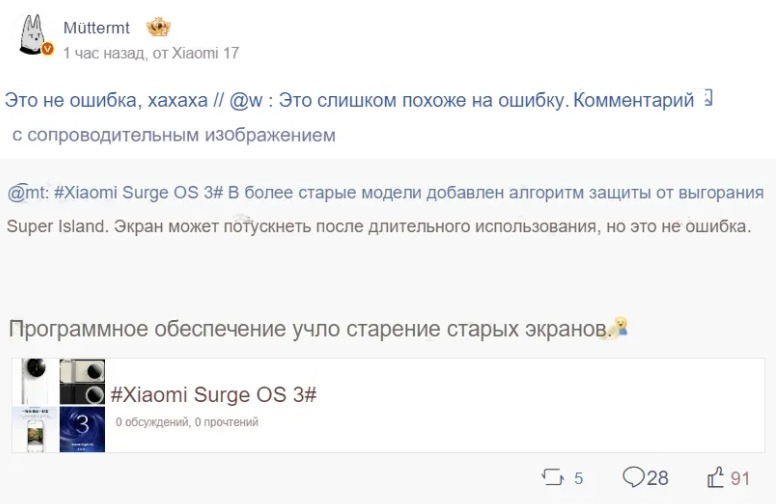
When you find out it was designed that way
The temporary visual dimming is an intentional compromise. The screen looks slightly worse for seconds, but the pixels stay alive for several more years. An important detail: on new Xiaomi smartphones, this feature doesn’t activate. Modern AMOLED panels have native burn-in resistance, so the algorithm isn’t needed. The protection only works on older devices where the risk is real. Essentially, Xiaomi did what it should have: accounted for the physical limitations of older hardware and solved the problem through software. That’s fair.
Should You Update Xiaomi to HyperOS 3
Yes, you should. A dimming screen is no reason to postpone installing HyperOS 3. It’s not a defect but a way of caring for your display’s longevity. Without this algorithm, HyperIsland would methodically burn out pixels at the top of the screen, and in a year or two you’d end up with a permanent artifact that can’t be removed.
You can download HyperOS 3 through the standard update channel. Xiaomi screen settings don’t need to be changed after the update, since the algorithm works automatically without user input. Just know: if the screen near the cutout has dimmed slightly — everything is going according to plan.