The HyperOS 3.1 update based on Android 16 has started rolling out to Xiaomi 17 series smartphones and POCO Pad tablets. If you’ve already received the update with the new firmware — congratulations, you’re among the first. But before you go back to using your smartphone as usual, it’s worth spending five minutes to enable three features that will noticeably change your daily experience. Here are just a few tricks you can try right now.

Overview of the three main features from the HyperOS 3.1 update. Image: xiaomitime.com
What’s New in HyperOS 3.1: Three Key Changes
The changelog in HyperOS 3.1 is extensive despite the update’s incremental status, and three features stand out from the rest:
- a new style for the recent apps menu;
- an updated HyperIsland with tablet support;
- native Apple AirPods integration.
It’s important to note that the full range of changes is only available on smartphones running HyperOS 3.1 based on Android 16. If your device is based on Android 15, some features will be unavailable.
Recent Apps, Just Like on iPhone
The standard multitasking view on Android is a vertical stack of cards. The new HyperOS 3.1 offers an alternative: horizontal scrolling in iOS style. It looks neater, switching between apps is more convenient, and subjectively the interface immediately feels more premium. To enable the new style:
- Long-press an empty area on the home screen to enter editing mode.
- Tap “Settings” at the bottom of the screen.
- Find the “Layout of items in Recents” option.
- Select the horizontal style (it will be labeled as stack).
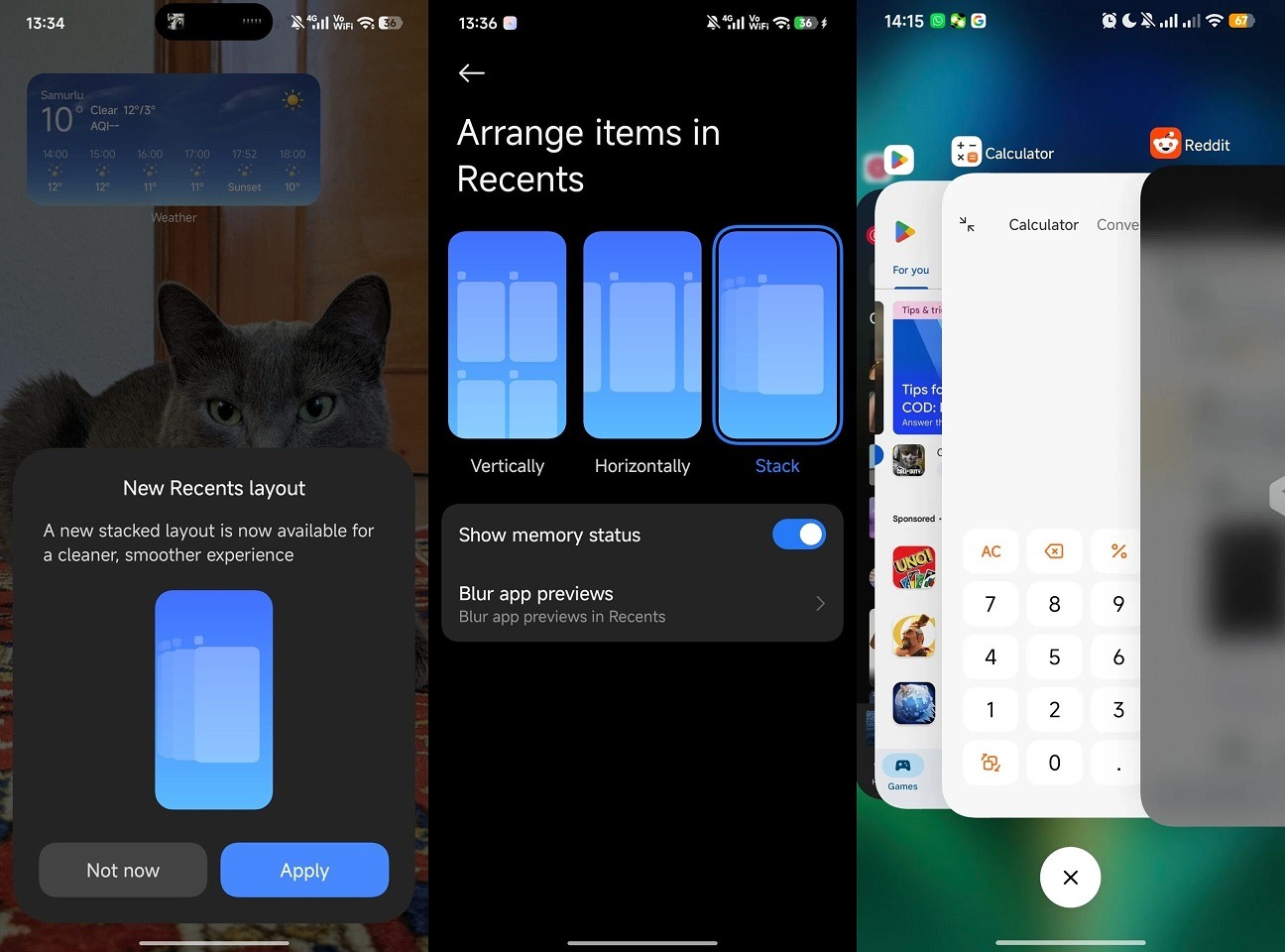
Xiaomi immediately offers you to try the new style
After that, the multitasking button will open a horizontal list of open apps. You get used to it quickly, and you won’t want to go back to the old view. This is one of those changes that’s hard to describe in words — you just need to enable it and try it out.
Updated HyperIsland in HyperOS 3.1
HyperIsland is an analog of Apple’s Dynamic Island that Xiaomi implemented in its shell. In HyperOS 3.1 firmware, it received a significant update thanks to deep integration with Live Updates in Android 16. Now the dynamic pill at the top of the screen shows not just notifications, but live data in real time: timers, navigation status, music playback. And all of this comes with full-fledged animations.
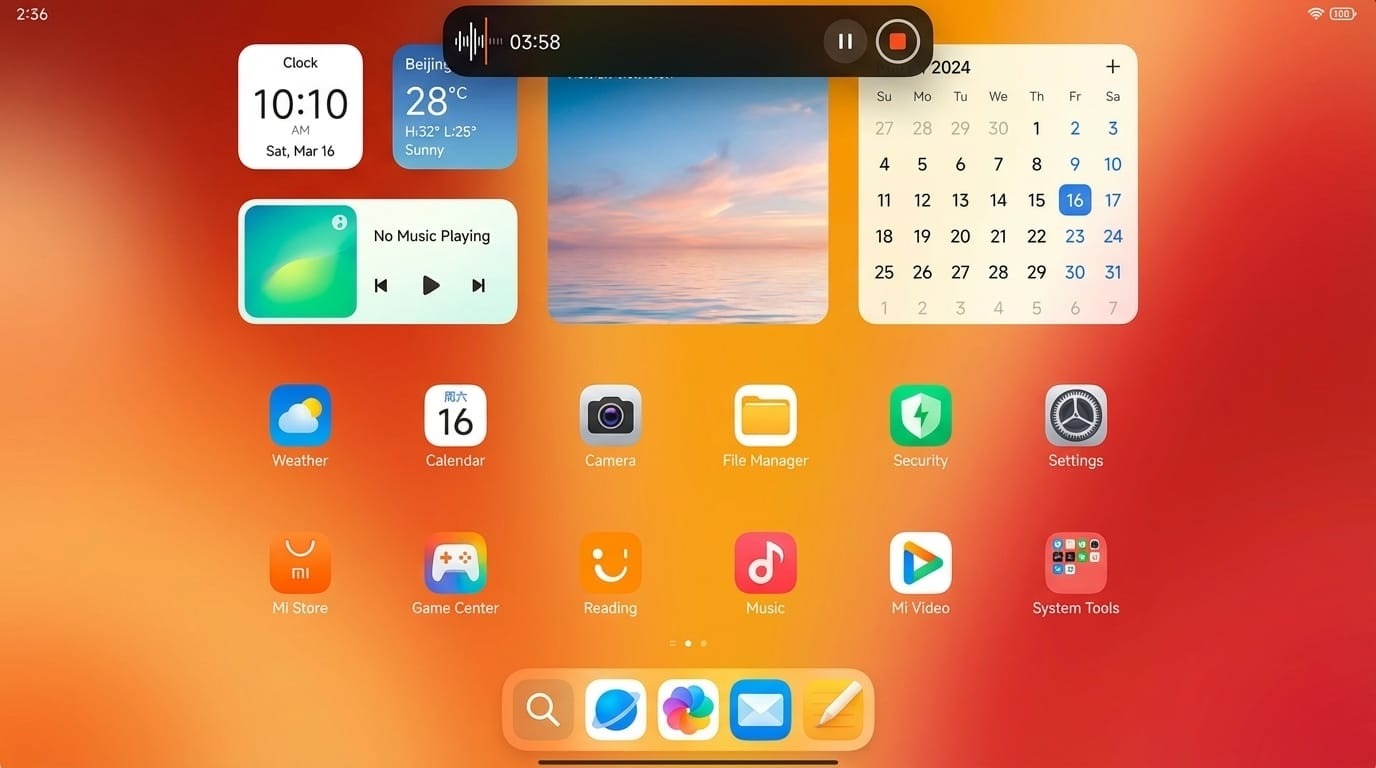
HyperIsland now works on tablets too
Separate news for tablet owners: HyperIsland is finally optimized for large screens. If you have a POCO Pad or Xiaomi Pad — the feature now works correctly on your device too. To see HyperIsland in action, start a timer or play music and look at the top of the screen. The animation appears automatically, no additional settings required.
Native Apple AirPods Support in HyperOS 3.1
This is perhaps the most unexpected feature of the new HyperOS. Xiaomi added system-level support for Apple AirPods. No third-party apps, no workarounds. If you use AirPods with a Xiaomi phone, it now works fundamentally differently. To try it:
- Open the AirPods case lid near your smartphone.
- A native pop-up window will appear on the screen showing the charge level of each earphone and the case separately.
- In the connected device settings, a “Find Device” function will be available — you can play a sound or get directions to the last known location of the AirPods via the HyperConnect framework.
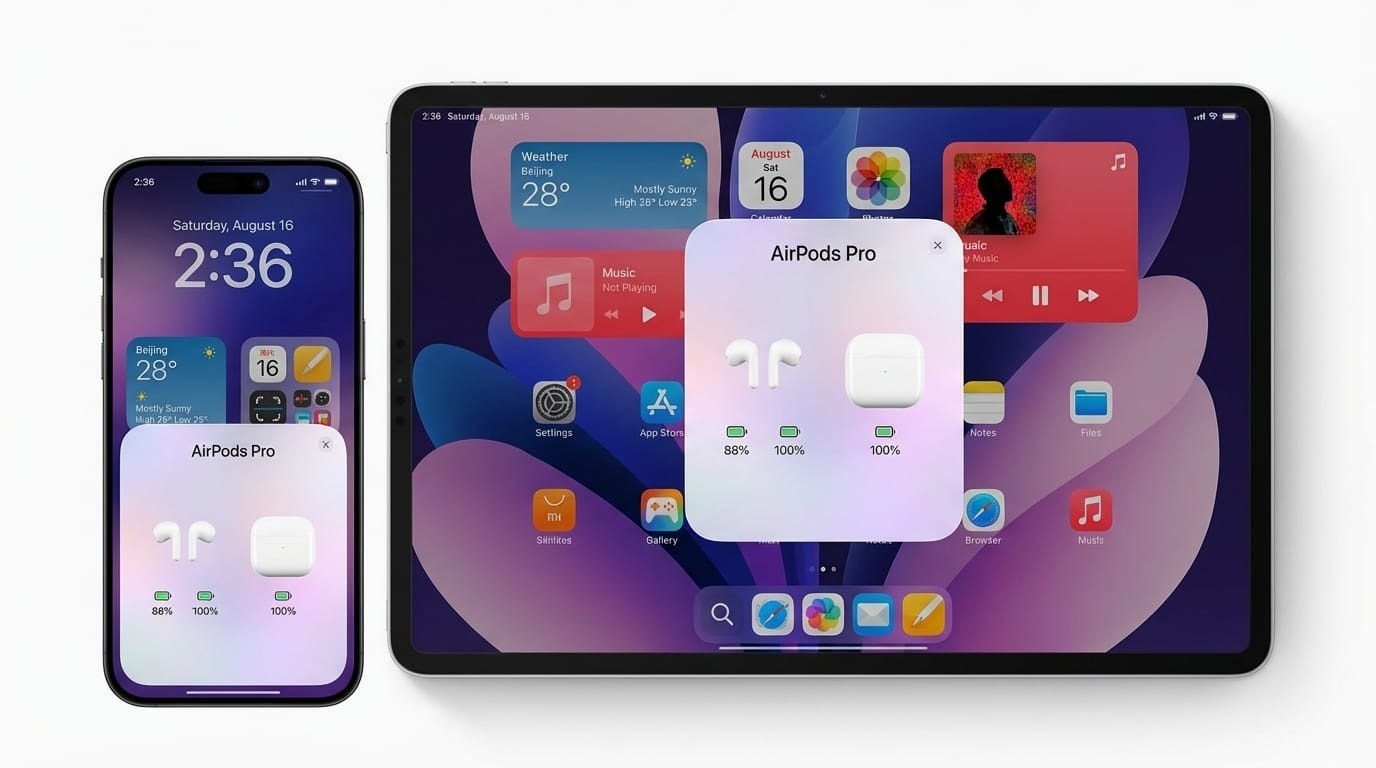
AirPods on Xiaomi feel right at home
This is implemented at the system level — just like on iPhone. No additional apps need to be installed. For those who use a mixed ecosystem or recently switched from iPhone, this is a tangible improvement that removes one of the main sources of frustration.
Who Will Receive the HyperOS 3.1 Update
The first wave of updates will go to the Xiaomi 17 series and POCO Pad tablets. The rollout is gradual: first the stable version arrives on flagship models, then the list expands.
Force-downloading HyperOS 3.1 ahead of schedule through standard means isn’t possible: the update arrives over the air in order of queue. You can check for its availability in “Settings” — “About Phone” — “System Update.” If the update hasn’t arrived yet, all you can do is wait. But if your device is on the compatibility list, the update will definitely come.