Artificial intelligence is increasingly used not only for text generation but also for working with files. Today, almost any free neural network can analyze a contract, explain complex wording, and highlight potentially risky clauses. This is convenient when you need to quickly review an agreement before signing. At the same time, even the most accurate AI for document analysis remains a supplementary tool and does not replace a lawyer.
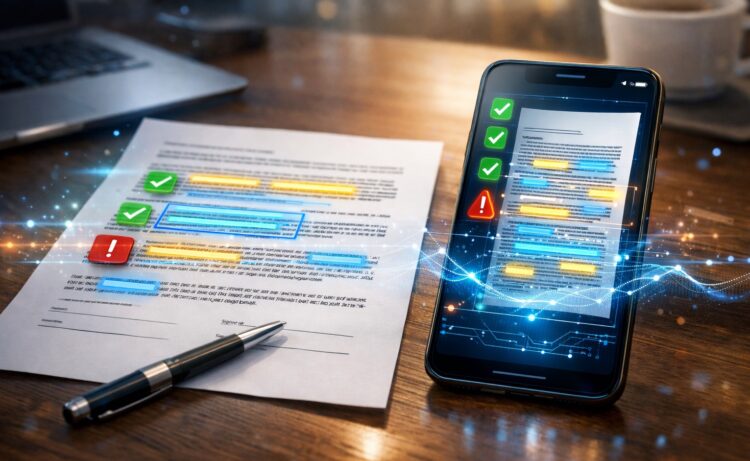
A free AI can review a contract for you
What AI Can and Can’t Do with a Contract
A modern AI for contracts is essentially any chatbot that supports PDF file uploads. For example:
- ChatGPT;
- DeepSeek;
- Alisa;
- GigaChat.
Such AI can analyze text and find potentially problematic conditions in it. It can explain the meaning of wording, highlight unfavorable clauses, and suggest what to pay attention to before signing. That’s why many people use these services as an initial check before sending a document to a lawyer.
At the same time, it’s important to understand that AI checks documents only based on the text you send it. It doesn’t know the specifics of your particular situation and doesn’t take judicial practice into account. For this reason, the analysis results cannot be considered a legal opinion.
What AI can do:
- translate legal language into plain language;
- find potentially unfavorable conditions;
- explain specific clauses;
- suggest questions to ask before signing;
- compare the responsibilities of the parties;
- highlight penalties and restrictions.
What AI cannot do:
- provide an official legal opinion;
- bear responsibility for its advice;
- account for regional laws;
- know judicial practice;
- replace a professional lawyer.
You can use free AI contract review for everyday agreements, leases, services, or preliminary checks. But if the contract involves a large sum or non-standard conditions, it’s better to additionally consult a specialist.
How to Upload a Contract to AI
Before you review a contract through AI, you need to properly send the document to the chat. Currently, almost every AI that works with documents supports text, PDF, and images, so you can choose any convenient method. I used ChatGPT, but you can use any free neural network.
Pasting text works for short contracts:
- Copy the document text.
- Open the AI chat.
- Paste the text.
- Write a request for analysis.
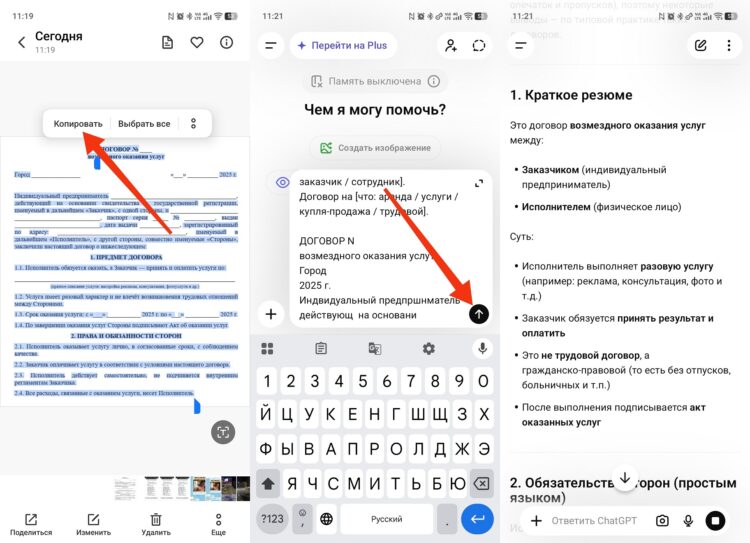
You can simply paste the text
If the document is long, it’s better to upload a file. This is how almost any AI for contract review works, including ChatGPT, DeepSeek, and GigaChat.
Uploading a PDF:
- Click the paperclip icon.
- Select the file.
- Wait for it to upload.
- Ask it to perform a review.
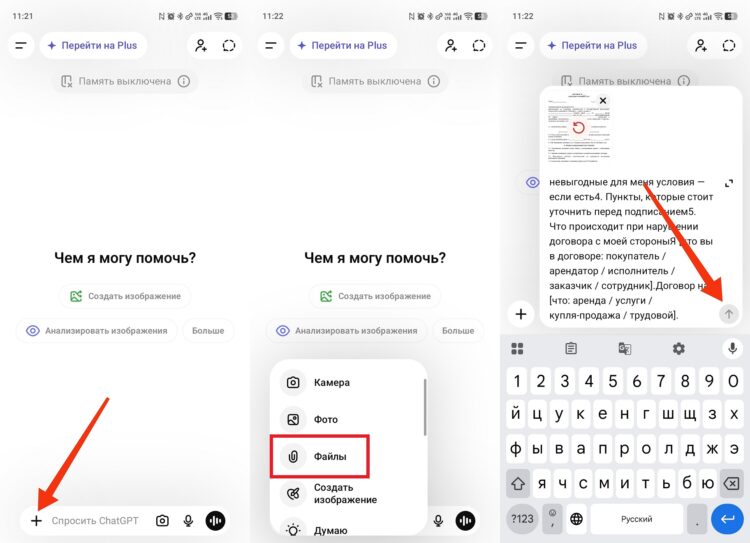
You can upload a PDF file
If the contract is on paper, you can use a photo. This is convenient as AI-assisted document help when you don’t have the ability to scan a file.
Uploading an image:
- Take a photo of the contract.
- Send the photo to the chat.
- Ask it to recognize the text.
- Then ask it to perform an analysis.
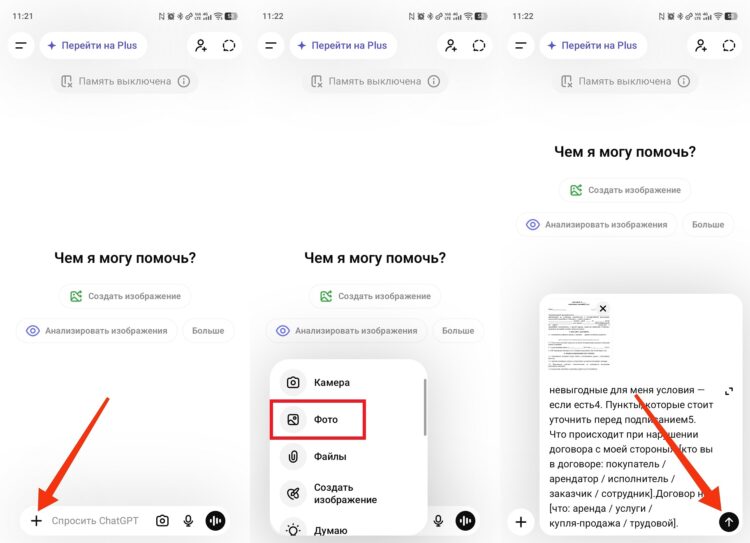
A photo will also work for AI
If the document is longer than 20 pages, it’s better to review it in parts:
- Divide the contract into sections.
- Send them one at a time.
- At the end, ask for an overall summary.
Prompt for initial analysis:
Analyze this contract and explain it in plain language.
 [paste contract text or upload file]
 I need:
 1. A brief summary: what the contract is about, between whom, and under what main conditions
 2. The main obligations of each party — in plain language
 3. Potentially unfavorable conditions for me — if any
 4. Clauses that should be clarified before signing
 5. What happens if I breach the contract
 I am [your role in the contract: buyer / tenant / contractor / client / employee].
 The contract is for [what: lease / services / purchase-sale / employment].
What Dangerous Clauses to Look for in a Contract Using AI
To review a contract with AI properly, you need to assign specific tasks. If you simply ask it to check the text, the answer will be too general. It’s better to immediately ask it to find clauses that most often cause problems when signing.
What to pay attention to:
- automatic renewal;
- fines and penalties;
- unilateral termination;
- liability of the parties;
- jurisdiction;
- hidden fees;
- notification deadlines;
- changes to contract terms;
- limitation of liability.
This is exactly the kind of task that AI for contract analysis is most often used for, because it quickly finds typical risks that are easy to miss when reading.
Prompt for finding dangerous conditions:
Carefully check this contract for the following conditions:
 [paste contract text]
 Find and quote clauses (if any) that relate to:
 — Automatic renewal without my consent
 — Fines and penalties on my side (amount and conditions)
 — The other party's right to terminate the contract unilaterally
 — Restrictions that apply to me but not to the other party
 — Jurisdiction clause (in which city/court disputes are resolved)
 — Any non-standard conditions that are rarely found in standard contracts
 For each clause found: quote it and explain what it means in practice.
How to Ask AI to Explain an Unclear Contract Clause
Contracts often contain wording that is difficult to understand without a legal education. In such cases, you can use a free AI for documents as a translator from legal language to everyday language.
The simplest method:
- Copy the contract clause.
- Paste it into the chat.
- Write “explain in simple terms.”
After that, the AI will show what the condition means and what consequences it may have. This method is useful when you need to quickly understand the text before signing.
You can ask follow-up questions:
- What happens if I violate this clause?
- In whose favor is this condition written?
- What are the risks for me?
- Can this clause be changed?
Prompt:
Explain this contract clause in plain language:
 "[paste clause]"
 Answer:
 1. What this means in practice